About Configurations
To meet diversified needs, the Tool is highly configurable. It enables users to customize the functionalities and personalize the loaded models to fit their special needs. The customization and personalization are achieved though modification of a set of configuration files. The following provides an overview of what can be configured in the Tool.
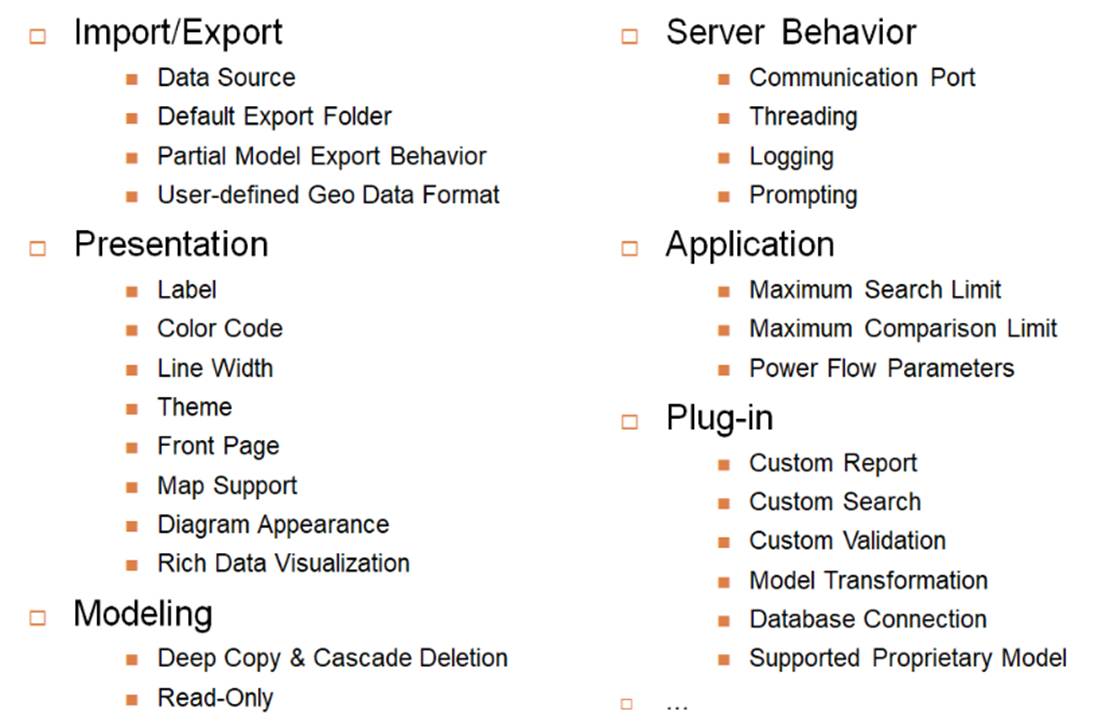
The Tool supports both client and server configuration. In general, the client configuration is used for UI customization, while the server configuration is for business function customization. However, the UI configurations specific for an individual model are also specified in the server configurations. One common question is why a desktop application requires both server and client configurations. This is because the Tool is fundamentally designed as a distributed enterprise application. The desktop version is simply a special deployment with the server embedded in the client.
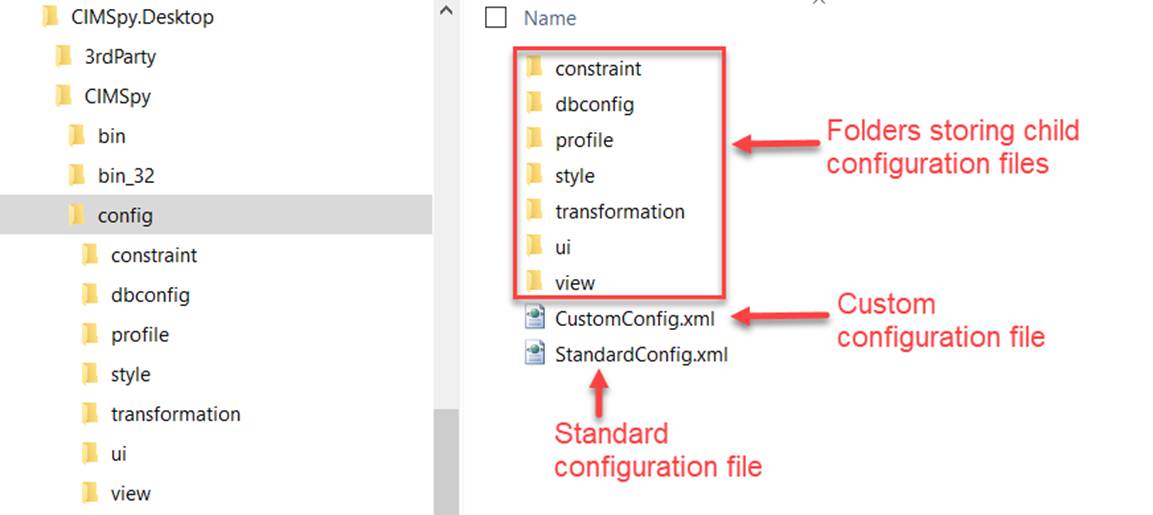
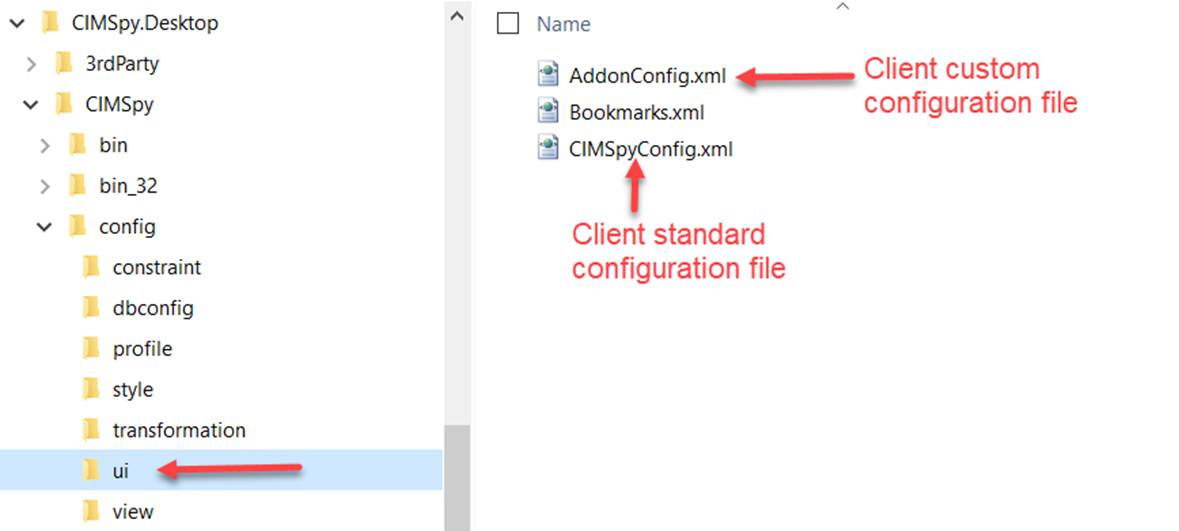
Both client and server maintain a pair of configuration files to facilitate the Tool upgrade. One configuration file is standard configuration which users are not supposed to change, while the latter is designed for users to customize the tool. Any customized changes should be stored in custom/add-on configuration file. This custom configuration file will be maintained by users. It is designed for users to carry over their customizations to a new version of the tool as it evolves. The two configuration files, all in XML, are identical in structure. But all of the configuration specification in custom configuration files are optional. When specified, the custom configurtion will overwrite the corresponding configurations in the standard configuration files.
The server configuration files are stored in the following folder, as illustrated below. Uers can also create other custom configurations for multiple workspaces hosted in the server. In this case, each workspace is an independent modeling environment.
The client configuration files are stored in the following folder, as illustrated below.
The server configuration contains most of the configuration information. The custom version of the server configuration file could grow rapidly if users define Views or Presentation Styles. The Tool enables users to split a big configuration file into unlimited number of child-configuration files. For example, users may create a child-configuration file for a specific ViewGroup, or create a child configuration file to define a presentation style. Again, the child configuration file maintains the same structure as the parent configuration file.
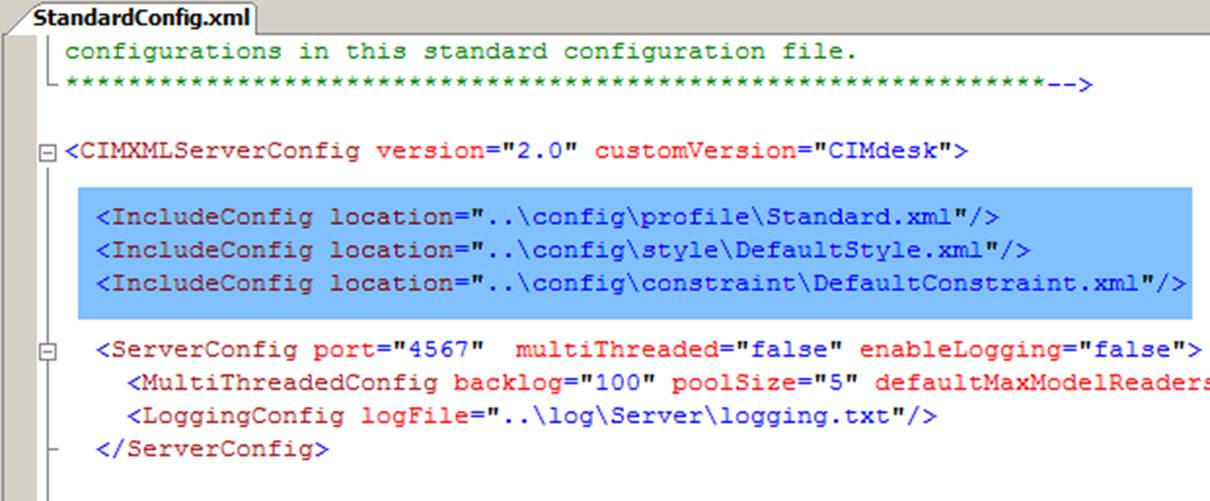
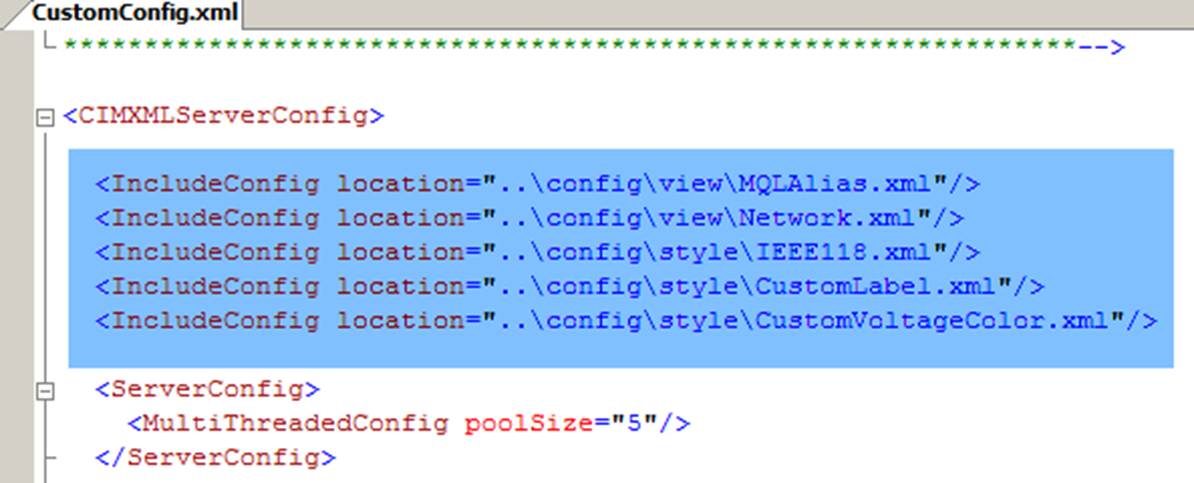
Each of the child configuration files must be included in the master (standard or custom) configuration file, as shown above. Like a master configuration file, a child configuration file can also include other configuration files. At run time, all of the configuration files will be merged sequentially, resulting in one big set of configuration file. To ensure the integrity, users shall include all of the dependent configuration files. But none of the configuration files will be loaded twice. The server keeps track of the loaded configuration files and enforce this rule. There is one rule that users shall keep in mind: the configuration file loaded late will overwrite the settings of the previous. Typically, we don’t use child configuration for overwriting. Overwriting is mainly between two master configuration files, i.e. standand and custom configuration files. Using of child configuration files is mainly to enhance the manageability of the configurations which could grow rapidly.