Extracting Model Changes between Versions
Model Changes between two Versions could be extracted as CIM incremental model or CIM difference model. The extracted model changes could be sent to other systems for model update or synchronization, or submitted to the corresponding grid coordination organizations for model sharing.
Base Version contains the Base Model. All subsequent Versions are derived from the Base Version by appending a set of Submitted Changes. Users can easily extract the changes between two Versions on the same branch in the form of a CIM Difference Model. Each intermediate version between the two selected versions contributes a subset of the Submitted Changes in the Difference Model. Similar to Building a Release of Full Model, this Difference Model can be extracted and exported for external application consumption or shared by other groups for their model maintenance and management works.
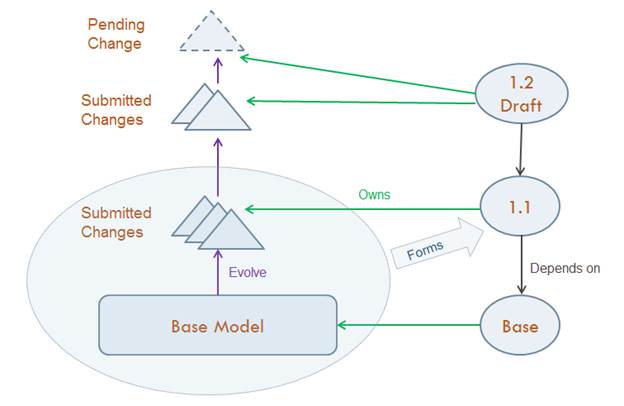
The benefit of extracting Model Changes between Versions in this way is the improved performance. Users can always load the two Versions of Model and create a Difference Model by comparing them. However, extracting Model Changes between Versions will generate the Difference Model directly from Modelspace database. It saves the loading time of the Models.
Applicable Versions for Extracting Model Changes
Not all Versions are applicable for Model Changes extraction. The selected Versions must satisfy the following conditions:
- Base Version contains only the Base Model without Submitted Changes. Users can’t extract Model Changes from it. However, because all versions are ultimately derived from it, users can always extract Model Changes from another version against the Base Version.
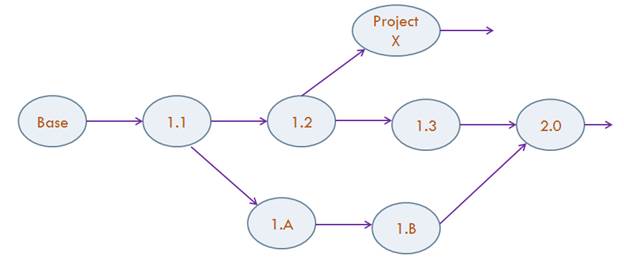
- The two Versions must be on the same branch. In other words, one Version can be derived from the other through intermediate Versions.
In the following example, Model Changes can be extracted from 1.3 to 1.1 or from 1.B to 1.1. However, Model Changes from 1.3 to 1.B is not extractable. The Tool will automatically filter the applicable versions before prompting users for selection.
Extract Model Changes
There are two ways to extract Model Changes between two Versions: from Model Admin Page and from context menu in Tree Panel.
- Extract Model Changes from Model Admin Page.
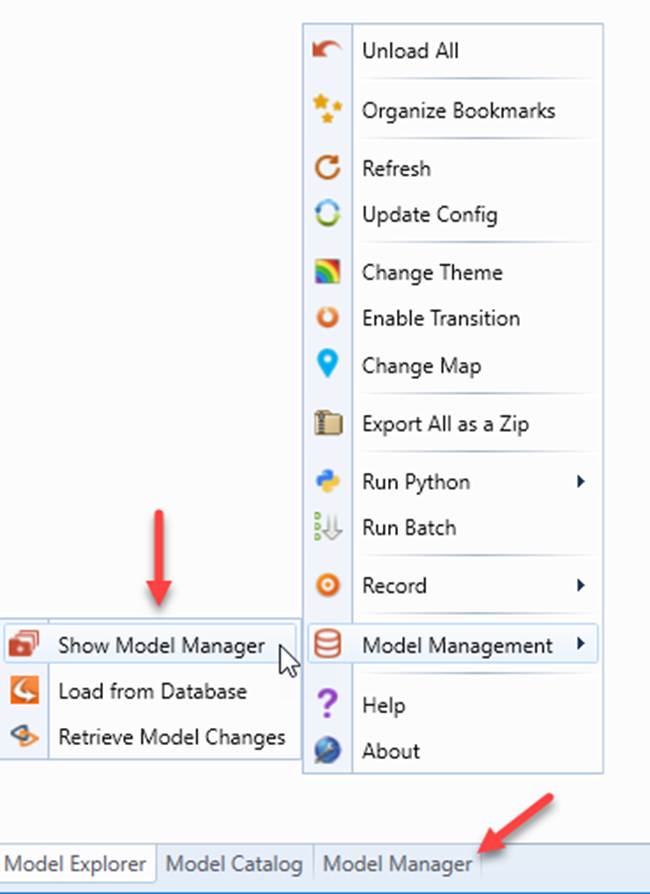
- To launch Model Admin Page, bring up the context menu from the Tree Panel and click Manage Models in Database.
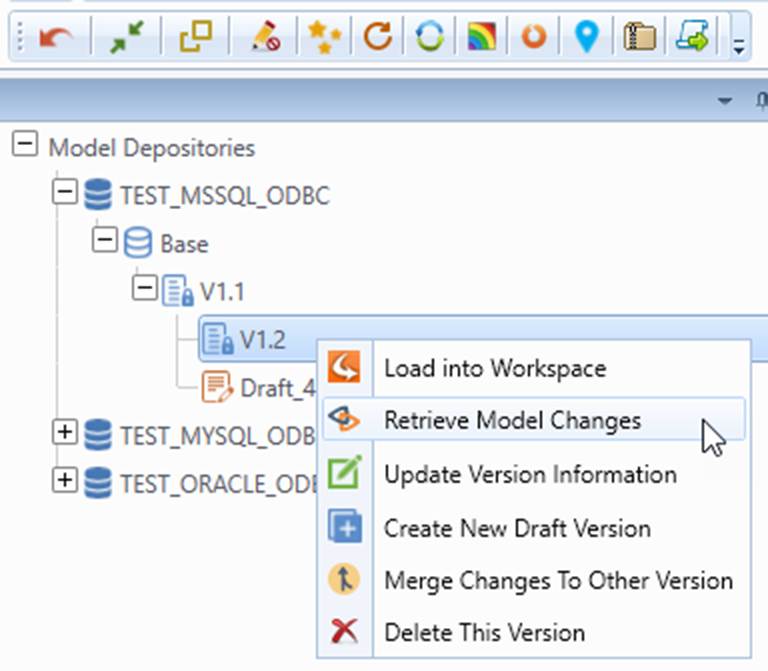
- Select the Version from which you want to extract Model Changes and click Retrieve Version Changes from its context menu.
- When prompted to select from a set of applicable Versions, choose the Version to be compared with. Realize that only applicable Versions will be shown in the list.
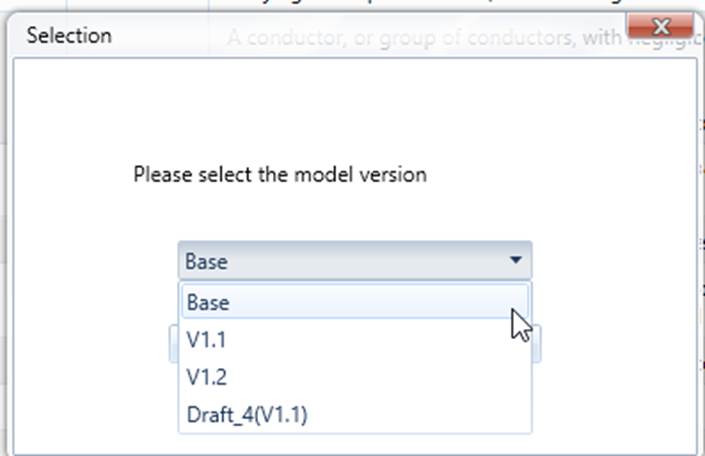
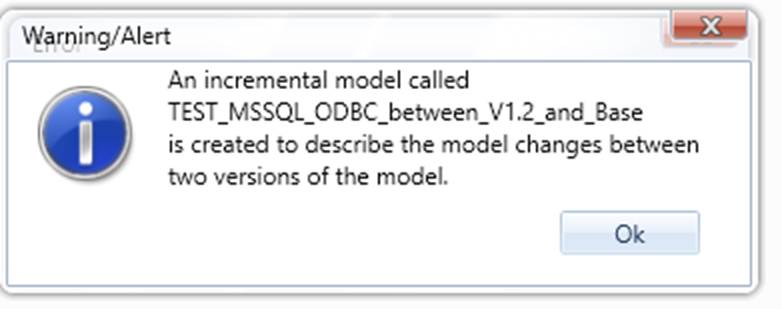
- The following message indicates a successful extraction of the CIM Difference Model.
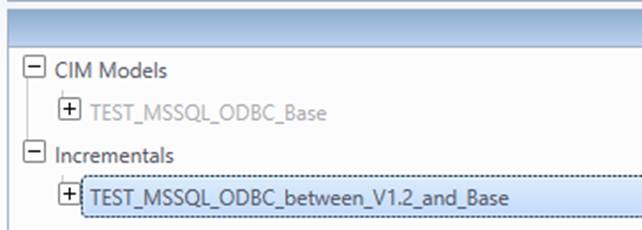
- The Difference Model can be found under the “Incrementals” in the Tree Panel.
- Extract Model Changes from context menu in Tree Panel.
- From the global context menu of the Tree Panel, click Retrieve Model Changes.
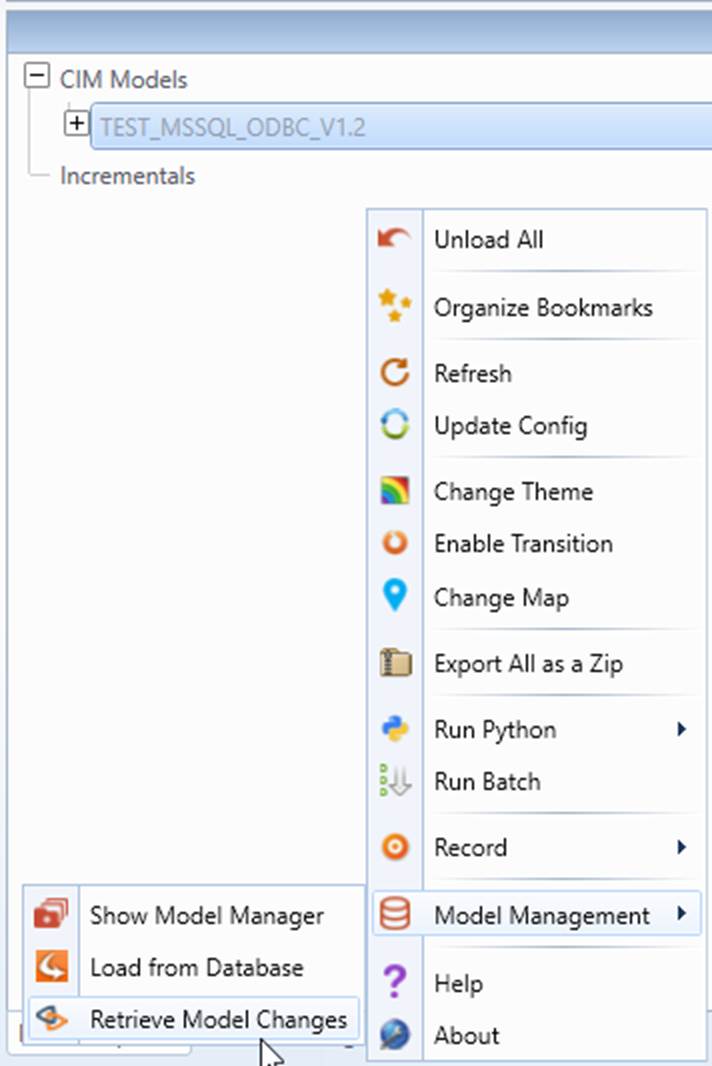
- Follow a similar process to extract the model changes .
Export Difference Model
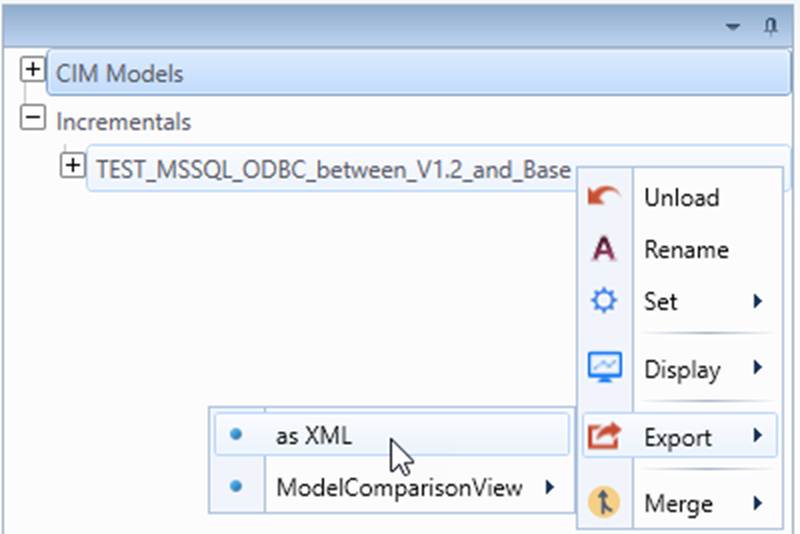
After the Difference Model is created, it can be exported as CIM Incremental for external consumption
Notes
Diagram and Geo Location changes will not be included in the Extracted Model Changes. They should be managed separately as self-contained entities. Users can export Diagrams and Geo Locations by themselves.