Defining CIM Extension
Some functional modules of the Tool are CIM-aware. For example, validation must be guided by a model schema specification, and model editing requires a governing CIM profile to be available. The model schema/profile specification, however, is not hard-coded in the Tool. Instead they are separated from software implementation and stored as a metadata file, i.e. XSD-based profile document. Basically, an XSD-based model schema specification is created for each version of profile. It includes all of the meta-knowledge about the specified model, including modeling restrictions and validation rules. In order to support the extended CIM, the governing profile must be modified to include the extensions.
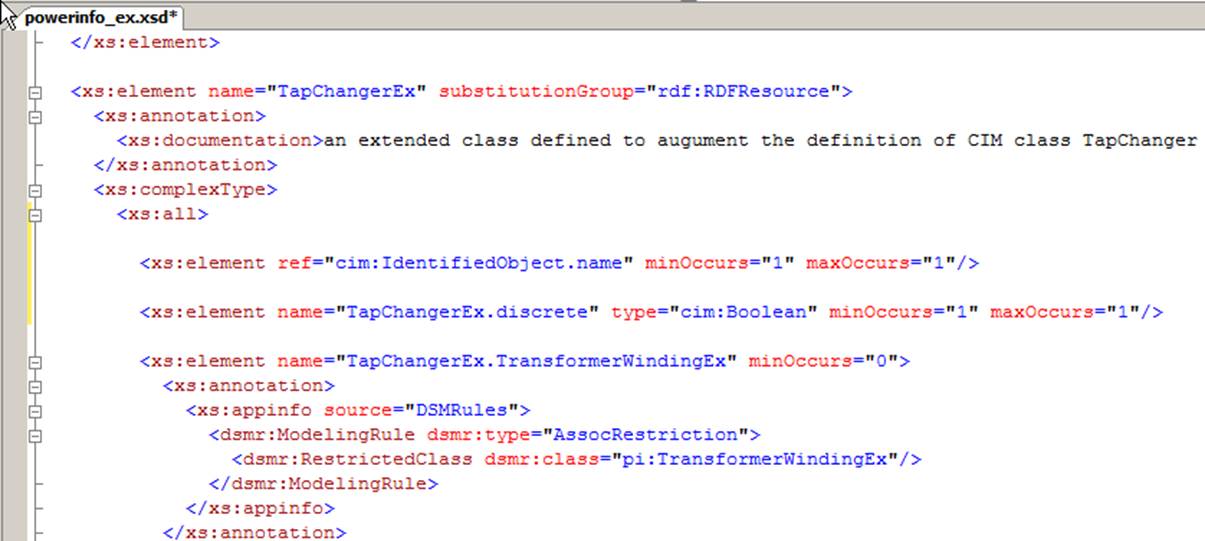
While it is out of the scope to teach how to extend CIM, the following provides some general guidelines on how to extend these XSD meta-files in support of CIM extension.
- Identify your CIM extensions and document the extensions using a formal approach such as spreadsheet or UML, etc. The documented extension shall include all of the information, including cardinality and special notes.
- Identify the XSD-based profile document that matches your base CIM model. Check the CIM versions and profiles supported in the Tool. Use this XSD file as the extension base or starting point.
- Understand how CIM profile is specified in the Tool. This can be accomplished by studying the examples in the base XSD files. This task requires user to fully understand CIM specifications as well as XSD specifications.
- Modify the base XSD files and add an extension XSD file to include all of the identified extensions at both class and attribute level.
- Add modeling constraints and validation rules to the extended XSD files as annotations. MQL can be used to specify the validation rules. For example, the following sample shows how a MQL-based validation rule is created to check whether X/R ratio of the ACLineSegments is above a certain limit. If so, a warning message will be raised.
<``xs:element name``=``"ACLineSegment" substitutionGroup="rdf:RDFResource">
<``xs:annotation``>
<``xs:appinfo source``=``"DSMRules">
<``dsmr:ModelingRule dsmr:type``=``"MQLExpression">
<``dsmr:MQLExpression dsmr:mqlString``=``"[AClineSegment.x]/[ACLineSegment.r]>100"
dsmr:mqlErrorType``=``"warning" dsmr:mqlErrorCode="W05001"
dsmr:mqlErrorMsg``=``"ACLineSegment.x/ACLineSegment.r ratio is too large."/>
</``dsmr:ModelingRule``>
</``xs:appinfo``>
</``xs:annotation``>
….
</``xs:element``>
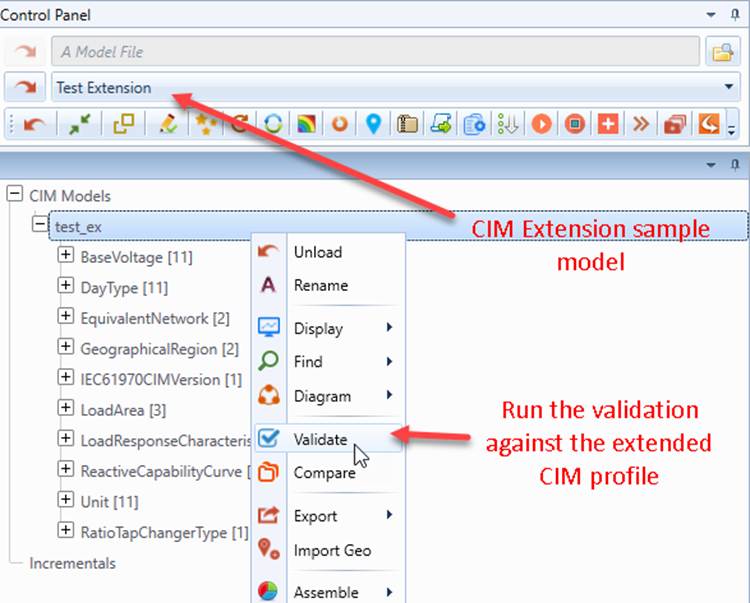
- Declare the extended CIM profile and associate it with a pre-defined data source and make it available for all of the loaded models.
- Run the custom validation or try to edit the extended objects/properties to ensure that the extended CIM profile works as expected.
A sample of CIM extension, including extension profile specifications and test models can be found under folder \TestCases\extension\user_defined. This sample is based on CPSM 14. A few extensions were added to an extension file called powerinfo_ex.xsd. Users can load this sample model from the data source dropdown list for the hand-on experience
Note: The feature is included in the standard release, but not under the standard technical support. Special technical support is available on a case-by-case basis.