How to Run the Applications?
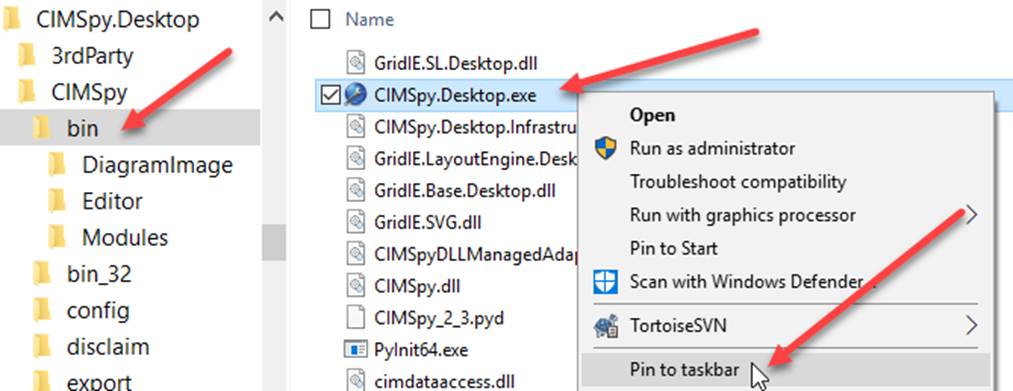
As a desktop application, the Tool can be easily started by running the executable CIMSpy.Desktop.exe (for CIMSpy) or CIMdesk.Desktop.exe (for CIMdesk) under folder \CIMSpy\bin. If you frequently use the Tool, it is recommended that you create a desktop shortcut or pin the application to the taskbar, as illustrated below.
If the Tool is pinned to taskbar, it can be quick started by clicking the icon in the taskbar, as illustrated below.

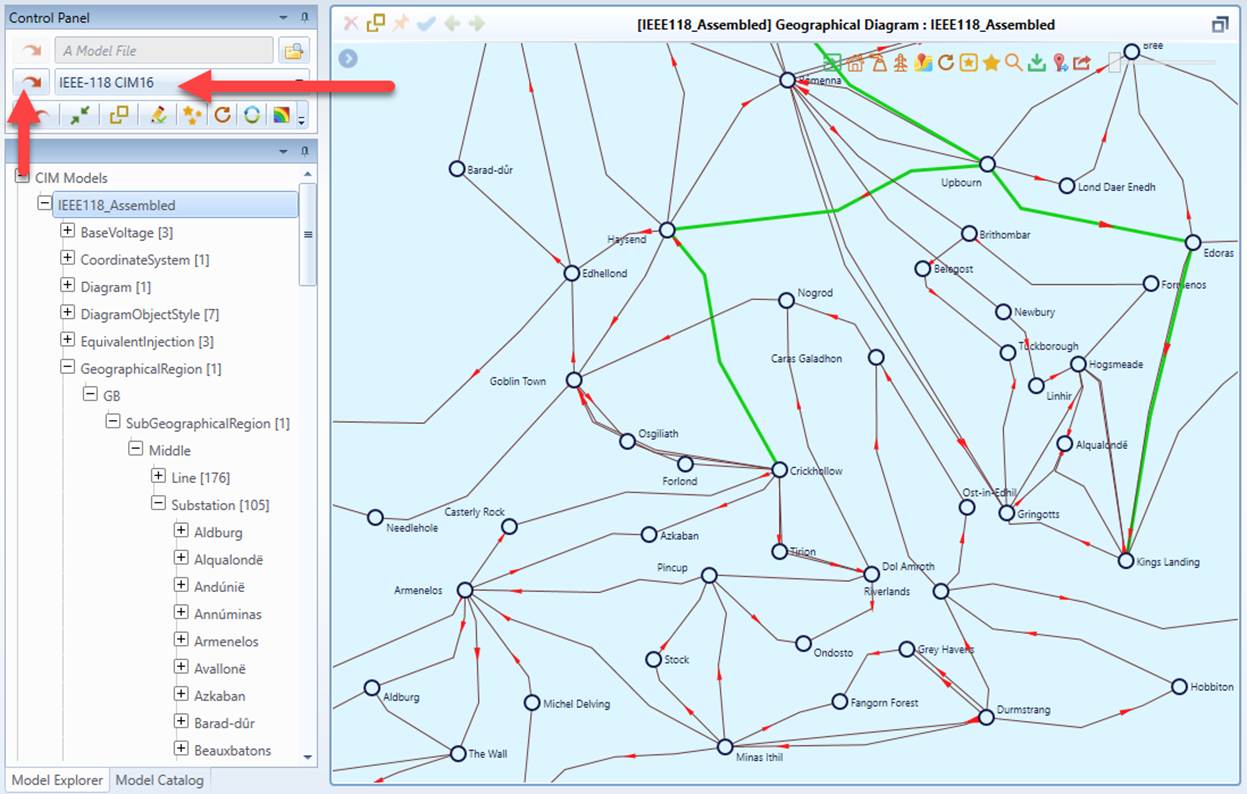
Once the Tool is started, users can load a pre-configured sample model for the testing purpose. This can be accomplished by selecting a pre-configured sample model from the dropdown list in the control panel and then clicking the load Command Icon, as illustrated below.
Multiple instances of the Tool can be run simultaneously, side-by-side.