Deleting Objects
The Tool enables users to delete any CIM objects. Additionally, it automatically maintains referential integration. If an object is deleted, its reference in other objects will be removed. In other words, the object deletion activity will not result in any dangling references.
Objects can be deleted from an object tree node or object Form Display, as illustrated below. When deleting objects, users have two options:
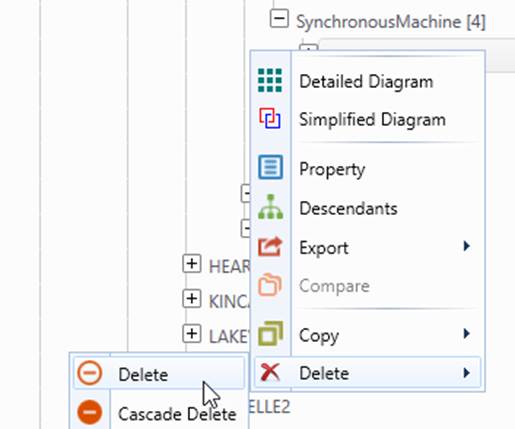
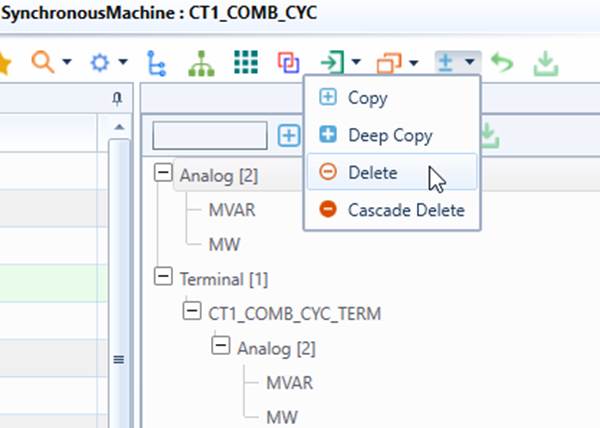
- Single Object Deletion – Only the selected object will be deleted. All of the associations with this object will be detached to maintain the referential integrity.
- Cascading Deletion – The selected object and all of it descendants (the objects under the selected object in the model hierarchy) will be deleted. This option is normally used to delete a group of related modeling entities (such as all of the modeling entities within a Substation). This option should be used with caution. If deleting all of the descendants is not desirable, the Tool can also be configured to customize the behavior of cascading deletion.
Similarly, users can also delete objects from a category tree node. This is normally used when users want to delete all of the objects grouped under this category tree node. Both single and cascading deletions are supported.
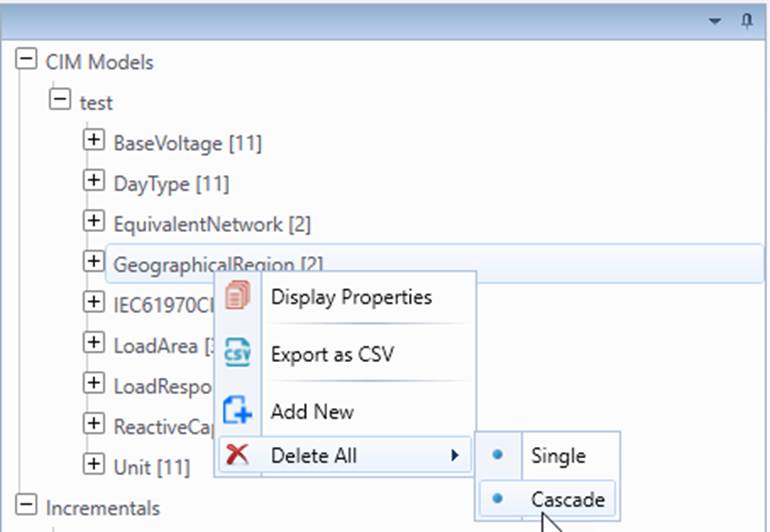
Cascading deletion is a powerful model edit function. It enables users to remove the grouped modeling entities at a high level, such as a Substation/GeographicalRegion. By default, the Tool will delete all of the descendant objects (i.e. the objects directly/indirectly under it in any of the model hierarchies.) In other words, the cascading deletion function is generic and non-selective by default. This could result in some undesirable behaviors. For example, cascading deletion of a ConformLoadGroup delete all of the ConformLoads under it. On the other hand, cascading deletion of a Substation will leave a SeriesCompensator connected to two ConnectivityNodes within the Substation, since the SeriesCompensator is contained in a Line. These may be the desirable behaviors. The Tool allows users to customize the behavior of cascading-deletion through modeling restriction specification.
The functions of deep-copying, cascading-deletion, and partial model export are based on the CIM equipment containership hierarchy. However this could result in loss of the equipment in some case. For example, a SeriesCompensator is contained in a Line, but be connected within a Substation. If the Substation is deep-copied, the SeriesCompensator within the Substation could be lost. This is not a desirable behavior. The Tool will detect such equipments and include them during deep-copying, cascading-deletion, and partial model export. Basically if the equipment is not contained in the selected equipment container (as enumerated in the indrectEquipmentContainer, i.e. Substation, SubGeographicalRegion, or GeographicalRegion), but all of its Terminals are connected to the ConnectivityNodes which belong to the selected equipment container. The Tool will include copy/export such equipment during deep-copying, cascading-deletion, or partial model export. Users however can disable such default behavior by changing includeAllInternalEquipment to “false” the DeepCopyCustomization element, as shown below.

The above restriction basically means: if includeAllInternalEquipment is true, then all of the ConductingEquipments that are connected to the ConnectivityNodes belonging to the equipment containers specified in indirectEquipmentContainers will be included in the copied EquipmentContainers. In other words, the equipment containership is inferred based on network connectivity rather than the direct composition or ownership association.
This configuration enables users to configure the behavior of deep-copying, cascading-deletion, and partial model export to maintain the integrity of the copied equipment container regardless of containership modeling. For example, if ACLineSegment is missing containership, users can still include them in the copied GeographicalRegion based on their connectivity.