Cross-Model Navigation
The Tool provides object-to-object navigations within a single model. Users can navigate from one object to its associated objects in both Form Display and Tabular Display through hyperlinks. This object-to-object navigation is also extended between related models. The cross-model navigation is very useful when multiple related partial models are loaded into the Tool.
In the following example, two partial models are loaded into the Tool. The objects in one partial model may reference to other objects in other partial models. Depending on the configuration, the Tool allows users to navigate between these associated objects. By clicking the highlighted hyperlink in the following Form Display, users can navigate from an object in the State Variable Model to the associated object in the Equipment model.
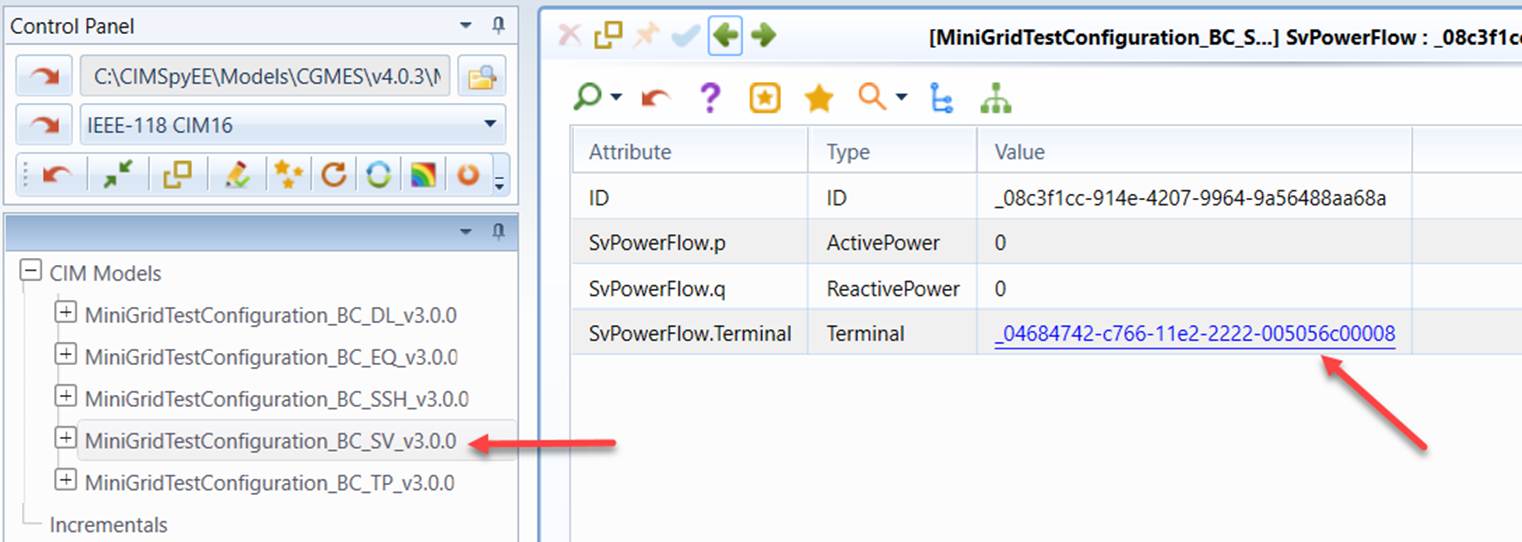
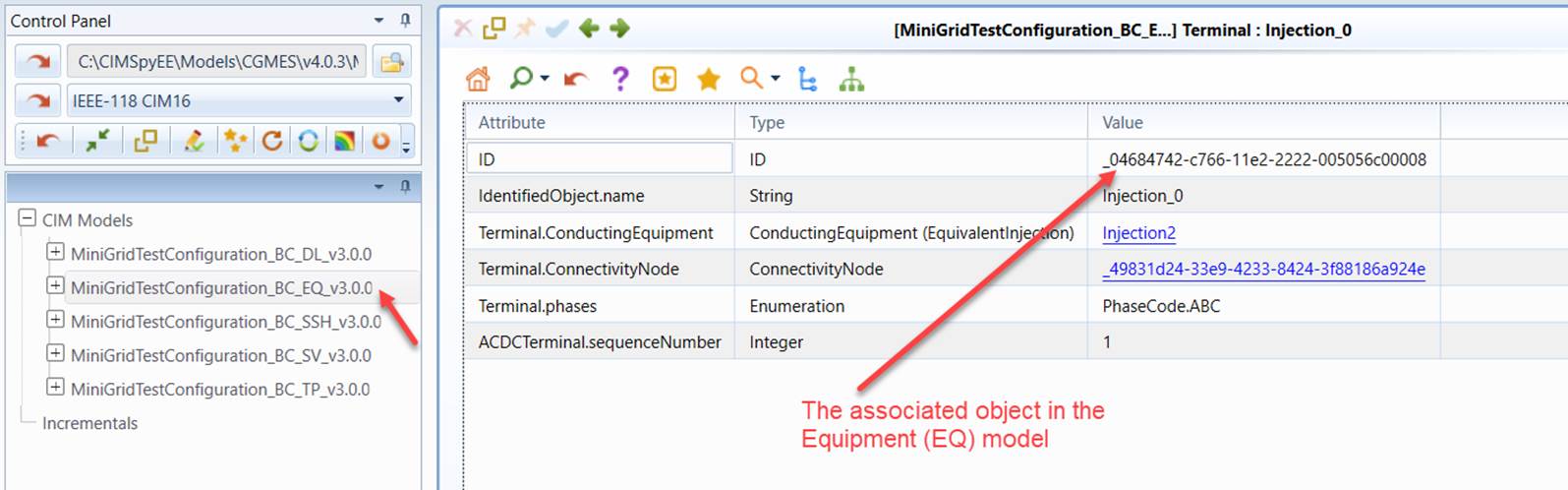
The cross-model navigation behavior can be changed by changing configuration in the server configuration file. It can be completely disabled by setting the enableCrossModelNavigation attribute to ‘false’ or restricting the navigation only from the dependent model to the base model by setting the restrictCrossModelNavToBaseModelOnly attribute to ‘false’. In the latter case, the dependency between models must be specified in the Header of the model files.

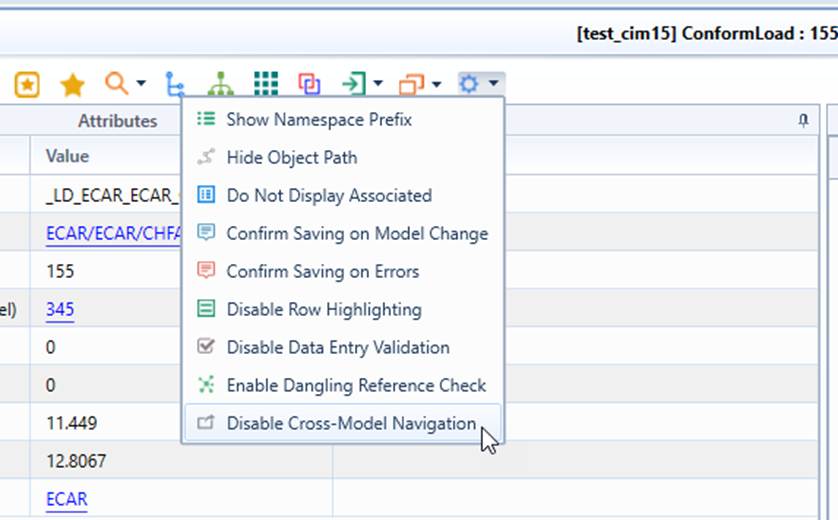
Cross-model navigation can be also be disabled from the UI, as illustrated below. Note this is a persistent UI setting, applying only to individual user.
As a more advanced feature, the Tool enables users to copy objects across the models. The Tool also supports the navigation from an incremental CIM to its updated or base model.