Updating with a Difference Model
To apply an incremental Difference Model into a full base model, you must load both into the Tool.
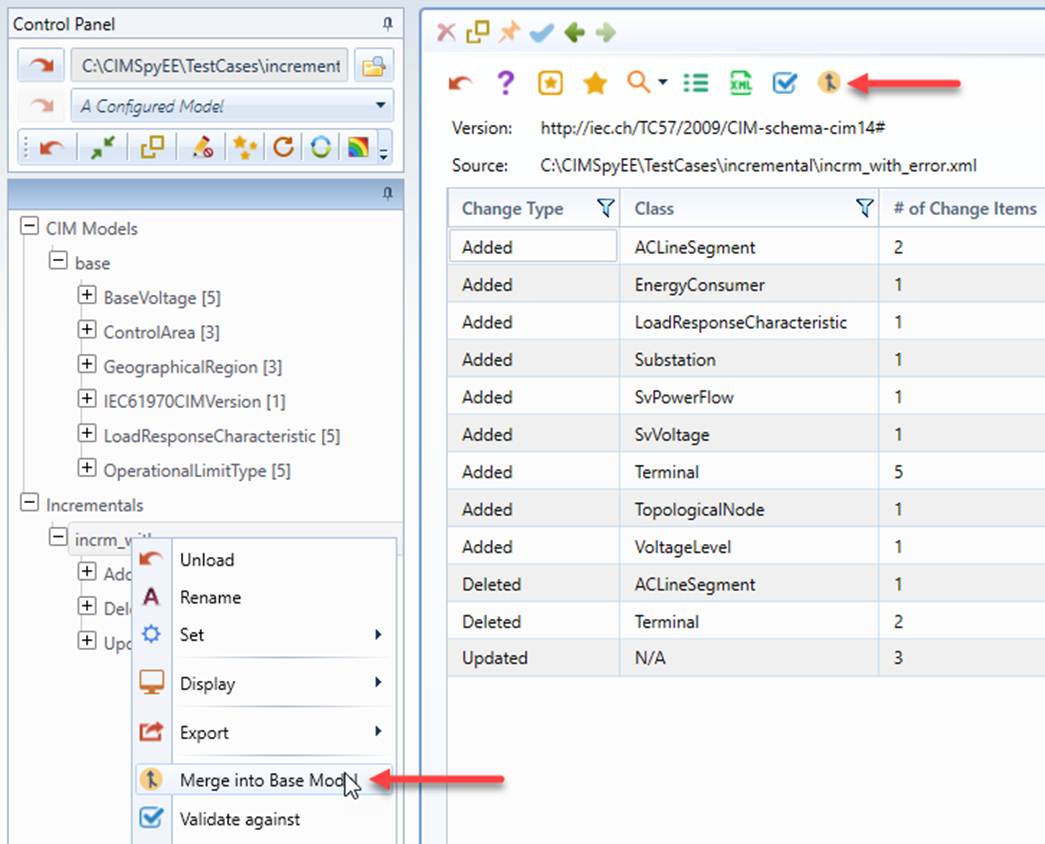
- Right-mouse click the tree item associated with Difference Model under the Incrementals navigation tree and select Merge into Base Model in the context menu.
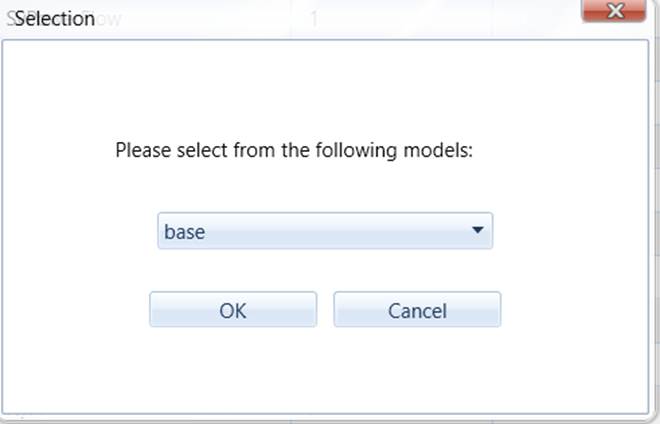
- A model selection wizard will popup, listing the all of the full models in a dropdown list. Select the base model from the list and click OK.
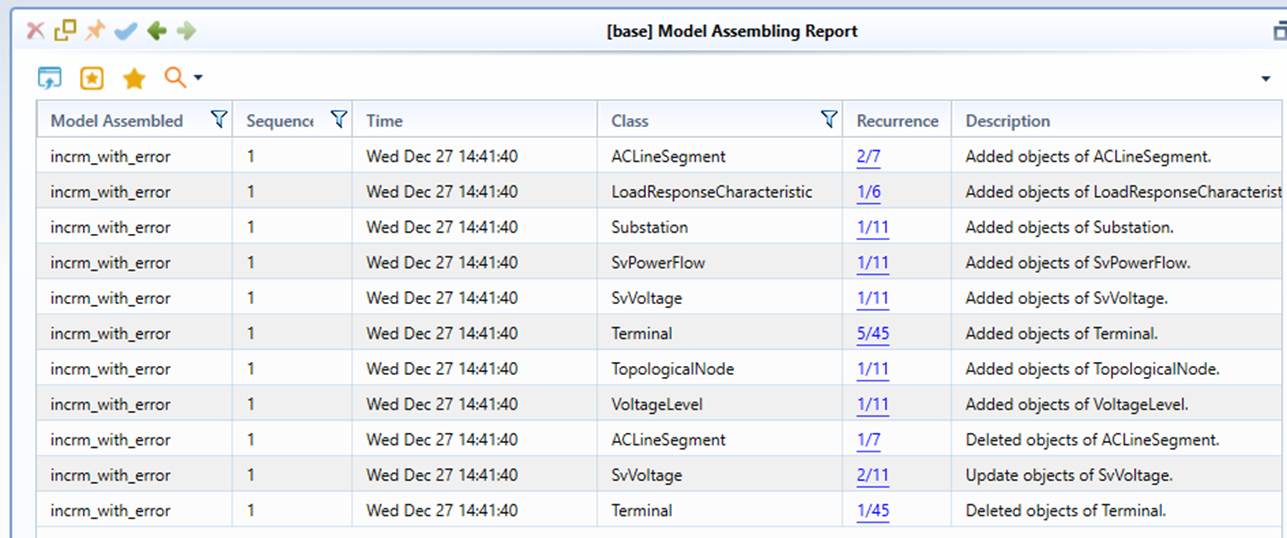
- While the model updating process is on-going, the screen will be locked for any other activities. Once the model updating process is completed, a summary report will be displayed, listing all of the updated items. The tree item associated with the target base model will be highlighted in red. Users can export the updated model to a new CIM/XML file if necessary.
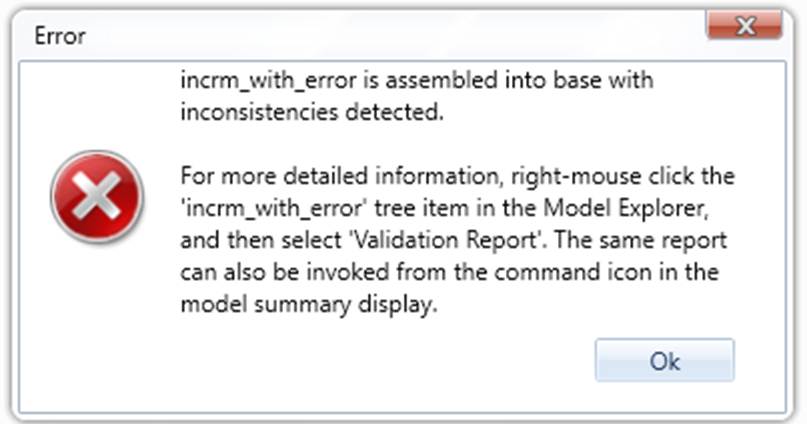
- If inconsistencies between two models are detected, a consistency checking report will be stored in the Difference Model and users will be prompted to check this report through a context menu associated the tree item of the Difference Model. From this report, users can inspect the detail by clicking the hyperlinks associated with each incidence.
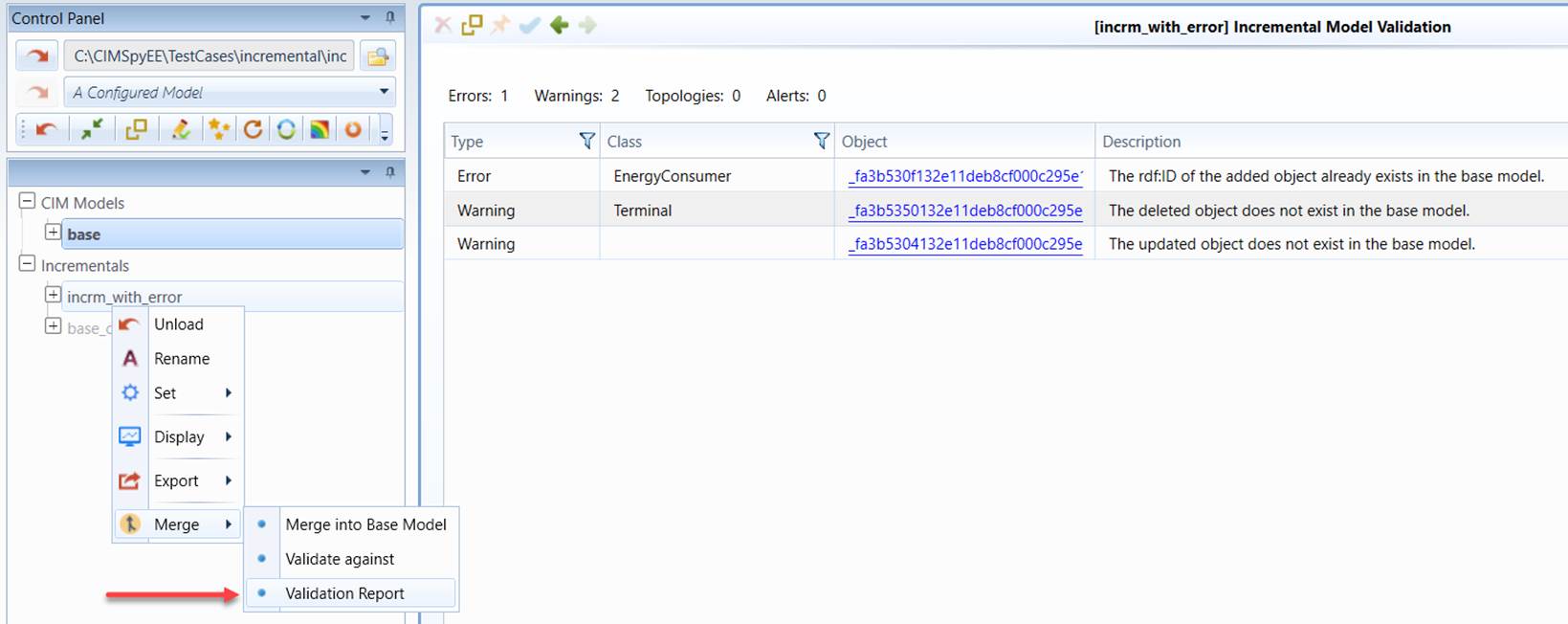
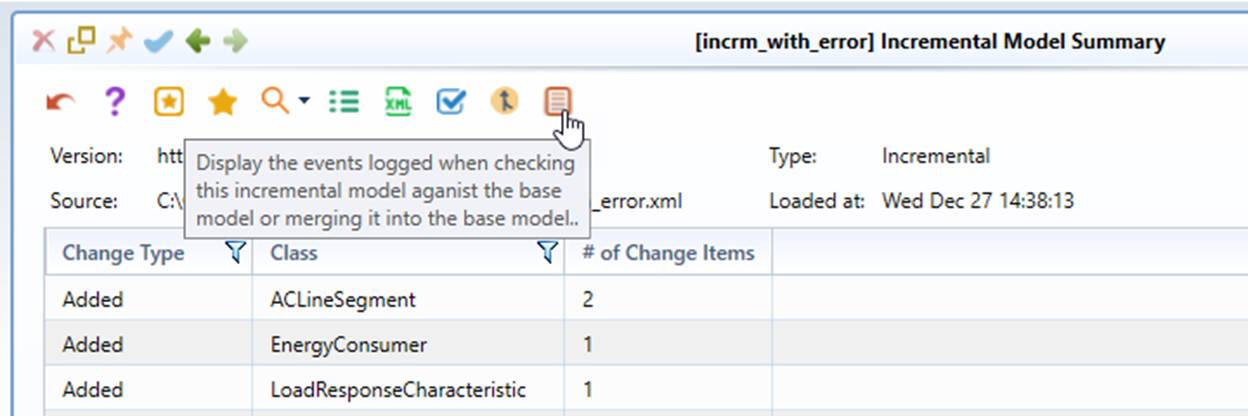
Users can also call the stored incremental model validation report from the command icon in the summary page of the Difference Model, as illustrated below.
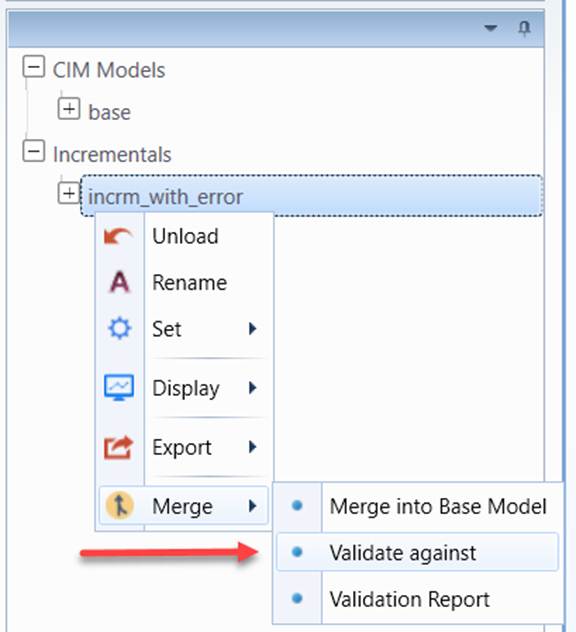
Note: The inconsistency detection can also be conducted without actually applying the Difference Model the base model. This function can be invoked through the following context menu selection. It is highly recommended to perform this consistency checking prior to real model updating.