Database Setup
The model management function requires all of the modeling information be stored in a Model Space, a RDBMS-based database. So, the first step is to setup Database. The Tool supports virtually any RDBMS via ODBC connector. The official supported RDBMS are Oracle, MS SQL Server and MySQL. Users need to setup the following two components:
- The chosen RDBMS.
- The ODBC connectors for the RDBMS.
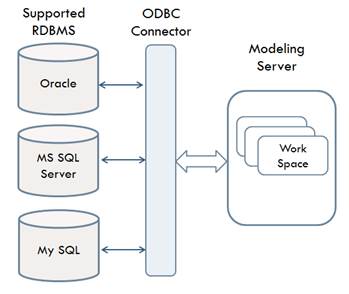
In this article, users will be guided through the installation and setup the database and its ODBC connectors for the following supported RDBMS:
The recommended RDBMS is MS SQL Server. This recommendation is based on evaluation of performance and usability using large models.