Exporting Diagrams as SVG
Scalable Vector Graphics (SVG) is an XML-based graphic exchange format with support for interactivity and animation. The SVG specification is an open standard developed by the World Wide Web Consortium (W3C) since 1999. Like CIM, SVG is designed to promote interoperability among applications. As an example, graphics generated and maintained in one application can be saved as SVG and imported to other applications. SVG is particularly interoperable in Web-based applications. Almost all of modern internet browsers, including Internet Explorer (11), Firefox, Safari, and Chrome, support SVG. SVG is core component of future Web language HTML5.
The Tool enables users to export any diagrams, schematic or geographic, auto-generated or saved, as SVG files, which can be imported into other tools that support SVG format.
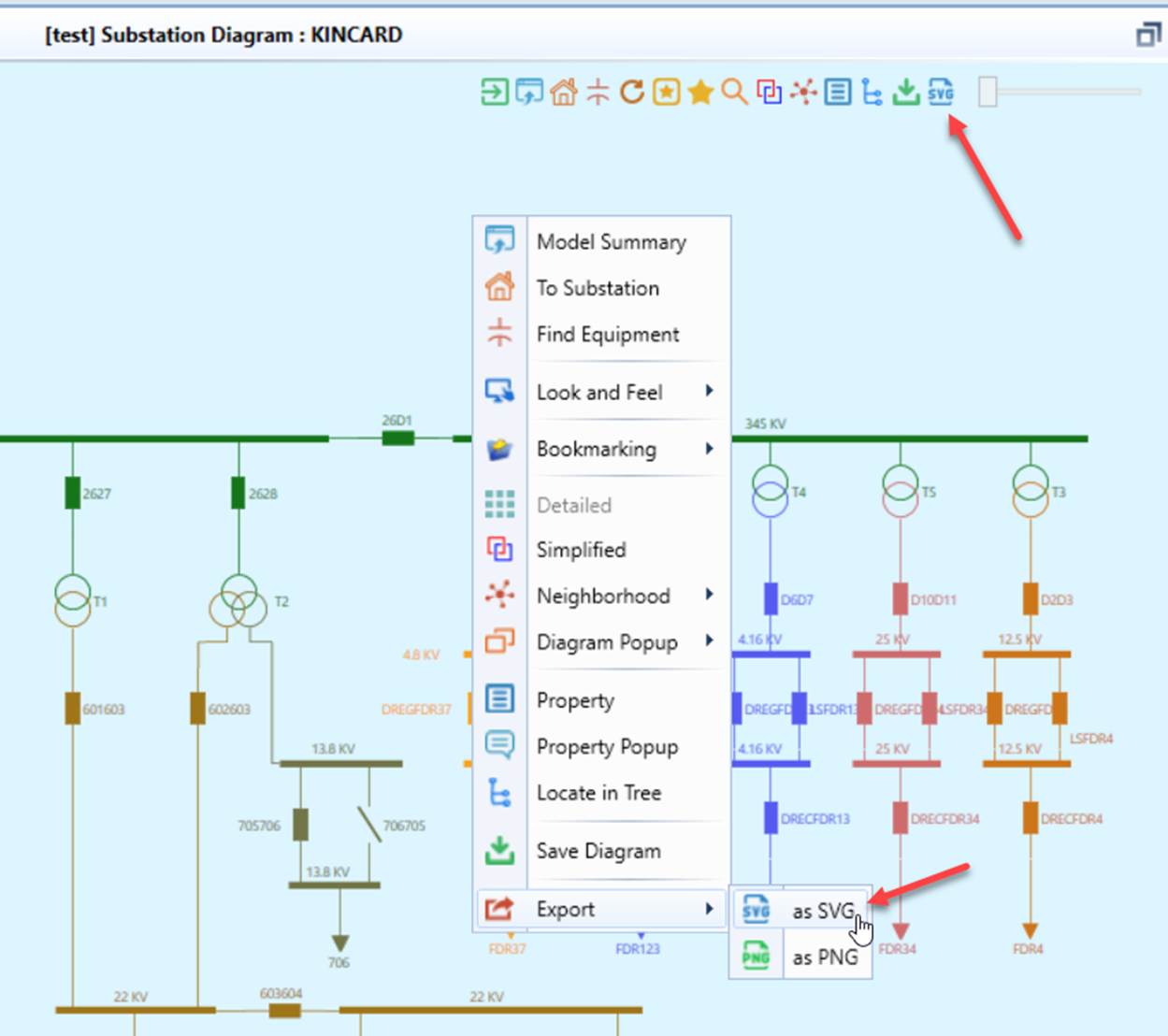
Any diagrams that render in the Tool can be exported as a SVG file. This function can be initiated from a command icon or a context menu which can be invoked by right-mouse clicking a blank spot in the diagram, as illustrated below.
…
Once the diagram is saved as SVG file, it can be imported into other tools. The following shows a Substation diagram exported from the Tool in Internet Explorer 11.
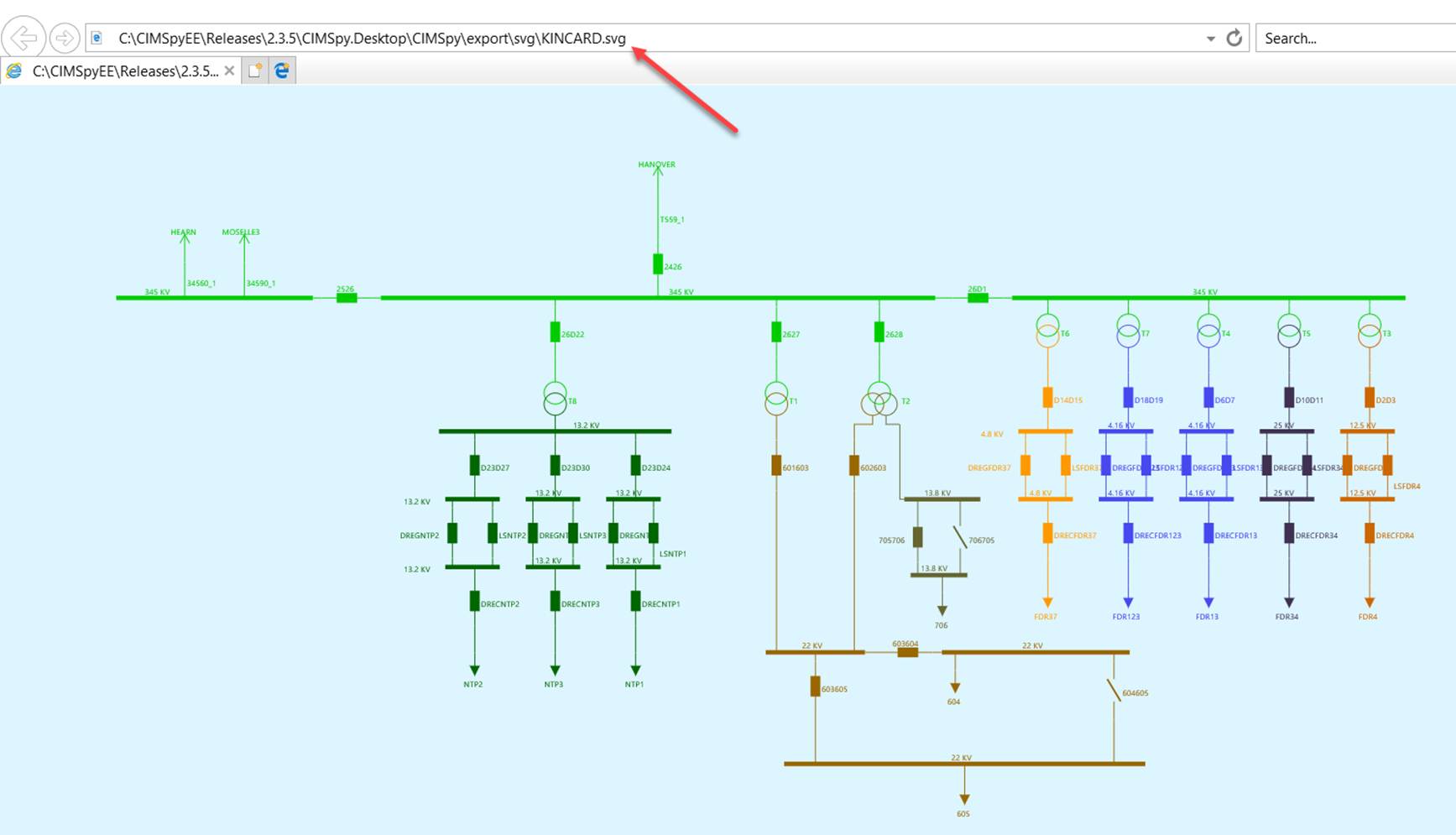
Note:
- Any diagrams, schematic or geographic, auto-generated or saved, can be exported as SVG on demand.
- The exported SVG is 100% what-you-see-is-what-you-get. Therefore, you should properly set the configurations of diagrams, such as colors, display options, look-and-feel, etc., before you export diagrams as SVG.
- rdf:IDs of network components are included in the corresponding SVG components, as illustrated below. This allows the consumer applications to relate the graphical components to the modeling entities if needed.

- Navigation is supported based on naming convention. For example the SVG file of a Substation must be named using attribute IdentifiedObject.name in order to support navigation and the related SVG files must be placed under the same folder, as illustrated below.
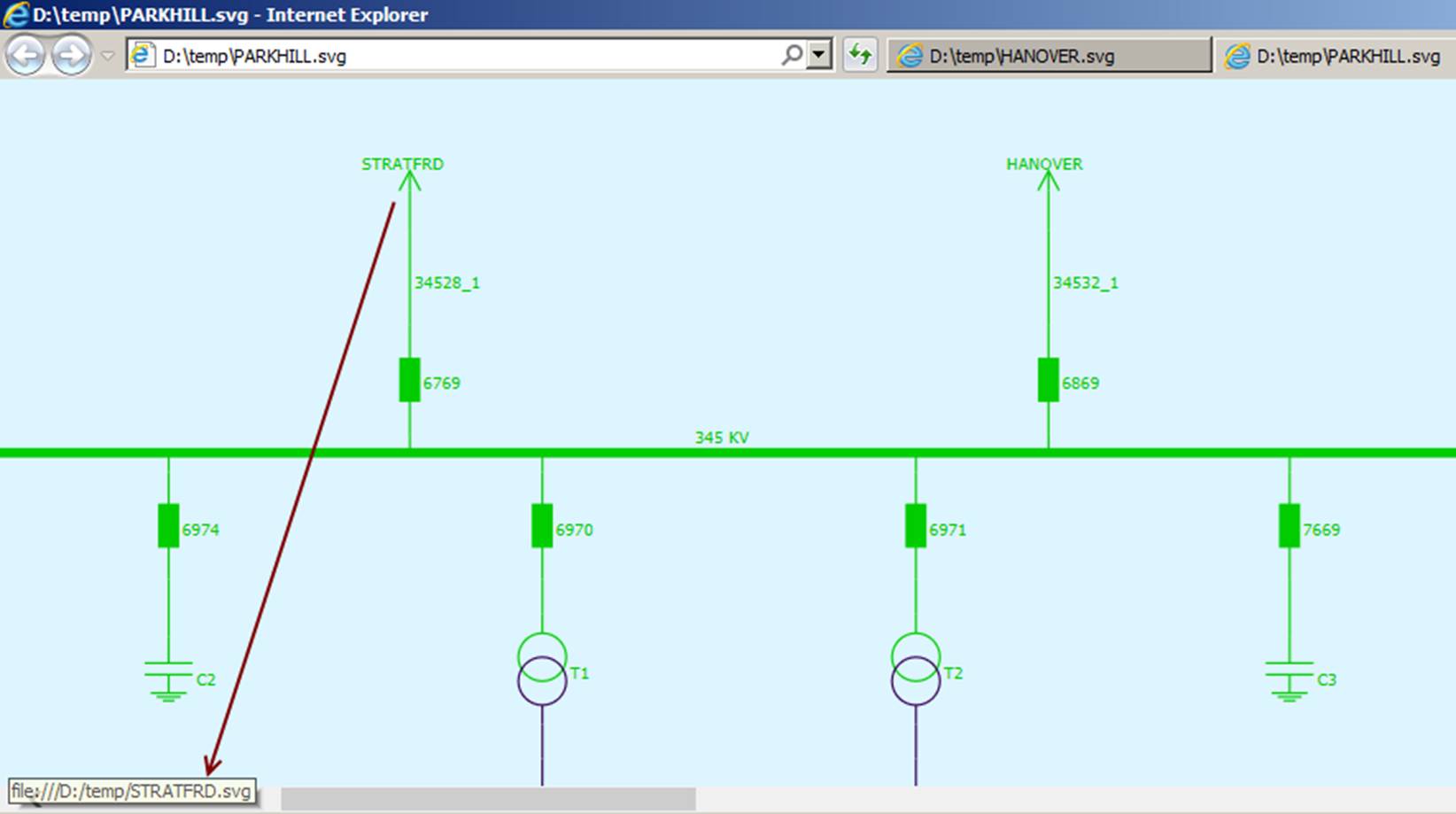
Additionally, the Tool enables users to run AutoPlay to export all of the diagrams auto-generated to a collection of SVG files.