Validating Models against Profiles
Before running validation to check your instance CIM/XML files against the model schema specifications, i.e. profiles, you should understand two important concepts of validation in the Tool.
- Model-Driven Validation: There are many types of CIM models or data groups, ranging from Equipment, Topology, State variables, to Merged, each governed by an XSD-based profile document in the Tool. Many of the validation rules, particularly the schema-based modeling restrictions are specified using the standard XSD declarations, while others, especially, the ad hoc domain-specific model validation rules are embedded in the same XSD document as annotations. Regardless how the validation rules are specified, each extended XSD document specifies the full validation rules for a category of models. The Tool is capable of identifying the type of the loaded model based on the content of the loaded model or its Header specification (if available), and then choosing the matching XSD profile for validation.
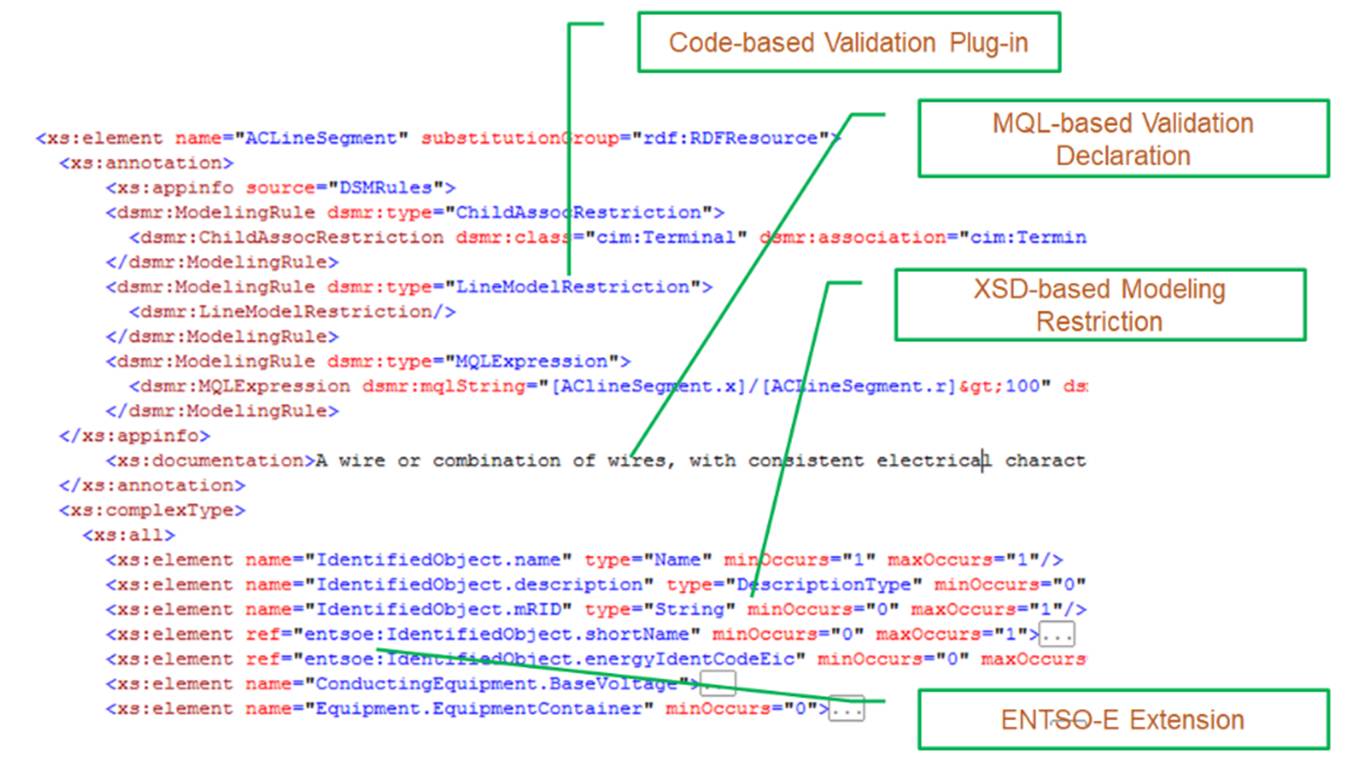
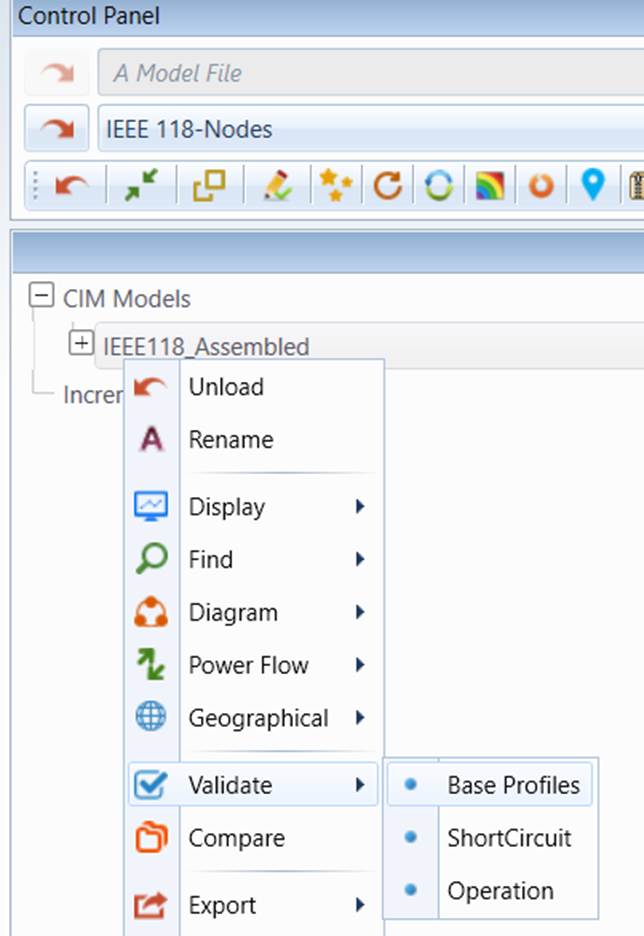
- Context-Sensitive Model Validation: Some profiles specify a model in a way to support multiple application contexts. For example, in its basic form, ENTSO-E CIM profile group specifies a planning model that can be used to run power flow application. But the profile contains the extended information that can be used to support short-circuit study. Such information is marked as “ShortCircuit” using stereotypes. Similarly, the profile group also extends the specifications to be compatible with operational model, aimed at facilitating model exchange between operations and planning. Such information is marked as “Operational’ in the profile. These extended application area are referred to as extended contexts. The Tool enables users to validate the model in their selected context. Users must also choose what kind of validations to perform. For example, if the profile also supports short circuit study, users must choose one of the supported validations: base (power flow) model validation or extended short circuit model validation. The latter checks attributes which are not required for power flow analysis, but necessary for short circuit study, such as zero-sequence and negative-sequence impedance. The tool has built-in mechanisms to detect whether the extended context validations are available and list them in the sub context menu for users to select. Keep in mind that the Tool is a model-driven application.
Network Topology Analysis (NTA) is a special model analysis application designed to identify network topology errors and collect unused network components (garbage collection). Executed as part of model validation, it reports physical and electrical network islands at various levels ranging from Substation to ConnectivityNode and provides navigations to allow users to visualize the identified network islands and trace the causes resulting in these network islands.
Running validation is quite straightforward in the Tool. The following steps describe how the validation process can be performed:
- Right-mouse click the tree item associated with the model to be validated. A context menu will popup. Select Validate in the context menu. If multiple contexts are detected, a sub context menu will popup, listing all of the detected contexts, including base profile. In that case, you shall select Validate->…. . If no extended contexts are found, the sub context menu will not be created. Users simply click the Validate menu item to validate against the base profile.
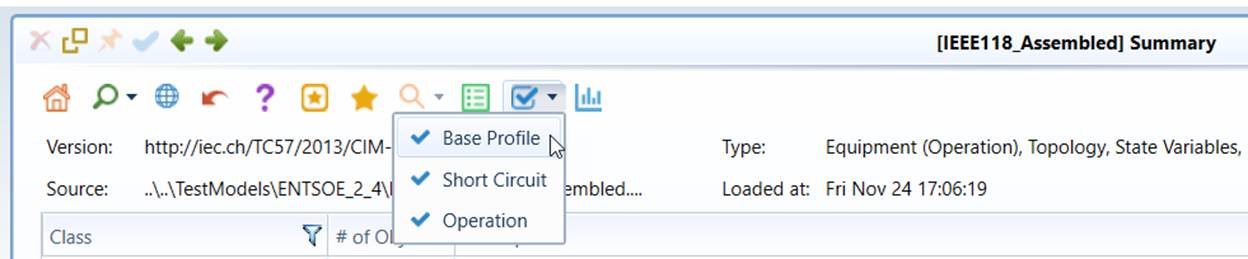
Validation can also be executed from the command icon in the model summary page as, illustrated below
- During the validation, the client UI is locked for any activities. Once the validation is completed, a special type of Report Display, referred to as Validation Report, will be displayed, showing all of the identified incidences. Inspect the validation report to understand the detected incidences.