User-Configurable Preference Settings
The Tool provides a variety of options for users to set the preference in various types of Diagram Displays. These configurable preference settings are automatically saved locally as a user profile in local isolated storage. These persisted settings will be automatically applied next time when users call the same type of graphical displays.
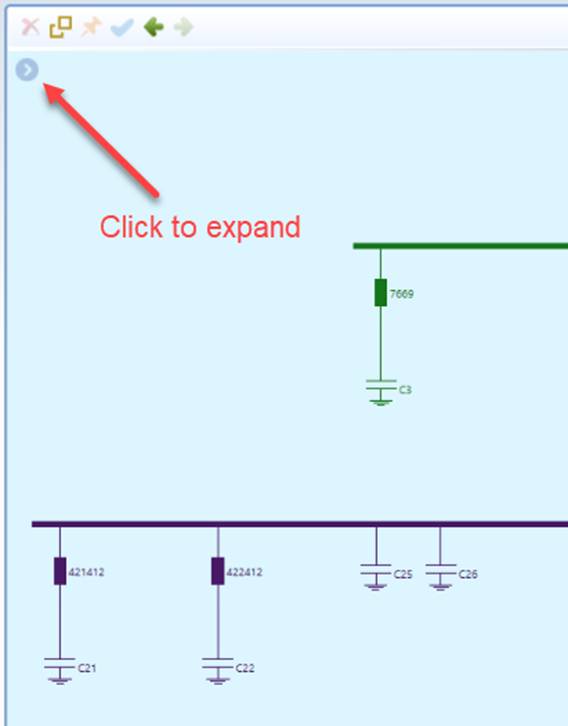
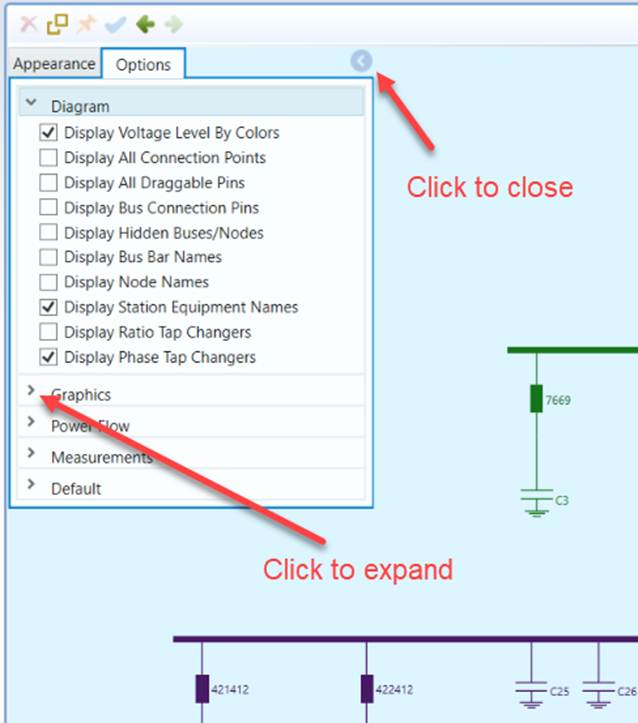
The user preference settings can be changed through an expandable control panel at the up-left corner of the canvas. The control panel groups a variety of settings that can be changed and stored locally.
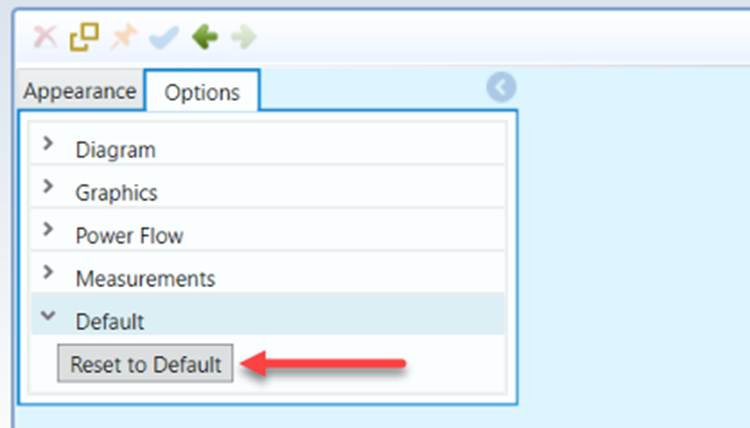
Users can restore the preference settings to the default values by clicking the “Reset to Default” Button, as illustarted below.
There are many configurable parameters that are not exposed through settings described here. In general, these diagram-related configurations are not intended to be modified by end-users. They are primarily used by project engineers for custom projects or to facilitate custom support. However, modifications can be made by injecting a Diagram Configuration file if necessary.
Note
If the tool fails to start due to a corrupted saved configuration file, users can manually delete directory C:\Users\XXXXX\AppData\Roaming\PowerInfo\CIMSpy\GridIE.