Tracking Changes
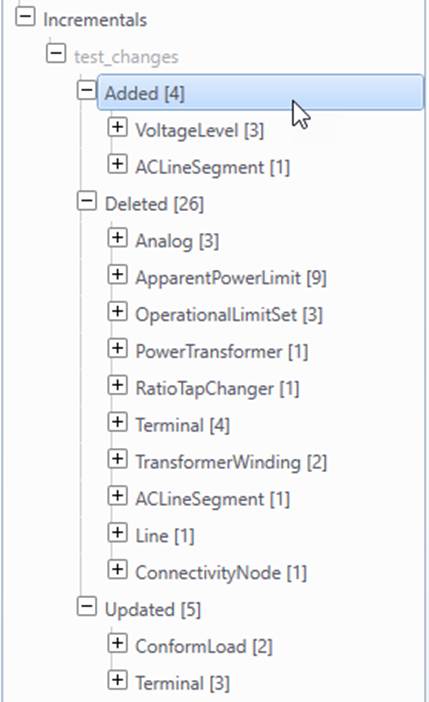
During model editing, a CIM incremental model will be auto-generated to track the model changes. The incremental model will be displayed in the navigation tree when the first model change is detected. The incremental model changes can also be exported as an incremental CIM/XML file or submitted to a CIM-compliant database .
The following figure illustrates the two user cases.
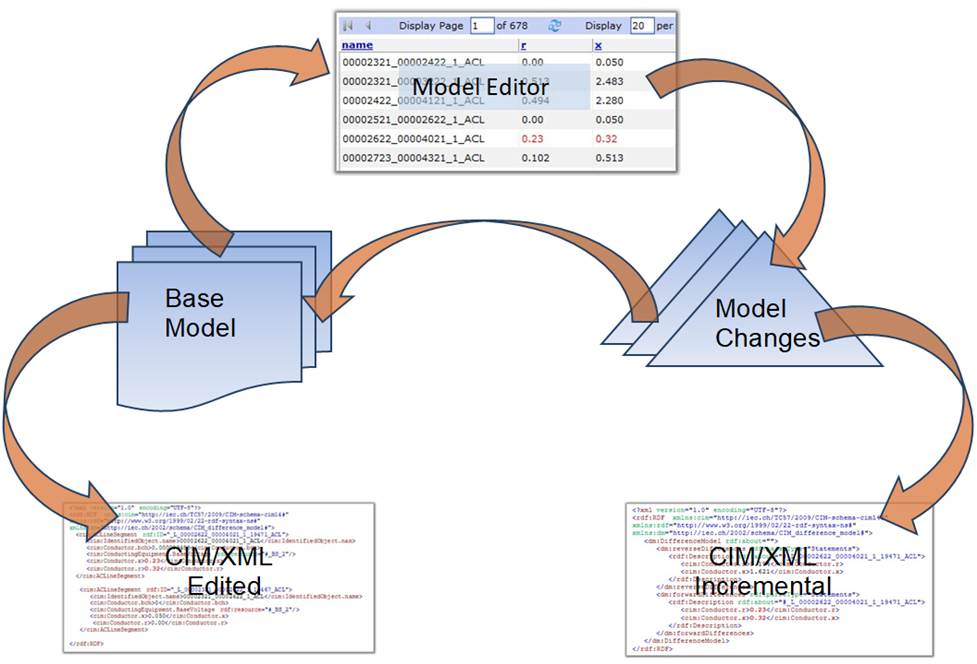
It is important to note that the generated CIM incremental model is used to track the model changes rather than the model editing activities. CIM incremental model is the difference between the edited model and the original one. For example, if you add a new CIM object and later delete the same object, there will be no model changes recorded.
Any model changes made are stored into the base model. To save these changes, users can export the edited model in various formats. Optionally, users can also choose to store only the changes by exporting a generated CIM incremental.
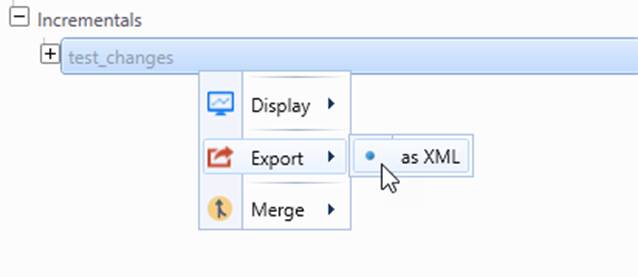
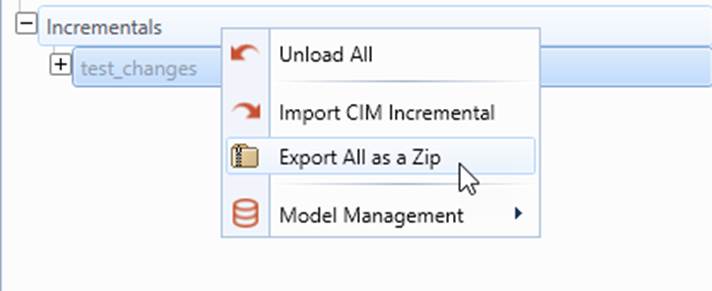
Please note that the generated CIM incremental model is limited to track model changes. Users may find the context menu associated with it is different from that of the imported CIM incremental model, as shown below. This is designed behavior. There are many operations that are not applicable to the CIM incremental model generated for tracking model changes. To enable the same functionalities, user need export the generated CIM incremental model
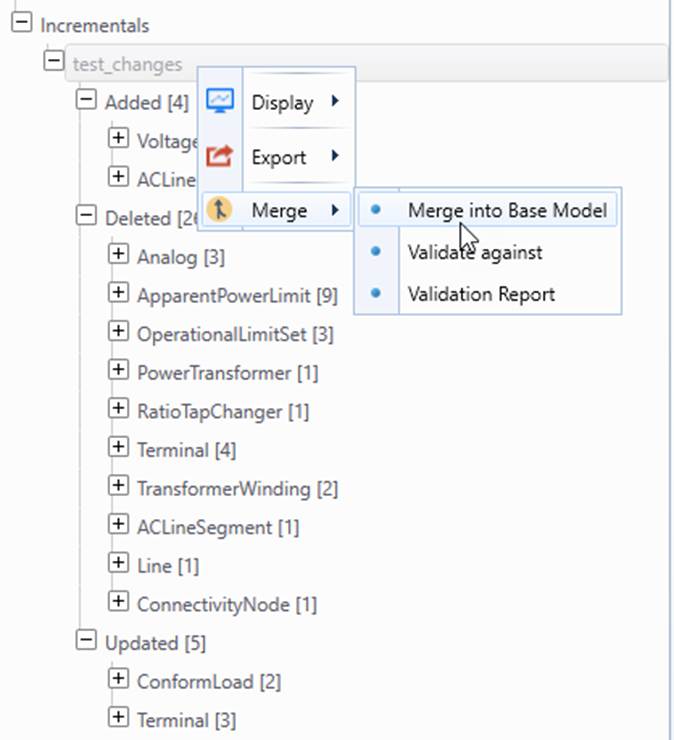
Quite often, users may want to save the current model editing status so that it can be restore later for further model editing. In this case, users must save both edited full model and that the generated CIM incremental model as a ZIP file and later import the generated ZIP file to restore the existing model editing status, as illustrated below.
For more comprehensive model maintenance and management, users shall leverage the Model Management functionality of the Tool.