Loading a Version of Model from Modelspace
The purpose of loading a version from Modelspace is to create a modeling environment in work space so that the model can be browsed, compared, validated, and exported etc. To make model changes, loaded model has to come from a draft version. A version of model in work space is assembled from Base model and a sequence of of submitted changes and pending changes associated with the version.
Please Note: Only the draft version is editable. Any labeled versions of the models loaded into the workspace are Read-only, even an editable data source is defined for this labeled version.
Load a Version from Modelspace
There are four ways to load a version of model from Modelspace:
- Load from Navigation tree in Model Explorer
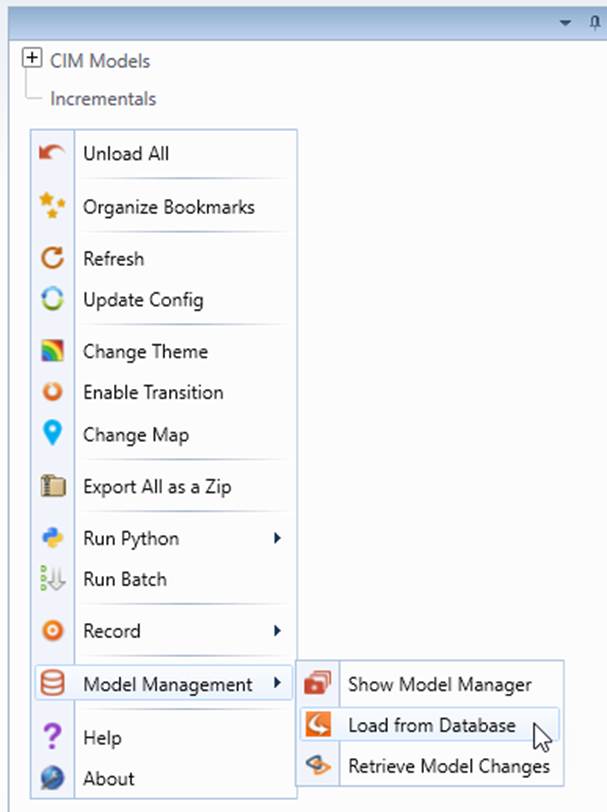
- Right mouse click the top tree node CIM Model and select Load from Database.
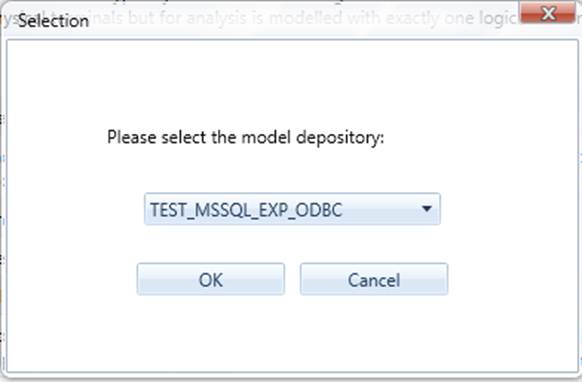
- Select the Modelspace from the drop down list.
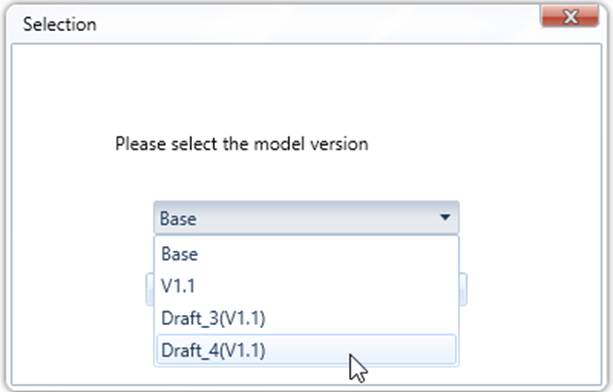
- Select the version to be loaded from the drop down list and click OK.
- Load from another Version of Model in Navigation tree.
- From the context menu of a loaded model, click Database -> Load Another Ver.
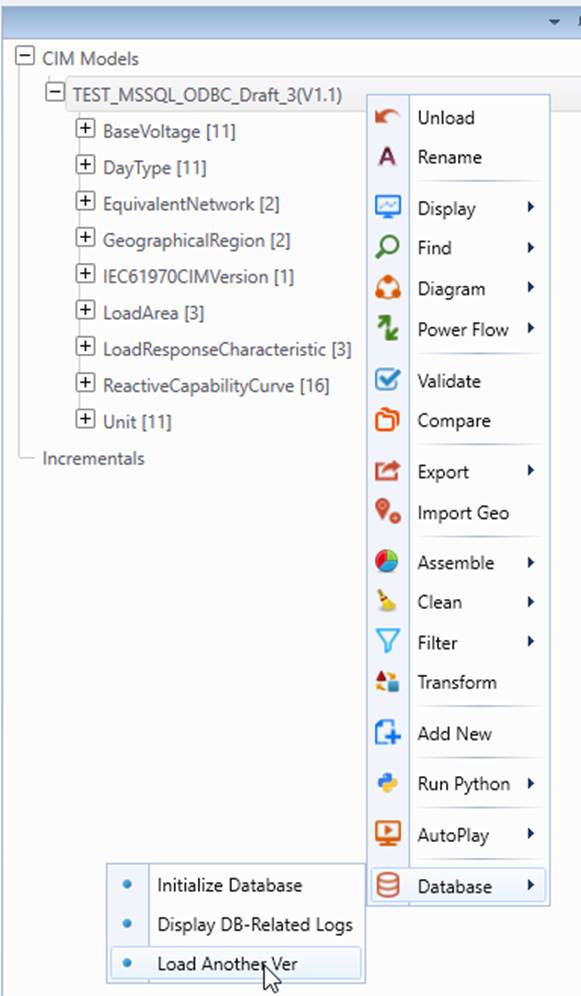
- In the prompted version selection dialog, all versions from the same Modelspace will be displayed in the dropdown list. Select the version and click OK to load it.
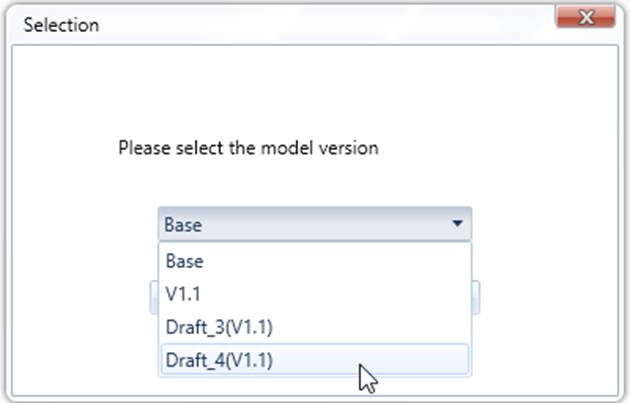
- Load from Model Admin Page
- Navigate to Model Admin Page.
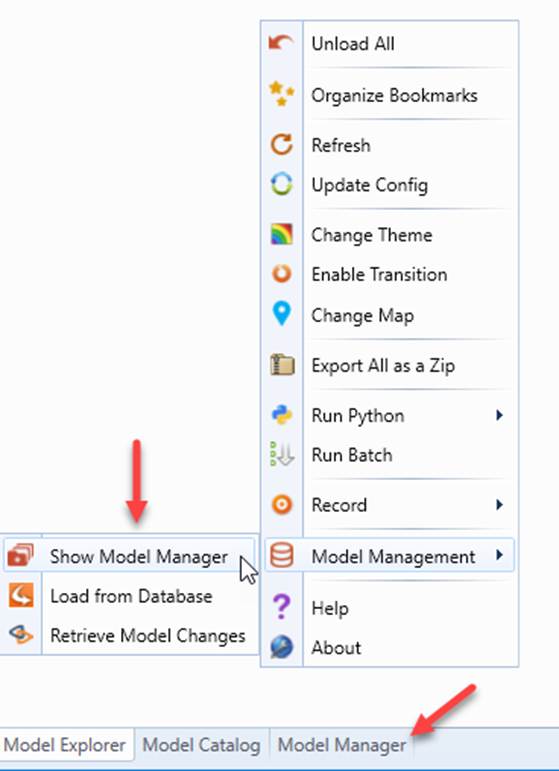
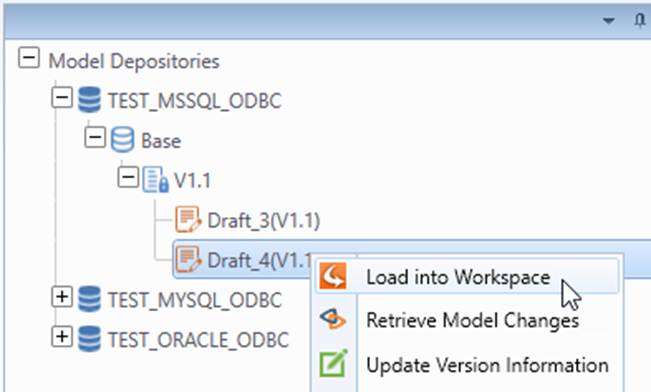
- In the version tree view of Model Admin Page, right click the version to be loaded and select Load Model from the context menu.
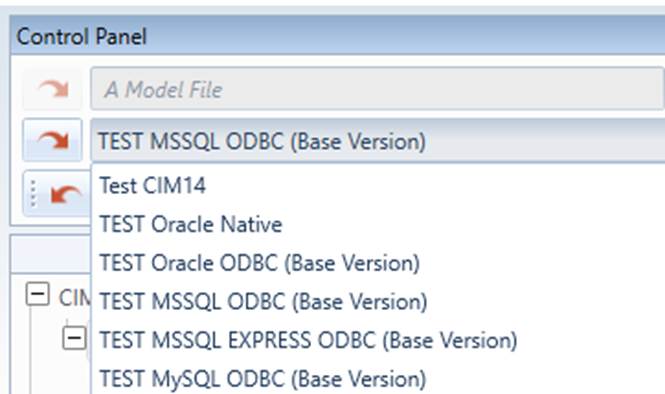
- Load pre-defined model and version from Drop Down menu
Select the Modelspace and version from the drop down menu and click the Load button next to the list. Only pre-defined Modelspace in configuration can be loaded in this way.
Verify Loaded Model in Workspace
After a model is successfully loaded from Modelspace into work space, the model is added to the navigation tree in Model Explorer. Summary of the model is displayed in the Model View panel.
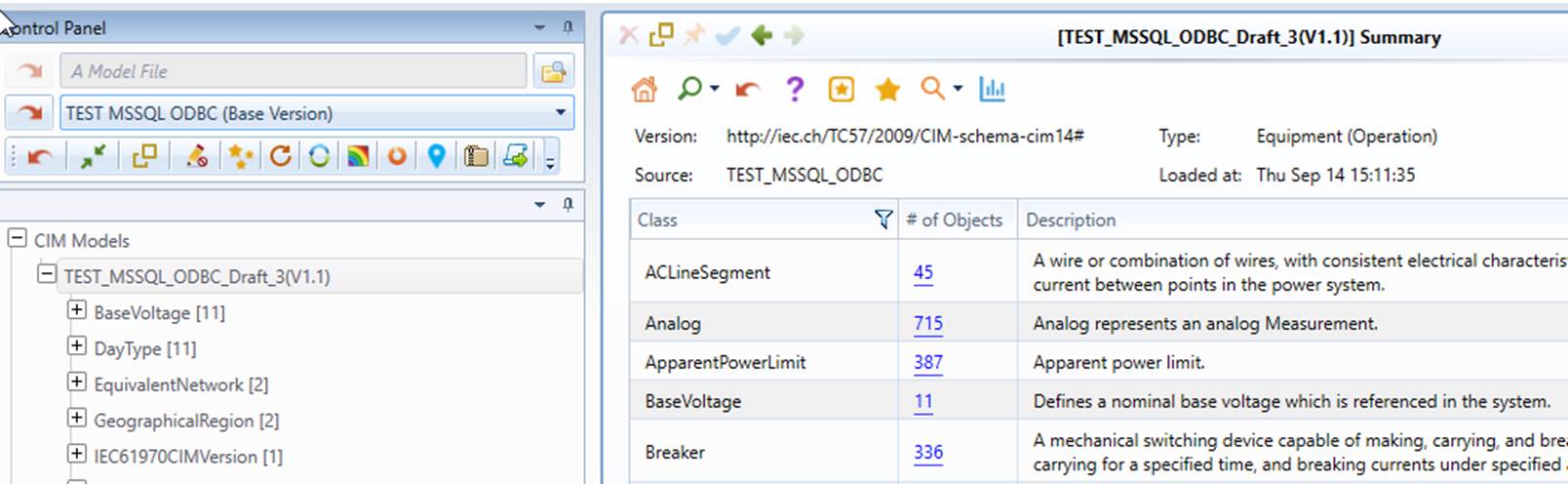
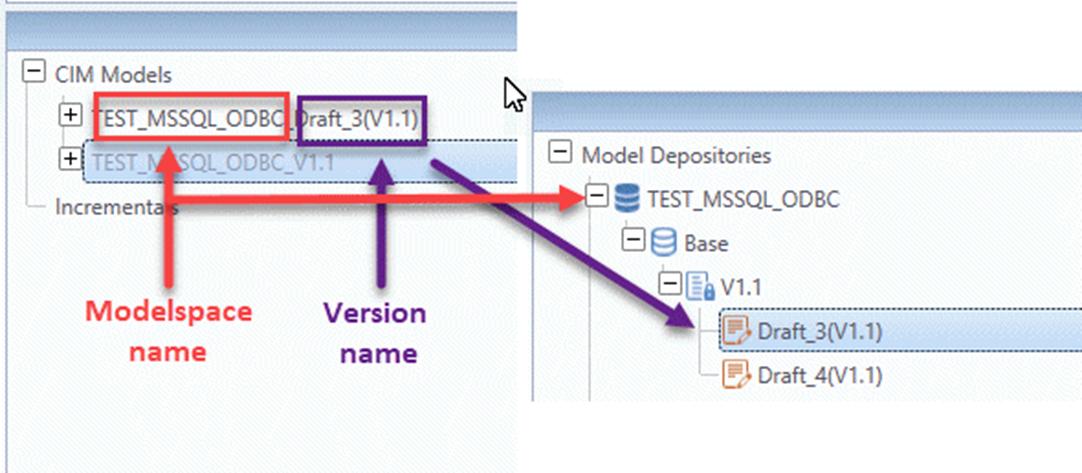
Model in work space follows a naming convention. Its name is automatically generated as the concatenated string of Modelspace name and version name.
Please Note: Only the draft version is editable. Any labeled versions of the models loaded into the workspace are Read-only, even an editable data source is defined for this labeled version.
Trouble Shooting
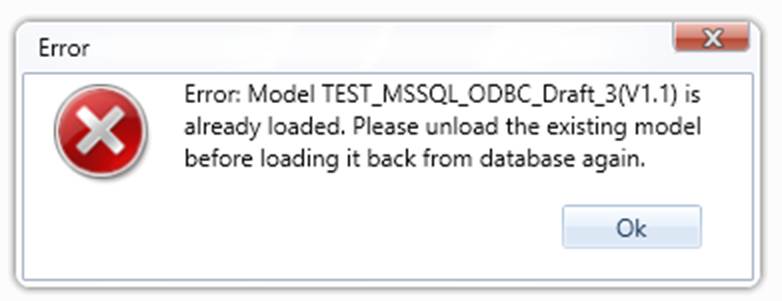
- The Tool does not allow loading a version that is already in work space. A message like below will be displayed.
Next Step
After a model is successfully loaded into work space, users can start working on the model by using the exploring and editing features of the Tool.
Limitations
In this release, The Tool does not support the name change for a loaded version from Modelspace.