Label Overlap Management
Label Overlap Management refers to techniques and algorithms used to prevent or resolve overlapping labels in diagrams, ensuring they remain readable, clear, and well-positioned. To enhance the diagram quality, the Tool provides mechanisms for users to automatically or on-demand eliminate or minimize label overlaps.
Label Overlap Detection
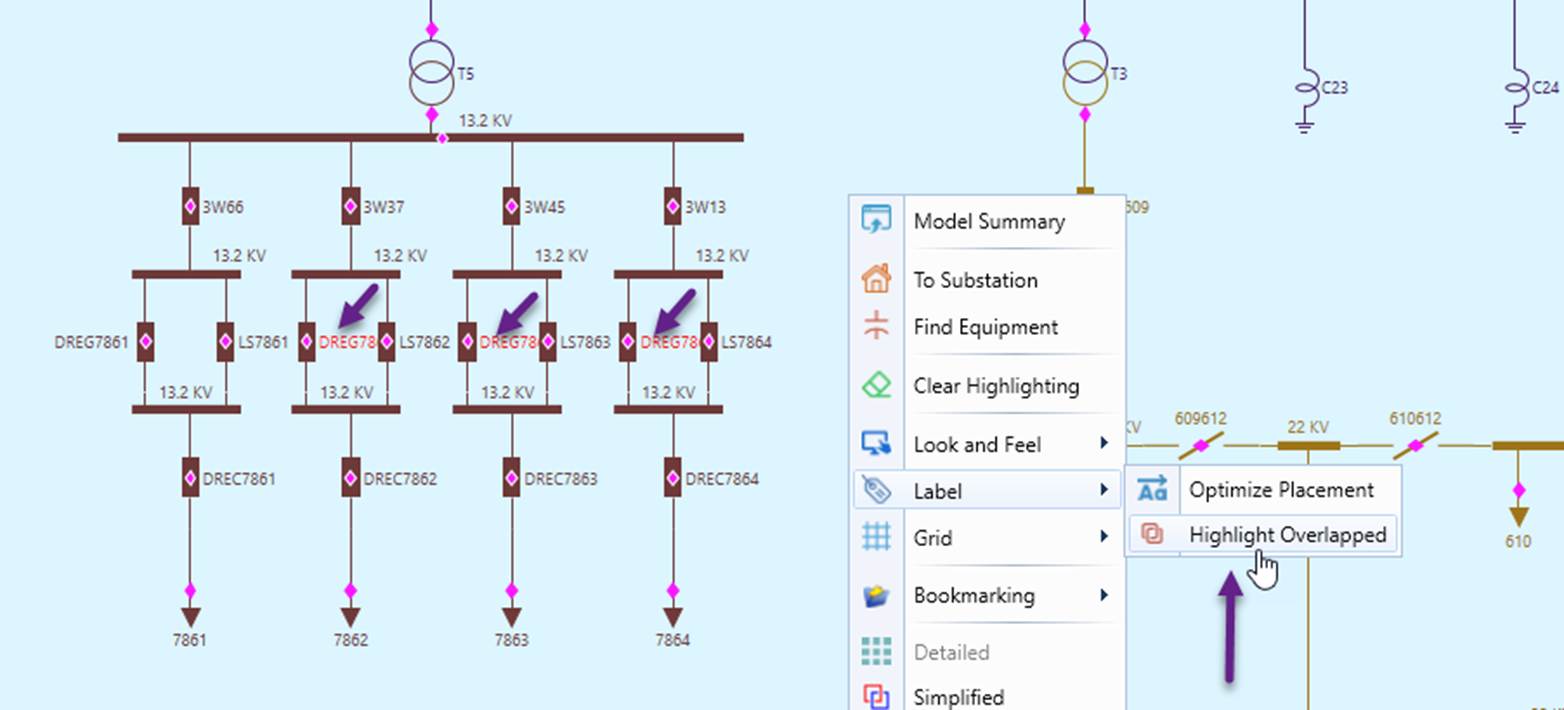
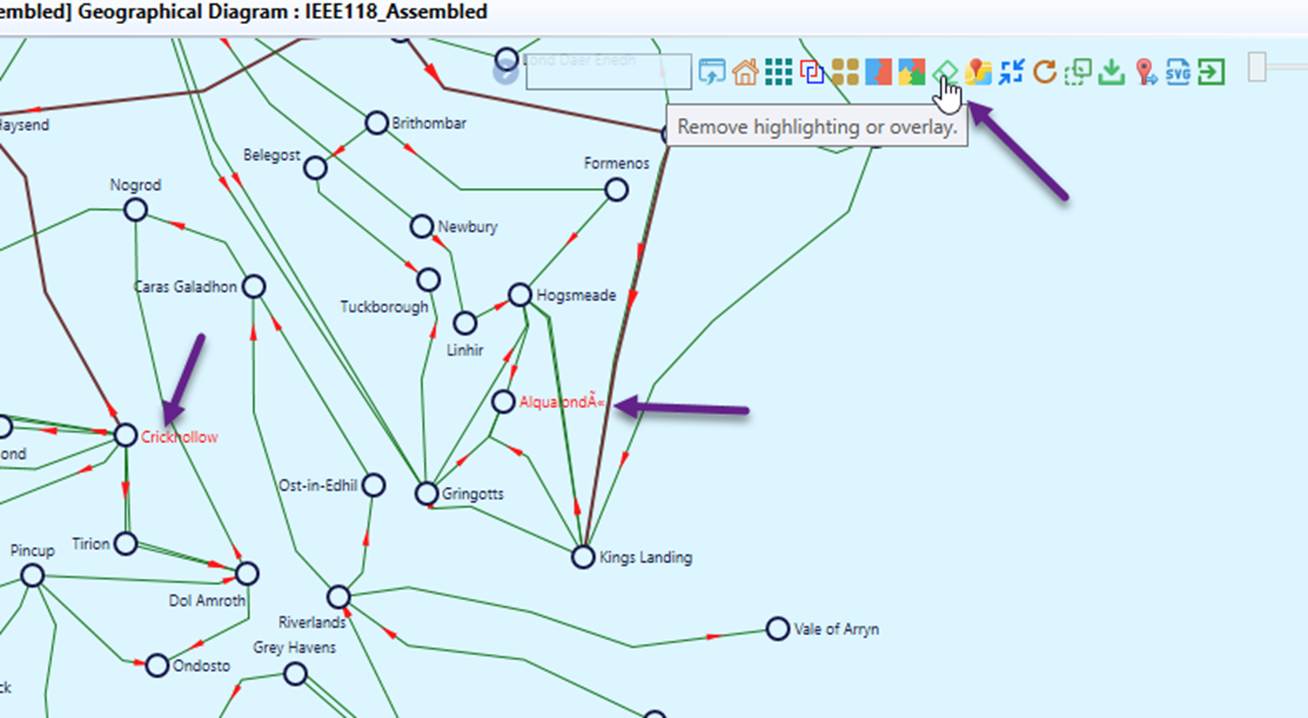
The tool provides a function that allows users to detect overlapping labels in diagrams. This function can be invoked from the diagram context menu. Detected overlapping labels are highlighted in red, as illustrated below.
Auto-Adjust Labels
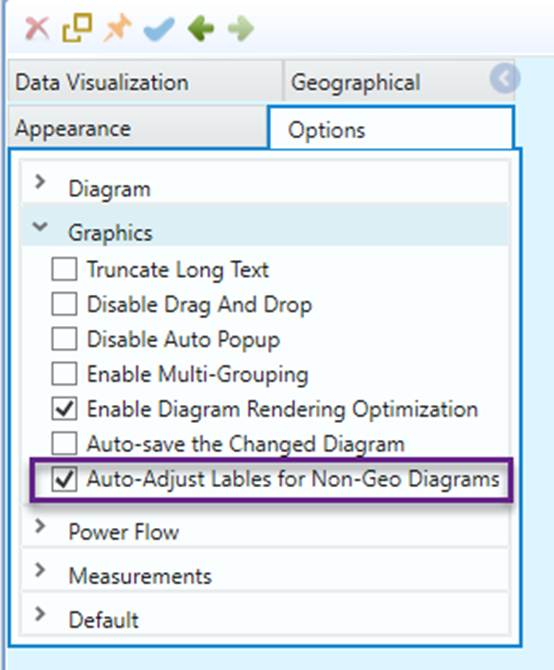
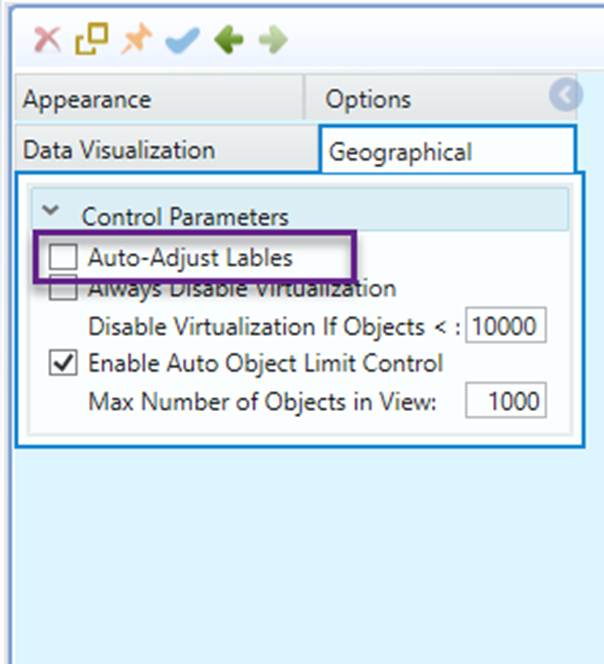
The tool provides an Auto-Adjust Labels function to help users optimize label placement in diagrams. This function automatically adjusts label positions to prevent overlaps, ensuring clarity and readability. It applies to both the initial layout and subsequent manual adjustments.
By default, this function is enabled for all diagram types except the Geographical Diagram, as it may impact performance for large diagrams. Users, however, can modify these default settings as illustrated below.
Optimize Labels Placement On-Demand
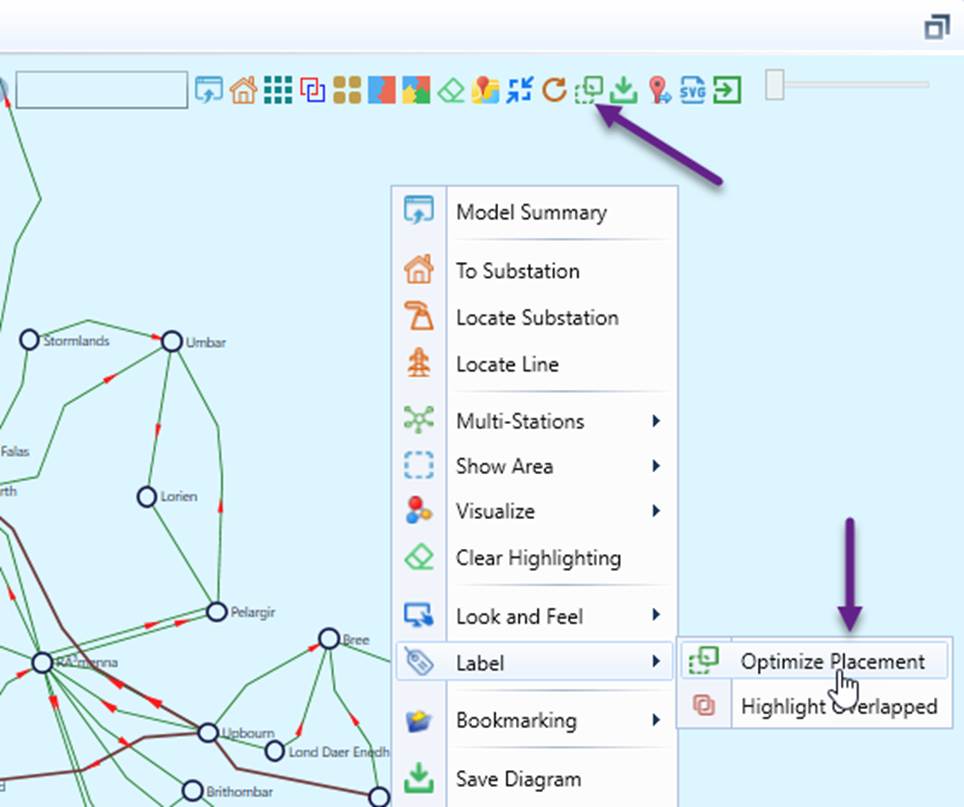
The Tool provides an Optimize Labels On-Demand function, allowing users to execute an algorithm to detect and adjust label placements to eliminate or minimize label overlaps. This function can be invoked from either context menu or command icon, as needed, to refine label positioning, as illustrated below.
Note:
- This function is useful even when Auto-Adjust Labels is enabled, as Label Placement Optimization goes beyond just eliminating label overlaps. For example, if a label is positioned too far from its associated symbol, the function will also adjust its placement for improved clarity and alignment.
- The function cannot guarantee that all label overlaps will be eliminated. Upon execution, it highlights any remaining overlaps, making it easier for users to manually adjust them as needed.
Configuration
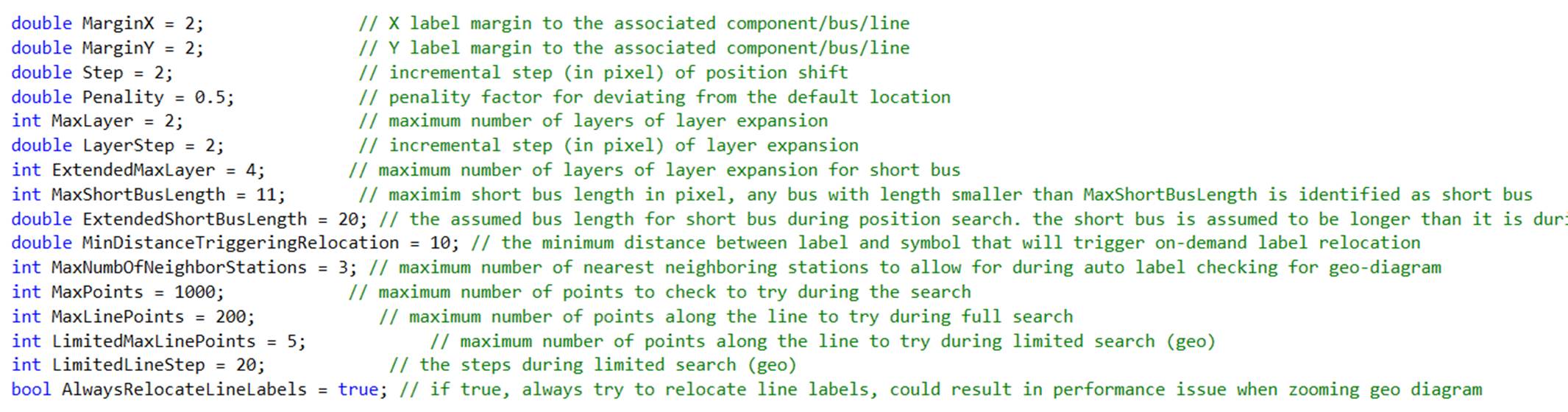
Label overlap management is configurable through Diagram Configuration. The relevant parameters are grouped within the OverlapManagementConfig segment, as shown below: