Defining a Data Source
A data source pre-defines the source of a CIM model. A data source could be a local or remote, full or incremental, raw or zipped CIM/XML file or a CIM database (CIMDB). It enables users to easily load the frequently uses models with one-button-clicking. Most importantly, users can personalize a loaded model by defining a customized data source.
In most cases, users define data sources to facilitate model loading. By defining the frequently-used models as data sources, users can conveniently choose the models to load from a dropdown list in the UI. The dropdown will be filled with all of the pre-defined data sources defined in the configuration file. Users can also choose to pre-load the models once the server is started.
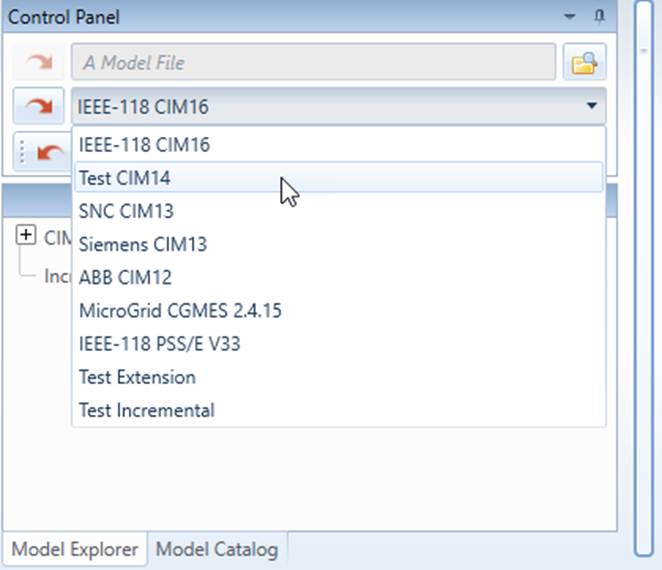
The data source concept, however, is introduced mainly for users to customize or personalize the tool for a specific model. This is where users specify what custom profiles shall be applied to drive some scheme-aware functions, such as model editing and model validations. This is also where users specify how this particular model shall be presented in various displays.
The following sample defines a data source of full model CIM/XML type. In a data source definition, only the first 3 parameters are required.
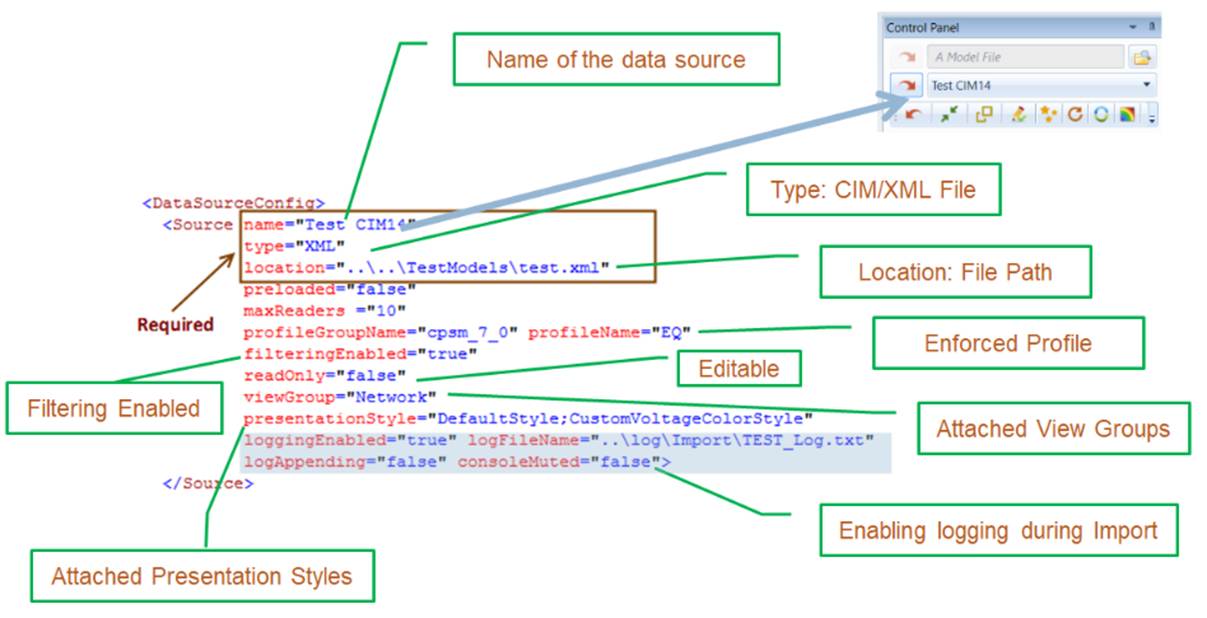
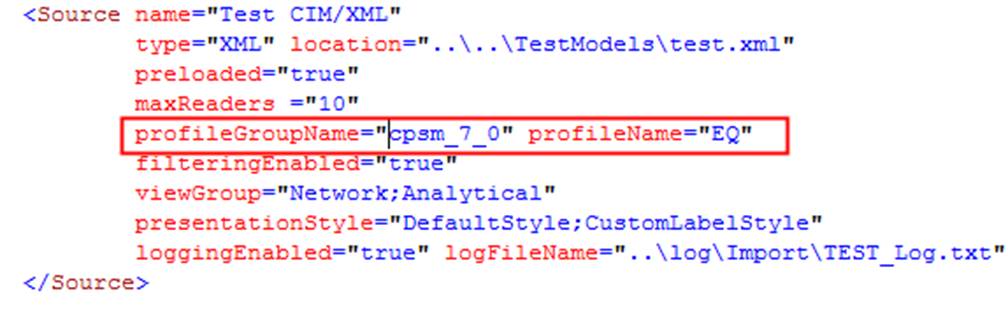
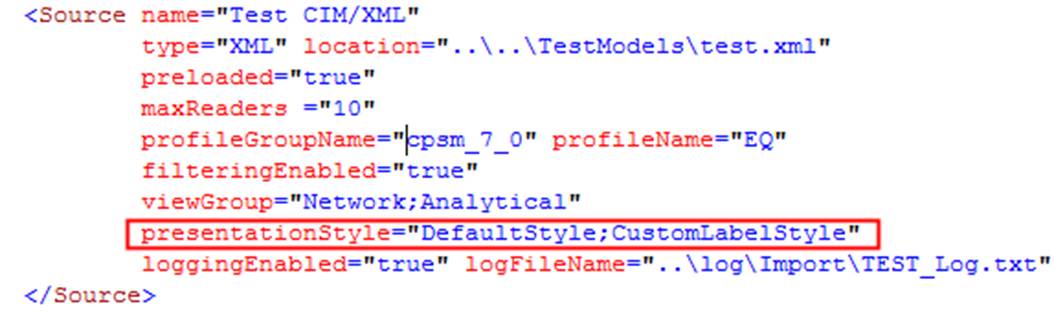
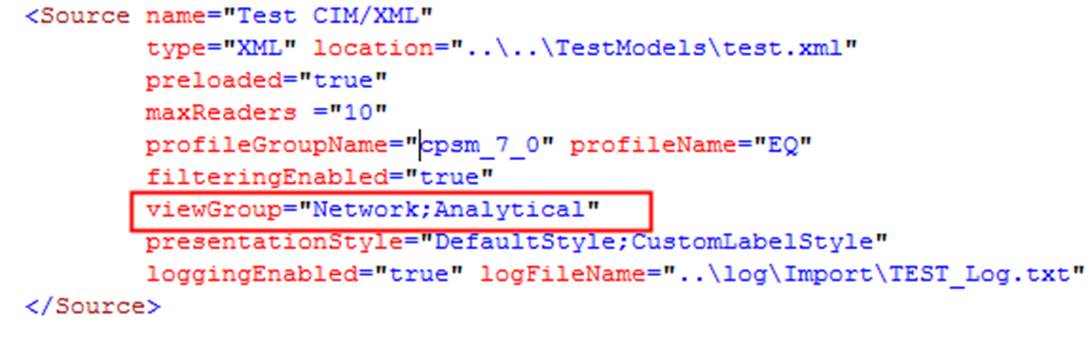
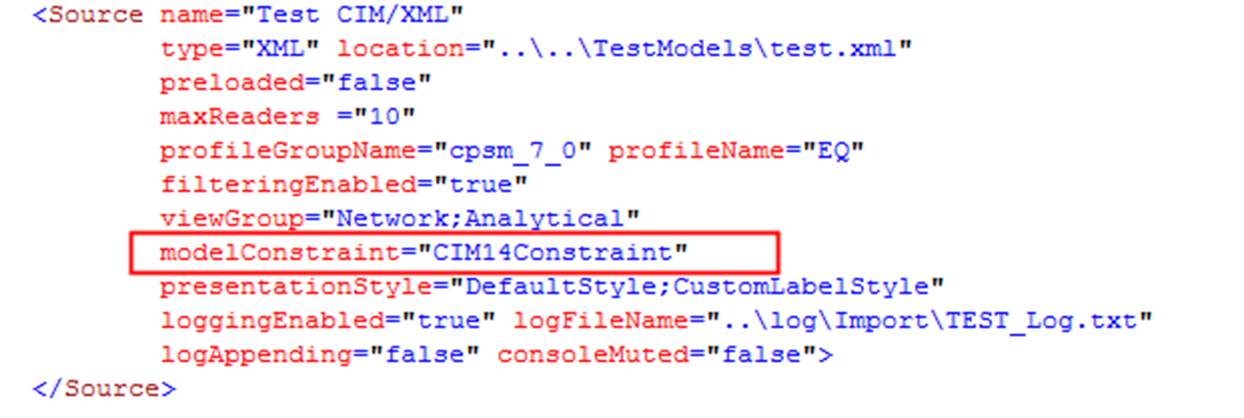
sorted: this attribute is Not for each individuat data source. It is specified for all of the data sources. If true, the data sources will be displayed in the UI data source dropdown llist in an alpha-beta sorted order based on the data source name. If false, the data sources will be displayed in the UI data source dropdown llist at the same sequence as they are declared in the configuration file. This attribute is optional. If not specified, it will be defaulted to “false”.name: name of the data source. This is the name shown in the UI data source dropdown list.type: type of the data source, i.e. XML, ZIP, INCR (incremental), DB (database).location: where is the data source located. It references the Database Connection if the data source is a CIM DB.preloaded: flag indicating whether the specified model shall be preloaded.profileGroupName: name of the enforced profile group. This configuration is optional. It is normally needed if a specific profile (standard or extended) is enforced for this model. If missing, the tool will choose an standard profile defined in the StandardConfig.xml based on the specifications and contents of the loaded model.profileName: name of the enforced profile. This configuration is optional. It is normally needed if a specific profile (standard or extended) is enforced for this model. If missing, the tool will choose an standard profile defined in the StandardConfig.xml based on the specifications and contents of the loaded model.filteringEnabled: flag indicating whether filtering shall be applied. This configuration is optional. The default is ‘false’. If enabled, the enforced profile (i.e. profileGroupName and profileName) must be specified and the tool will filter out any classes/properties not defined in the governing profile. The log file will record the process and the filtered results. If the specified profileGroupName and profileName are missing or invalid, filtering will be disabled.maxReader: This optional configuraton specifies the max number of readers that can access the model concurrently. The default value is the value defined in the MultiThreadedConfig configuration section.readOnly: flag indicating whether the loaded model shall be read-only.loggingEnabled: flag indicating whether logging shall be enabled for model loading. This is an optional configuration parameter. The default is ‘false’.logFileName: full path of logging file. This parameter is required if loggingEnabled is ‘true’.logAppending: an optional flag indicating whether the log file shall be appended. The default is ‘false’. If enabled, all of the model loading activities will be logged in a single file.consoleMuted: an optional flag indicating whether the console output shall be muted. The default is ‘false’. If not muted, the logged contents will also be displayed on the server console.viewGroup: one or more View Groups associated with the loaded model. Mutiple View Groups are seperated by “;”. This attribute is optional. If specified, it will overload the defaultViewGroup defined in the ModelConfig element.modelConstraint: used to control the behaviors of the advaced model editing functions, such as deep copying and cascading deletion. Once specified, it will overload the defaultModelConstraint defined in the ModelConfig element.preentationStyle: one or more Presentation Styles associated with the loaded model. Mutiple Presentation Styles are seperated by “;”. This attribute is optional. If specified, it will overload the defaultPresentationStyle defined in the ModelConfig element.- geoSource: If specified, the full path of the geo file that will be imported and merged with the CIM model used to drive diagram generation for a foreign model, such as PSS/E Raw. This configuration parameter will overwrite the same configuration parameter in the foreign model import configuration.
- extensionLocation: path of extension file (XSD). If specified, the extension will be applied to the loaded model. The extension can be manually defined or inferred from the loaded model. Note multiple extension files can be specified. The file paths must be separated by ‘;’. At run time, the corresponding extensions will be applied sequentially.
- template: if ‘true’, the defined data source serves as a template for defining a default data source.
Once the basic information (i.e name, type, and location) of data source is defined, users can add the options to support the following customization features specific to this data source:
Preloading
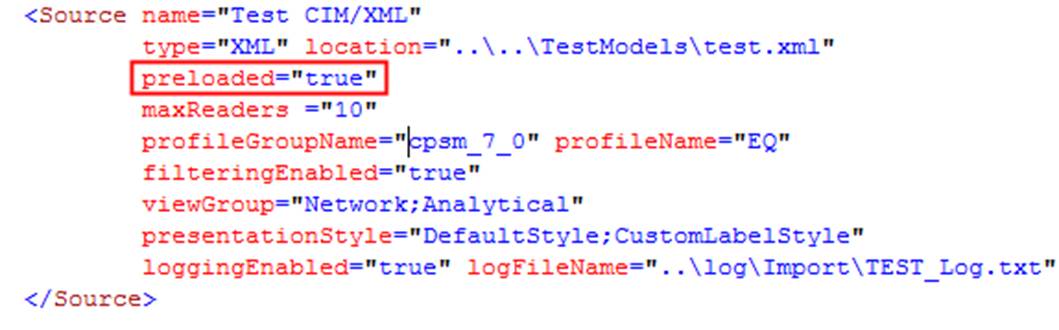
If attribute preloaded is set to ‘true’, the model specified in the data source will be loaded immediately after the server is in service. This customization feature is useful if users always load the same model into the Tool.
Read-Only
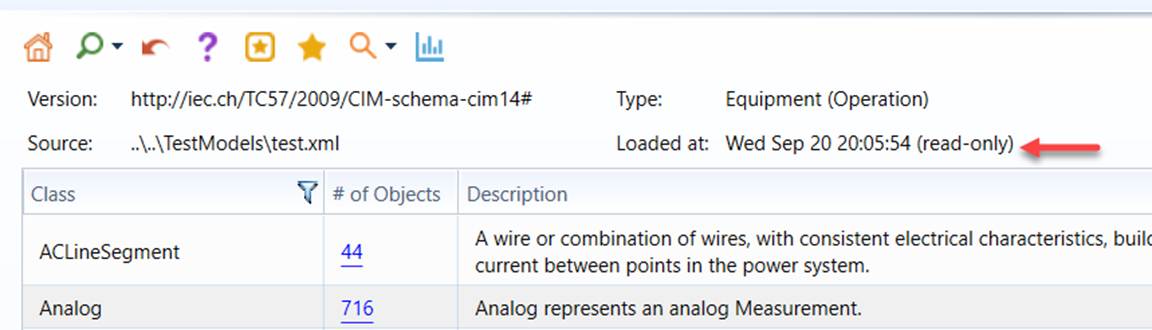
If attribute readOnly is set to ‘true’, the model specified in the data source will be read-only after loaded into the Tool.
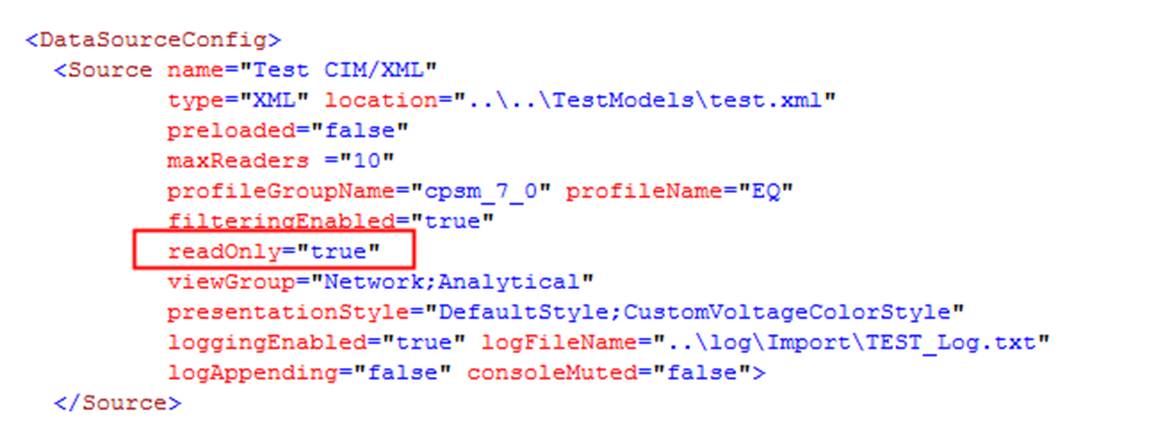
This feature is used to ensure the shared model is not accidently changed. Users will not be allowed to perform any model editing, unrestricted model assembling, or incremental model update for a read-only model. The Tool enforces this rule to ensure that the loaded will not be changed. Users, however, could save and export the auto-generated diagrams for read-only models. A read-only model is marked as “read-only” in the Summary page as illustrated below.
Filtering
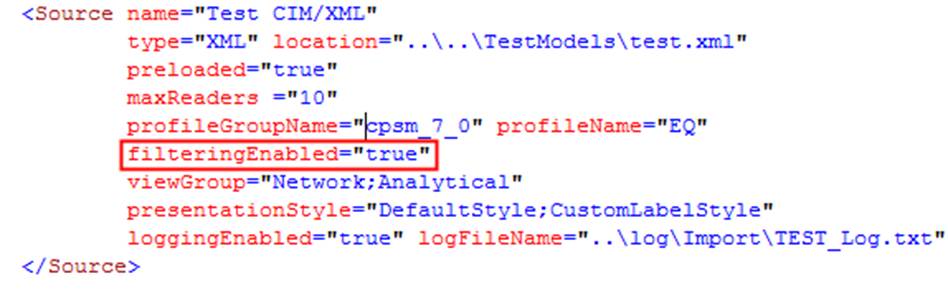
If attribute filteringEnabled is set to true, only the properties specified in the governing profile will be loaded into the Tool. This customization enables users to filter the model based on the governing profile. The feature is particularly useful if the model contains a lot of extensions that are not needed. The filtered model can be further exported as a CIM/XML file.
Logging
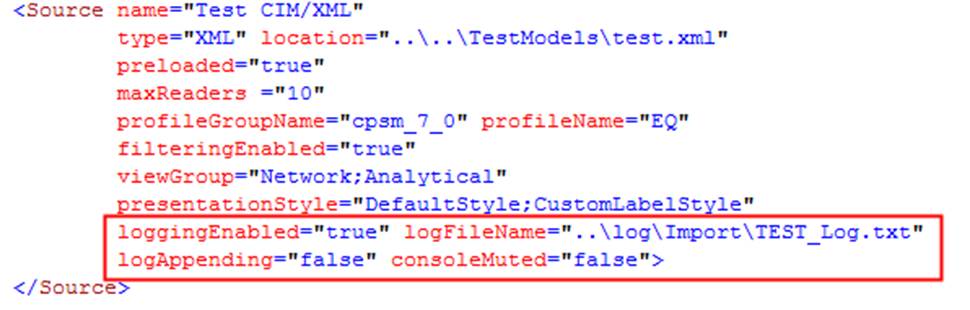
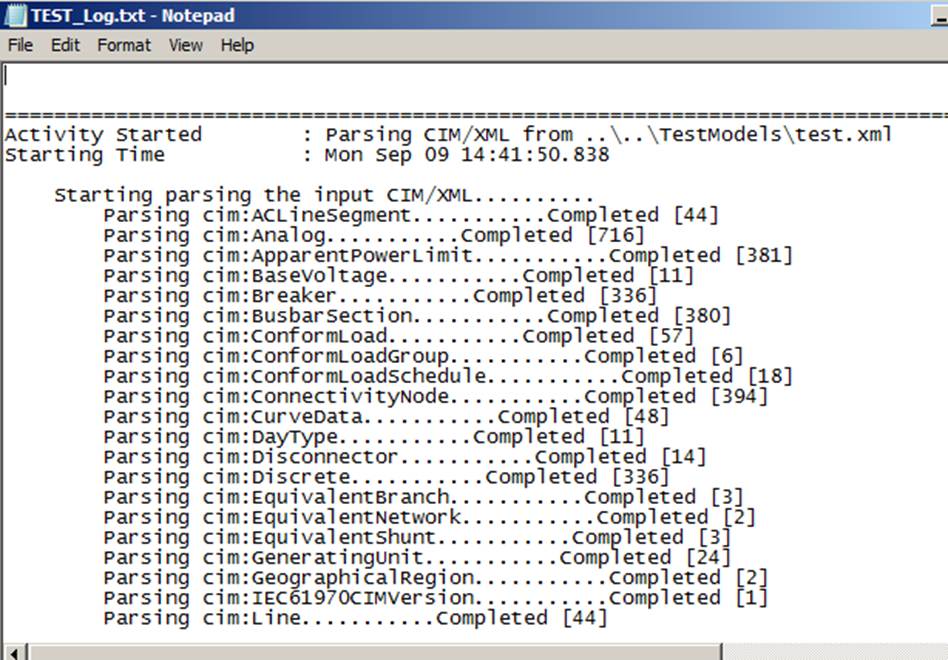
Users can log the model importing process into a text file.
Profiling
Users can enforce a custom profile to support model editing and validation. For details, please refer to Enforcing and Validating against Custom Profile.
CIM Extensions, if any, can also be enforced to the represented model. This is achieved by specifying path of extension file (XSD) in extensionLocation. If specified, the extension will be applied to the loaded model. The extension can be manually defined or inferred from the loaded model. Note multiple extension files can be specified. The file paths must be separated by ‘;’. At run time, the corresponding extensions will be applied sequentially.

Presentation
Users can apply one or more Presentation Style to customize the model presentation. For details, please refer to Customizing UI Display .
Reporting
Users can attach one or more custom reports for various purposes ranging from reporting to visual data ming. For details, please refer to Generating Custom Reports.
Modeling
Users can apply predefined modeling contraints to control the behaviors of some advanced model editing functions, such as deep copying and cascading deletion.
Personalization of All Loaded Models in a Workspace
Personalization of loaded models normally requires definition of a data source for each loaded model. This is inconvenient. A template data source is defined to facilitate personalization of models loaded into a specifically defined workspace. This is achieved by defining a default data source.
A default data source is just like regular data source, except:
- A default data source is normally declared as a template. The template data source is not a real data source, thus not shown in the data source dropdown of the UI.
- type and location are not required to be specified for a template data source. If specified, they will be ignored.
An example of a template data source is illustrated as follow:

Once a template data source is defined, it can be declared as a default data source for the workspace, as illustrated below:

All of the personalization definitions, such as presentation, report, profile, extension, etc. declared in the default data source will be then applied to any models loaded into the workspace, except those loaded via pre-defined data sources. At run-time, if a model is loaded into the workspace not as a pre-defined data source, a data source will be derived from the default data source to represent the loaded model. This allows any models loaded into the workspace to personalized without requiring definition of a data source.