Object-based Data Editing
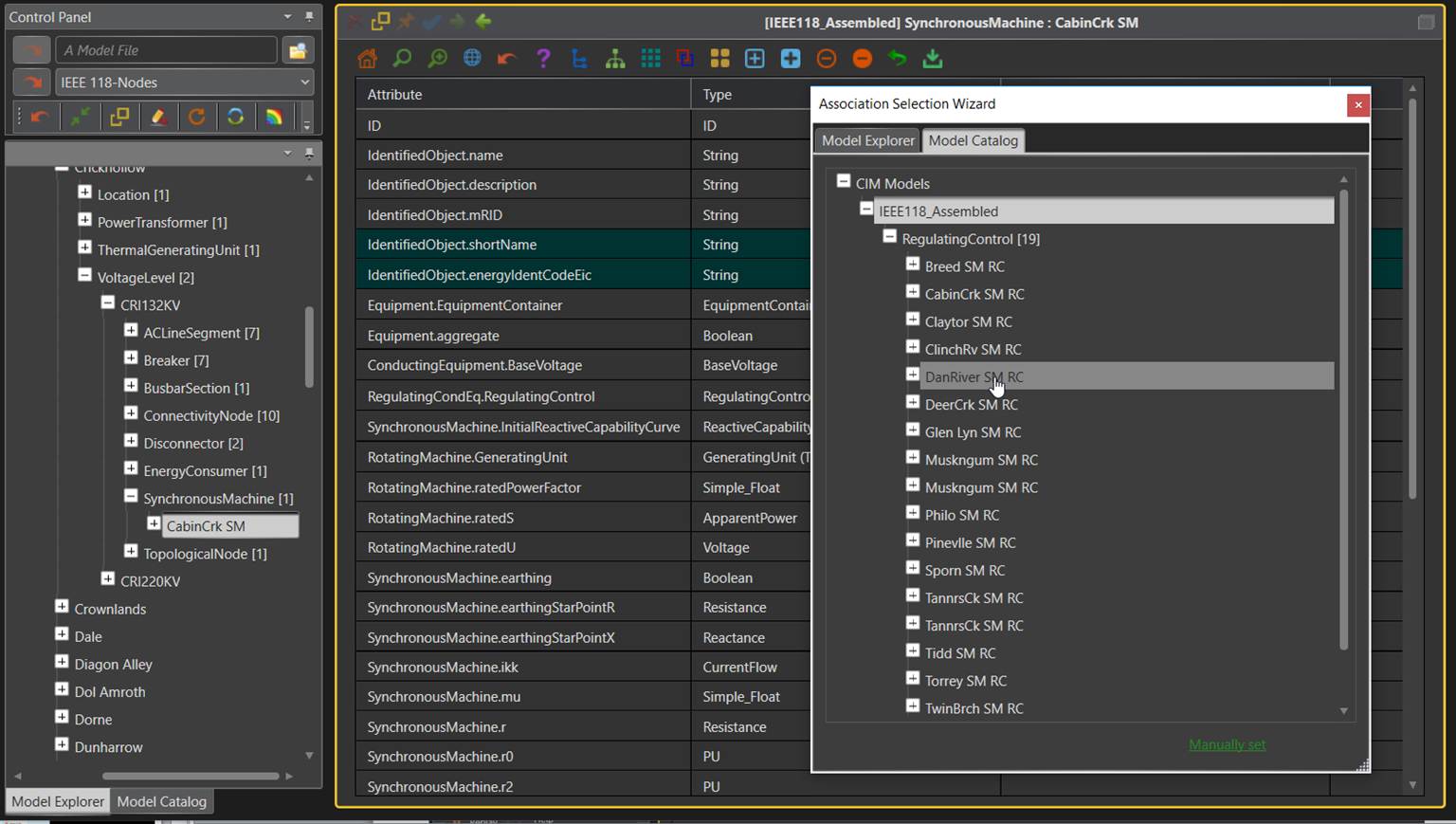
The Tool provides full support for editing model at object level. Users can make arbitrary model changes in both object Form Displays and Tabular Displays. During the model editing, the Tool automatically maintains the model referential integrity and tracks model changes, which can be exported as a CIM incremental/difference file. Additionally, the tool provides an association selection wizard to facilitate data entry.
More specifically, the Tool provides the following object-based model editing capabilities:
- Users can add objects of any classes specified in the profile. The supported deep copying function enables users to use the existing modeling entities as templates for adding objects.
- Users can delete any types of objects. Cascading deletion is also supported. For example, users can delete a Substation and all of the Equipments contained in this Substation.
- Users can edit object attributes and associations. An association editing wizard is provided to enable users to select the valid associated object through a navigation tree or through manual entry.
- Model navigation trees are automatically updated during the model editing process.
- A CIM Incremental model is auto-generated to track the model changes.
- The edited models and the incremental model changes can be exported as CIM/XML files or submitted to a CIM-compliant Oracle database.