Comparing Network Configuration
Full Model Comparison normally generates a lot of modeling difference, making it difficult to identify major model change: network configuration changes, such as adding/deleting substation/equipment/measurement… These changes provide important inputs for many operational maintenance practices, such as updating schematic one-line diagrams used for real-time operation. To help users quickly identify network configuration changes, the Tool provides a function to report network configuration changes in an easy-to-understand way.
How to Compare Network Configurations?
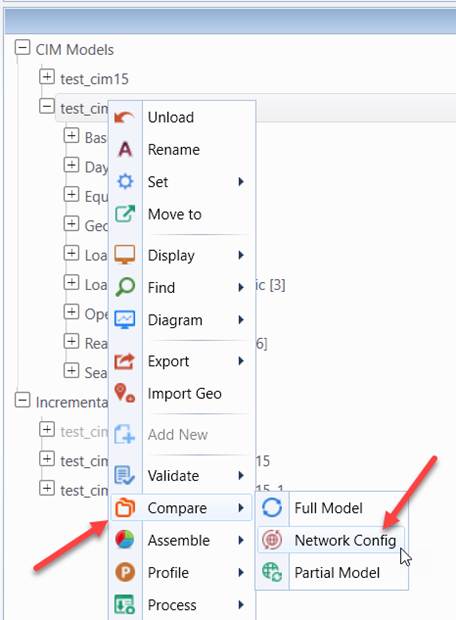
The Network Configuration Comparison function can be triggered from the context menu associated with the model tree as illustrated below.
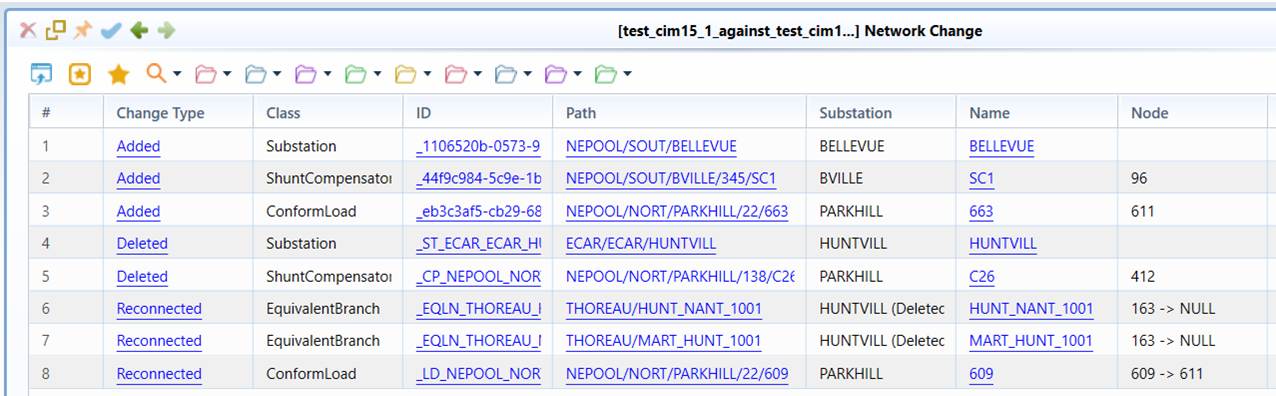
This function compares two models exactly in the same way as Full Model Comparison, but reports the detected network configuration changes in a simple and easy-to-understand model change report, as illustrated below.
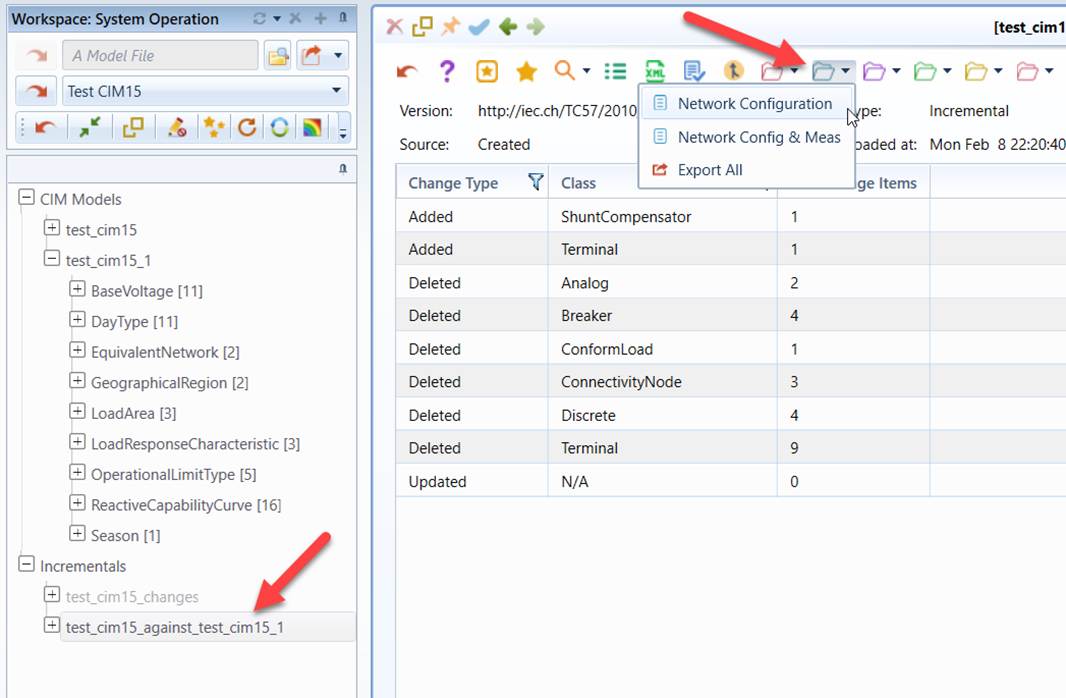
Alternatively, after Full Model Comparison or Network Configuration Comparison is completed, the network configuration report can be called from the model change reporting folder associated with generated incremental model at any time, as illustrated below. This is how users re-display the network configuration changes after the model comparison is completed and the incremental model resulting from model comparison is created. The Network Configuration report involves addition/deletion/reconnection of Substation and Equipment, while the Network Config & Meas report also includes addition/deletion/reconnection of Measurement in addition to those reported in the Network Configuration report.
Understanding Network Configuration Change Reporting
Network configuration is determined by presence of physical modeling entities including Substations, ConductionEquipments (ACLineSegments, SynchronousMachines, ConformLoads, etc.), Measurements (Analogs, Discretes, etc.), and their connections. Network configuration change normally involves physical connection changes, such as
- Adding/Deleting a Substation
- Adding/Deleting/Reconnecting a ConductingEquipment
- Adding/Deleting/Reconnecting a Measurement
A network configuration change report condenses these changes and reports them in a succinct manner. More specifically, the following rules are sequentially applied:
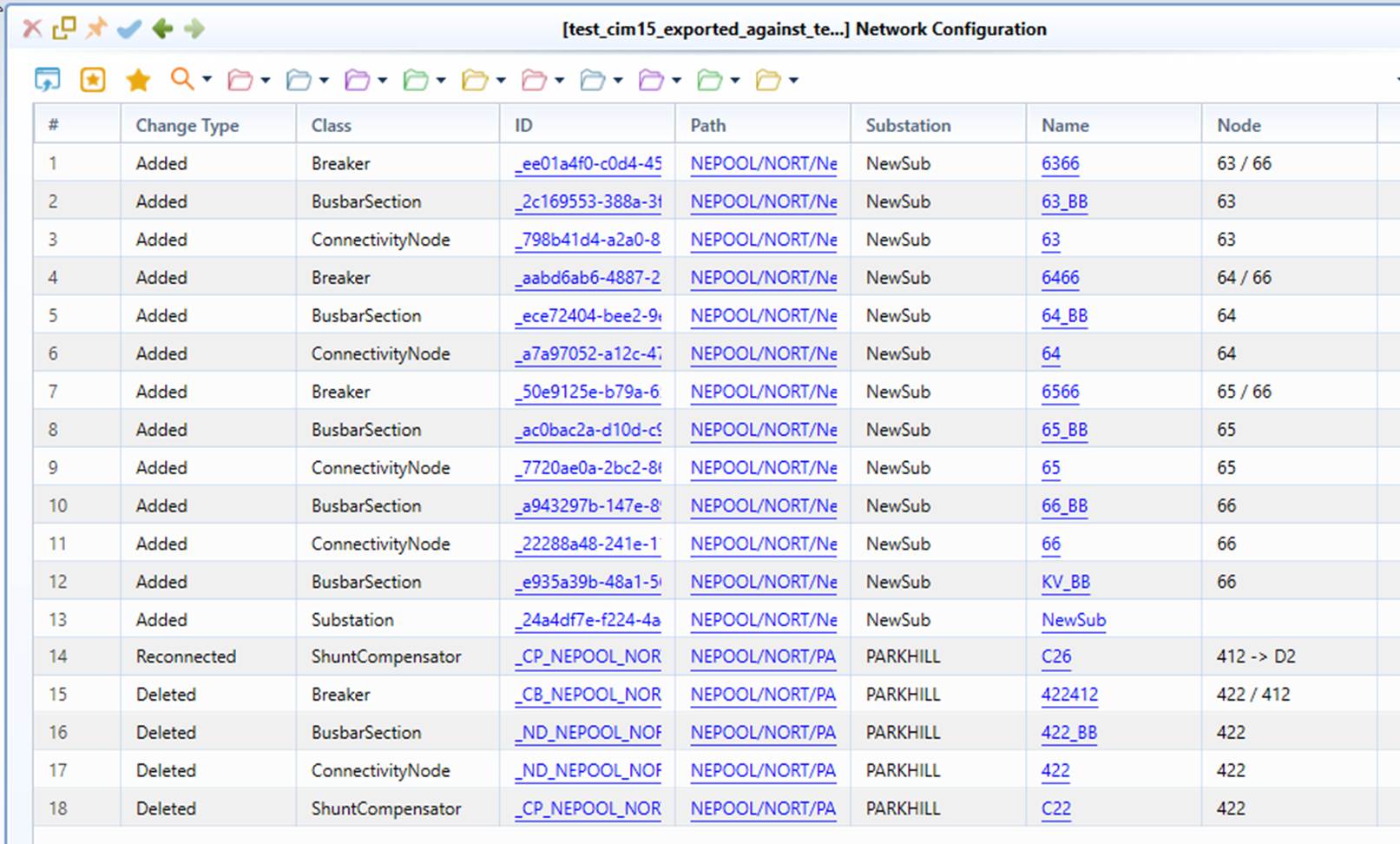
- Substation addition/deletion is reported as a single event. ConductingEquipments and Measurements in the added/deleted Substation are not reported, since such information can be easily found by navigating to the added/deleted Substation using the corresponding hyperlinks in the report, as illustrated below.
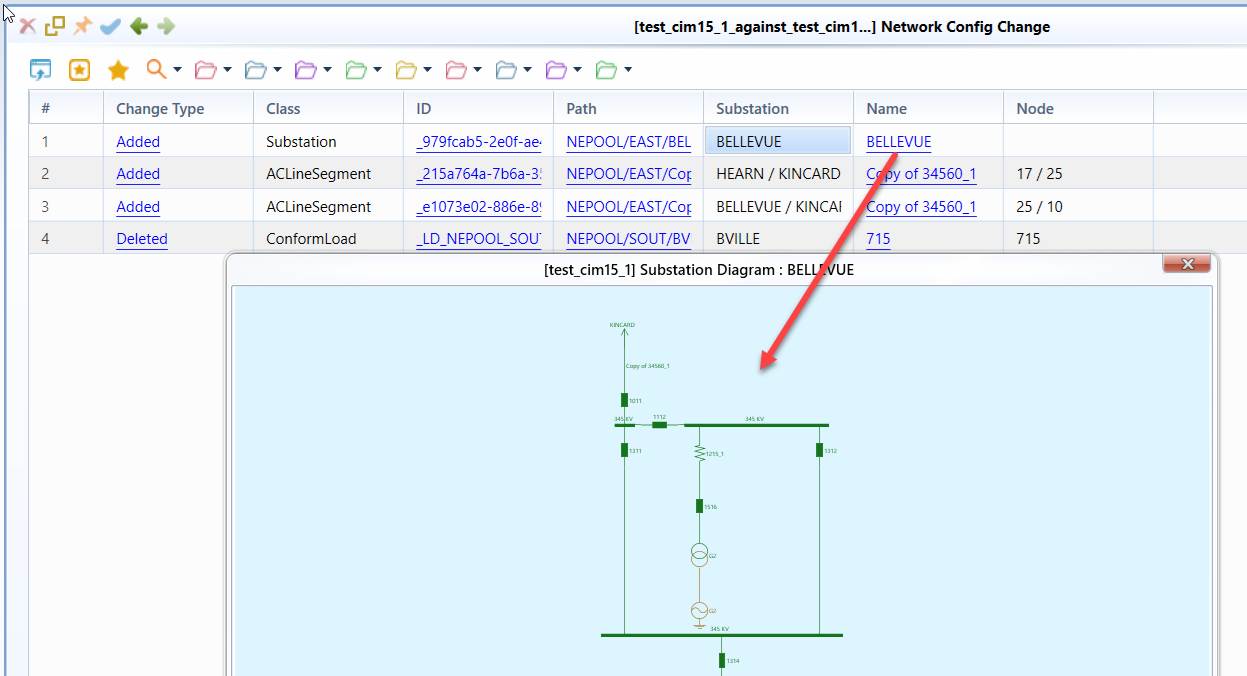
- ConductingEquipment addition/deletion/reconnection in a Substation is reported as a single event. Measurements associated with the added/deleted/reconnected ConductingEquiopments are not reported, since such information can be easily found by navigating to the added/deleted ConductingEquipment using the corresponding hyperlinks in the report.
- Standalone Measurement addition/deletion/reconnection (i.e. not associated with added/deleted ConductingEquipment) is reported as a single event.
In summary, the Tool condenses network configuration changes hierarchically from Substation → ConductingEquipment → Measurement, and reports the condensed network configuration changes in a succinct manner. The goal is to help users quickly identify the major network configuration changes, while enabling them to find more detailed information via hyperlinks embedded in the report.
Customization of Network Configuration Comparison
Users can customize the Network Configuration Comparison by changing the mode attribute in Network Configuration view definition which can be found at ..\config\view\ModelChanges.xml.

This attribute contains the following bits:
- 1: Reporting all of the Equipments/Measurements for the added/deleted Substations
- 2: Reporting added/deleted ConnectivityNodes
The mode attribute is optional. If missing, it is set as the default value (i.e. 0). Depending on the value of the mode property, the following options are supported:
| mode | 1:Reporting all of the Equipments/Measurements for the added/deleted Substations | 2:Reporting added/deleted ConnectivityNodes |
| 0 (default) | No | No |
| 1 | Yes | No |
| 2 | No | Yes |
| 3 | Yes | Yes |
A mode of 3 (1 + 2), for example, means reporting all of the Equipments/Measurements for the added/deleted Substations and added/deleted ConnectivityNodes, as illustrated below: