Checking Consistency
Detecting Modeling Conflicts
Projects map depend on each other. Project dependency is not explicitly modeled in Model Administration Meta-Model. Change Set sequence implies the dependency of Projects. If Change Set sequence is not propyl set, modeling conflicts arise. Changing of existing Projects may also introduce modeling conflicts. Examples of modeling conflicts include deleting/updating objects that don’t exist, adding duplicate objects, etc.
The Tool provides a special function referred to as consistency checking. It is designed to detect modeling conflict for each model evolution milestone (i.e. Change Set, Plan/Version). This function detects modeling conflicts for each Project along the model evolution path.
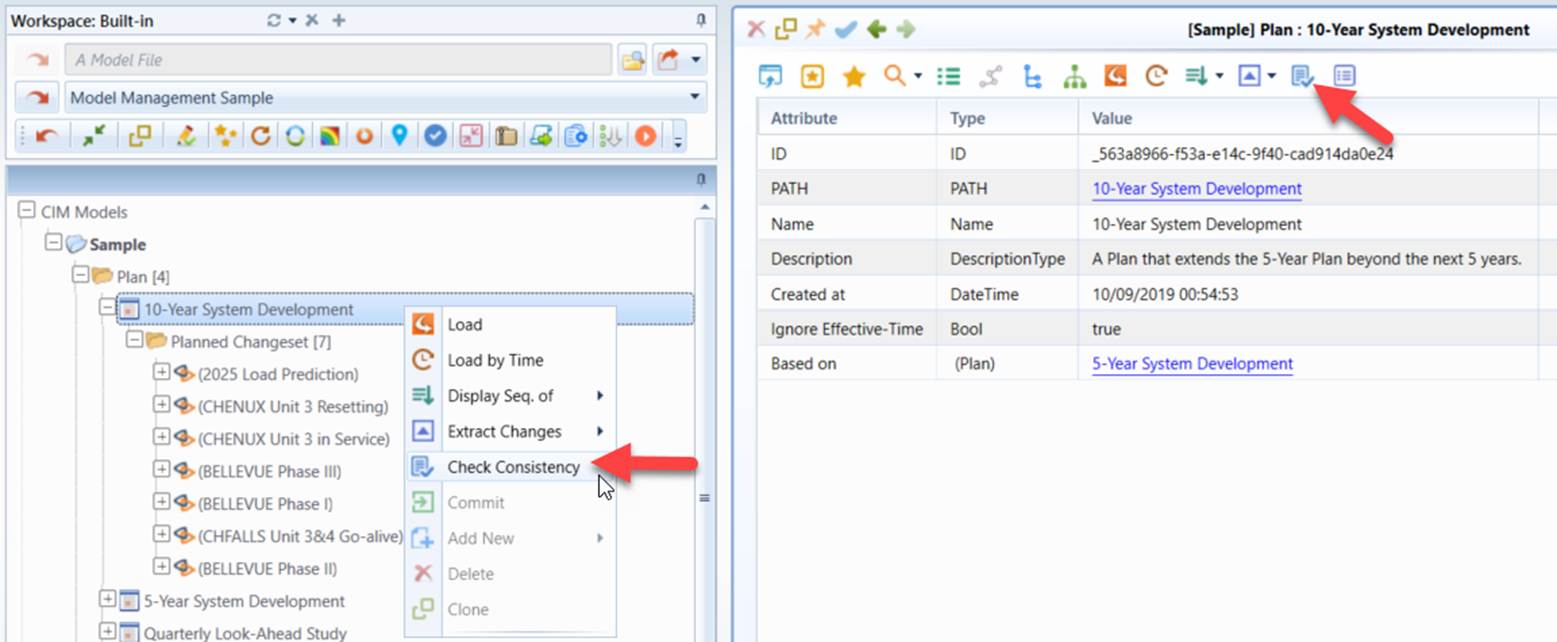
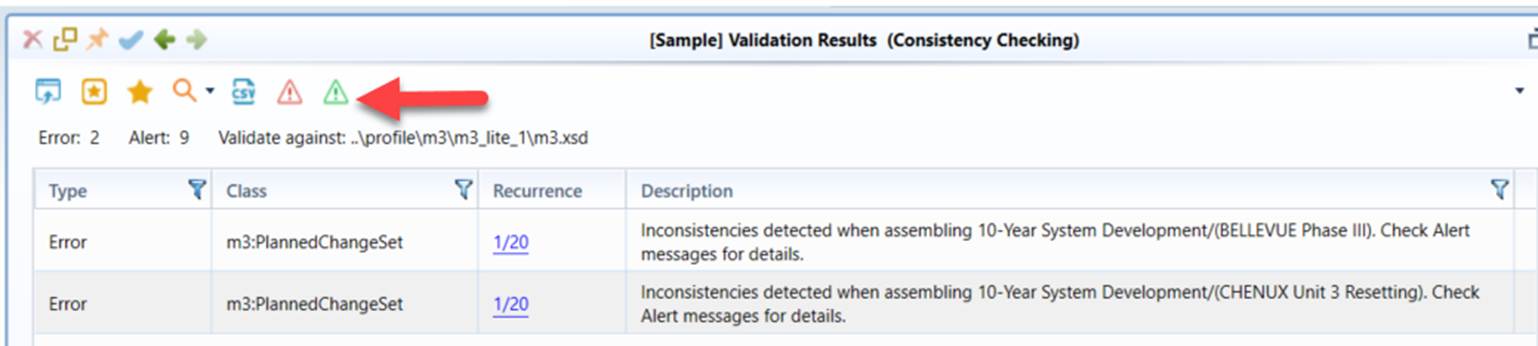
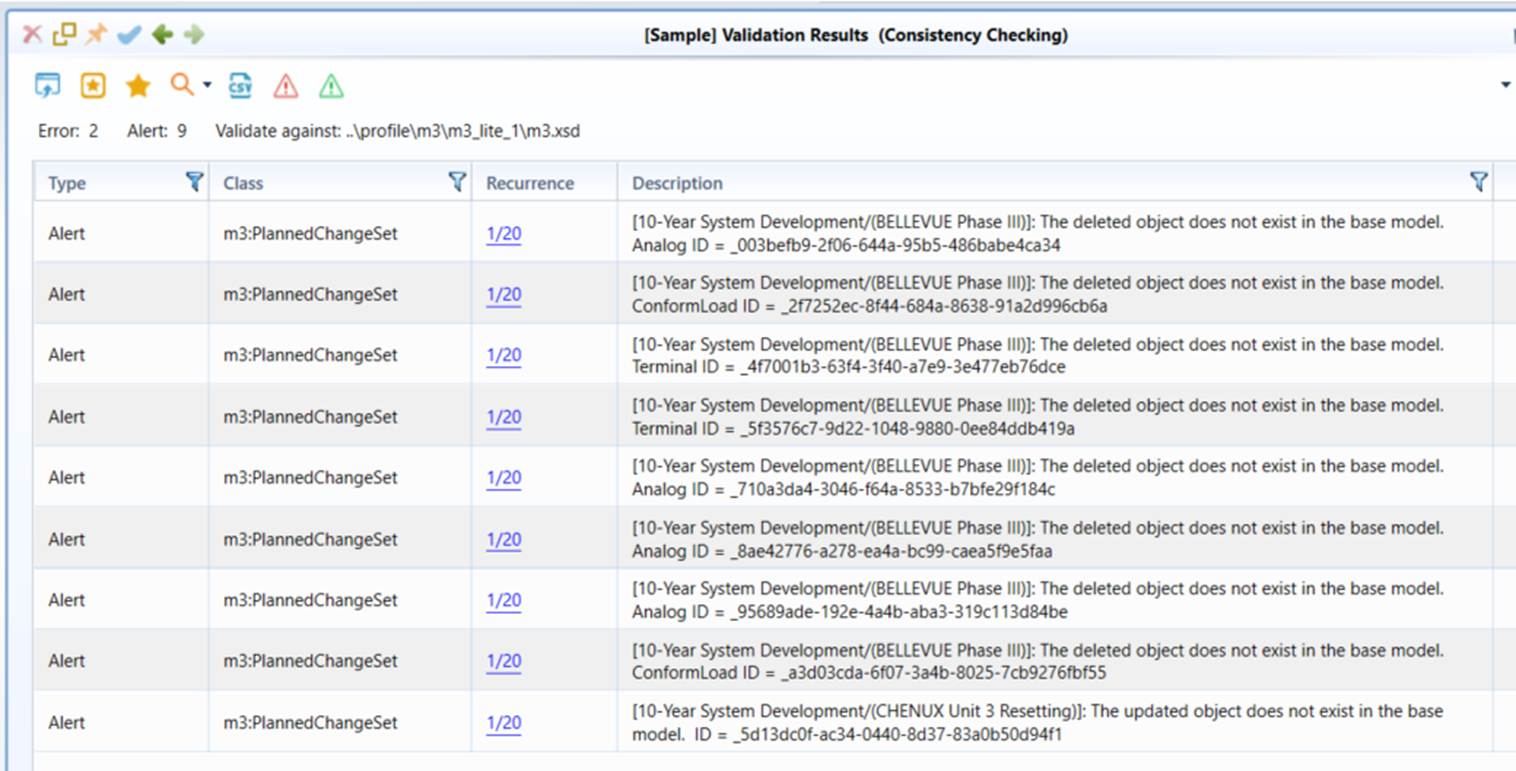
If modeling conflicts are detected, a validation report will be generated. The validation report contains two parts:
The (Error) Summary Report lists all of the Projects that result in modeling conflicts.
The (Alert) Report details the modeling conflicts detected.
Note
Consistency checking is designed to detect modeling conflicts during model assembling. It doesn’t check the contents of Projects. Users must run the full model validation for an assembled model in order to check validity of Projects.
Debugging/Resolving Modeling Conflicts
Once modeling conflicts are detected, users must resolve the detected modeling conflicts. A Plan with modeling conflicts can’t be converted to a Version.
The first step is to identify the causes of modeling conflicts. Users may load the Project that causes modeling conflicts and the assembled full model before applying the Project into the workspace for debugging. This can be accomplished via “Extract Changes→Before Assembling” for the related Planned Change Set, as shown below.
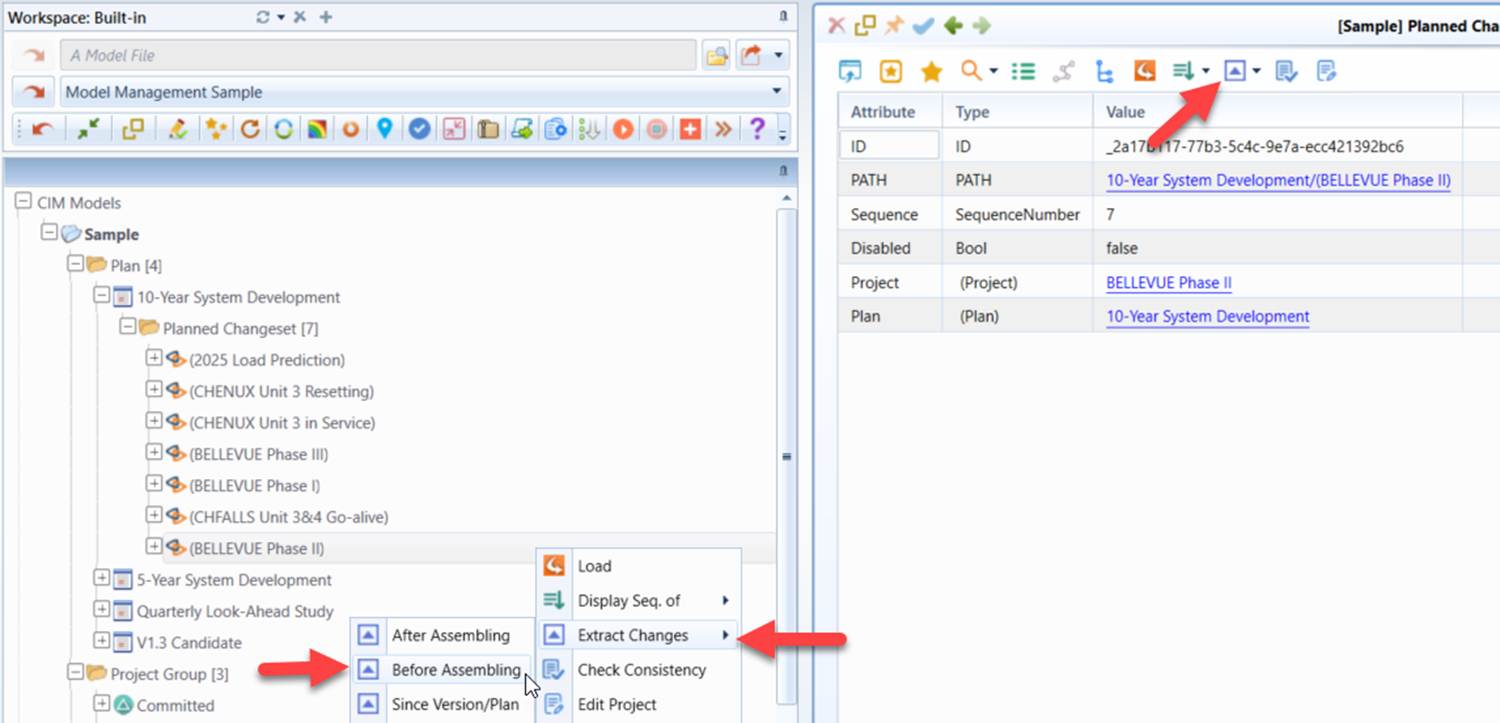
Once the related models are loaded into workspace, users can validate the Project against its base full model and analyze the cause of the modeling conflicts.
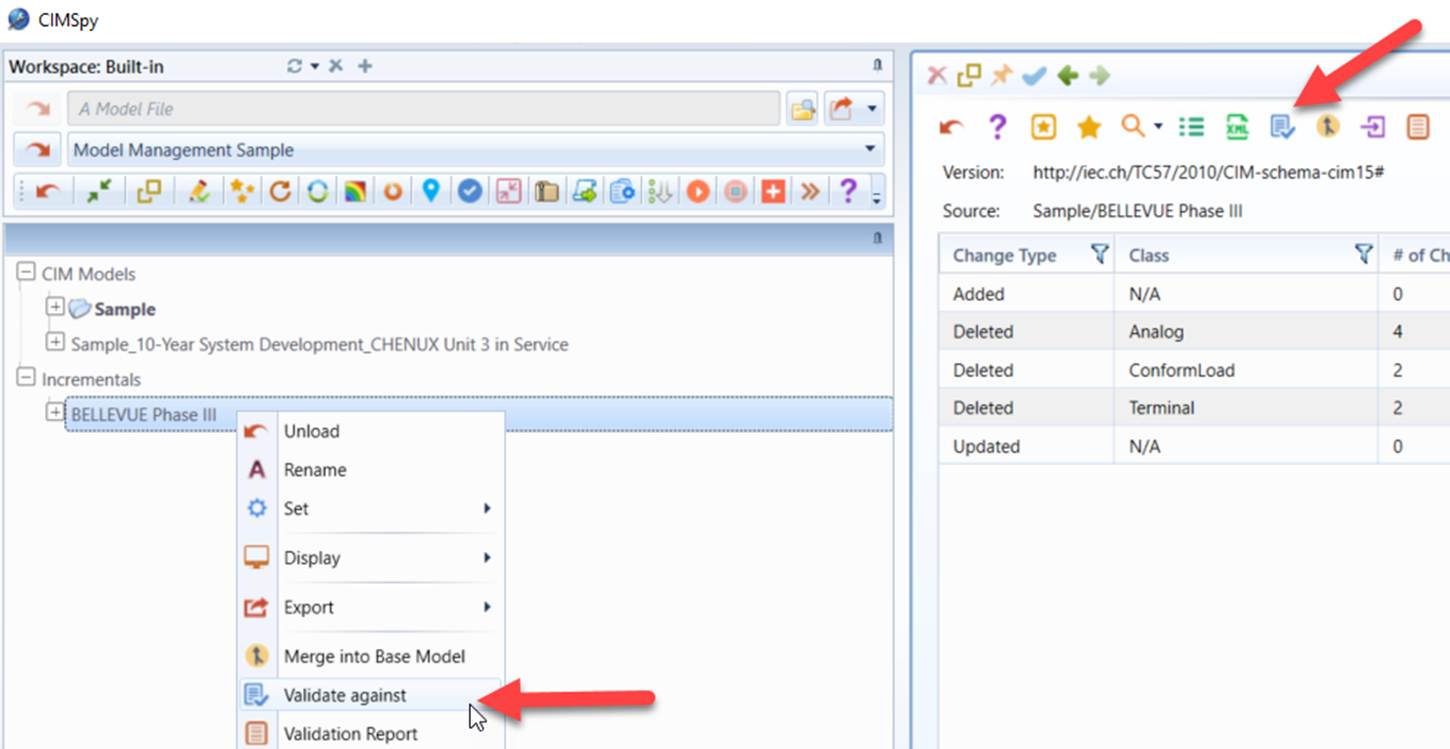
Once the causes of the modeling conflicts are identified, users will fix these issues by modifying Model Administration Meta-Model (such as deleting redundant Change Sets or changing the sequence of related Change Sets), or revising related Projects.