Case Study 4: Converting DNOM to GMDM
This case study is to demonstrate how MTF can be utilized to convert a self-defined CSV model to a CIM model. A test model, referred to as Distribution Network Object Model (DNOM), is used as a source model. This test model is derived from 342-Node Low Voltage Network Test System, an IEEE PES Test Feeder (https://cmte.ieee.org/pes-testfeeders/resources/). Only primary circuit of the test model is retained. The DNOM files, in both single CSV and multi CSV formats, can be found in folder \TestCases\csv. The target model is a CIM-based distribution model conforming to GMDM profile.
Hands-on
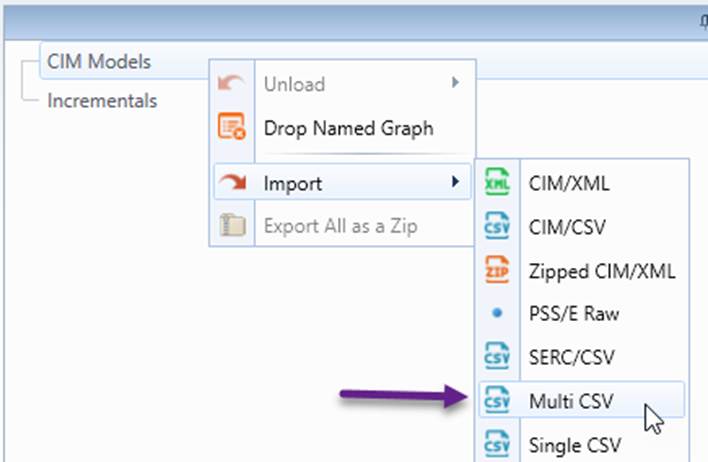
- Initiate Multi CSV import via context menu CIM Models→Import→Multi CSV.
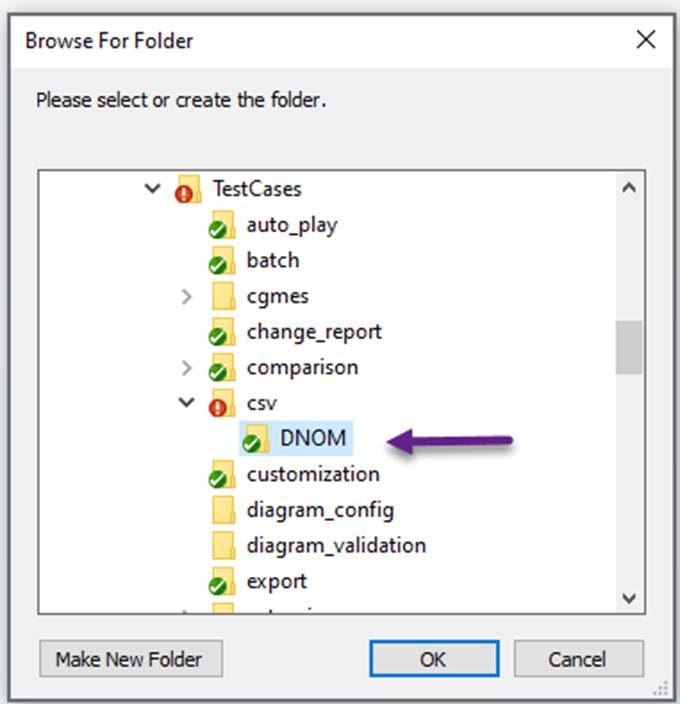
- Select folder ..\TestCases\csv\DNOM.
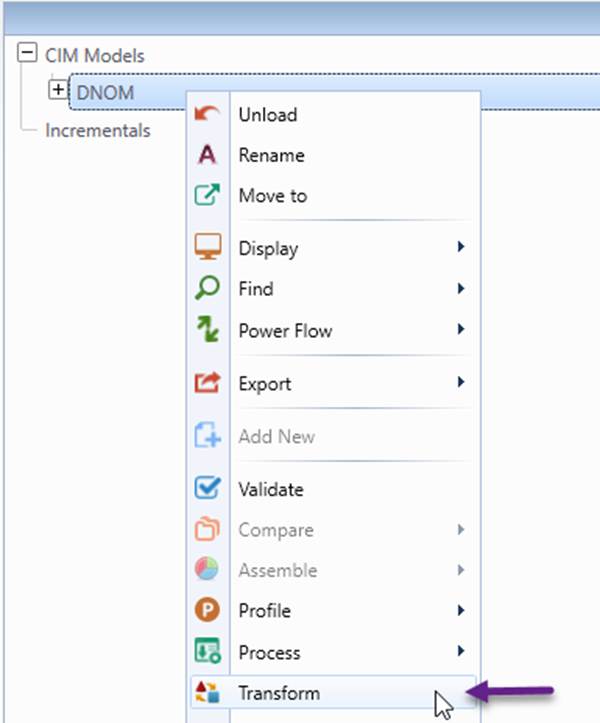
- Initiate model transformation for the loaded model.
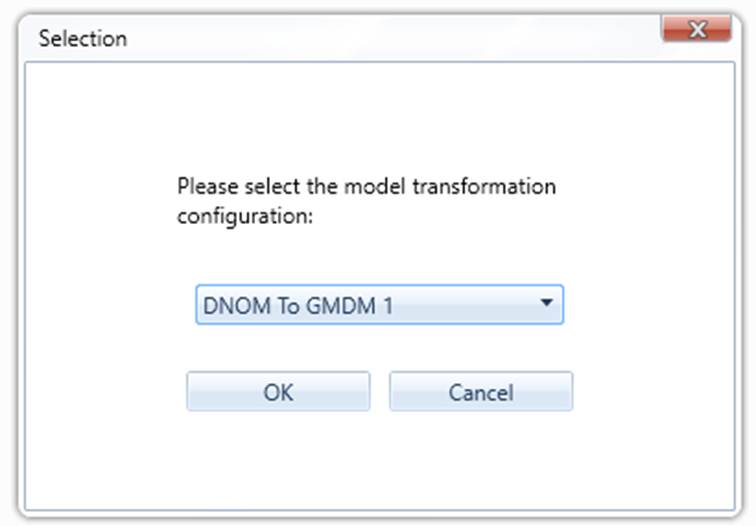
- Select “DNOM To GMDM 1” model transformation configuration.
- Browse the transformed GMDM-compliant model.
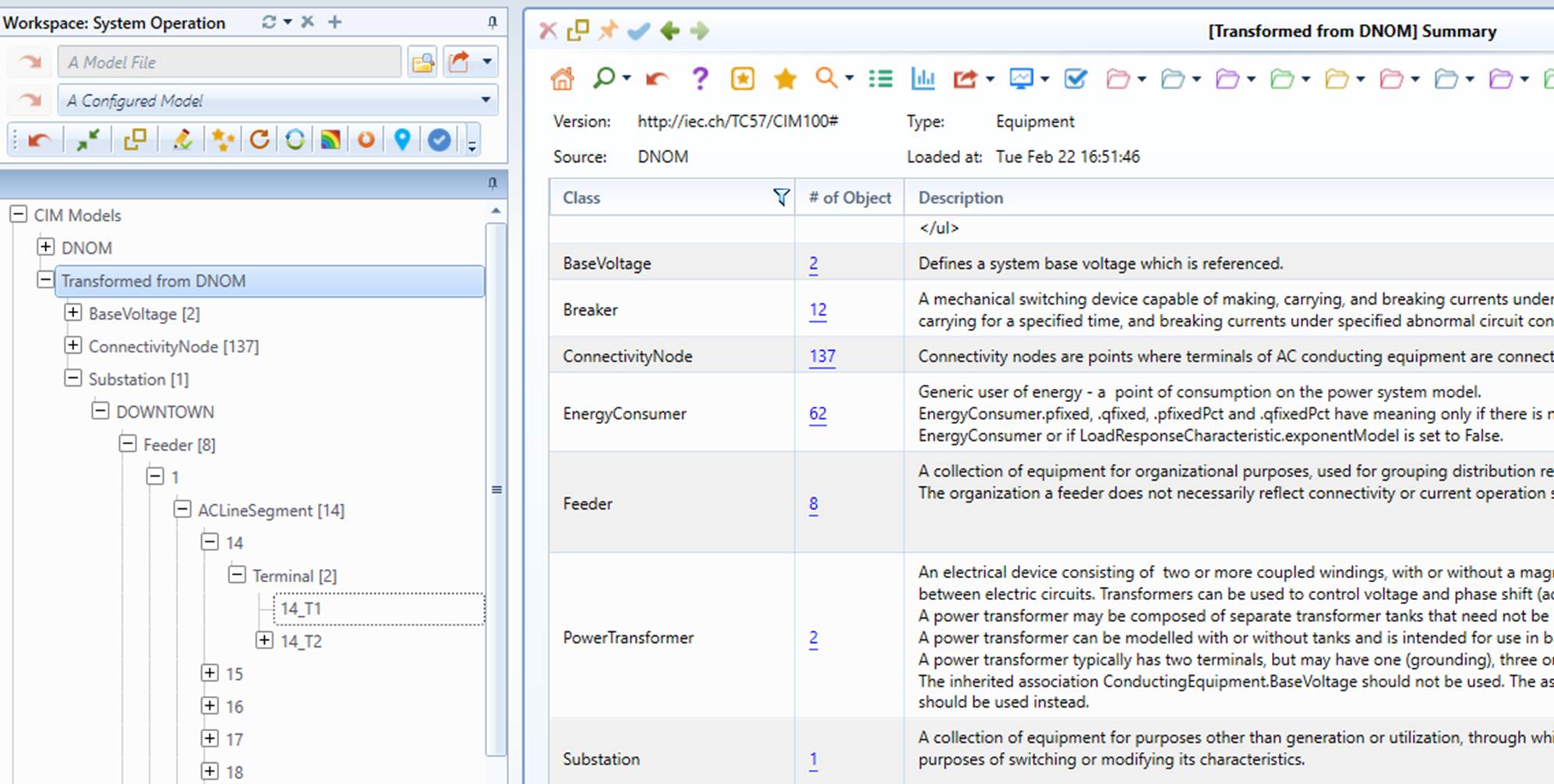
In-depth Look
The model transformation configuration used DNOM to GMDM conversion is shown below. The model transformation process is governed by a transformation profile defined in file ..\config\transformation\DNOMToGMDM1.xml.

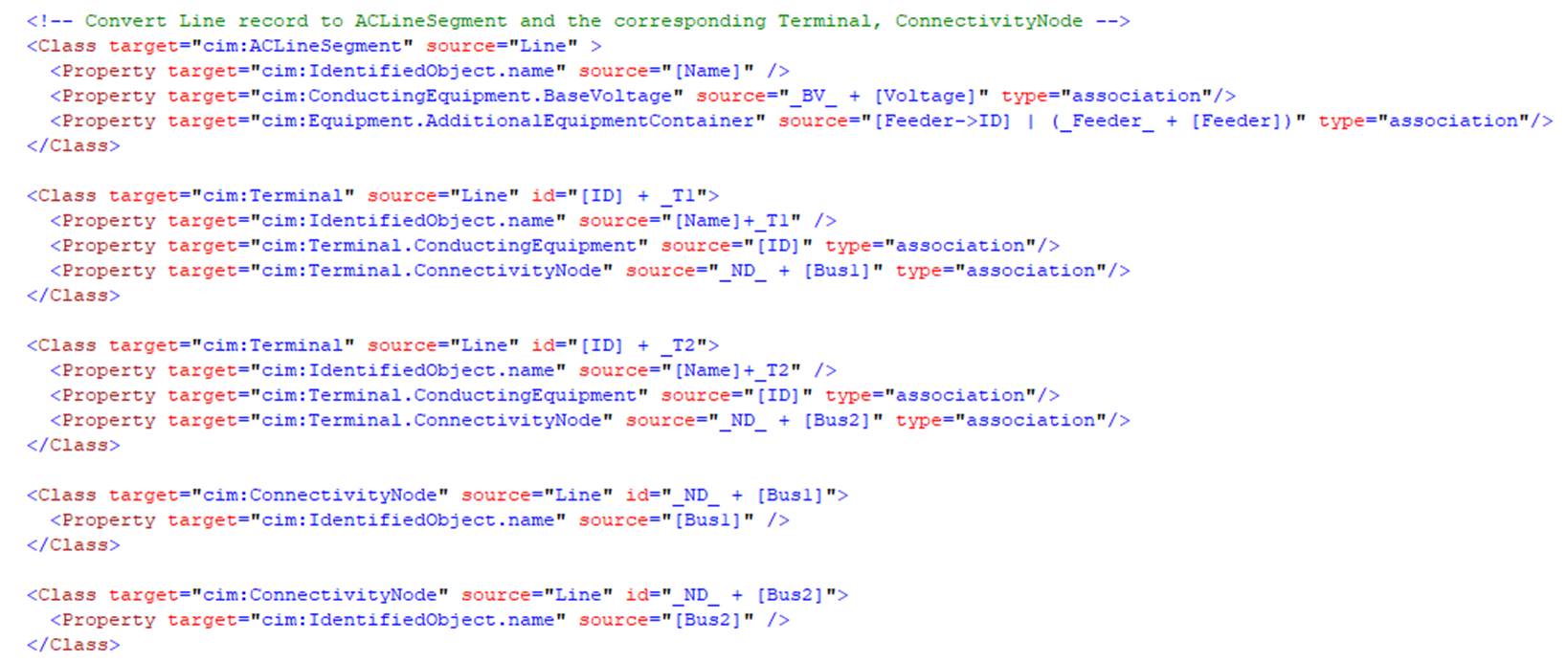
The following shows a few sections of mappings defined in transformation profile, i.e. DNOMToGMDM1.xml.xml. As commented in each section, this transformation profile is defined to decompose a flat table into fine-granulated objects.
Note
model transformation in DNOMToGMDM1.xml is restricted to network connection part.