Submitting Model Changes
After a draft version is loaded into workspace, users begin making model changes. When a targeted modeling task or subtask is complete, it is time to submit the changes. Pending changes should be submitted to become permanent. This should be typically performed when a certain modeling activity is accomplished. In CIM terminology, a Project has been created. This typically corresponds to a sequence of model changes that reflect a structure change of the grid, such as adding a transmission line between two substations. The submitted changes or Projects are building blocks of a model version. After submitted, pending changes are permanently associated to a version in the Modelspace and cannot be deleted or modified. Model can still be revised by submitting new changes.
Prepare for Submitting Changes
To prepare for submitting changes, verify that the model is currently loaded in the work space. Model must contain on going pending changes to submit.
It is highly recommended to validate the model and correct any errors or inconsistencies before submitting changes.
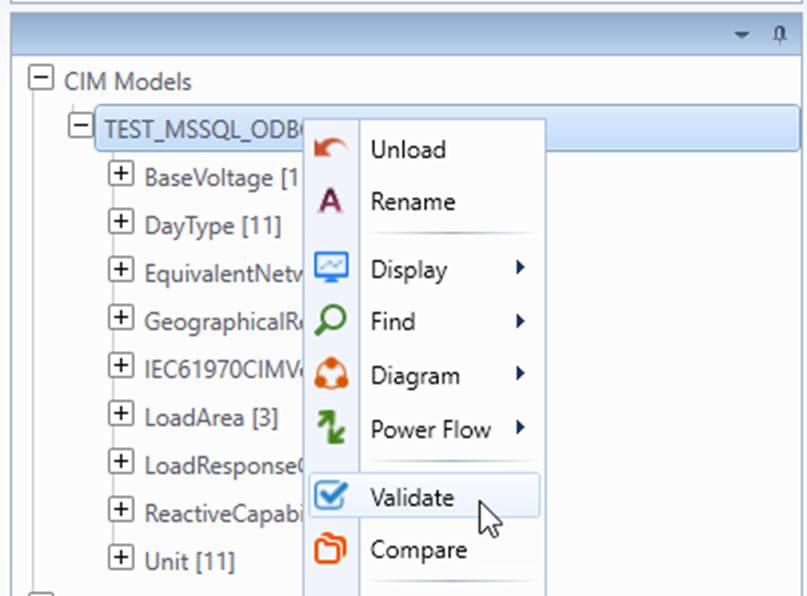
Submit Changes
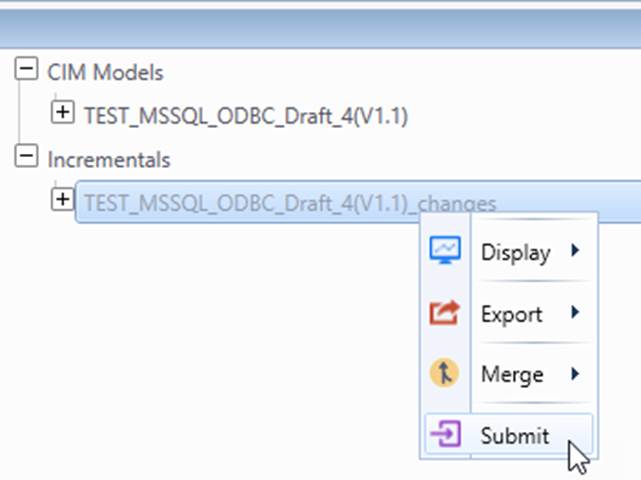
Submitting changes can be performed from the incremental model tree:
- Right click the tree item associated with the changes to submit and Select Submit Changes to Database.
- Enter the description of model changes in the dialog box. Press OK to submit.
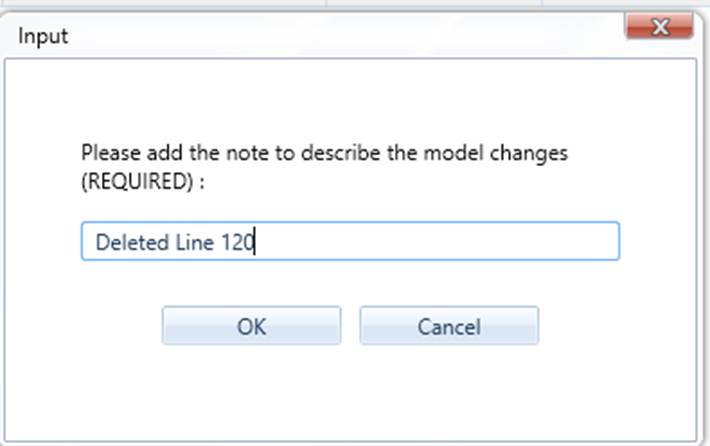
Changes are successfully submitted to the version associated with the master full model of the incremental model.
Next Step
When model reaches a milestone after several change submissions, it is time to label a version.