Graphical Model Editor
While the object-based data editor enables users to make arbitrary model changes, CIM-based modeling remains to be a challenging task. This is because CIM, as a standard information model designed to support multiple business practices, models the power system and its operation at very fine-granulated level. For example, a transformer is modeled as different types of objects in CIM, including PowerTransformer, TransformerWinding (or PowerTransformerEnd), Terminal, RatioTapChanger, etc. While fine-granulated model provides flexibility for meeting the requirements of multiple applications, it makes modeling much more challenging. Modeling engineers must understand how each physical modeling entity is modeled in CIM, create the corresponding component objects, and associate them properly, etc. Consequently, object-based modeling becomes a tedious and error-prone task.
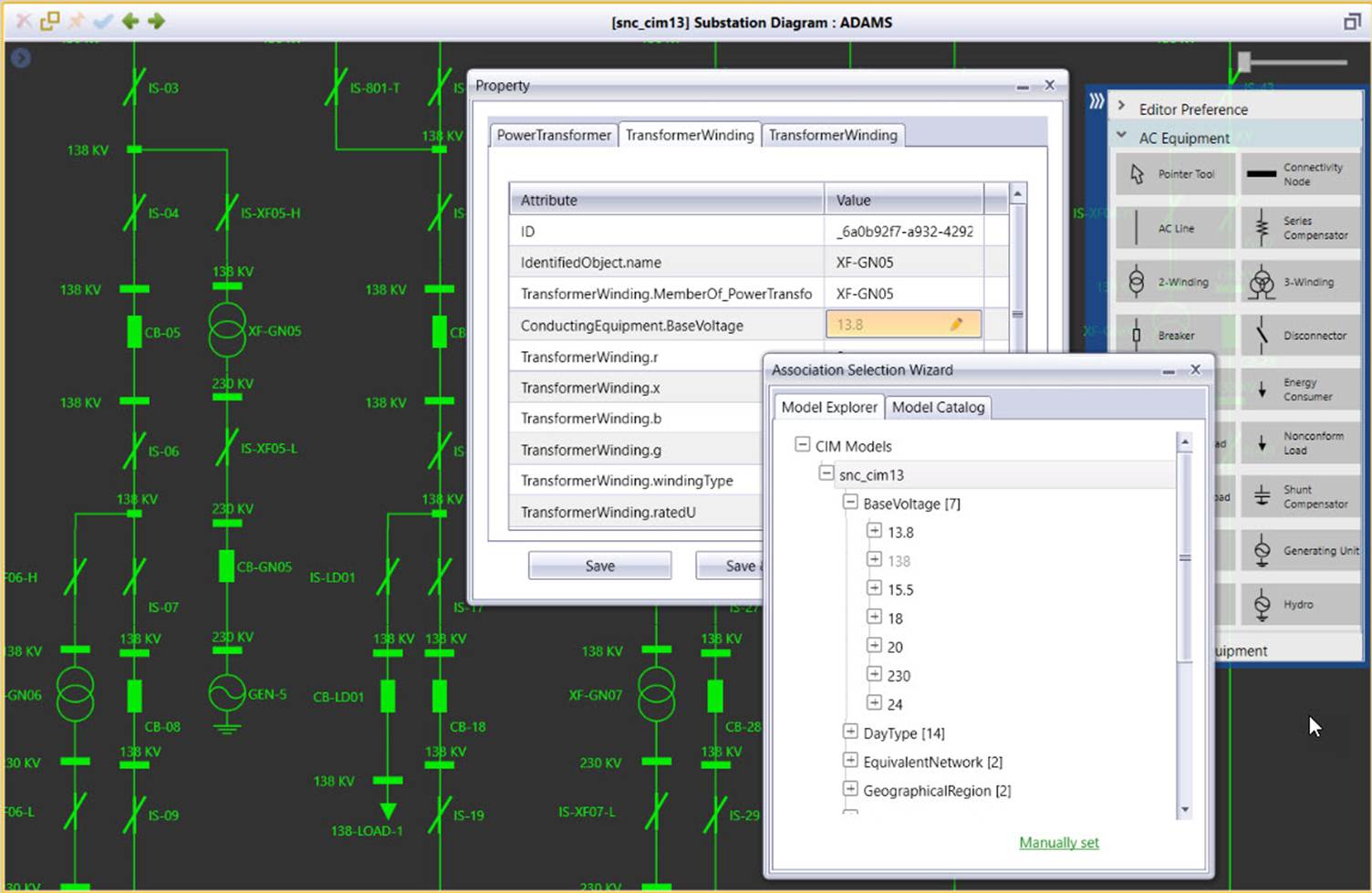
The graphical model editor is an advanced modeling application designed to assist users to build and maintain the CIM-based power system models. Based on reality, the graphical application enables users to interactively and intuitively perform complicated modeling tasks in a What-You-See-Is-What-You-Get (WYSIWYG) style. Additionally, it provides some advanced features, enabling users to rapidly perform the model maintenance work by using the existing models as templates. Unlike object-based data editor, the graphical model editor works on graphical modeling entities, which corresponds to physical modeling entities in the real world. For example, when users create a transformer, the Tool automatically creates all required component objects and set the associations among the component objects. Additionally it enforces the modeling constraints, ensuring the created model is valid.
More specifically, the following features and functions are provided in the graphical model editor:
- The design philosophy of this application is enabling users to perform routine model maintenance with minimal effort. The established design philosophy results in a user-centered graphical modeling environment.
- The application is fully WYSIWYG. Modeling task is no longer tedious. Network topology modeling, for example, is translated into a sequence of graphical activities.
- Users work on reality-based modeling entities rather than fine-granulated CIM objects. The application automatically maintains the CIM modeling business logic for you.
- The application is primarily data-driven, working on any supported versions of CIM, standard or extended.
- Data and graphics are seamlessly integrated. Data entry is performed in the context of full graphics.
- Template-based modeling speeds up and significantly improves model maintenance. With one-mouse-clicking, you can add a parallel line or duplicate a substation.
- Advanced features, such as model transplantation, enable users to perform complicated modeling tasks, such as splitting a substation into two, with an instant effort.
- While modeling errors are not eliminated, they become much more difficult to make with modeling constraints enforced.
- Even with strict modeling constraints enforced, users can still perform some unusual modeling tasks, such as connecting two substations with a transformer or a switch.
- All modeling activities performed in the graphical model editor are tracked in a CIM difference format, making it easier to consume by other CIM-compliant infrastructure.
Overview of Subtopics
- Setting up Graphical Modeling Environment
- Understanding Graphical Modeling Entity
- Adding a Modeling Entity
- Adding a ConnectivityNode
- Adding a Substation
- Adding and Connecting an Equipment
- Deleting a Modeling Entity
- Editing a Modeling Entity
- Reconnecting Network Components
- Template-Based Modeling
- Enforcing Modeling Constraints