Supporting SERC EMS Data Exchange Format
SERC EMS Data Exchange Format (SERC Format) is a common format for exchange of EMS equipment and real-time telemetry among the participating SERC members (https://www.serc1.org/about-serc/membership/currentmemberlisting). It is designed to facilitate model changes between each organization’s EMS to achieve consistent and accurate State Estimator and Contingency Analysis solutions.
While mostly equivalent to CIM in content, SERC Format is simple in syntax. It is made up of a collection of CSV files which modeling engineers are familiar with.
The Tool provides the following support for SERC Format:
- Enabling SERC model files to be loaded into the tool for model browsing and visualization.
- Bi-directional model conversion between SERC Format and CIM 16.
Enabling SERC Format Support
It is important to note that SERC Format support is preliminary. It hasn’t been adequately tested due to lack of test models. Additionally the support is limited to SERC Format Version 1.0. The latest version (https://www.serc1.org/docs/default-source/committee/oc-real-time-modeling-working-group/serc_rmwg_technical_procedure.pdf) is not supported yet due to lack of test models. Because of immaturity, SERC Format support is disabled by default. To test the preliminary SERC Format, users can enable the SERC Format support by changing configuration, i.e. changing attribute enabled from “false” to “true” for the SERCSupport element in \config\ui\AddonConfig.xml, as illustrated below,

Importing SERC Model Files
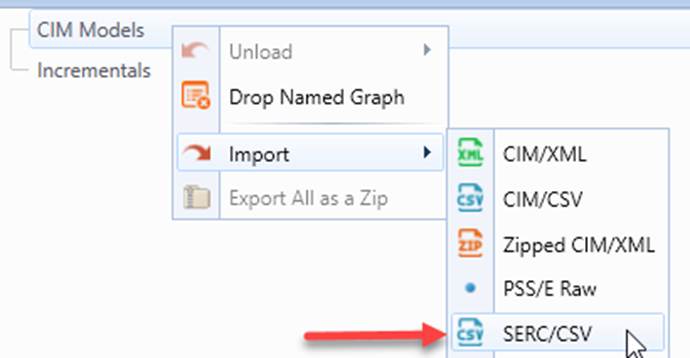
Once SERC Format Support is enabled, users can load SERC model CSV files stored in the same folder. This can be invoked from context menu CIM Models→Import→SERC/CSV, as illustrated below.
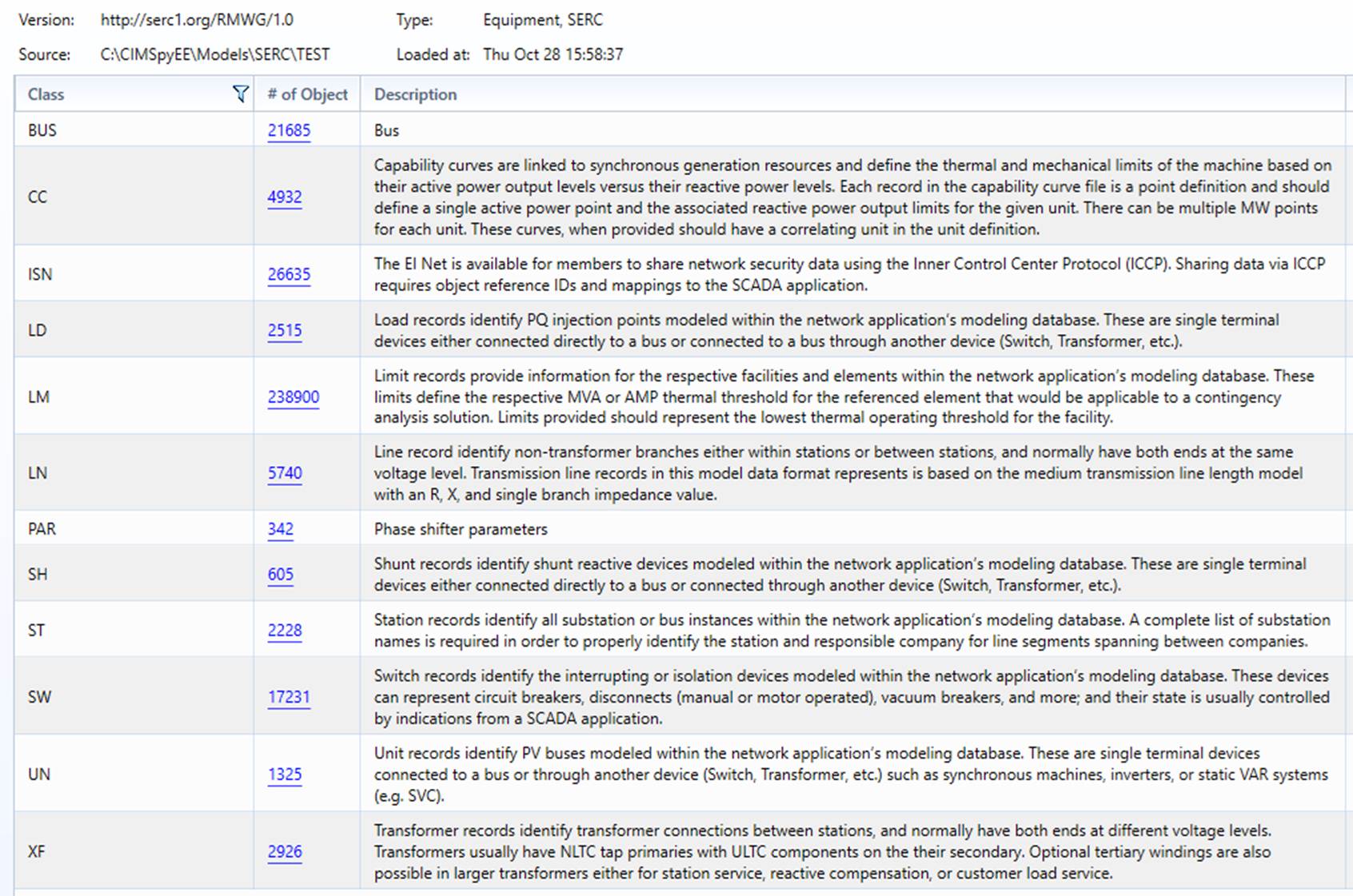
Users will be prompted to select a folder where the SERC model CSV files are stored. After importing is completed, the Model Summary is displayed, as illustrated below.
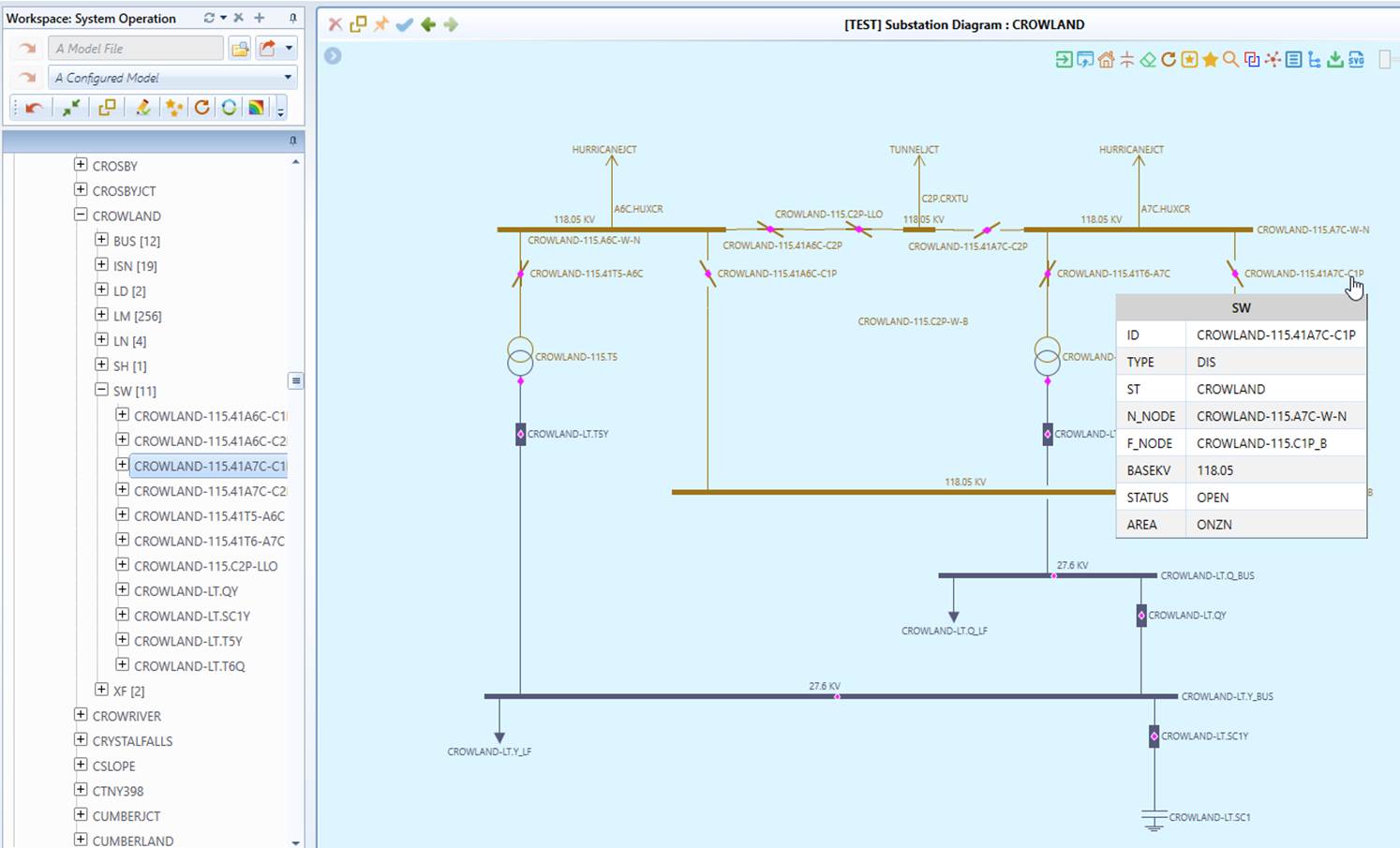
Once the SERC model files are successfully imported, users can browse and visualize the model, just like CIM models. Most of the model exploratory features, such as various model searching approaches, are applicable for SERC models. Below is a Substation Diagram driven by SERC data set.
Converting SERC Format to CIM 16
The loaded SERC data set can be converted to CIM 16 with the following steps:
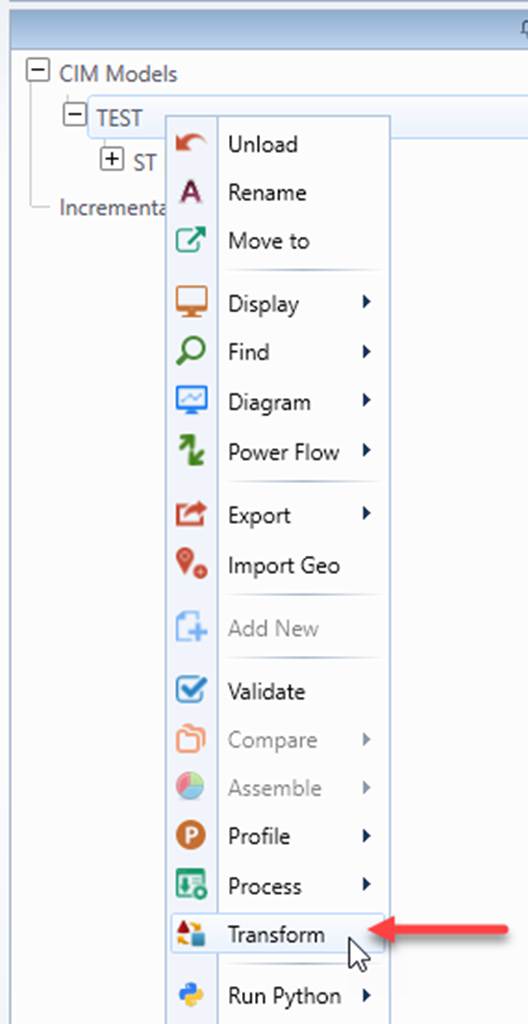
- Right-mouse click the tree item that represents SERC model to invoke the context menu and select “Transform” from the context menu
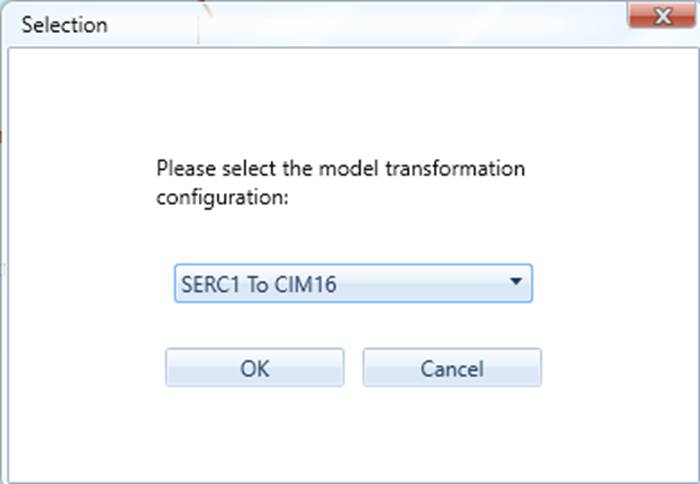
- Select “SERC1 to CIM16” from the model transformation configuration dropdown list and click OK.
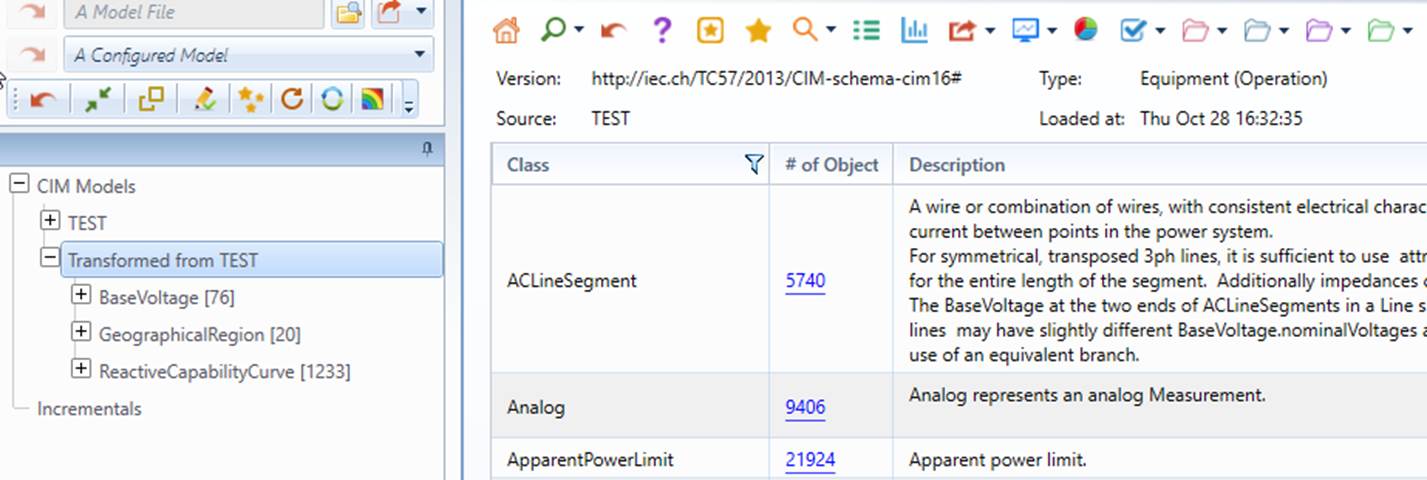
- Once model transformation is successfully completed, the transformed CIM 16 model will be loaded into the Tool.
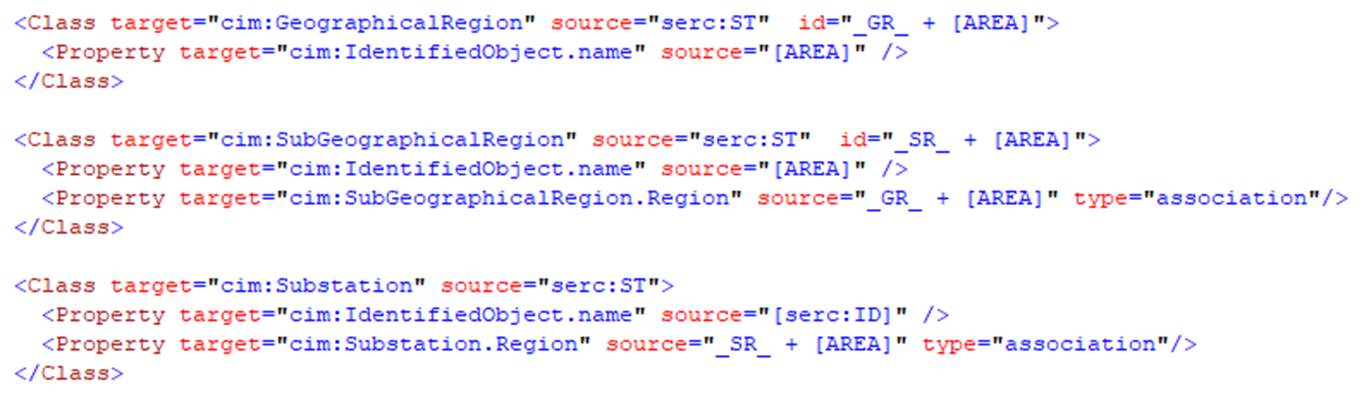
Model conversion from SERC Format to CIM16 is based on Model Transformation Framework (MTF). The corresponding model transformation configuration can be found at \config\transformation\SERC1ToCIM16.xml.
Converting CIM 16 to SERC Format
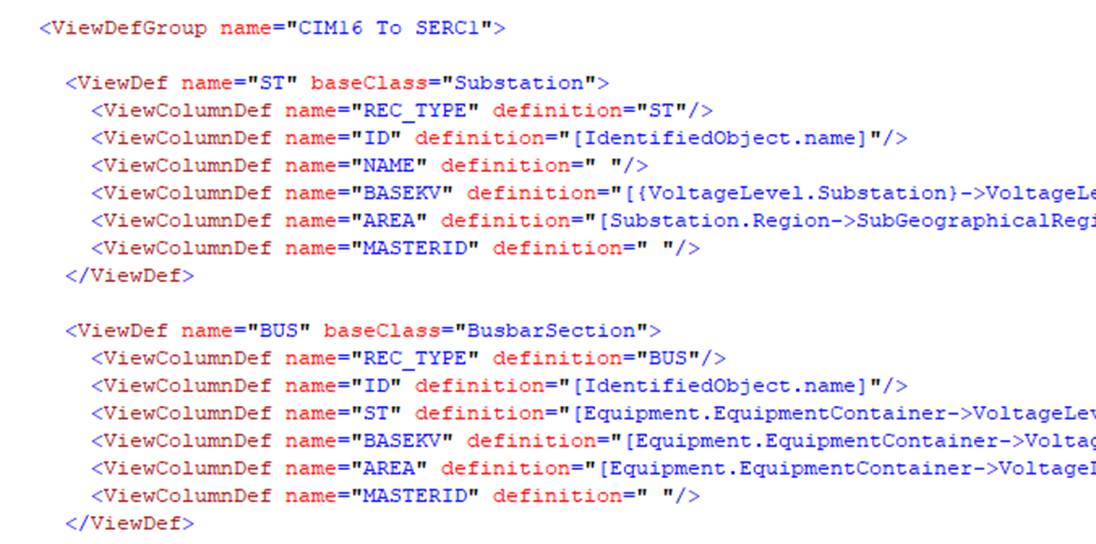
Model conversion from CIM 16 to SERC Format is based on Custom Reporting. Each type of SERC Record is defined as a custom report at \config\view\CIM16ToSERC1.xml.
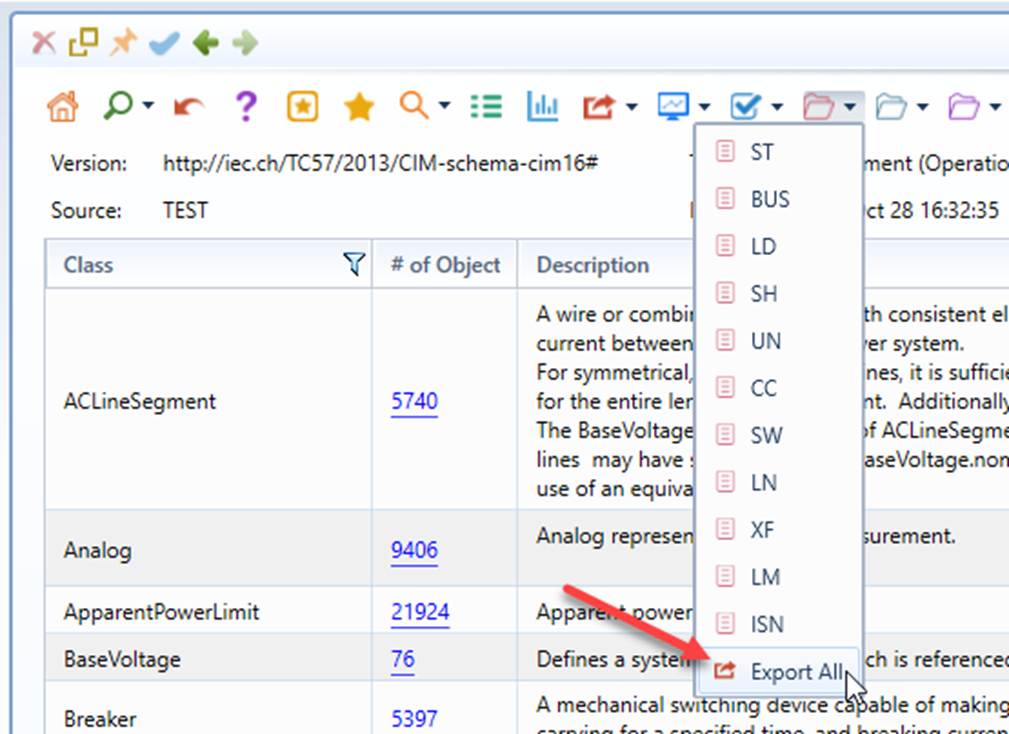
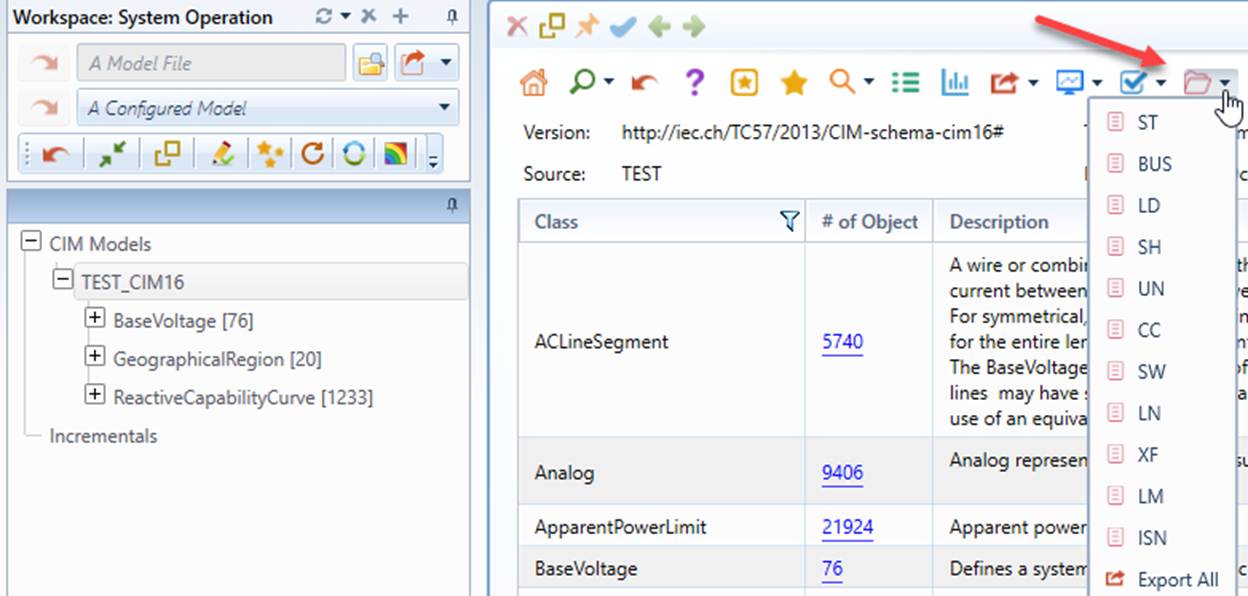
The SERC custom reports can be called from the Model Summary display, as illustrated below.
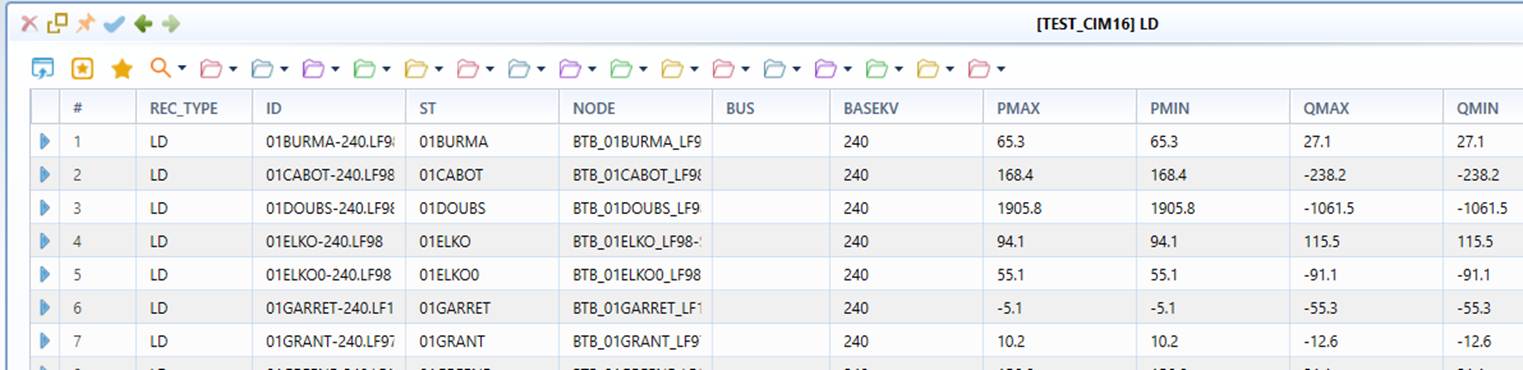
The SERC custom report contains all of the records per SERC Format definition.
By selecting “Export All” from the bottom of dropdown, all of the SERC records can be exported as a collection of CSV files and saved in a folder.