Automated Model Assembling
Automatic Model Assembling
This feature provides a one-stop solution for assembling various data groups submitted by different model authorities and then assembling them into a region-wide study case. It is the ultimatum solution. With this option, the Tool automatically detects the model dependencies based on model Header specification and performs model assembling/assembling sequentially based on the detected model dependencies. It applies to both regional model assembling (from different data groups) and region-wide model assembling (from boundary sets and regional models), as well as a combination of both. The only requirement is that the model dependencies are precisely described in the Header section of each CIM/XML file.
More specifically, the following steps shall be followed to perform an automatic model assembling:
- Load all of the models into the Tool. If the related models are packaged as a compressed ZIP file, you can load the whole package. See Importing Zipped CIM/XML Files for detail.
- Determine the base model. Base model is used as a staging model, which all of other models will be assembled into. It must be the topmost model in the model dependency hierarchy. Typically, users should follow the following rules:
- If you are assembling a regional model, you can choose the Equipment model in this particular Regional Set as base model. In this case, the dependencies on Boundary Sets may be ignored if they are not available. This allows users to assemble a regional model without dealing with Boundary Sets. However, a regional model depends on the boundary set. Whenever possible, the boundary set shall be loaded into the workspace and serve as the master model for assembling. If the Tool detects a single regional set is loaded with a boundary set the regional model set depends on, it will automatically uses the boundary EQ as the master model for assembling even the model assembling function is triggered from the a regional EQ model.
- If you are assembling a cross-region or region-wide model, you should choose the Equipment model in the Boundary Sets as a base model. The tool will identify the dependency hierarchies and assemble all of the dependent models sequentially to create an interconnect model. In this case, all of the dependencies must be fully satisfied. For example, if one of the dependent-on models can’t be found in the Tool, then this model will NOT be assembled.
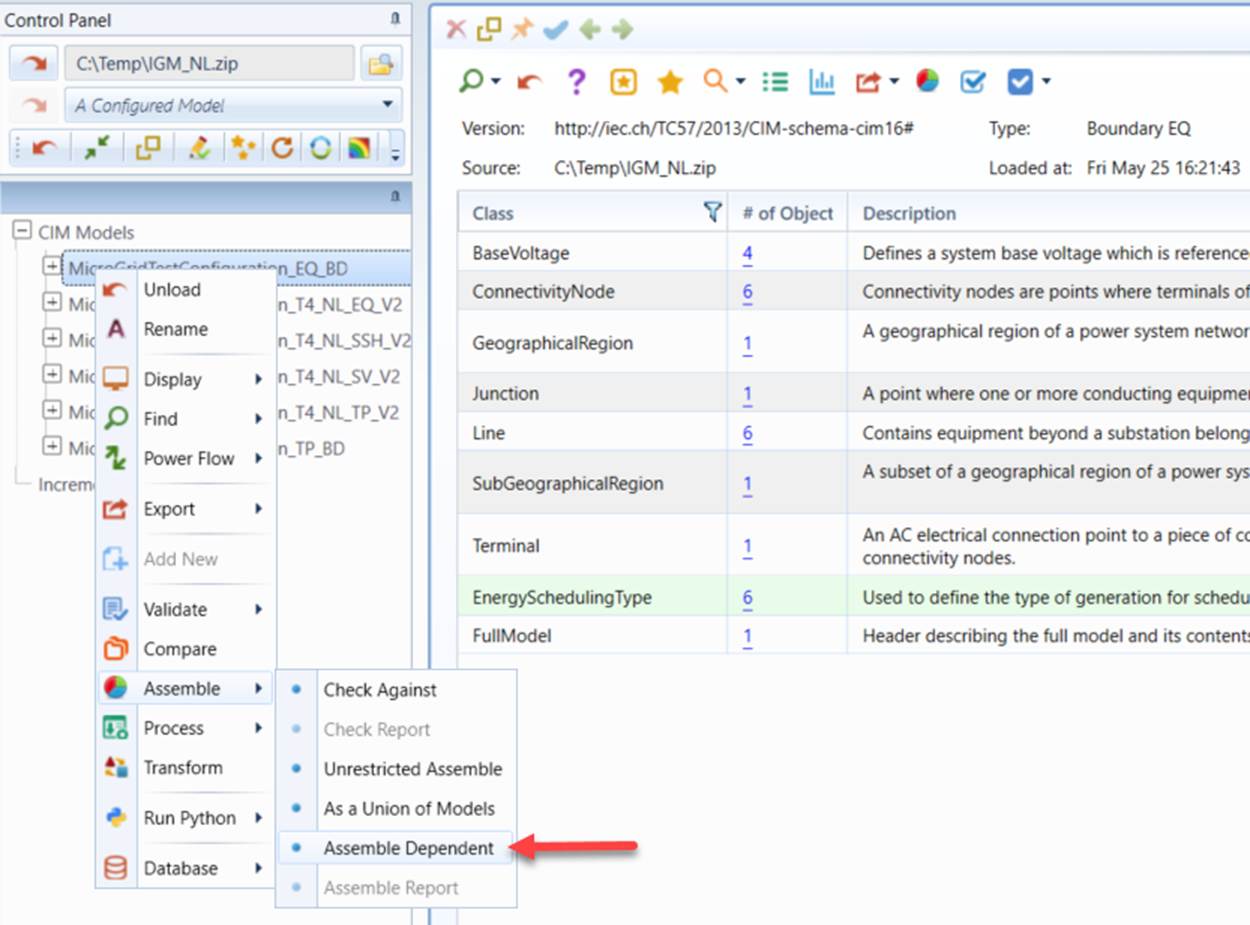
- Once the base model is determined, right-click the tree item associated with the base model to invoke the context menu. Select Assemble->Assemble Dependents to start the automatic model assembling process.
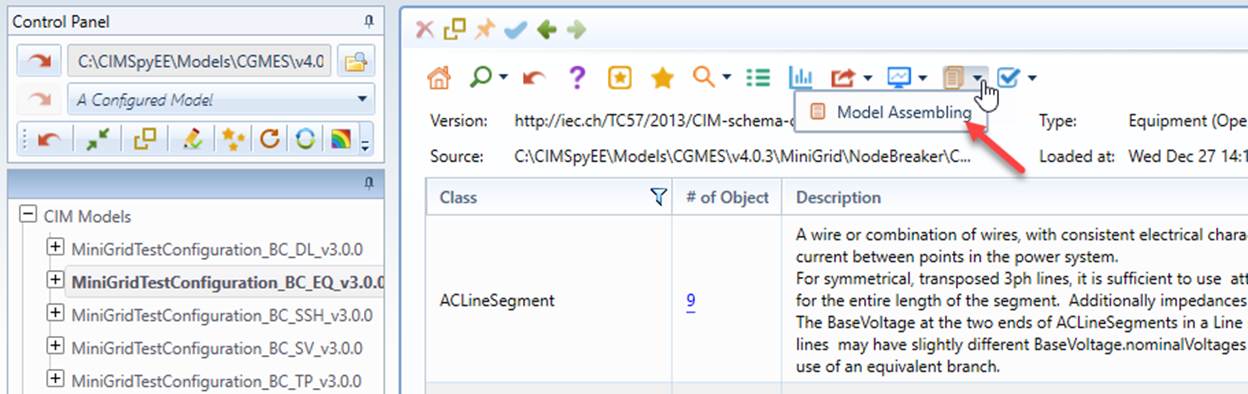
The automatic model assembling process can also be invoked from the command icon in the model summary display if the model is a boundary EQ or regional EQ model, as illustrated below.

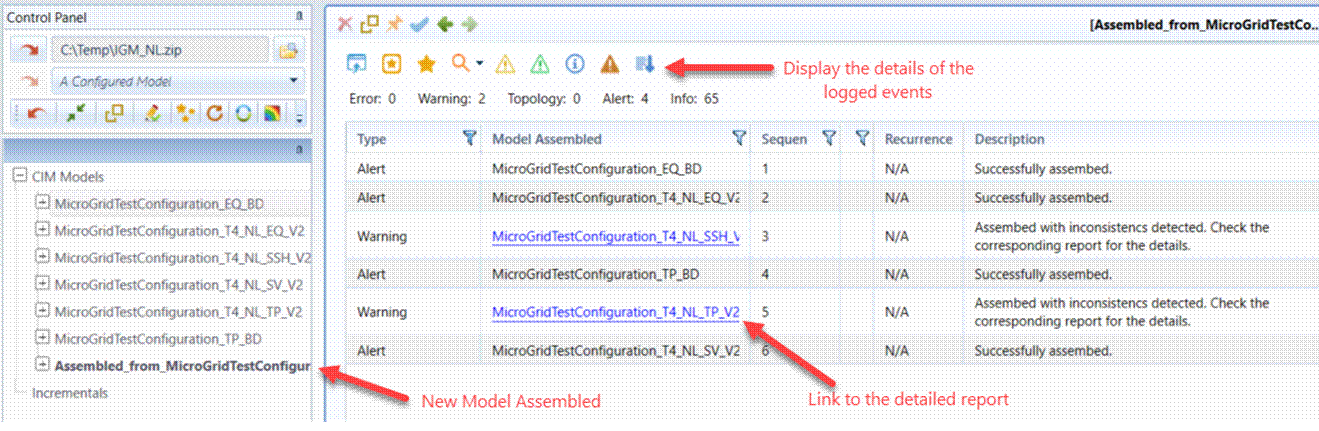
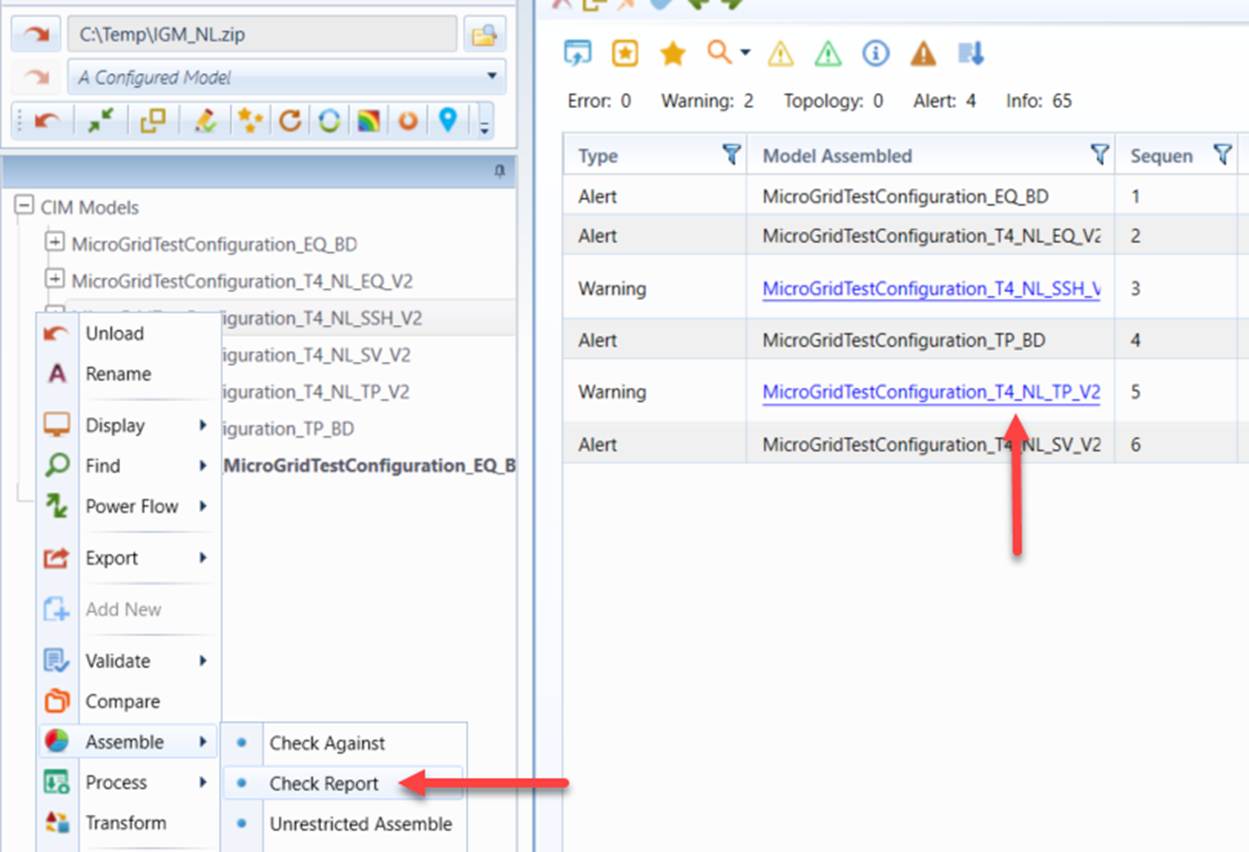
- Once the process is completed, a new assembled model will be created and loaded into the Tool, while all of the original models remain intact. The assembled model can be renamed and exported as needed. Users will be informed of the status, including the sequence of the model assembling process and those ignored. A summary report will be displayed to summarize the assembling process, and the tree item associated with the newly assembled model will be highlighted. If inconsistencies are detected, a detail report will be generated and the link to the detailed report will be provided in the summary report, as illustrated below. Model assembling report can also serve as logging report when users clicking the corresponding icon at the header of the report.
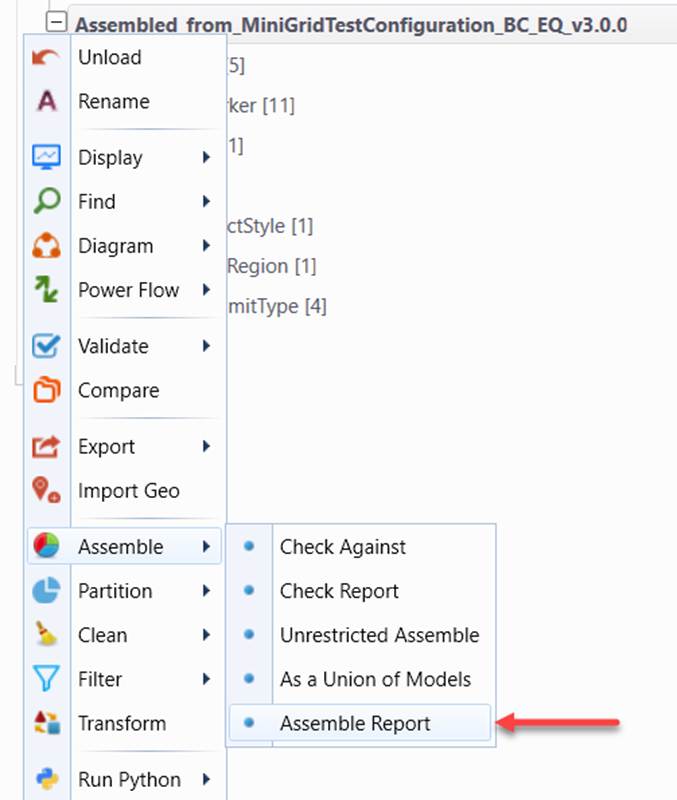
Note the Tool stores the history of the assembling activities for the base model. This assembling history report can be displayed by invoking the context menu associated with the base model.
The model assembling report can also be called by clicking corresponding reporting dropdown command icon in the summary page of the base model, as illustrated below:
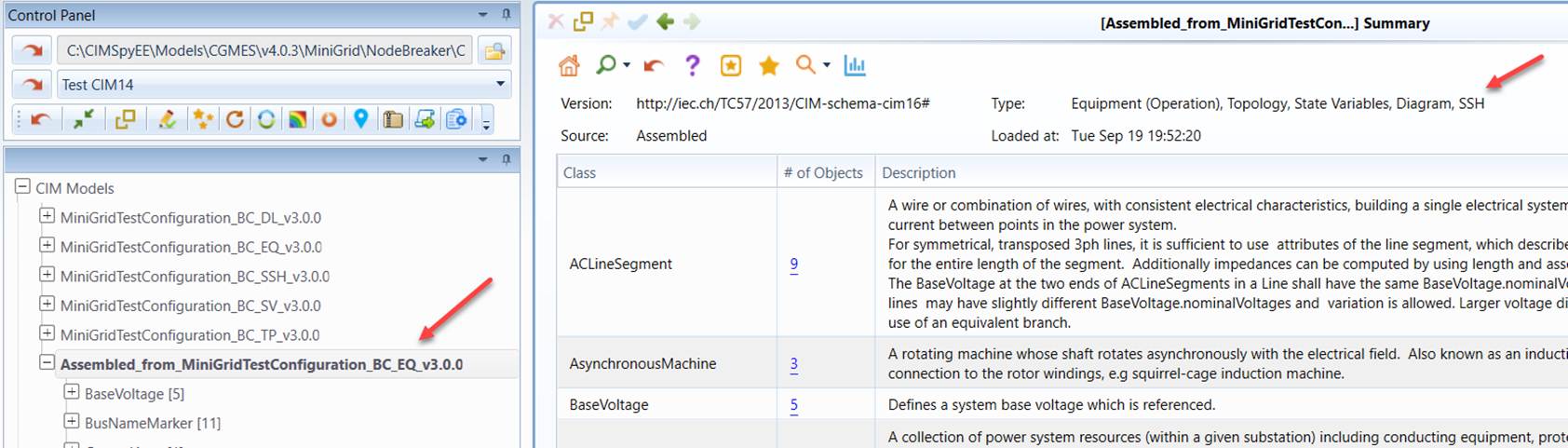
- Verify that the assembled model contains all of the components.
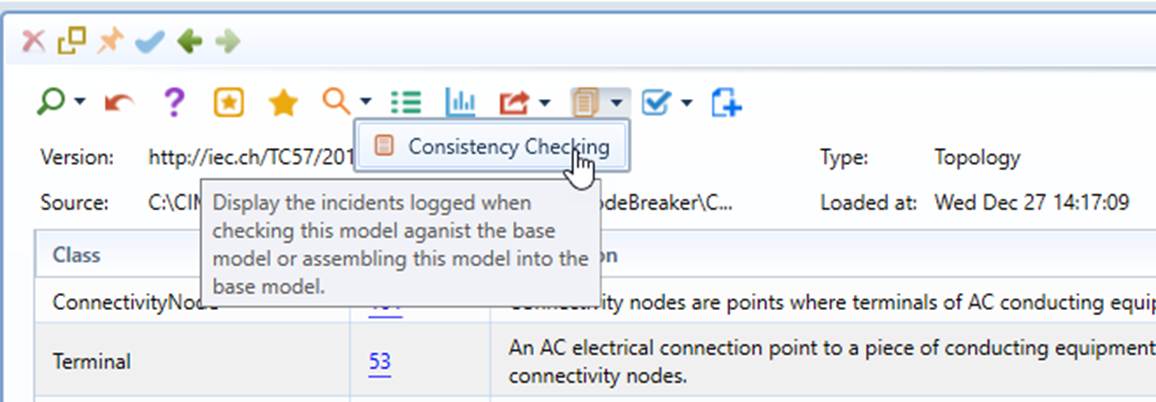
- If inconsistencies are detected, a detailed report will be generated for the associated model. This report can be called either from the model assembling report or from the context menu associated with tree item of this particular model.
The model consistency checking report can also be called by clicking the corresponding reporting dropdown command icon in the summary page of the base model, as illustrated below:
- Click the hyperlinks to inspect the related instances in more detail.
Important Notes about Automatic Model Assembling:
- Accurate header model dependency description is critically important for automatic model assembling.
- Any inconsistencies detected during model assembling will be recorded and reported. These inconsistencies must be carefully checked.
- Assembled models must be fully validated.
- Preferably, the boundary injections carried over from TSO models shall be removed through model cleaning.
Support of Model Superseding
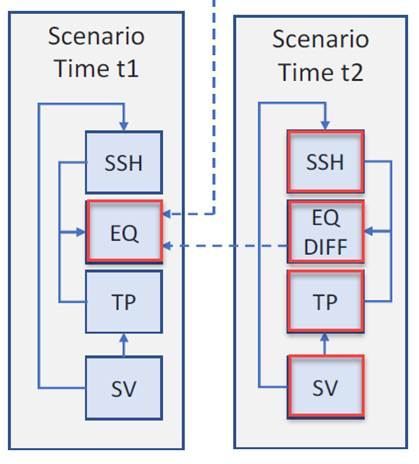
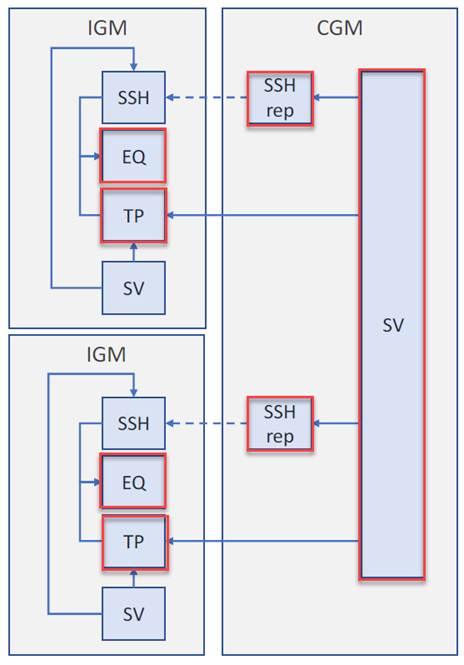
In addition to DependentOn, Supersedes declarations in model header are also supported for automated model assembling. Once the related model parts are loaded into the same workspace, the Tool will rely on its built-in logic to group the mode parts based on DependentOn and Supersede declarations in the model header. Once a model group is identified, it will enable the corresponding model assembling functions. Uses can then execute the automated model assembling.
Example 1: When an EQ is superseded by an EQDIFF, the built-in logic will identify the following highlighted model parts as an Individual Grid Model (IGM).
Example 2: When an SSH is replaced by another SSH, the built-in logic will identify the highlighted model parts as Common Grid Model (CGM).
Workspace Assembling
Automatic model assembling heavily relies on complete and accurate model dependency description at the header of the model. In some cases, this pre-condition doesn’t hold, particularly between IGM and Boundary Set. In case that model dependency descriptions are incomplete or inaccurate, the Tool still allows users to perform automatic model assembling. This is achieved with workspace assembling, a free-style model assembling process during which model parts loaded in the workspace are assembled in a pre-defined order (i.e. Boundary EQ, Boundary TP, EQ, SSH, TP, SV…). Model dependencies are ignored during workspace assembling.
To execute workspace assembling:
- Empty the existing workspace or open a new workspace.
- Load the model parts intended to be assembled into workspace. Note: only those intended to be assembled should be loaded.
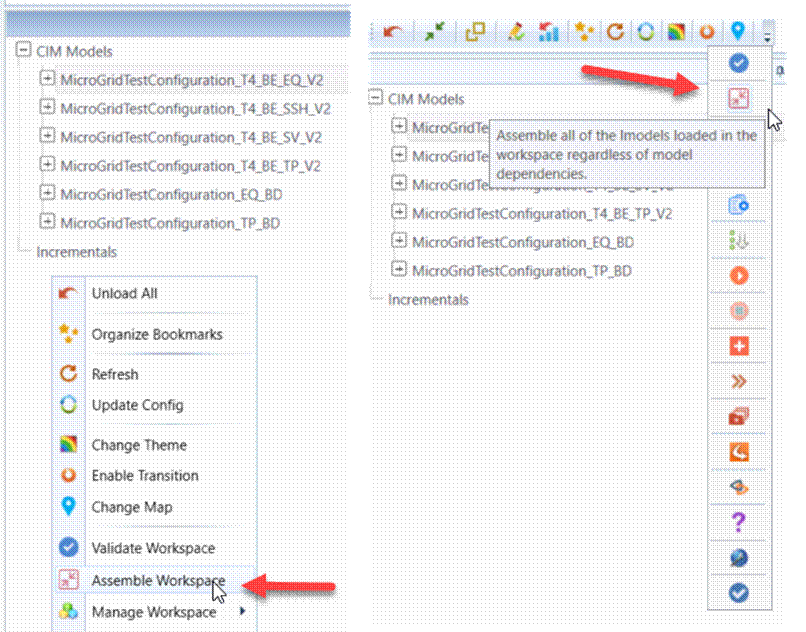
- Execute “Assemble Workspace” from the global context menu or tool bar, as illustrated.