Snap-to-Grid
Snap-to-Grid is a feature that automatically aligns graphical elements to a predefined grid when they are created, moved, or placed in a diagram. It ensures precision, consistency, and structured layout by snapping objects to the nearest grid intersection. Additionally, the feature is designed for flexibility, allowing users to customize its behavior based on their specific needs. Currently, this feature is only applicable for all Substation-based diagrams, including Substation Diagram, Equipment Diagram, and Multi-Station Diagram.
About Grid
A grid is a structured layout of evenly spaced horizontal and vertical lines used as a reference for positioning, aligning, and organizing elements within a diagram. It helps maintain consistency, precision, and readability in diagrams.
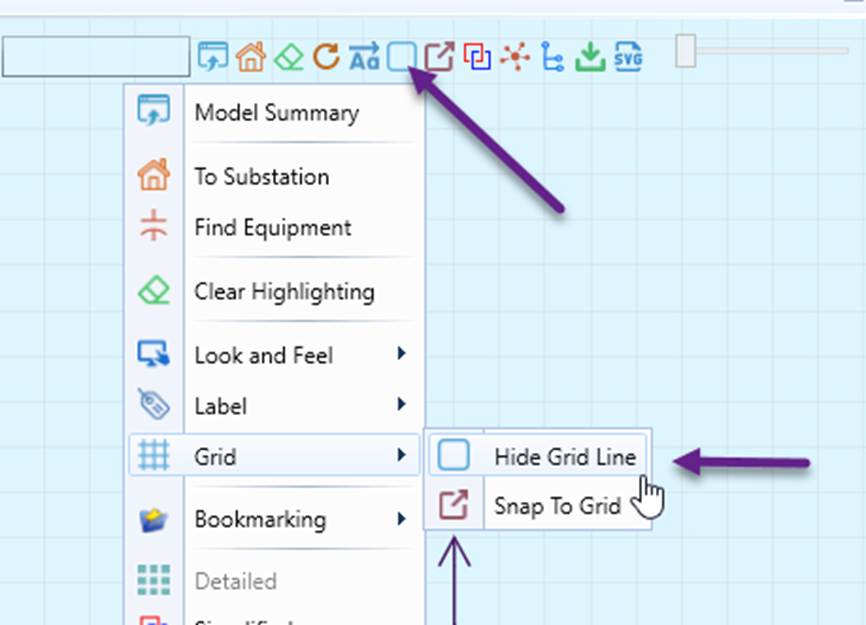
- The grid lines can be toggled on or off via the context menu or command icon, as illustrated below.
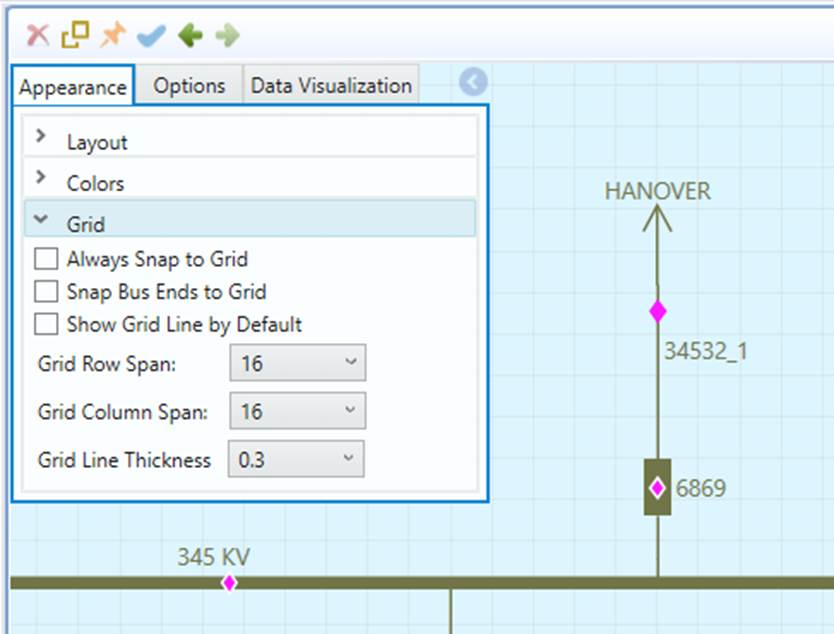
- The grid structure, behavior, and appearance are configurable, as illustrated below.
On-Demand Snap-to-Grid
By default, Snap-to-Grid is disabled. Users must explicitly invoke the feature via the context menu or command icon, as illustrated below.
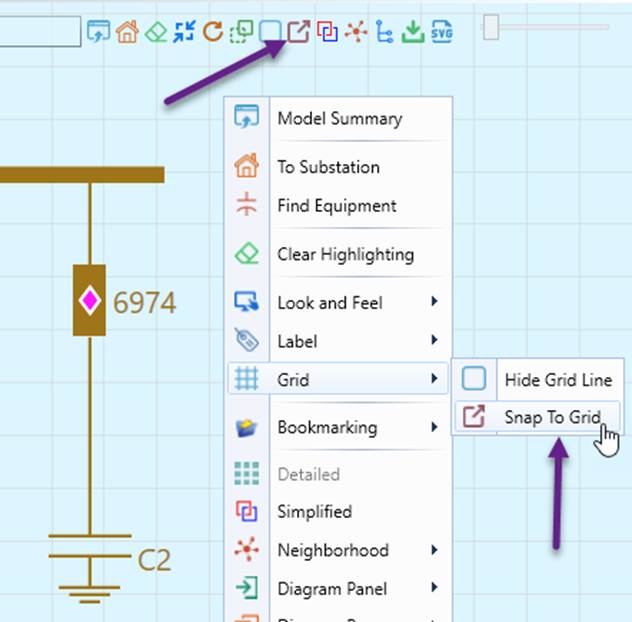
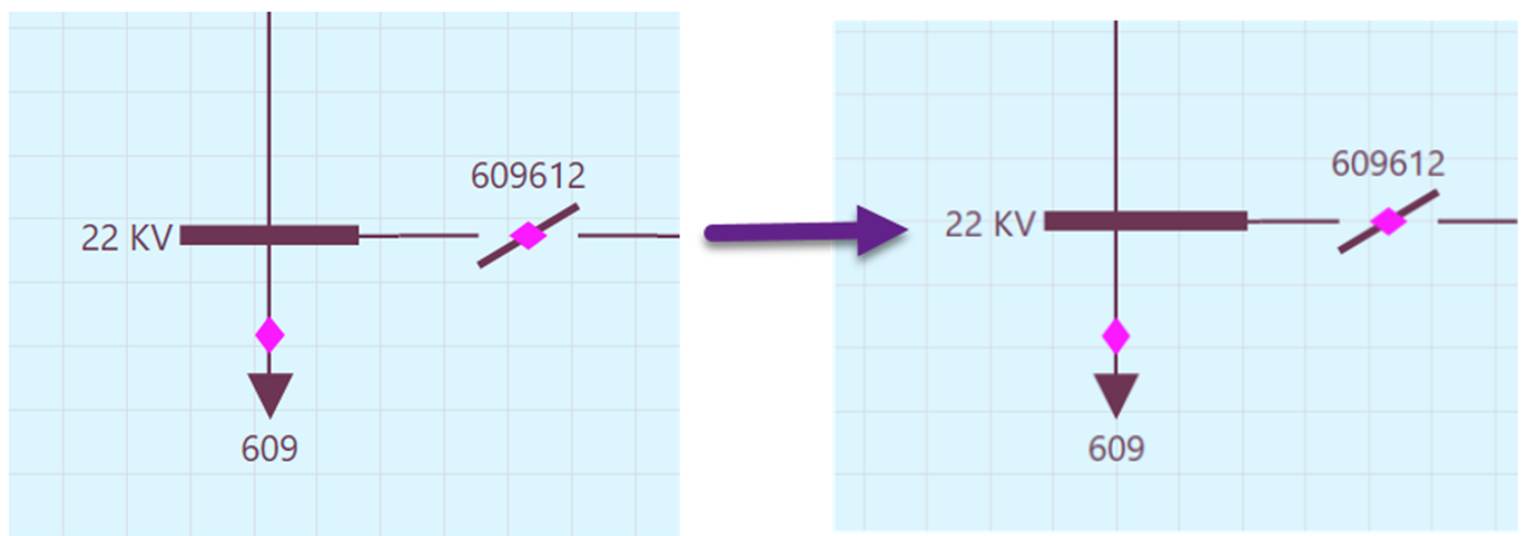
Once invoked, the diagram will be adjusted to ensure that all graphical symbols and connection lines are snapped to the nearest grid line, both horizontally and vertically, as illustrated below.
Note
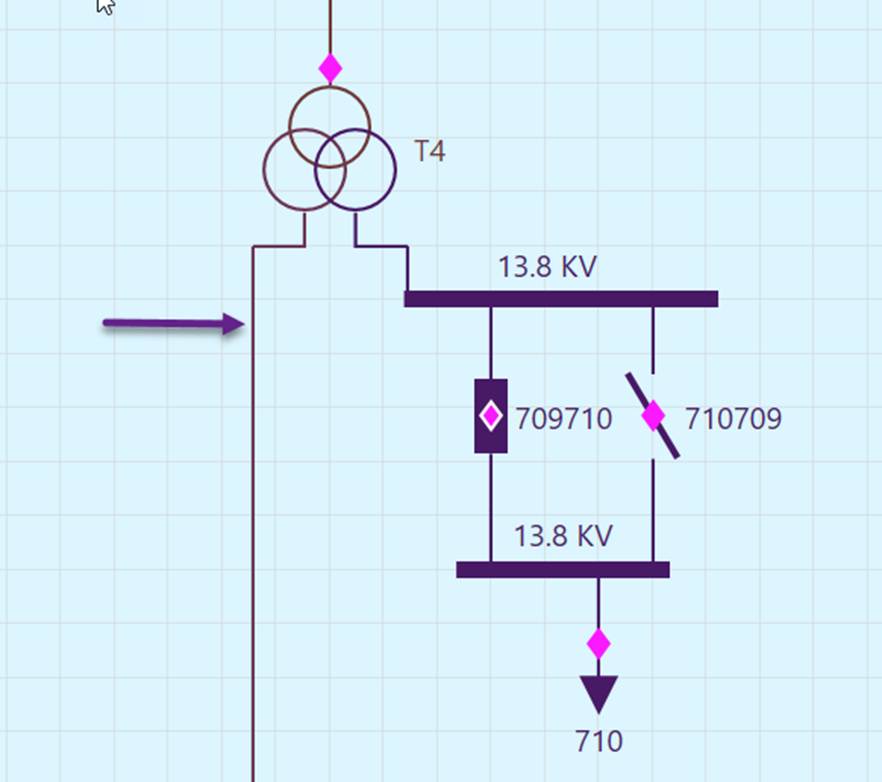
this feature requires the connection points of graphical symbols to be symmetrical both horizontally and vertically. All graphical symbols meet this requirement except for 3-winding transformers. As a result, 3-winding transformers may not align with the grid lines, as shown below. However, this issue can be resolved by adjusting the size of the 3-winding transformer graphical symbol through configuration.
Auto Snap-to-Grid
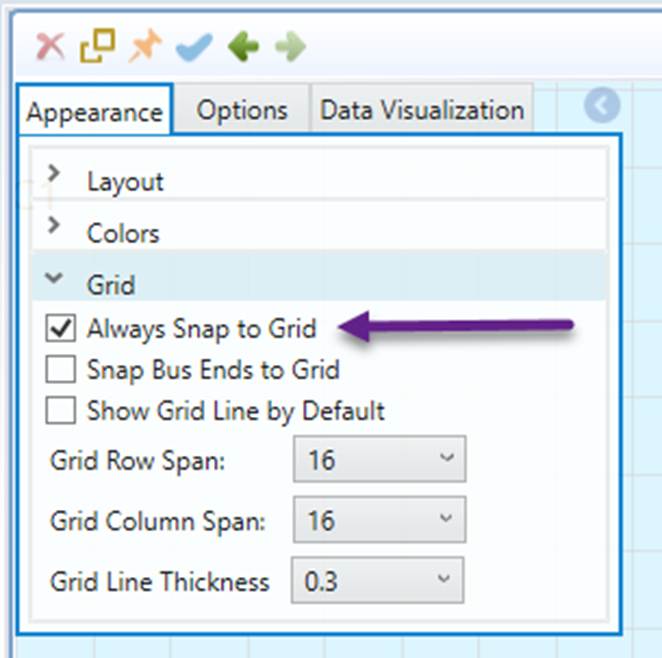
While Snap-to-Grid is disabled by default, users can enable this feature to feature ensures that graphical symbols and connection lines are automatically aligned to the nearest grid lines when they are created, moved, or modified in a Substation Diagram. This helps maintain a structured and consistent layout without requiring manual adjustments.