Exporting as Zipped CIM/XML Files
The Tool enables users to archive all of the loaded models as a single ZIP file. There are two reasons for supporting the ZIP archive files:
- A reality-based CIM/XML file is large in size. A zipped CIM/XML, however, is of only 5-10% of the original size, thus convenient for exchanging and storing.
- Related CIM/XML files are normally archived as a single zipped file to facilitate model management. These CIM/XML files are normally dependent on each other.
Users can choose to
- Zip all loaded full models OR all loaded Incremental models
- Zip all loaded full models AND all loaded Incremental models
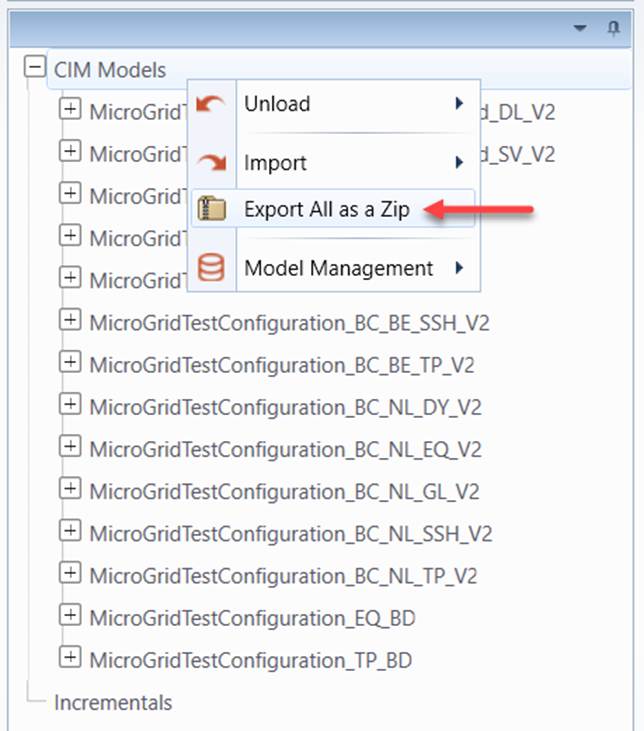
To zip all loaded full models, users can invoke this process through the context menu associated with the root CIM Models tree item.
- Right-mouse click the root CIM Models tree item in the Model Explorer navigation tree. Then Select Export →as Zipped CIM/XML in the context menu.
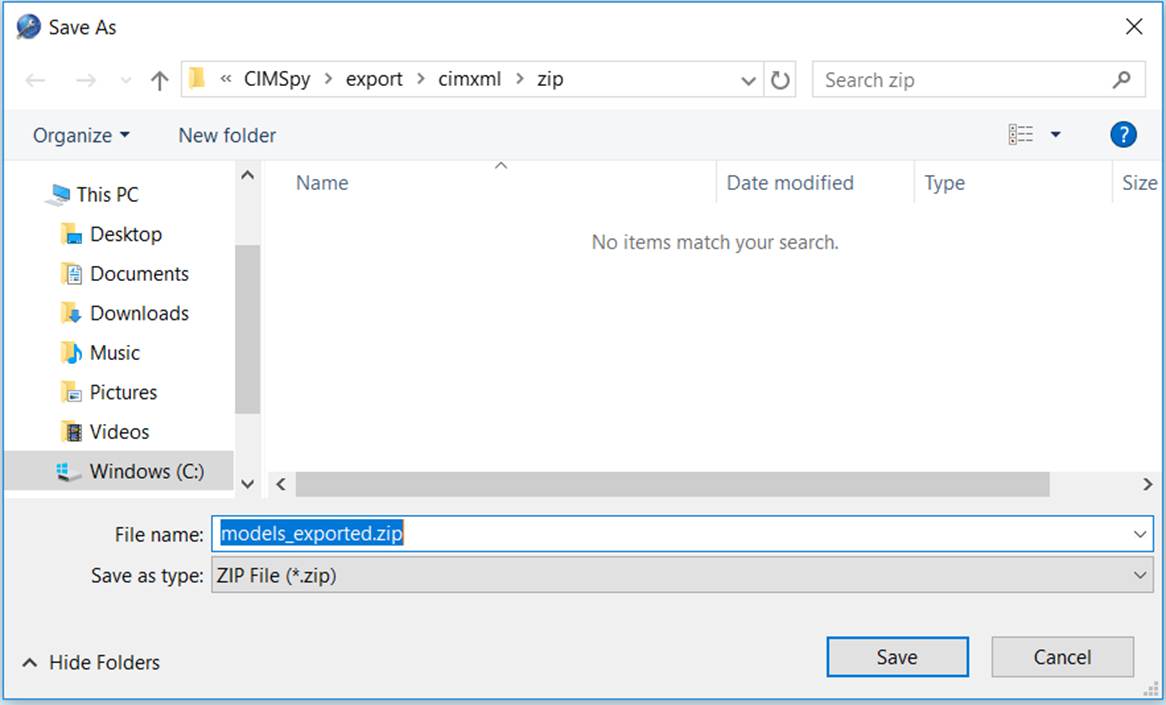
- To export zipped CIM/XML files to a local directory, users must specify the path of the zip file through a dialog box, as illustrated below.
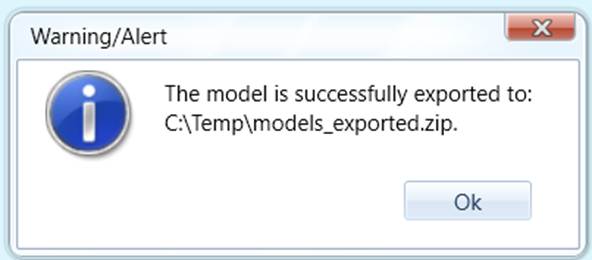
- While the exporting process starts, the UI will be locked from any other activities. Once the exporting is completed, a message will popup, notifying the status.
- Locate the saved ZIP file to make sure all of the model files are included in the package.
The loaded incremental models can be zipped in a similar way.
To zip all of the loaded full and incremental models, users can click the corresponding command icon in the control panel or right-mouse-click a blank spot in the tree panel to select “Export All as a Zip”. This action will zip all of the loaded models, full or incremental, into a single zip file. This feature allows user to store the current status of the working space and restore it later. For example, users can save the edited model including the tracked changes, and resume the editing work late by importing the zipped as-is full model and the tracked changes packaged in a single zip file.
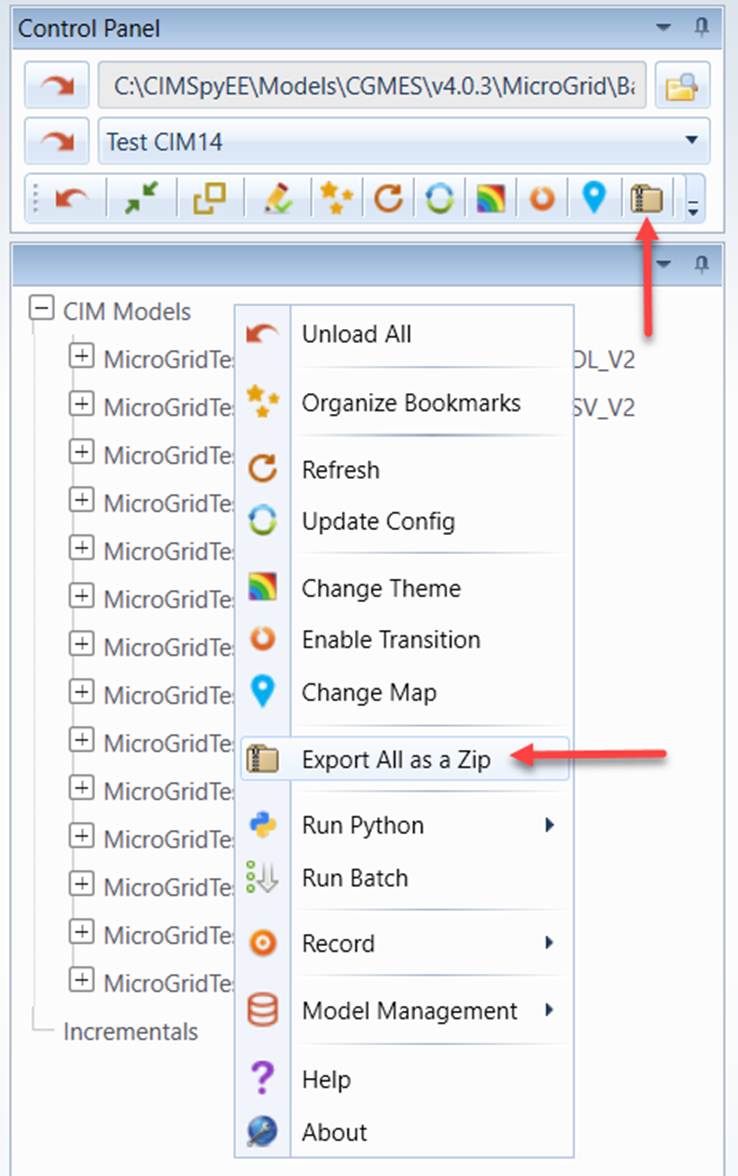
Note all of the models will be packaged. If you don’t want some of the loaded models to be included in the archive file, these models should be unloaded from the Tool before archiving. The archived CIM/XML files are compressed flatly without any folders created in the ZIP file.