Scripting Example 3: Finding Information of Interest
This sample script is designed to demonstrate how to find the information of interest by searching/querying the model with the published model APIs for the information of interest.
Hands-on
Invoked ‘Run Python→via Config’ from the global context menu, which can be initiated by right-mouse-clicking a bank spot in the tree Panel. A popup wizard window will appear. Select the script function configuration titled “Find Information” from the popup dropdown list.
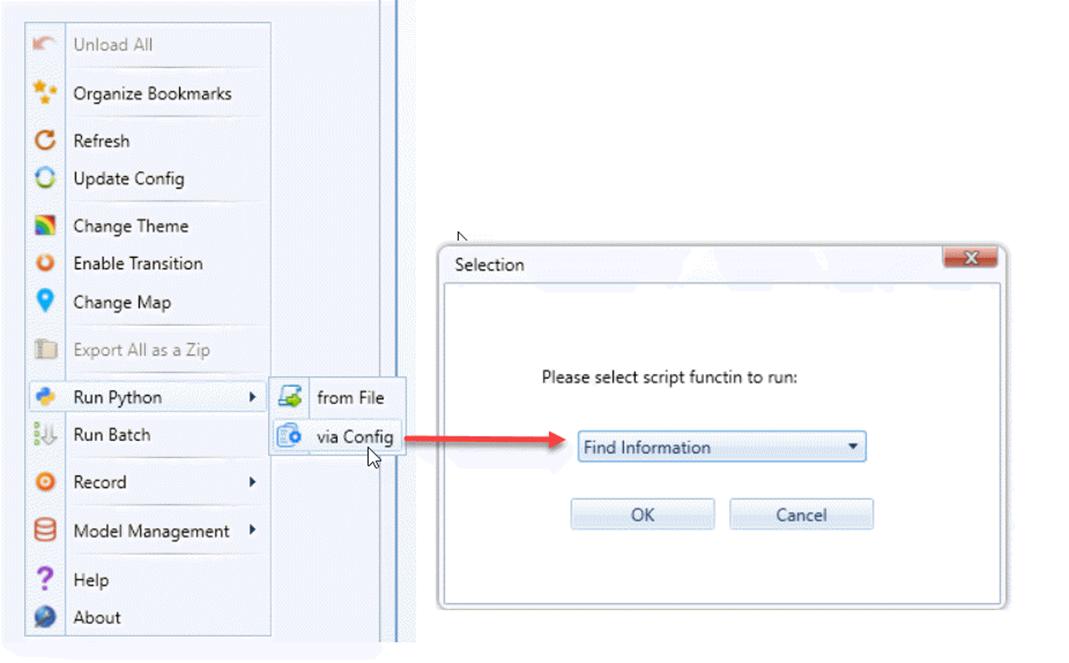
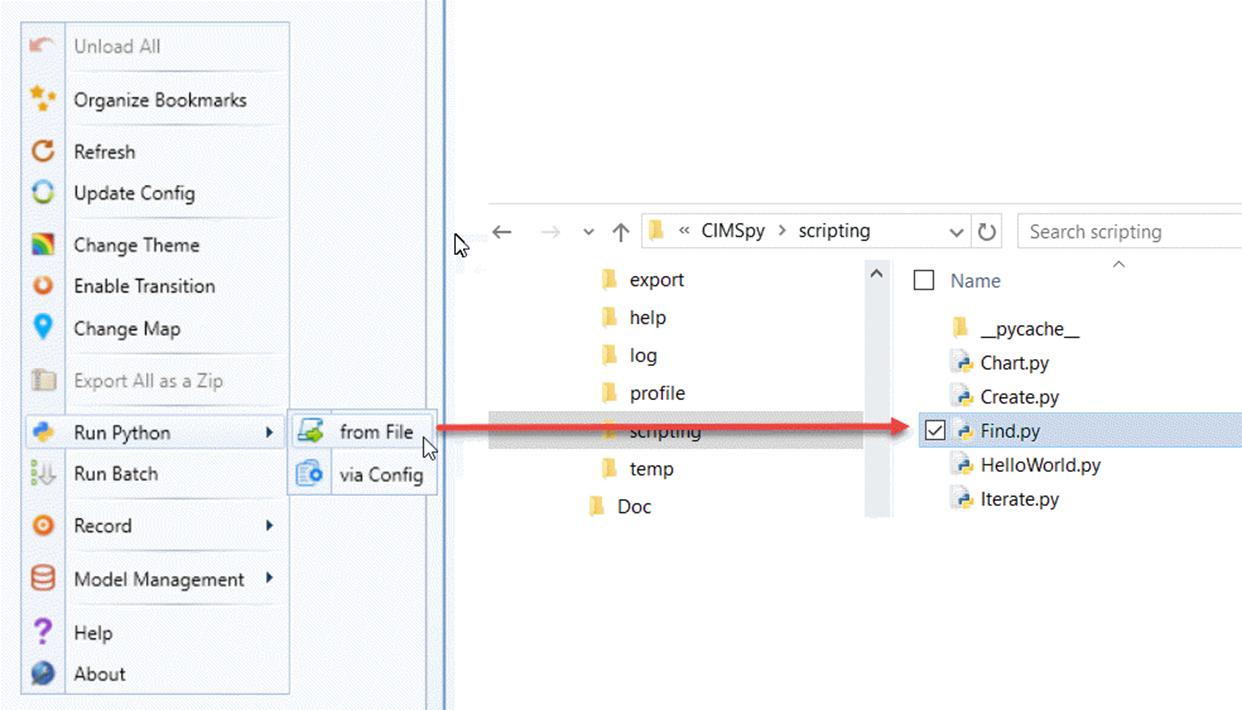
If the popup window is not displayed, that means you don’t have the pre-defined script functions in your configuration. Alternatively, you can run the same script from the file directly, as illustrated below.
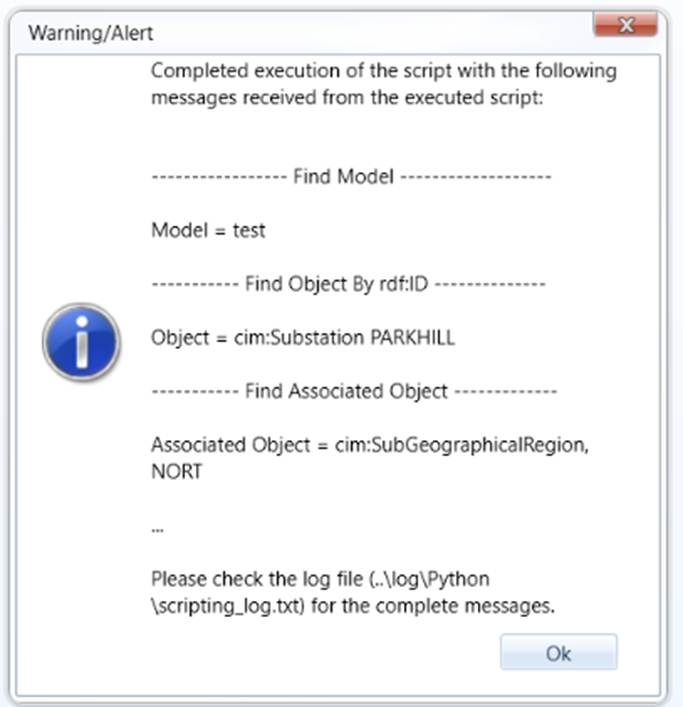
If the execution is successful, you will get the following prompt:
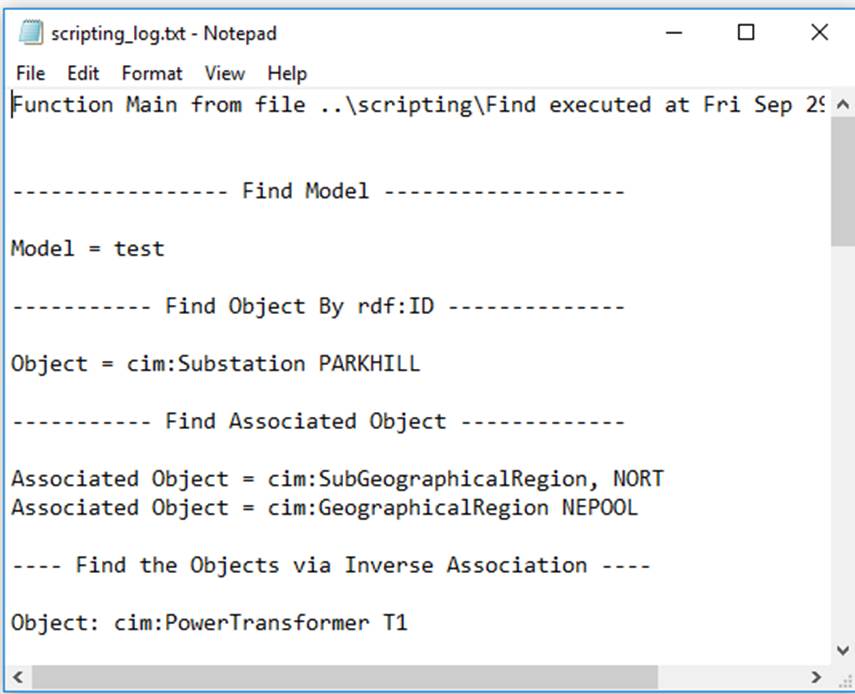
The results can be found in the log file \CIMSpy\log\Python\scripting_log.txt, as illustrated below:
Code Analysis
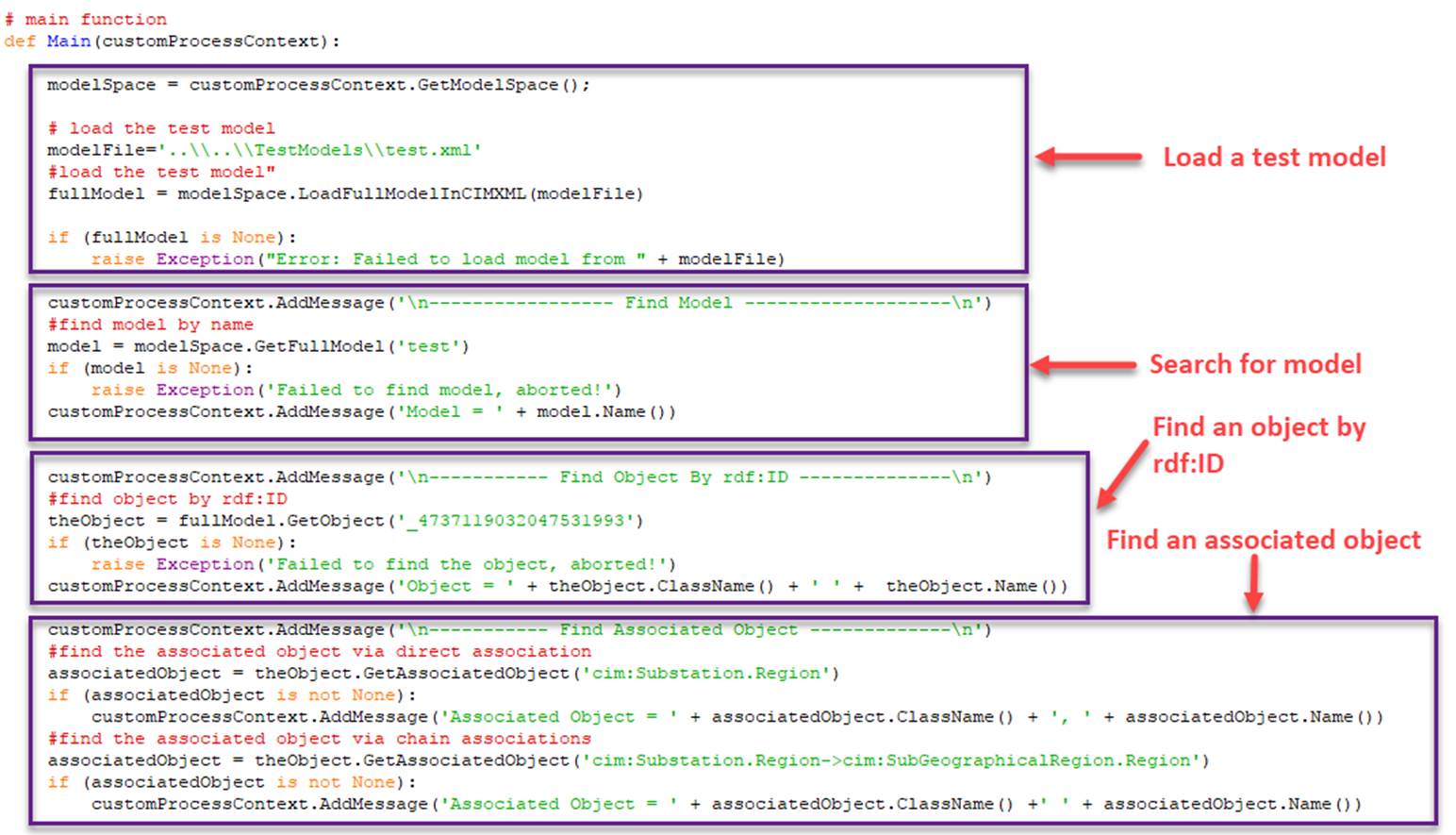
The executed script is located under folder \CIMSpy\scripting. The first part of the script is explained below. This part of the script focuses on find a ‘single’ object. If not found, ‘None’ will be returned. Users shall check the returned value and decide how to handle the unexpected and whether to continue.
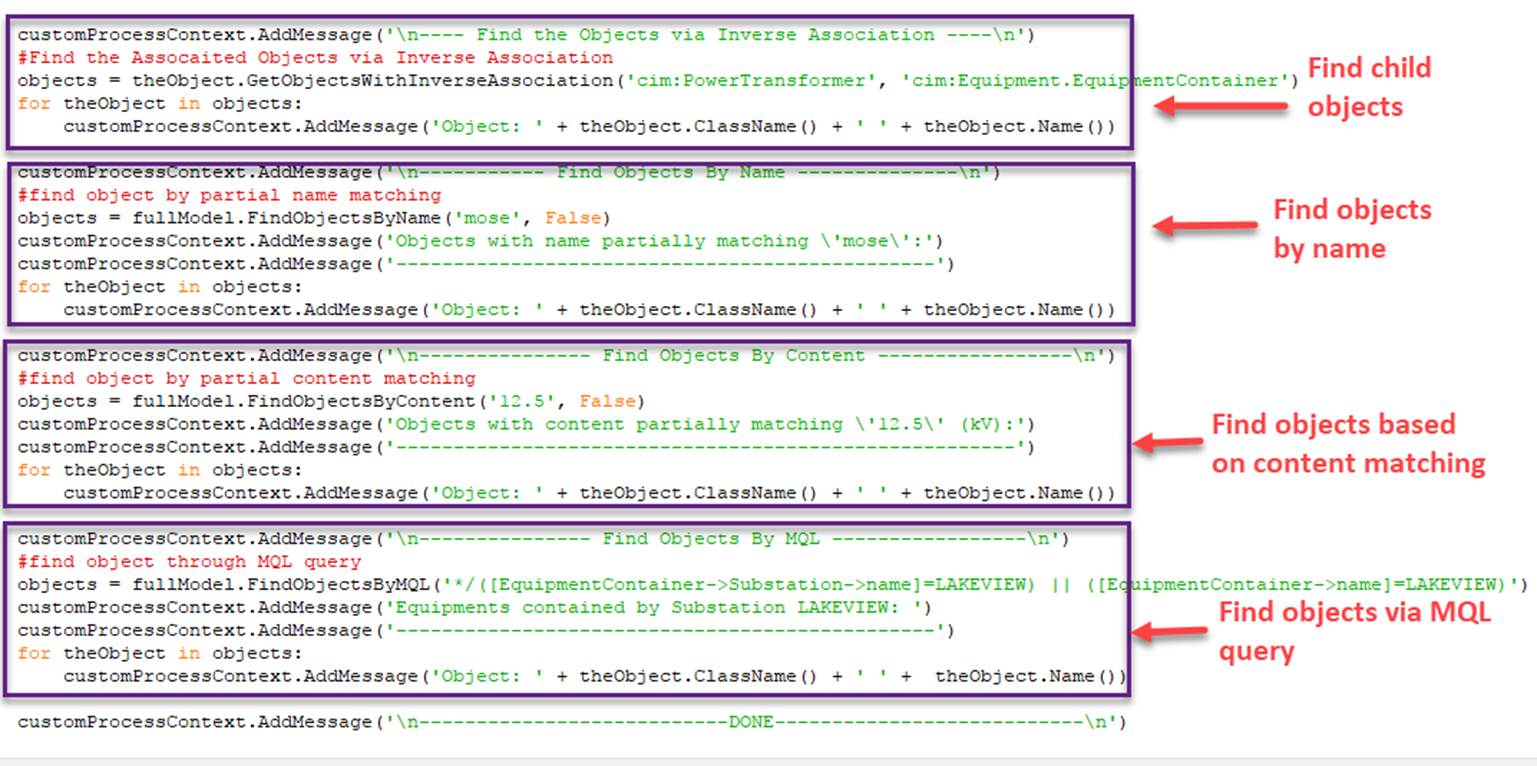
The second part of the script, explained below, is to show users how to perform more sophisticated queries based on full /partial name/content matching and MQL-based queries at both model and instance object level. These queries typically return a collection of matching objects. Users shall iterate rough the returned collection object to get the results.