Presenting Extended Model
The Tool supports CIM extension. Built as a data-driven tool, the Tool displays and extended model in the same way as the standard model. Each loaded model must be governed by a CIM profile, which defines the structure and semantics of a model that are exchanged among parties. The Tool relies on such meta-data for support of validation, model editing, etc.
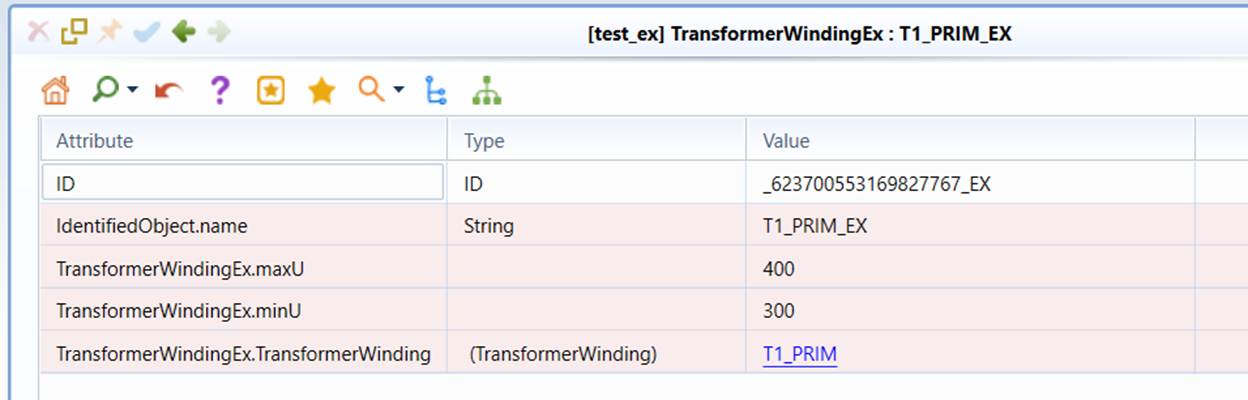
If you want to your CIM extensions to be fully supported in the tool, you must naturalize your CIM extensions. Otherwise, any CIM extensions will be treated as foreign modeling entities. The tool still shows them and highlights them in red as shown below, but you will not be able to edit or validate them.
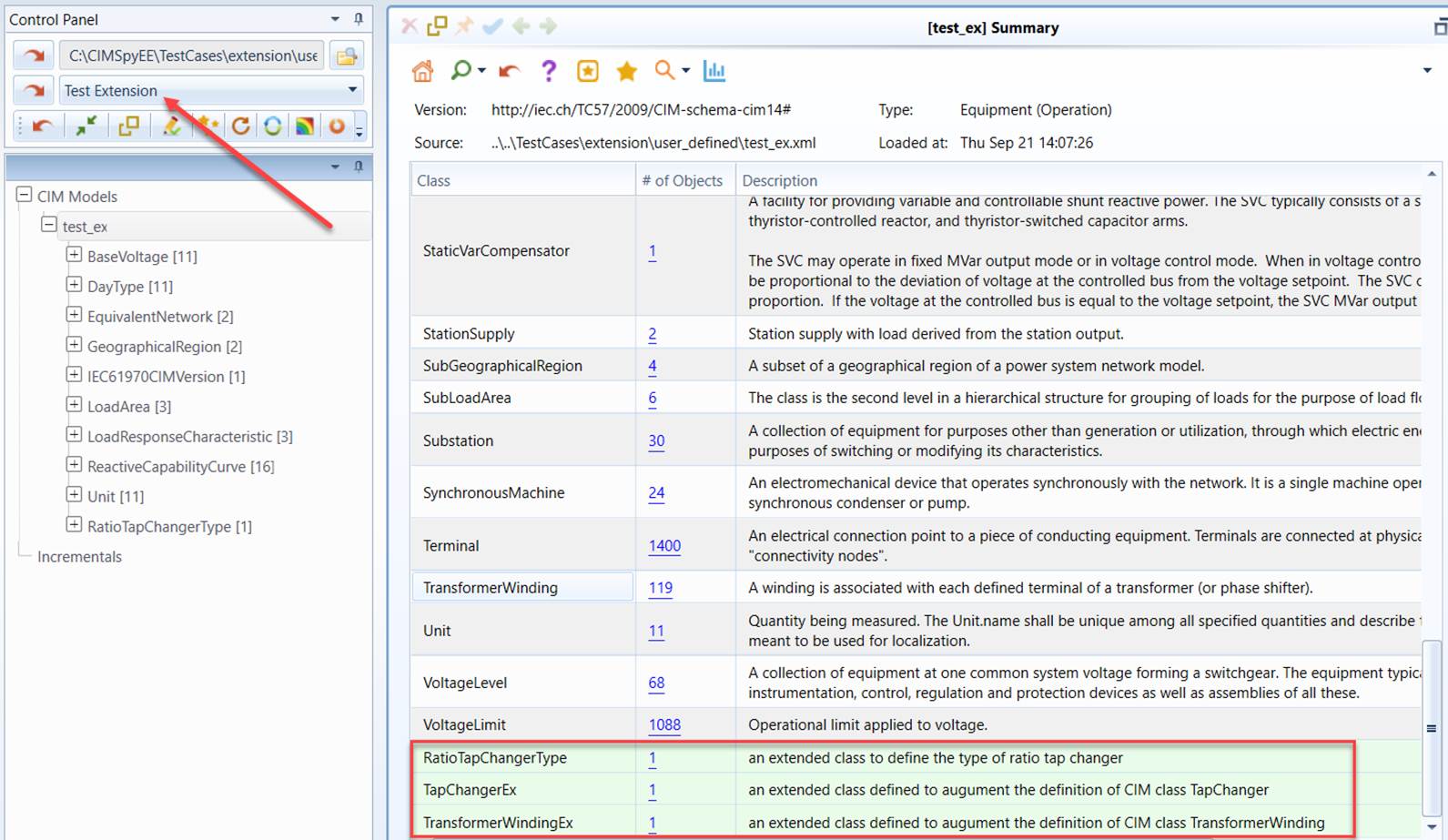
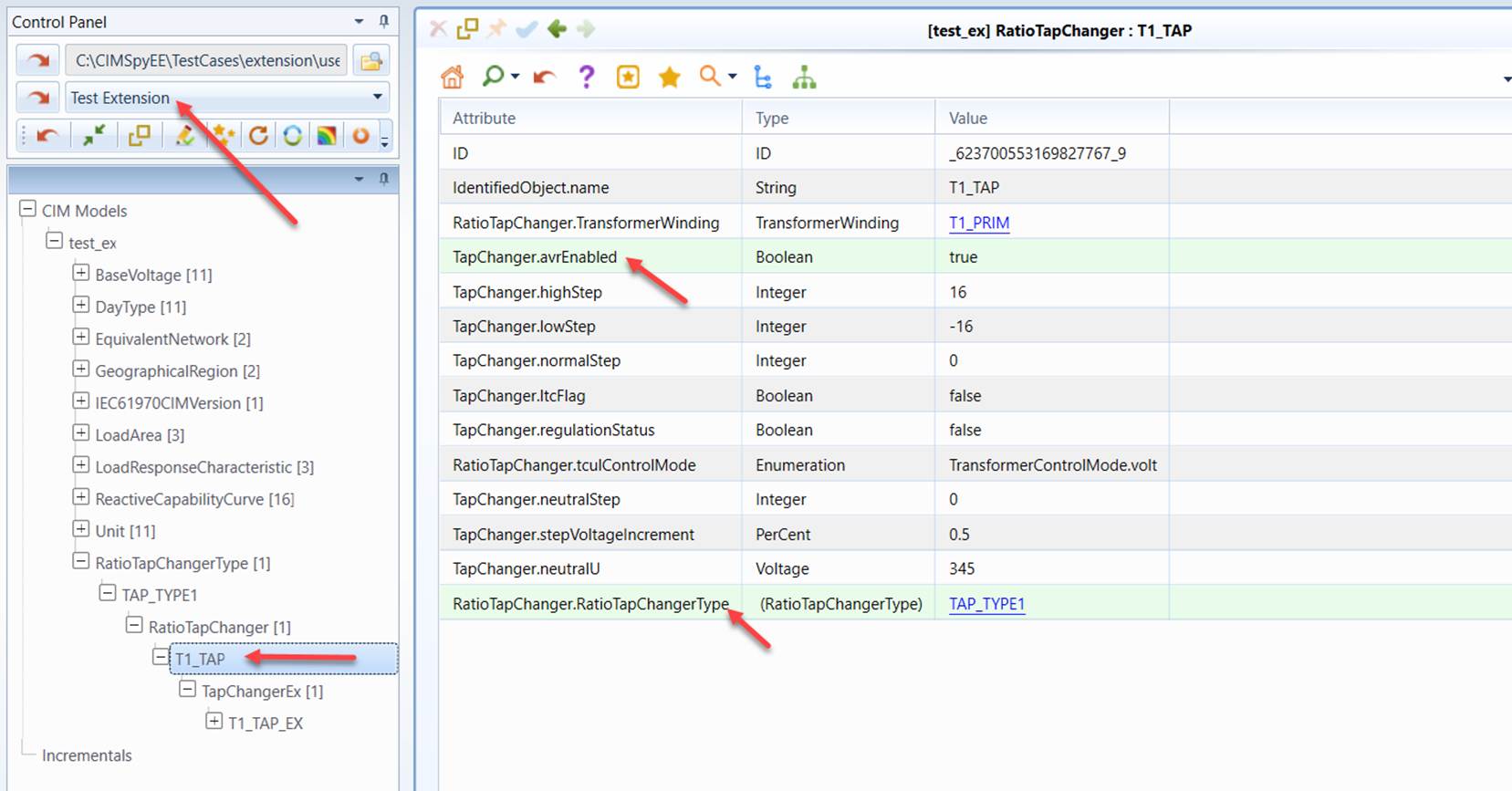
To enforce an extended/custom CIM profile, users must define a data source for the loaded model. Data source defines a specific model. It enables users to personalize the model by associate a loaded model with a variety of resources supported. One of these resources is the governing CIM profile. Once an extended model is bounded with the extended CIM profile in the data source definition, all of the extended classes/properties will become native to the Tool, behaving exactly like the standard classes/properties. Users can also edit these extended properties. The only difference is that the extended classes/properties are highlighted in green as illustrated below.