Model Browsing & Exploration

The Tool provides powerful model exploration features and rich user experience for users to browse the models and find the related information. Designed as a data-driven tool, the Tool relies on its built-in query-driven engine and data management technique to present the models, enabling users to focus the model exploring on the “interesting” data. The approach puts the users rather than tools at the driving seats, enabling them to explore the information at their own will. It yields the power of exploratory model analysis to users.
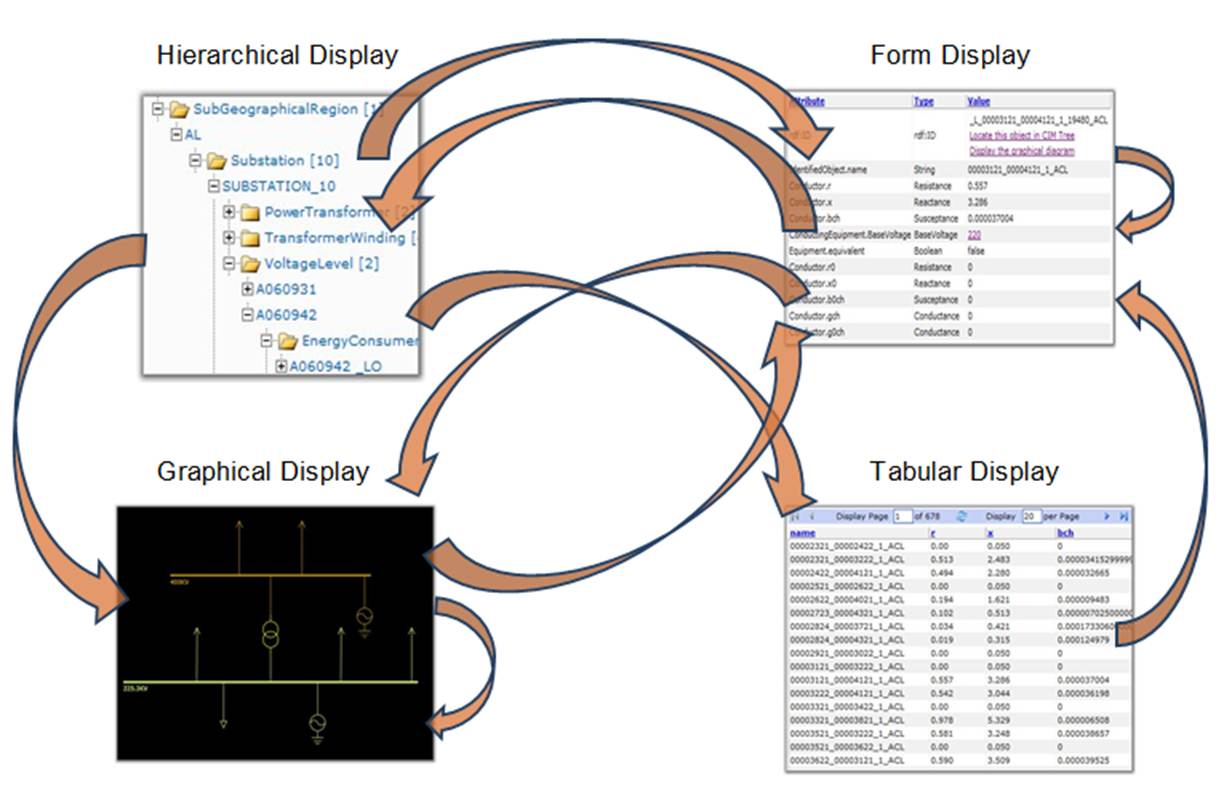
More specifically, the following model exploration features are provided:
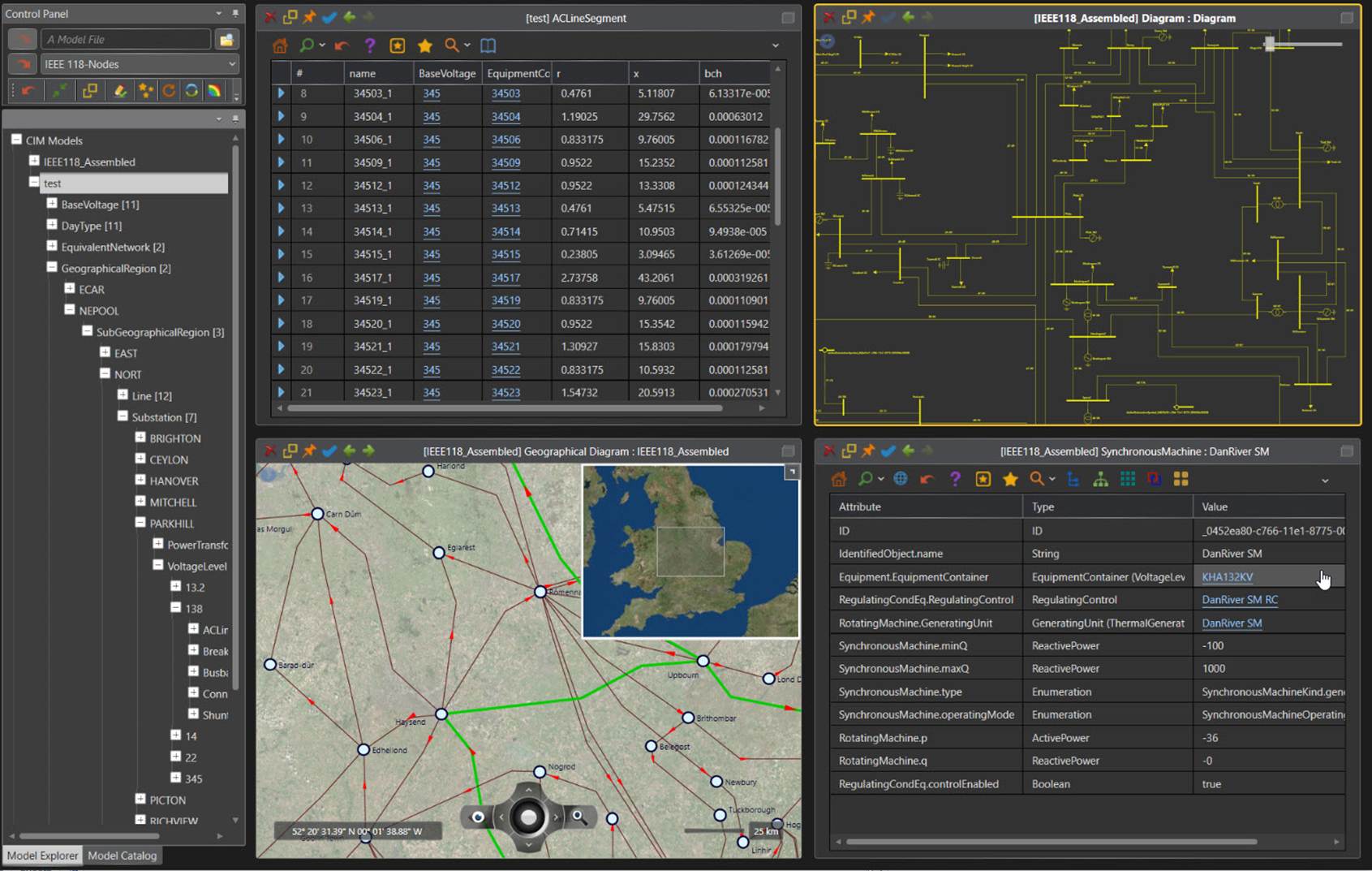
- Data-Driven Presentation – The tool organizes loaded CIM models into various model hierarchies, enabling users to explore the models from different perspectives and in different display formats ranging from form hierarchical to tabular. Built as a generic RDF-compliant browsing tool, it is natively compatible with any versions of CIM and their extensions.
- Interactive Visualization – One of the key features of the Tool is supporting interactive visualization of power system models. In response to users’ queries, the tool auto-generates various types of graphical diagrams to help users interpret and understand the characteristics of the model, such as network topology, operating conditions, and tie connections among operating areas, etc. the Tool is more than a traditional model browser. It is designed to foster scientific understanding and discovery.
- Smart Navigation – The tool provides a variety of intelligent navigation mechanisms to facilitate the model exploring, including tree-based hierarchical navigation, backward/forward, form-to-form, tabular-to-form graphical-to-form and graphical-to-graphical navigations, etc.
- Rich User Experience – The Tool provides a variety of information search mechanisms to help users find the ‘interesting data’, including searching by rdf:ID and name, locating the object under various model hierarchies, displaying the searched objects graphically in the context, and building custom reports for visual data mining etc. By leveraging these information searching wizards, users will be able to rapidly seek useful information from large volume of data.
A Data-Driven Approach
Exploratory data analysis requires a human analyst tightly in the loop to seek useful information from large volume of data. Traditional designer-driven tools provide little help for intuitive information exploration, because these tools restrict the information exploration process to follow a limited number of pre-defined presentation patterns created by human designers, thus hindering users’ ability to discover.
The Tool leverages various data-driven techniques, aimed to unleash the power of exploratory data analysis. Data-driven approaches rely on developing powerful data analysis and manipulation algorithms to create displays based on the characteristics of empirically or mathematically derived data. For example, the model navigation trees are dynamically created based on the analysis of model hierarchies and the Substation one-line diagrams are auto-generated using the pattern-recognition layout algorithms. The resulting displays emphasize what the data is rather than how the data should be presented in a pre-designed manner, thus facilitating interpretation and discovery. Most importantly, this approach formulates displays on-the-fly. It does not require a display design stage, thus completely eliminating or significantly reducing the cost for building model displays. Because of its inherent data-driven approach, the Tool can be easily maintained and upgraded to support a new version of CIM or a proprietary information model.
Overview of Subtopics
- Working with Workspaces
- Exploration of Model Hierarchies
- Multi-view Presentation
- Form Display
- Tabular Display
- Diagram Display
- Chart Display
- Report Display
- Special Model Presentation and Navigation
- Side Panel and Popup
- MVVM Support
- Presentation of CIM Incremental
- Presenting of Extended Model
- Cross-Model Navigation
- Quick Access to Context-Sensitive Functions
- Discovery of 'Interesting Data'
- Searching for Objects of Interest
- Searching with Auto-Suggest Wizard
- Filtering Tabular Displays
- Finding the Context Information
- Visual Information Searching
- Generating Custom Report
- Detection of Object Islands
copyright © Power Info LLC. All rights reserved.