Releasing a Full Model Build
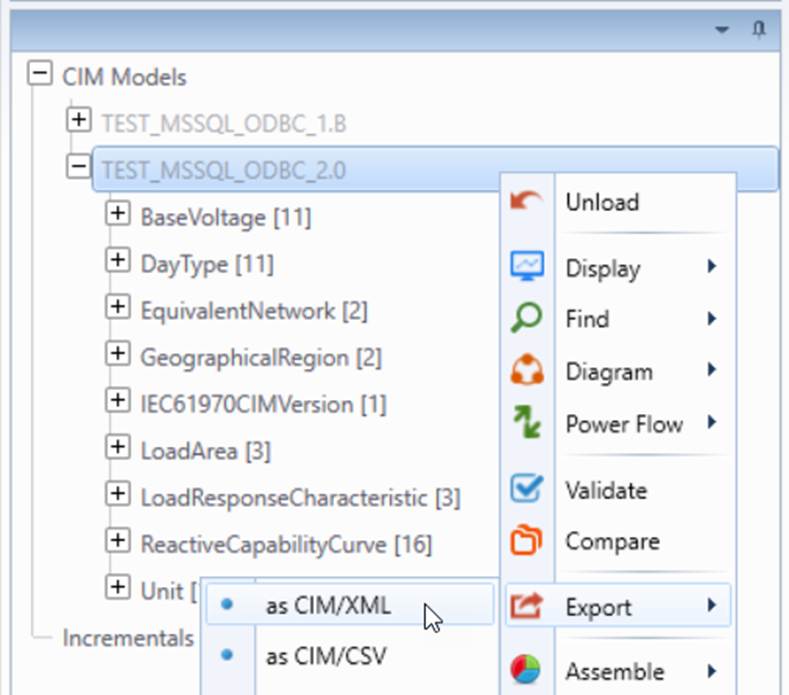
In model build life cycle, the final step is to release the maintained Model, a full model that includes the based model and all of the sequentially submitted model changes in all or the labeled or draft versions in a version branch. Normally, this step is performed at a Labeled Version when the Model reaches a mature state. The Model will be loaded into the Tool first. The Tool supports loading a Full CIM Model from any Version and export it as CIM/XML file for external application consumption. Users are expected to perform validation to the Full Model before exporting the CIM/XML file.
In the case that the foreign systems require the model build to be released as a CIM Incremental or difference model between the current release and the previous, the Tool allows users to extract model changes between two versions.
Assembled Components
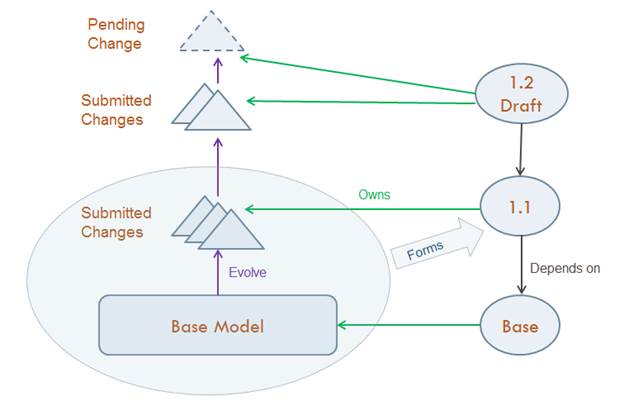
Although users normally assemble a Model at a matured Labeled Version, both Draft and Labeled Version can be used for assembling a Model. An assembled Model consists of the following components, constructed in a time-base sequence:
- Base Model
- Submitted Changes in all dependent Versions
- Submitted Changes and Pending Changes (Draft only) in selected Version
In the following example, an assembled Model of Version 1.1 will have all Submitted Changes from Version 1.1 on top of the Base Model.
If for some reasons, users want to assemble Model from a Draft Version, e.g. Version 1.2 Draft, both Submitted Changes and Pending Change will be included on top of Version 1.1 Model.
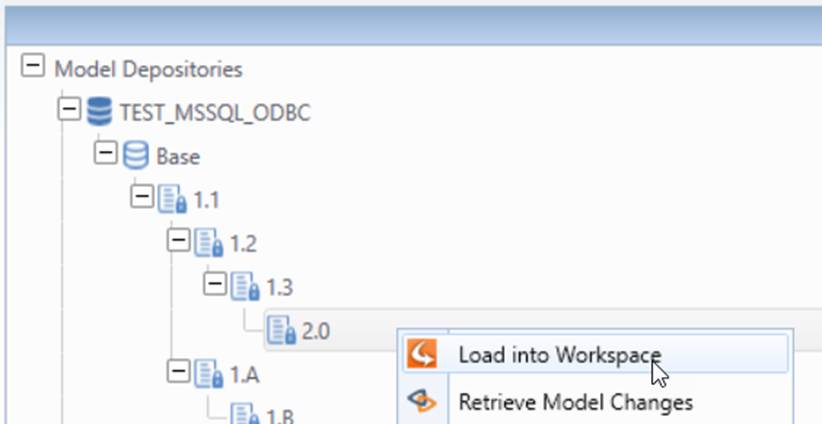
Load a Version of Model
The assembling process is automatically performed by loading a Version of Model.
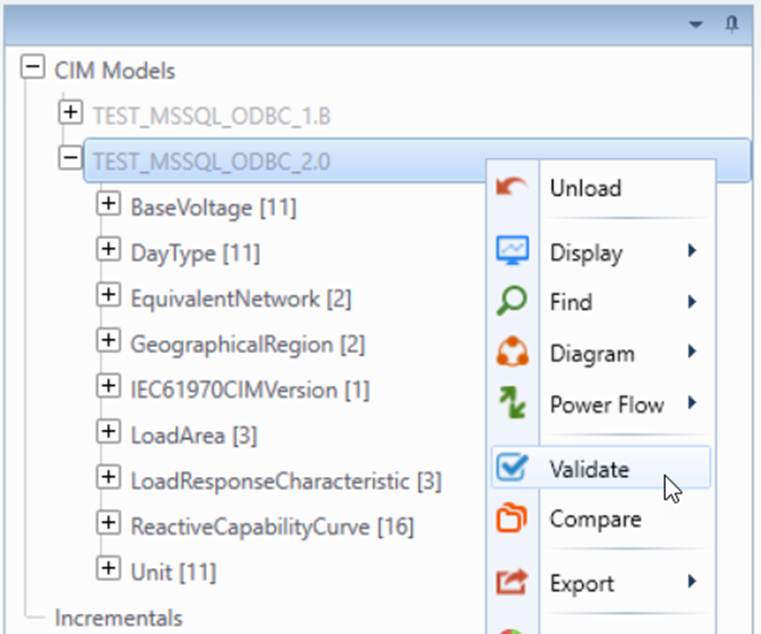
Validation
Once the Version of Model is loaded into the Tool, the normal validation can be applied to ensure the model is free of errors.
Export
When the Version of Model is ready to be used for external applications or shared by another group, users can Export the model.
Rebasing of Modelspace
As the managed model evolves, more changes will be accumulated. At a certain point or for a certain purpose, users may require a new base model to be created using the current version of the model as a seed model. This process is called rebasing. Rebasing of the Modelspace is currently not directly supported. However users can always create a new Modespace and initialize it with a full model release from the latest or a previous version of the model in the existing Modelspace. It is important to note that once a Modelspace is rebased, it loses its previous history and you basically start from the scratch.