Inferring CIM Extensions
Some functional modules of the Tool are schema-driven. For example,
- Model Validation must be guided by a model schema specification,
- Model Editing requires a governing CIM profile to be available.
- Database schema is auto-generated from the model profile for Model Management.
If your model contains CIM extensions, they must be properly defined in order to fully leverage these schema-driven functions. However CIM extension definition is not straightforward.
The Tool provides a simple way to auto-generate XSD-based profile for CIM extensions based on the instance data. It provides a starting point for users to derive schema for CIM extensions.
Hands-On
- Load \TestCases\extension\user_defined\test_ex.xml from file browser.
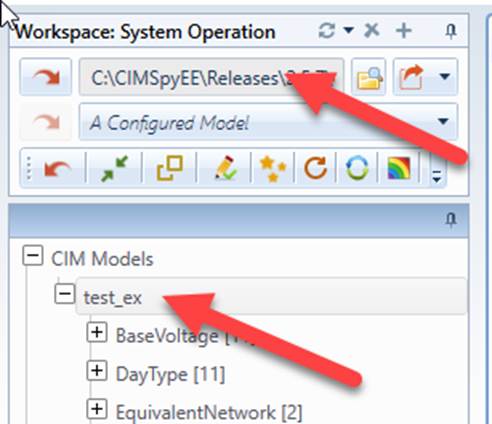
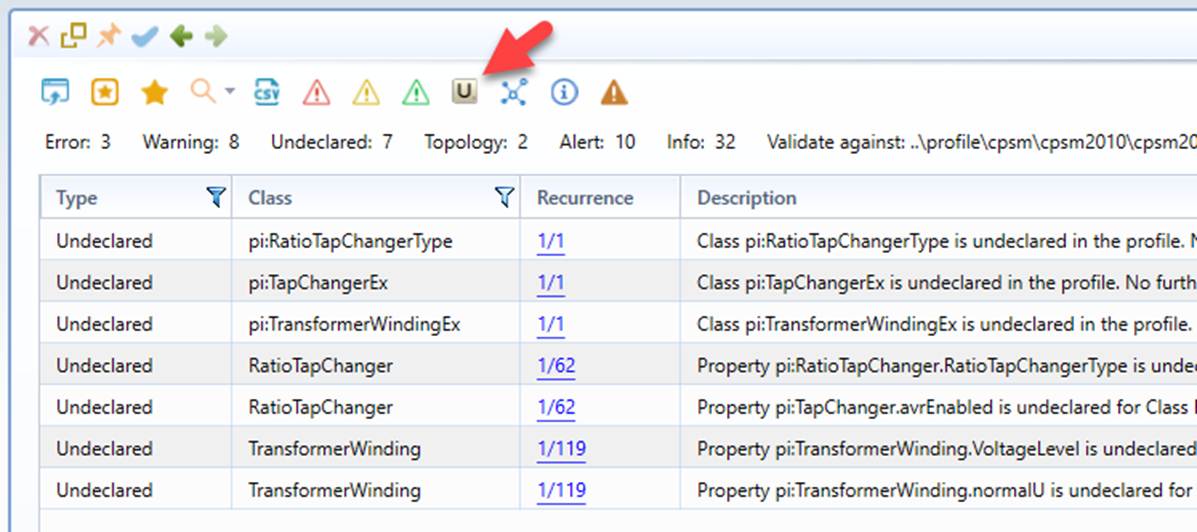
- Run validation and check the Undeclared report to find out the unrecognized CIM extensions.
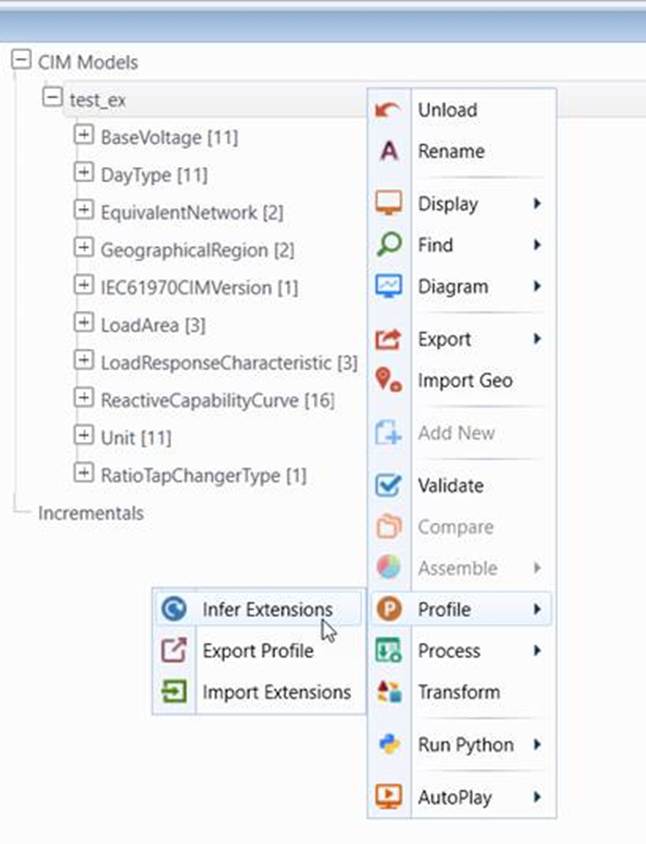
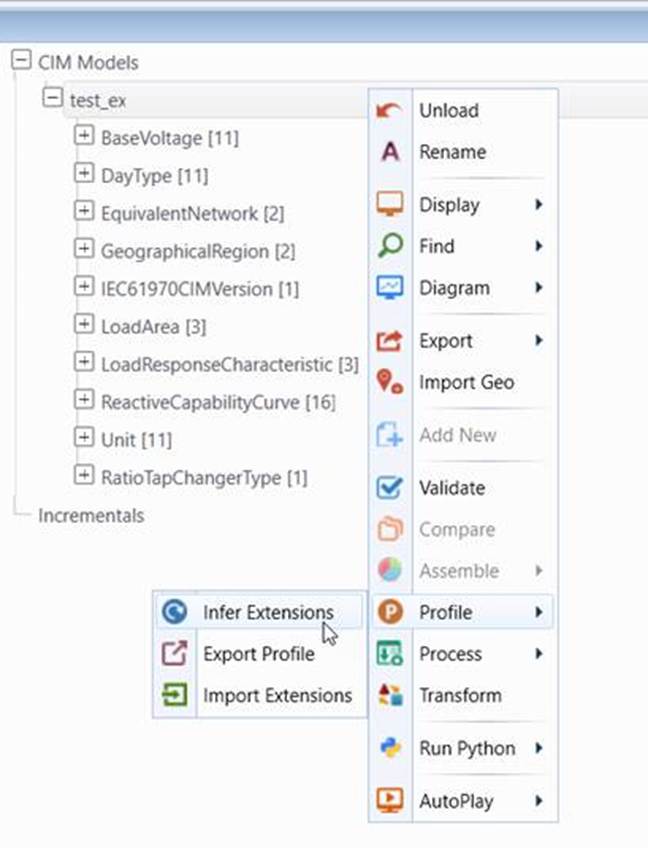
- Infer CIM extensions for the loaded model.
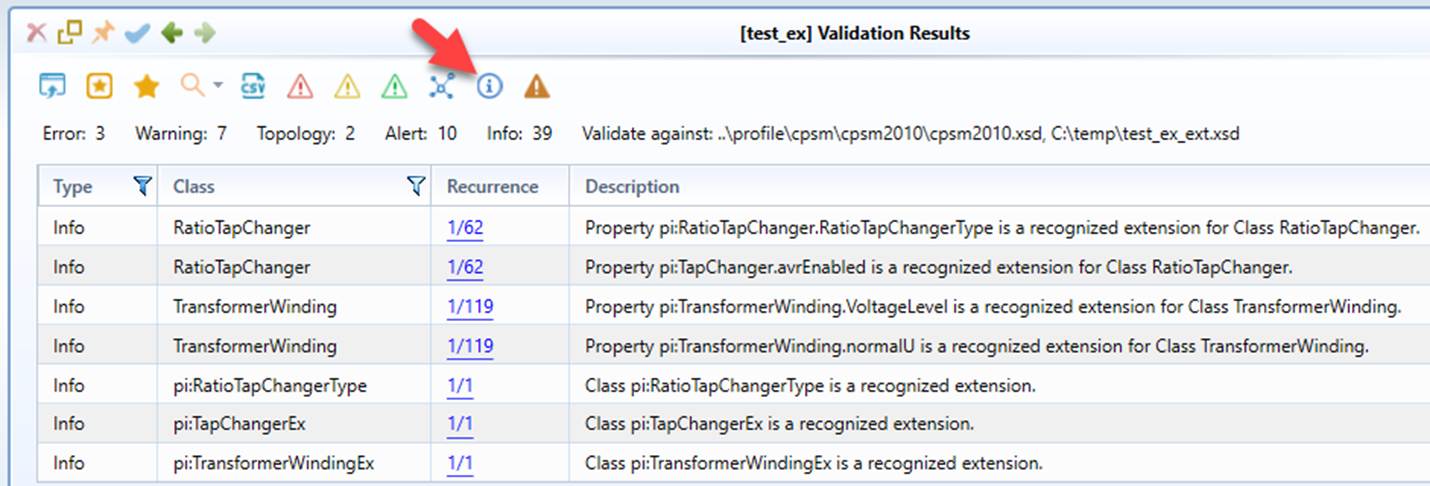
- Run validation and check the Info report for the inferred CIM extensions.
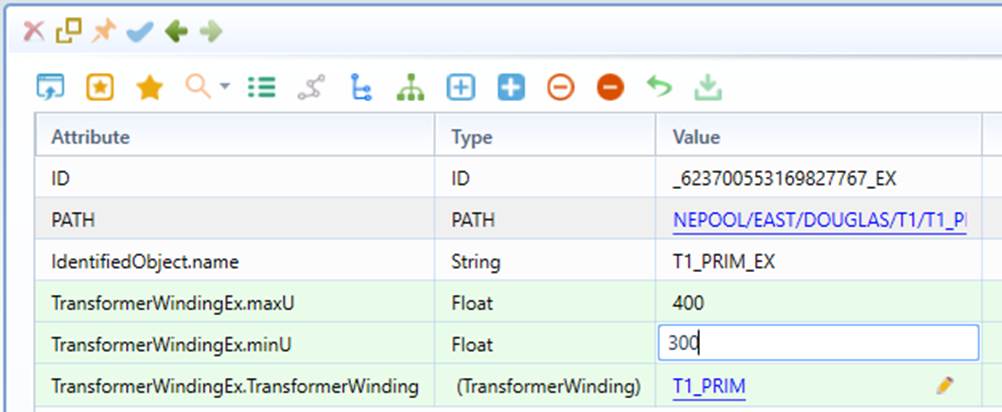
- Extended CIM data shall be editable.
Summary of Functionality
Functionally, the Tool provides the following features related to CIM extension inference:
- Infer Extension: Inferring CIM extensions through a reverse data engineering process and saving the inferred CIM extensions as an XSD file. The feature is enabled only if unrecognized CIM extensions are detected.
- Import Extensions: Importing the CIM extension XSD file. This feature is normally used after the inferred CIM extension XSD is manually modified.
- Export Profile: Exporting the full CIM governing profile as an XSD file. You must explicitly “Infer Extension” or “Import Extension” first if you want to include the extensions in the exported XSD file.
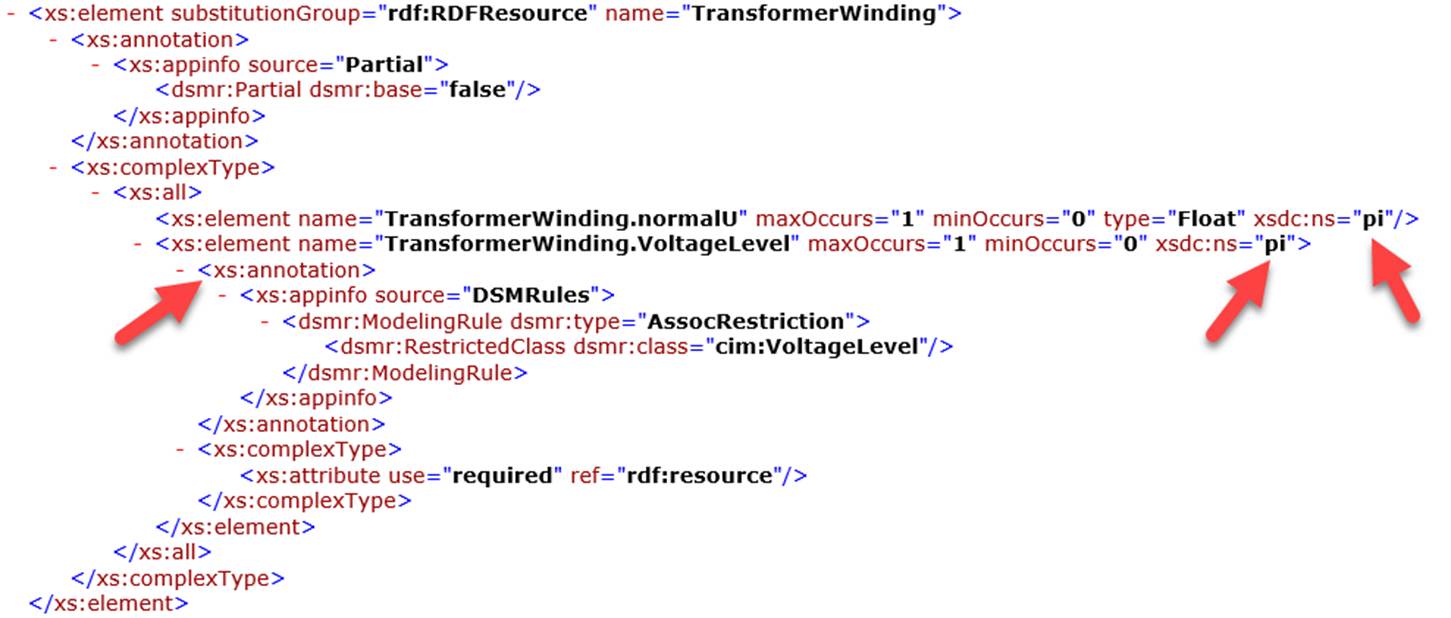
For clarification: the XSD format generated is not an official way to specify the CIM extensions, but in the simplest way. Official way requires a dedicated XSD be created for each extension namespace. The resulting XSD is quite complicated. To simplify this, it is assumed that all of the extensions are treated as standard CIM. XSD extensions/annotations are used to markup extensions and add restrictions. The resulting XSD significantly simplifies and facilitates consumption of the metadata generated. This customized format shall be able to be supported by other tools with minimum effort.
More about CIM Extension Inference
Like most reverse data engineering processes, extension inference is not perfect. The quality of the inferred CIM extension depends on the quality and completeness of the instance data. The inferred CIM properties are general in nature and classified into the following categories:
- String
- Float
- Boolean
- Enumeration with enumerated values identified from model instances
- Association with restricted classes identified from model instances
In general, the inferred CIM extension schema is a starting point and shall be refined, including but not limited to
- Changing the inferred general data types to more restrictive custom data types
- Changing property cardinality as needed
- Adding allowed values for enumerations
- Add restricted classes for associations
- Adding validation rules
While the inferred/modified CIM extension XSD can be imported to govern the loaded models, it requires an additional step. By defining a data source with inferred/modified CIM extension specified, the inferred/modified CIM extensions will be automatically applied when the model is loaded as a data source. Attribute extensionLocation, if specified, is used to inform the Tool to import the inferred/modified CIM extension XSD after the instance model defined in the data source is loaded. Multiple extension XSD files can be specified. In this case, extension XSD file paths must be separated by‘;’.

Importing Profile
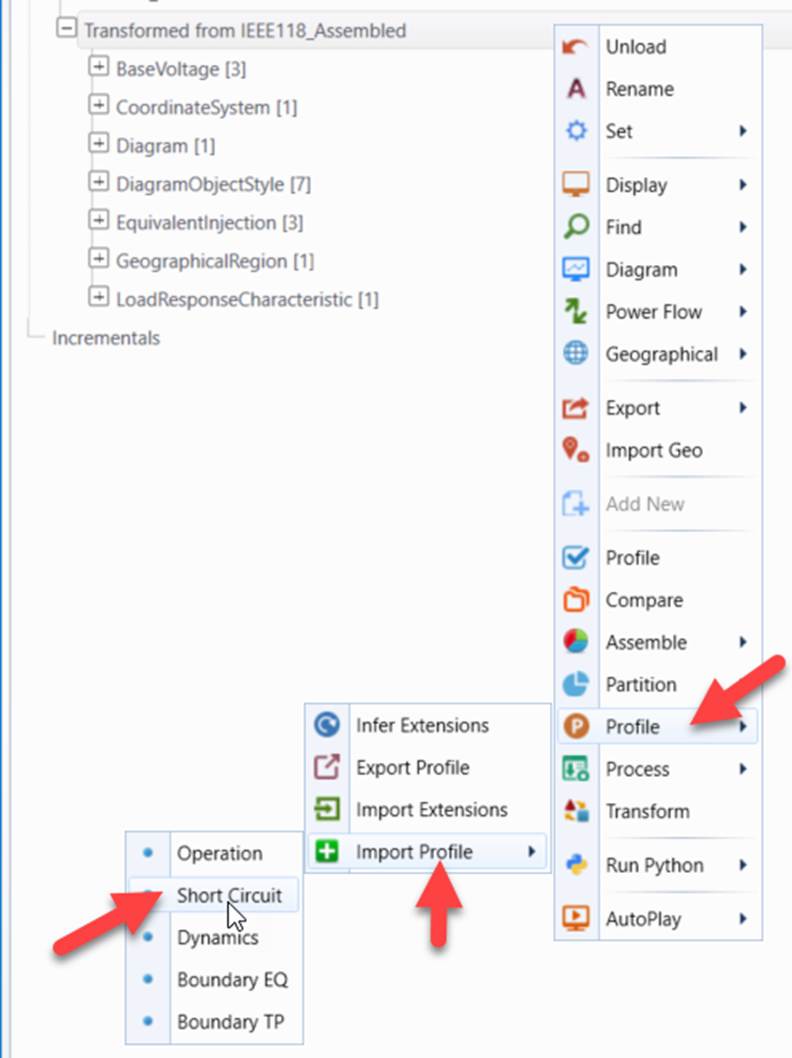
For CGMES3/CIM17 and later, a new feature allows users to extend a loaded model to support a sub-profile or data group. This allows users to enable some functions, such as editing model based on newly extended profile and validating model against the specified profiles even though the model was not originally designed to support the corresponding profiles. Assuming: 1) Short-Circuit (SC) modeling information is incomplete in the EQ model; and 2) The SC Profile URI is not specified in the header of the EQ model. How to validate the EQ model against the extended EQ (Core + SC) profile? This can be accomplished by first importing the SC profile and then validating the model against the assembled EQ (Core + SC) profile.
Note
After the selected profile is imported, the model header will be updated accordingly.