Enforcing & Validating against a Specific CIM Profile
Each loaded model must be governed by a CIM profile, which defines the structure and semantics of a model that are exchanged among parties. The Tool relies on such meta-data for support of validation, model editing, etc.
The Tool comes with a collection of standard CIM profiles as XSD files under folder CIMSpy\profile. When a model is loaded, the Tool will identify the associated CIM profile from its supported profile pool based on the Header specification or the model contents. This works for most of the cases. However there are some cases where users want to associate a specific CIM profile with the loaded model and run the validation against it. This requirement is typically resulted from the following two use cases:
- The Tool fails to identify the correct CIM profile. When the Header information is not available in the loaded model, the Tool relies on the model contents to identify the governing CIM profile. There is no guarantee that the correct CIM profile is identified. In this case, users want to enforce a specific CIM profile to a loaded model.
- The loaded model contains CIM extensions. Users define a custom CIM profile to enable the Tool support their CIM extensions. In this case, users want to enforce the custom CIM profile to a loaded extended model.
To enforce a standard or custom CIM profile, users must define a data source for the loaded model. Data source defines a specific model. It enables users to personalize the model by associate a loaded model with a variety of resources supported. One of these resources is the governing CIM profile. The following example illustrates how a custom CIM profile is enforced in the data source definition.


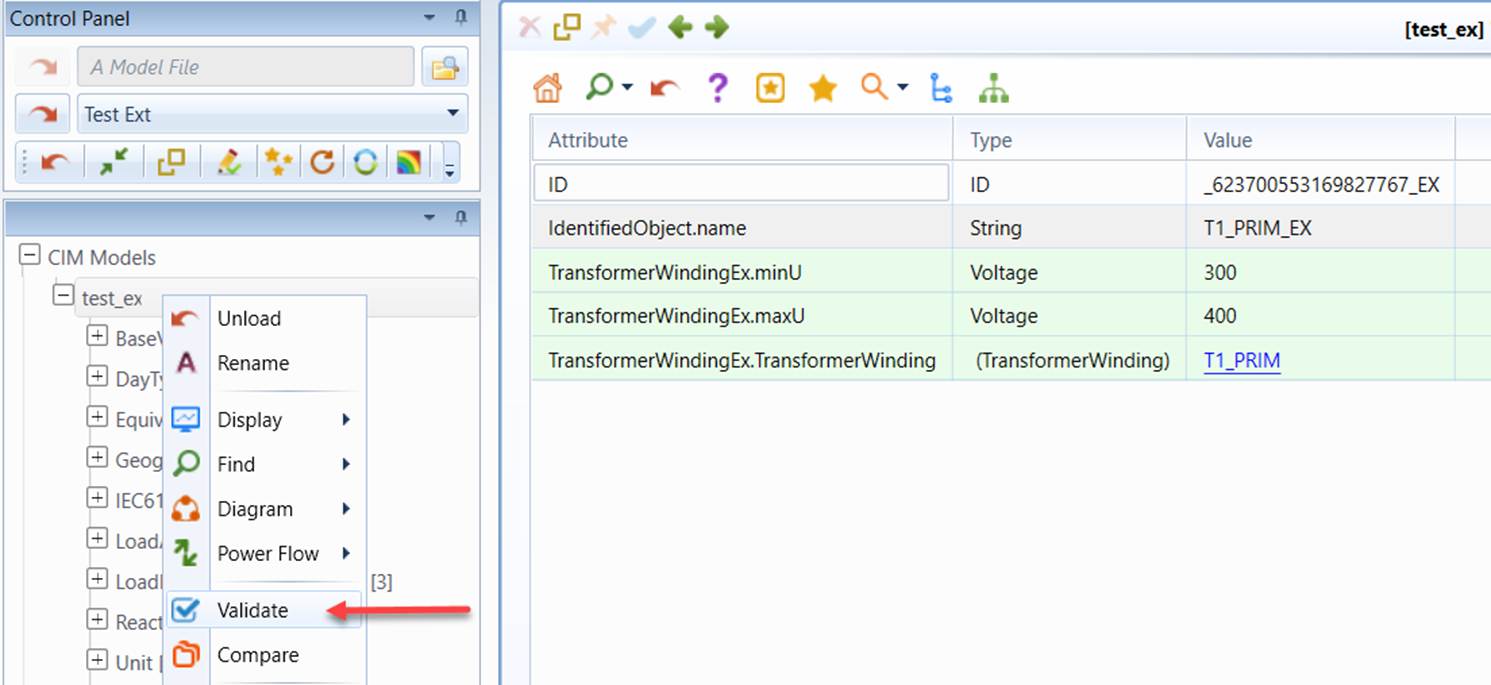
Once a specific CIM profile is enforced, the model loaded from the data source will be governed by the enforced CIM profile. Users can run the validation for the loaded model against the enforced CIM profile, or edit the loaded model based on the enforced CIM profile, as illustrated below.
To support model validation customization, the Tool provides Python scripting support, enabling users to define their own custom validation. These custom validation functions can be embedded in the profile, just like the built-in validation rules. See an example for more details.