Model Conversion from CGMES 2.4.15 to 3.0
The core profiles (EQ, SSH, TP, SV) in CGMES 3.0 are primarily backward compatible with CGMES 2.4.15. This makes it possible to convert a CGMES 2.4.15 compliant model to an equivalent model conforming to CGMES 3.0. The transformation is however complicated, involving 7 steps. While multi–steps model transformation process is supported to facilitate debugging, the Tool provides one-step process to support model transformation from CGMES 2.4.15→3.0.
About CGMES 3.0
CGMES 3.0 is primarily backward-compatible with CGMES 2.4.15. However, there are some major differences between CGMES 3.0 FDIS and CGMES 2.4.15, including:
- Boundary TP is no longer used. Boundary ConnectivityNodes are marked using new objects BoundaryPoints in Boundary EQ.
- ConnectivityNodes are mandatorily included in EQ Core, even for Bus/Branch models. Unlike in CGMES 2.4.15, EQ Core is now used for both bus/branch and node/breaker modeling in CGMES 3.0.
- Sub-profile Operation and Short Circuit are separated from EQ Core and govern by separate profiles. Operation sub-profile is now primarily for exchanging measurements. It has no implication of node/breaker.
- New classes are added, including PowerPlant, AuxiliaryEquipment , PowerElectronics, Cuts and Jumpers, etc.
- Some new attributes are added to existing classes, such as CurrentLimit.normalVaue, Equipment.inService.
- Tie-line, boundary ConnectivityNodes and EquivalentInjections must be contained by the same Line from Boundary EQ.
To adapt to some of the above changes, the Tool
- Require all model parts, including Boundary Set, to be loaded into the same workspace and converted together. This is because conversion from CGMES 2.4.15 to 3.0 requires information from different model parts. Also when all model parts are converted together, the Tool is able to set the model dependency among the converted model parts.
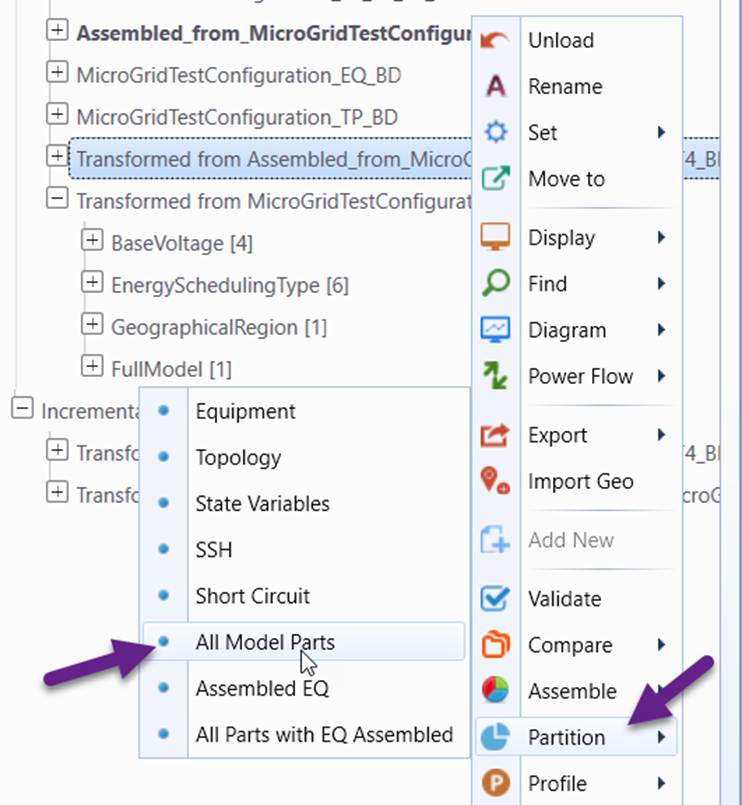
- Support Assembled EQ: An Assembled EQ is an assembled model combing EQ Core, Operation or/and Short Circuit. It is a complete data set that represents a physical network model. See Section 5.5.4 in IEC FDIS 61970-600-1. An Assembled EQ is treated as a traditional EQ in the Tool. An assembled model can be partitioned as either “All Model Parts” with Core, Operation, and Short Circuit as individual model parts Or “All Model Parts with EQ Assembled”.
- Handle model assembling specially. Since Boundary TP is no longer used in CGMES 3.0, Boundary TopologicalNodes are now contained in IGMs. Thus each boundary point corresponds to two Boundary TopologicalNodes contained in two neighboring IGMs. When assembling a CGM from IGMs and BS, the two Boundary TopologicalNodes are combined. Only one set of Boundary TopologicalNodes are retained.
- Log model changes as CIM difference models during the model conversion. This allows users to track model changes and facilitate debugging.
Automated Model Conversion
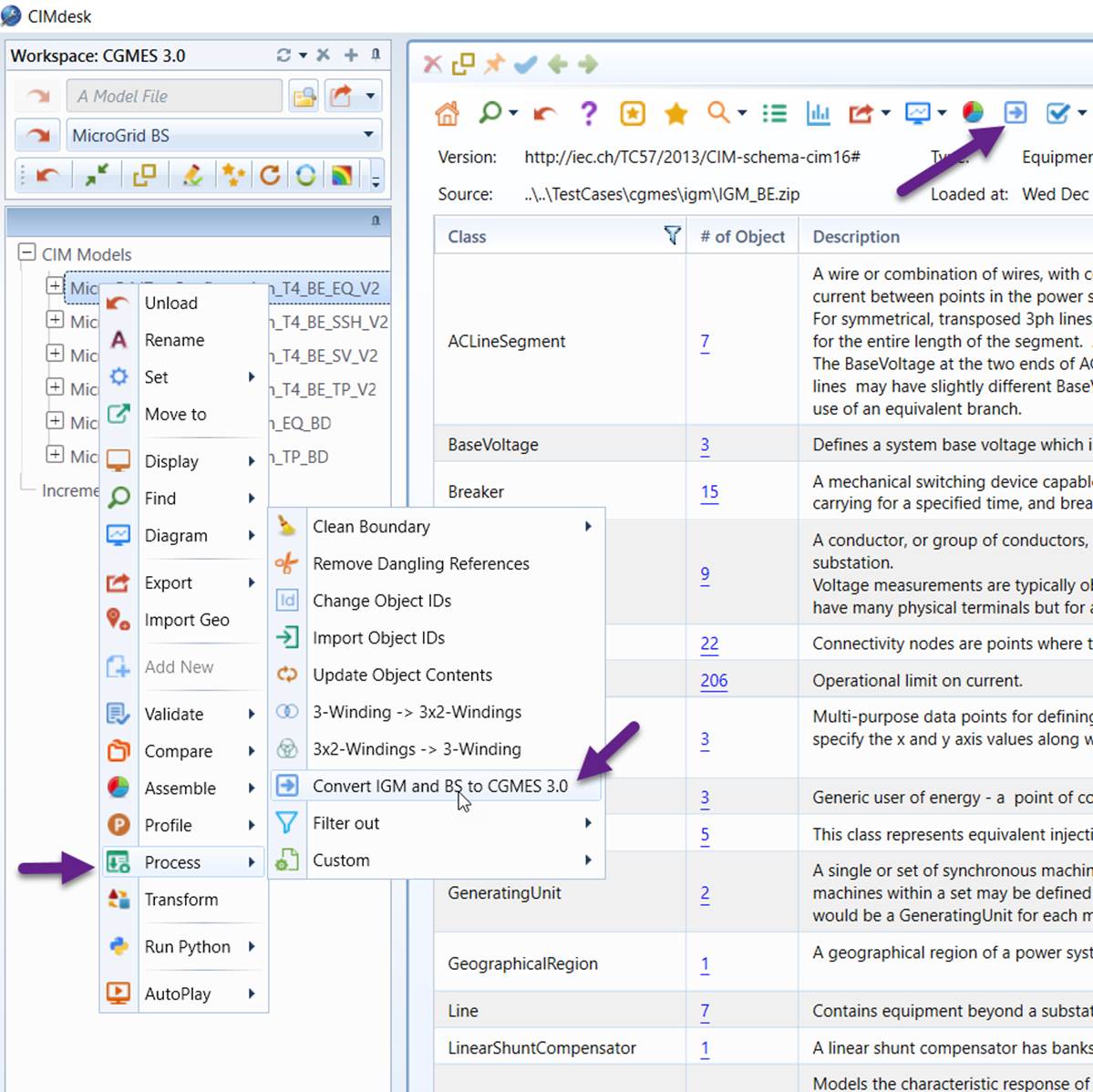
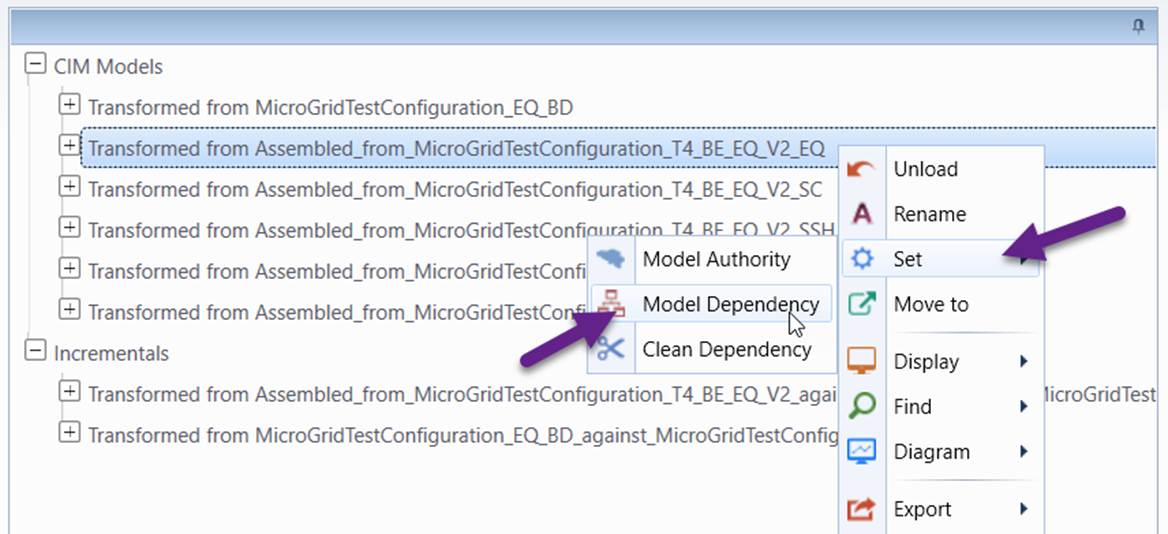
Model transformation from CGMES 2.4.15 to 3.0 is a complicated process involving 7 steps, as described in the next section. To facilitate the process, the Tool provides one-step process to combing 7 steps into 1 step. Simply load Individual Grid Model (IGM) and Boundary Set (BS) of CGMES 2.4.15 and invoke the conversion process from the model context menu or command icon as illustrated below. After the process is completed, the loaded IGM and BS will be converted to CGMES 3.0, with all model changes logged as CIM difference models. Note: this function is only available when the loaded models are a valid IGM with model dependencies properly set.
The above automation process can be configured. The related configurations can be found in \config\StandardConfig.xml and described below. Users can overwrite the corresponding configurations in \config\CustomConfig.xml.
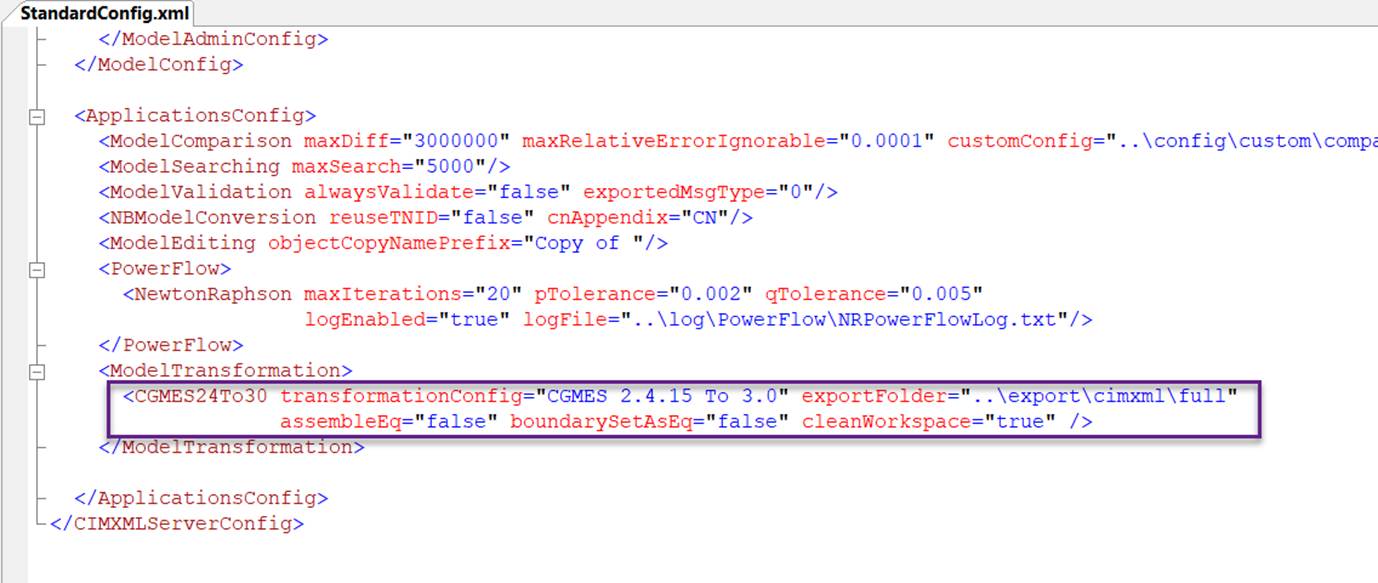
- transformationConfig: configuration of model transformation from CGMES 2.4.15 to CGMES 3.0.
- exportFolder: folder where the partitioned models are stored
- assembleEq: if ‘true”, the EQ model will be converted as Assembled EQ.
- boundarySetAsEq: if “true”, the boundary EQ will be converted as EQ. In CGMES 3.0, boundary EQ is depreciated.
- cleanWorkspace: if “true”, the workspace will be cleaned with input models and intermediate models unloaded.
Step-by-Step Model Conversion
As an alternative, users can also convert CGMES 2.4.15 model to CGMES 3.0 step by step. This allows users to debug issues during model conversion process.
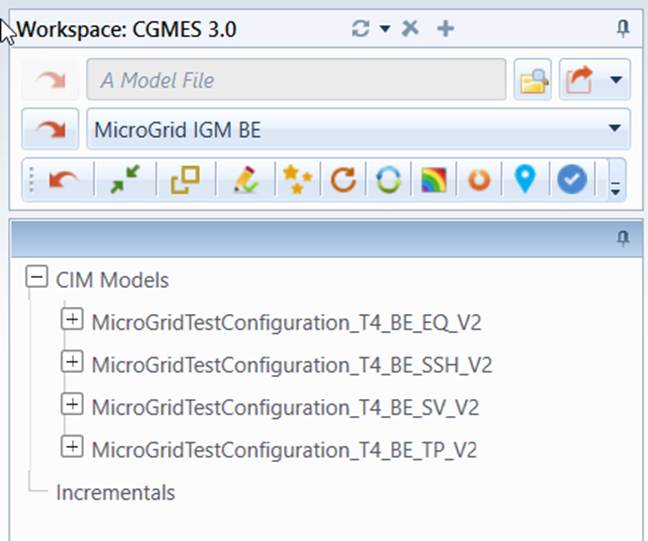
- From CGMES 3.0 workspace, load IGM of CGMES 2.4.15 into the workspace.
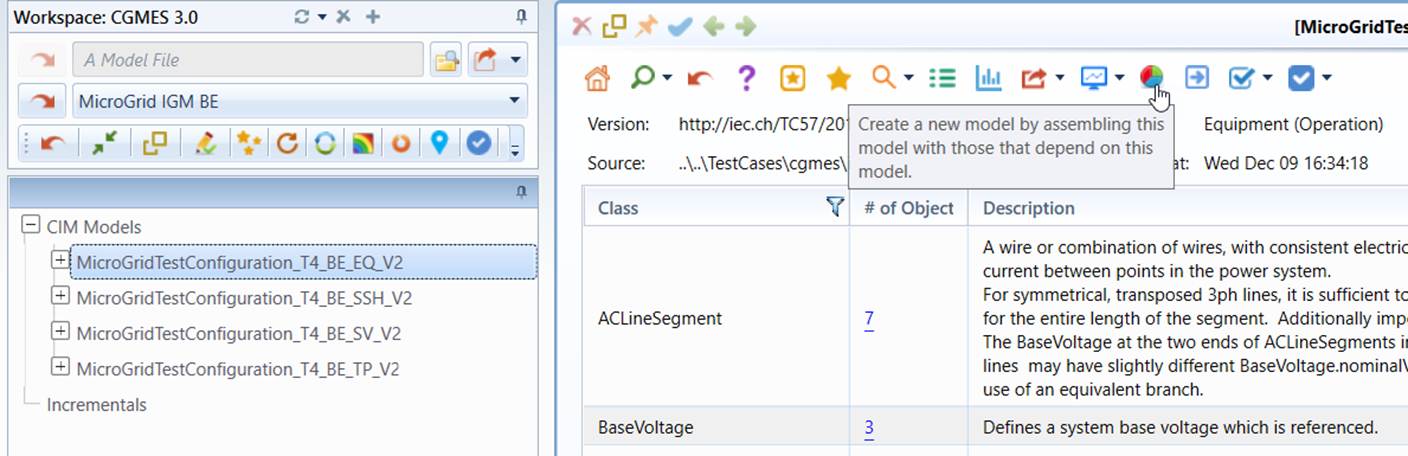
- From summary display of the EQ model part, assemble IGM.
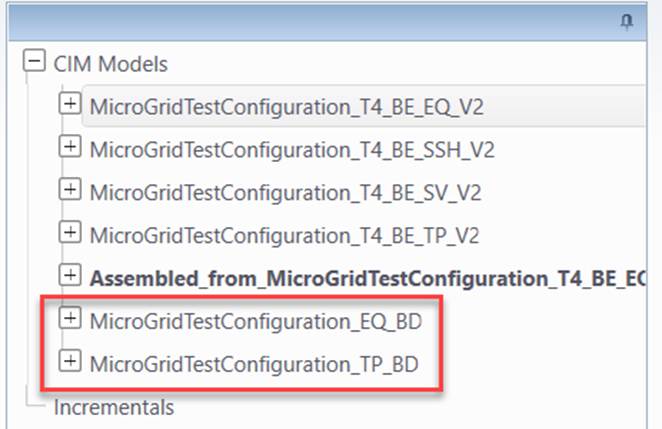
- Load BS of CGMES 2.4.15 into the same workspace. Note: BS must be loaded after IGM is assembled.
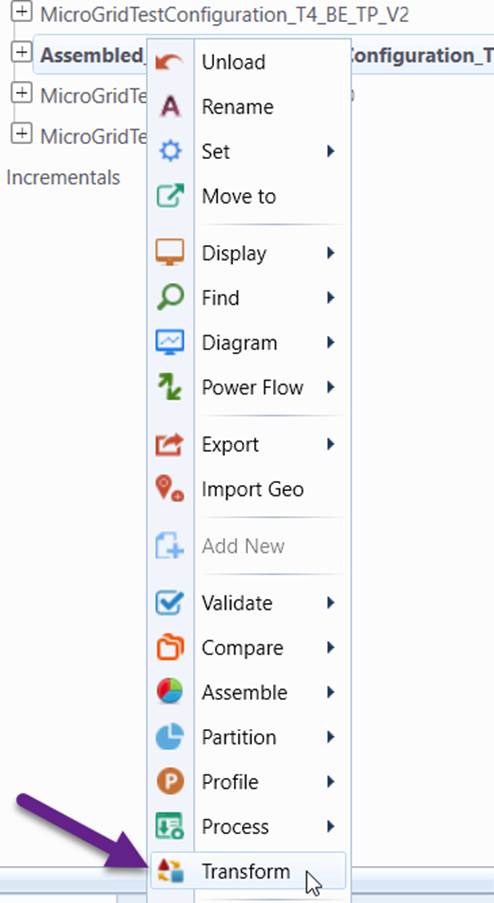
- Transform the assembled IGM from 2.4.15 to 3.0.
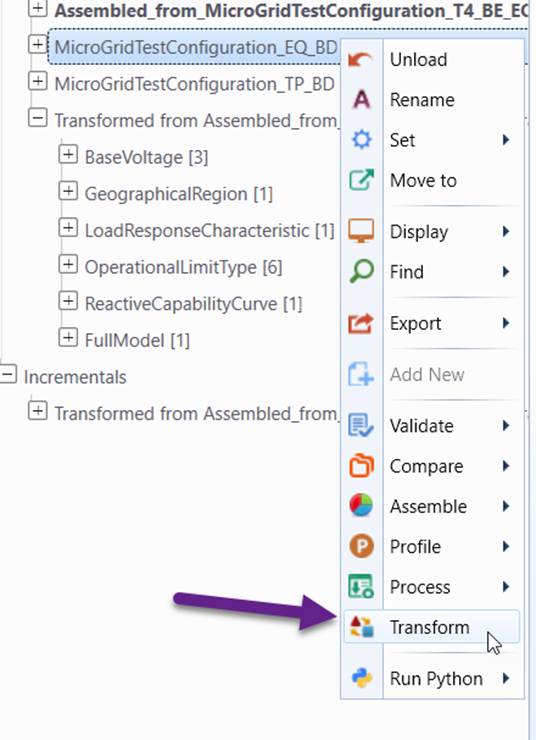
- Transform BD_EQ from 2.4.15 to 3.0.
- Partition the transformed assembled IGM to “All Model Parts” or “All Parts with EQ Assembled”.
- Post-model transformation processes, including:
- Set model dependency between EQ and BD_EQ.
- Rename transformed model parts
- Clean workspace
Change Log
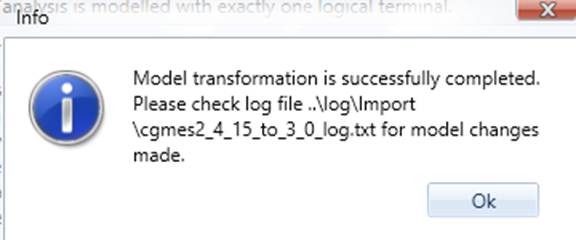
The Tool logs model changes during the model transformation. The logged changes can be found in the log file as illustrated below.
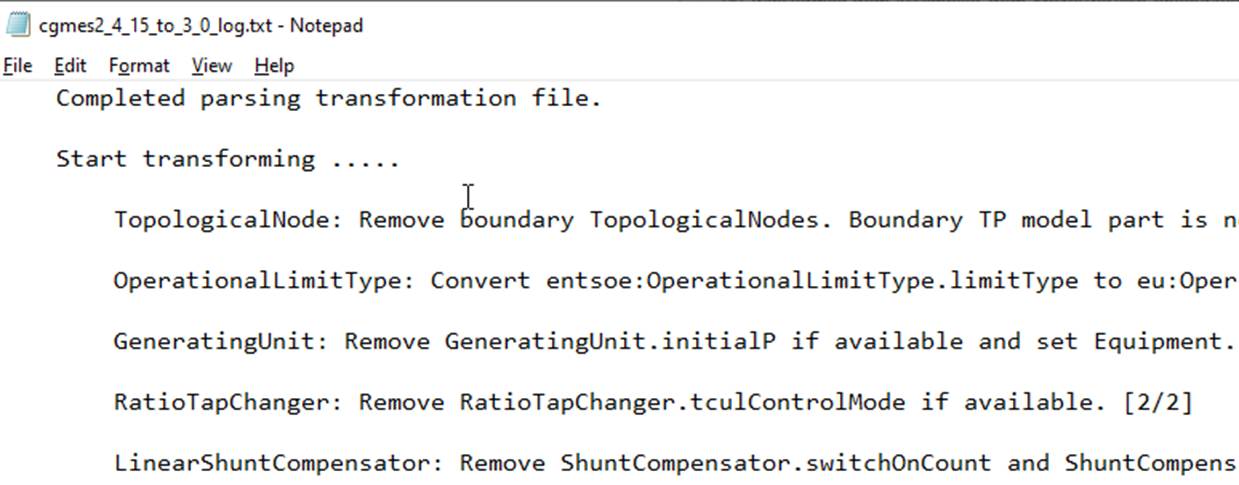
The following table summarizes all of the possible model changes during model transformation from CGMES 2.4.15 to CGMES 3.0.
Class
Description
ACLineSegment
Add a Line if association Equipment.EquipmentContainer is missing.
ActivePowerLimit
Set ActivePowerLimit.normalValue to ActivePowerLimit.value.
Move ActivePowerLimit.value from EQ to SSH.
ApparentPowerLimit
Set ApparentPowerLimit.normalValue to ApparentPowerLimit.value.
Move ApparentPowerLimit.value from EQ to SSH.
BoundaryPoint
Create an eu:BoundaryPoint for each boundary ConnectivityNode and set its boundary-related attributes to the corresponding attributes of the boundary ConnectivityNode.
ConnectivityNode
Remove attributes of the boundary ConnectivityNode. They are moved to eu:BoundaryPoint.
For bus/branch EQ, add a ConnectivityNode for each TopologicalNode.
Set association ConnectivityNode.TopologicalNode if missing.
ControlArea
Create a ControlArea of type ControlAreaTypeKind.Interchange if not available.
CsConverter
Set Equipment.inService to 'true'.
CurrentLimit
Set CurrentLimit.normalValue to CurrentLimit.value.
Move CurrentLimit.value from EQ to SSH.
DCLineSegment
Remove association DCLineSegment.PerLengthParameter. Class PerLengthDCLineParameter is removed in CGMES 3.0.
DCSeriesDevice
Change property name DCSeriesDevice.ratedUdc to DCConductingEquipment.ratedUdc.
DCShunt
Change property name DCShunt.ratedUdc to DCConductingEquipment.ratedUdc.
EnergyConsumer and its sub-classes
Set Equipment.inService based on EnergyConsumer.p and EnergyConsumer.q.
Set negative EnergyConsumer.q to 0.
EnergySchedulingType
Change class name entsoe:EnergySchedulingType to cim:EnergySchedulingType.
EnergySource
Remove EnergySource.voltageMagnitude and EnergySource.voltageAngle if available.
Rename entsoe:EnergySource.EnergySchedulingType to cim:EnergySource.EnergySchedulingType.
Set Equipment.inService based on EnergySource.activePower and EnergySource.reactivePower.
EquivalentBranch
Set association Equipment.EquipmentContainer if missing.
EquivalentInjection
Set Equipment.inService based on EquivalentInjection.p and EquivalentInjection.q.
ExternalNetworkInjection
Set Equipment.inService based on ExternalNetworkInjection.p and ExternalNetworkInjection.q.
FullModel
Translate Model.profile to the corresponding CGMES 3.0 profile.
GeneratingUnit and its sub-classes
Remove GeneratingUnit.initialP if available.
Set Equipment.inService based on RotatingMachine.p and RotatingMachine.q.
LinearShuntCompensator
NonlinearShuntCompensator
Remove ShuntCompensator.switchOnCount and ShuntCompensator.switchOnDate if available.
Set Equipment.inService based on ShuntCompensator.sections.
OperationalLimitSet
Set association OperationalLimitSet.Terminal if missing.
OperationalLimitType
Convert entsoe:OperationalLimitType.limitType to eu:OperationalLimitType.kind and set new attribute OperationalLimitType.isInfiniteDuration based on OperationalLimitType.acceptableDuration.
Set OperationalLimitType.direction if missing.
PerLengthDCLineParameter
Delete all objects. This class is removed in CGMES 3.0.
SerireCompensator
Set association Equipment.EquipmentContainer if missing.
StaticVarCompensator
Set Equipment.inService based on StaticVarCompensator.q.
Sub-classes of ConductingEquipment
Add an object SvStatus for each ConductingEquipment and set SvStatus.inService the same value as Equipment.inService.
Sub-classes of Equipment
Add attribute Equipment.inService if not available and set its value to 'true'.
Sub-classes of IdentifiedObject
Set default IdentifiedObject.name if not available.
Set IdentifiedObject.mRID the same value of rdf:ID.
Switch and its sub-classes
Add a SvSwitch for each Breaker and set SvSwitch.open to Switch.open.
Set Equipment.inService to 'true' and Switch.locked to 'false'.
SynchronousMachine
AsynchronousMachine
Set Equipment.inService based on RotatingMachine.p and RotatingMachine.q.
Terminal
Set IdentifiedObject.name if not available.
Set Terminal.sequenceNumber if not available.
TieFlow
Set IdentifiedObject.name (reguired for CGMES 3.0) to the name of the associated ConductingEquipment.
Create a TieFlow for each boundary node if not available.
TopologicalNode
Remove boundary TopologicalNodes. Boundary TP model part is no longer in CGMES 3.0.
Add boundary TopologicalNiode in IGM and set all of the related associations, since boundary TopologicalNiode is now located in IGM.
VoltageLimit
Set VoltageLimit.normalValue to VoltageLimit.value.
Move VoltageLimit.value from EQ to SSH.
VsConverter
Set Equipment.inService to 'true'.
Rename VsConverter.uf to VsConverter.uv.