Personalizing a Loaded Model
Model personalization is one of the key features of the Tool. It enables users to customize the tool for a specific loaded model. These include pre-specifying a collection of data sources to facilitate model loading, personalizing the loaded models to support logging, filtering, custom validation, custom reporting, and customizing UI displays for a particular loaded model such as attributes for name display and colors for voltage level representations, etc.
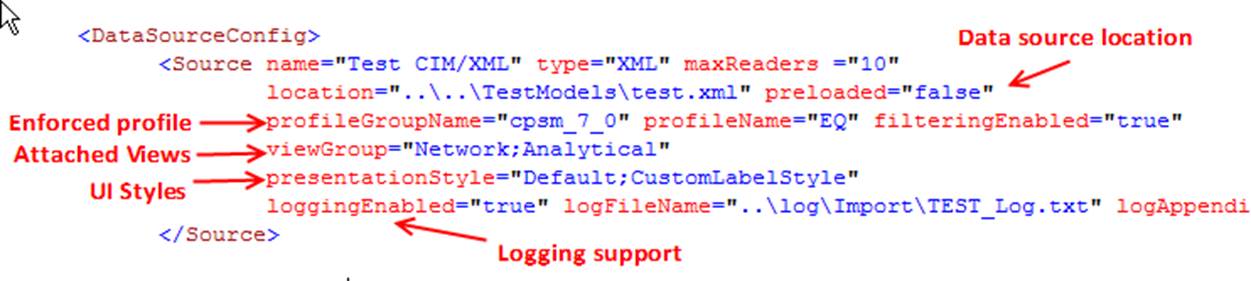
Model personalization is enforced through specification of a data source representing a particular loaded model. Before personalizing a model, users may define a collection of sharable resources, such as Profiles, View Groups, and Presentation Styles. These sharable resources can be then applied to a data source as illustrated below. In the case where more than one resource can be applied, the applied resources can be separated by “;”. For example, the following example shows that two View Groups and two Presentation Styles can be applied to the same data source, assuming these resource definitions have no conflicts.
Users can also apply defined View Groups and Presentation Styles to any of the loaded models by defining default View Groups and Presentation Styles. The View Groups and Presentation Styles specified for a data source will overwrite these default View Groups and Presentation Styles.
