Exporting a Partial Model
The Tool enables users to export a partial model from a selected model hierarchy. For example, users can export all of the objects under a selected object as a partial CIM/XML file. This feature is particularly useful for a large RTO model, from which users can export a member’s model for a certain purpose. .
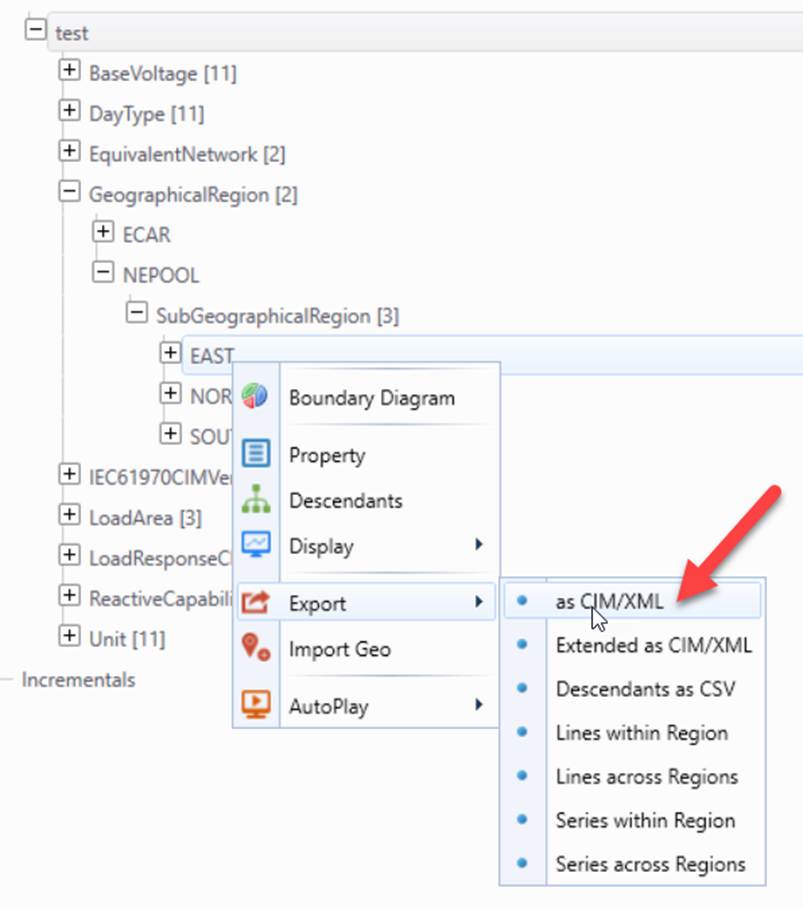
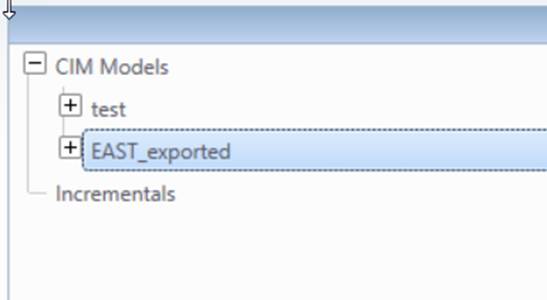
Once a partial model is successfully exported, it will be loaded into the Tool, as shown below
Users export a partial model for different purposes. They may have different requirements. The Tool allows users to customize the function of partial model export to fit users’ various need. The customization is achieved either through a different context menu item or by changing one of the configuration files, i.e. \CIMSpy\config\constraint\DefaultConstraint.xml, which specifies the modeling constraints. The following customizations are supported:
Exporting a Self-Contained Partial Model
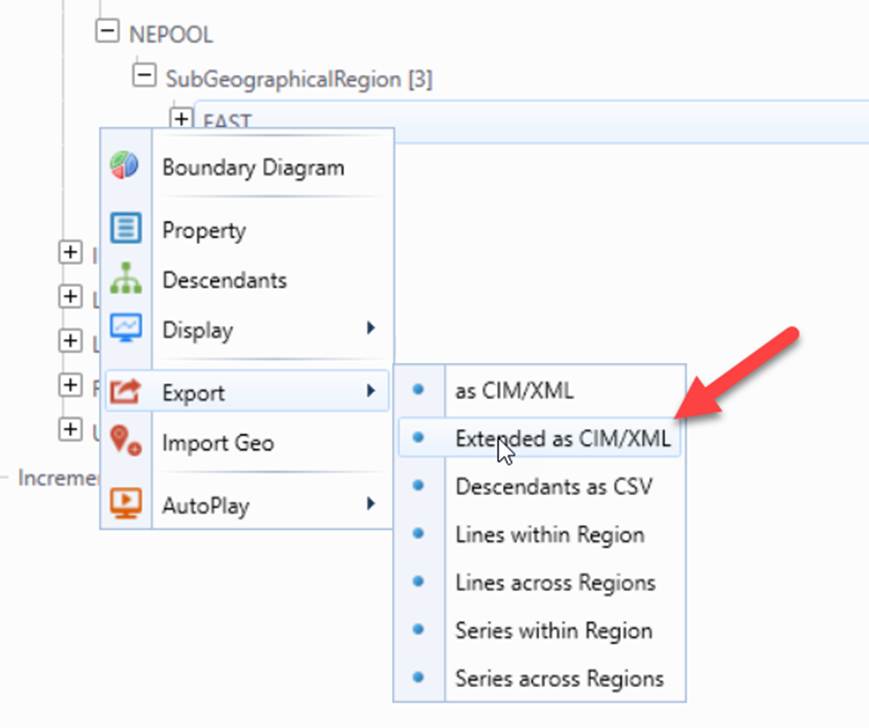
By default, the Tool exports only the descendant objects under a specified modeling hierarchy. Since the descendant objects could reference other objects in other model hierarchies. For example, ACLineSegments reference BaseVoltages and BaseVolatges are not in the equipment containership hierarchy. In result, the exported partial model could be invalid, containing dangling references. If users would like to export a self-contained partial model with no dangling references, they shall export an extended partial model, as illustrated below. An extended partial model will also export any referenced objects, thus resulting in a self-contained partial model. For example, if an extended SubGeographicalRegion is exported, any of the referenced BaseVoltages will also be included in the exported models and some of the external Substations may also be exported.
Including Internal ConductingEquipments in an Exported Partial Model
The partial model export function is based on a certain model hierarchy. However this could result in loss of the equipment in some case. For example, an ACLinesegment/ SeriesCompensator is contained in a Line, but be connected within a Substation. If the Substation is exported, the ACLinesegment /SeriesCompensator within the Substation could be lost. This is not a desirable behavior. The Tool allows users to customize the behavior of partial model export through modeling restriction specification defined in in \CIMSpy\config\constraint\DefaultConstraint.xml .
The Tool will detect such equipments and include them during deep-copying, cascading-deletion, and partial model export. Basically if the equipment is not contained in the selected equipment container (as enumerated in the indrectEquipmentContainer, i.e. Substation, SubGeographicalRegion, or GeographicalRegion), but all of its Terminals are connected to the ConnectivityNodes which belong to the selected equipment container. The Tool will include copy/export such equipment during deep-copying, cascading-deletion, or partial model export. Users however can disable such default behavior by changing includeAllInternalEquipment to “false” the DeepCopyCustomization element, as shown below.

The above restriction basically means: if includeAllInternalEquipment is true, then all of the ConductingEquipments that are connected to the ConnectivityNodes belonging to the equipment containers specified in indirectEquipmentContainers will be included in the copied EquipmentContainers. In other words, the equipment containership is inferred based on network connectivity rather than the direct composition or ownership association.
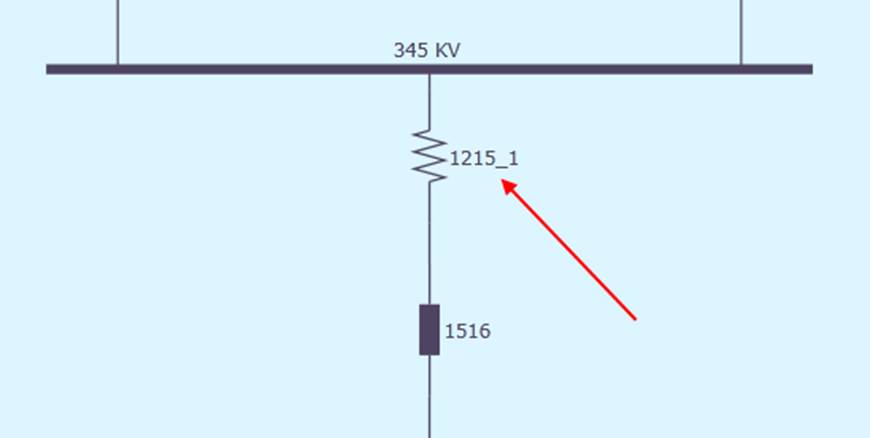
This configuration enables users to configure the behavior of deep-copying, cascading-deletion, and partial model export to maintain the integrity of the copied equipment container regardless of containership modeling. For example, if ACLineSegment is missing containership, users can still include them in the copied GeographicalRegion based on their connectivity. For example, When attribute “includeAllInternalEquipment” is set to “true”, any internal ConductiingEquipments will also be exported. For example, if a Substation is exported, any ACLinesegments/SeriesCompensators that connect to the internal ConnectivityNodes at both ends will also be exported, as illustrated below.
Including Connected Lines in an Exported Partial Model
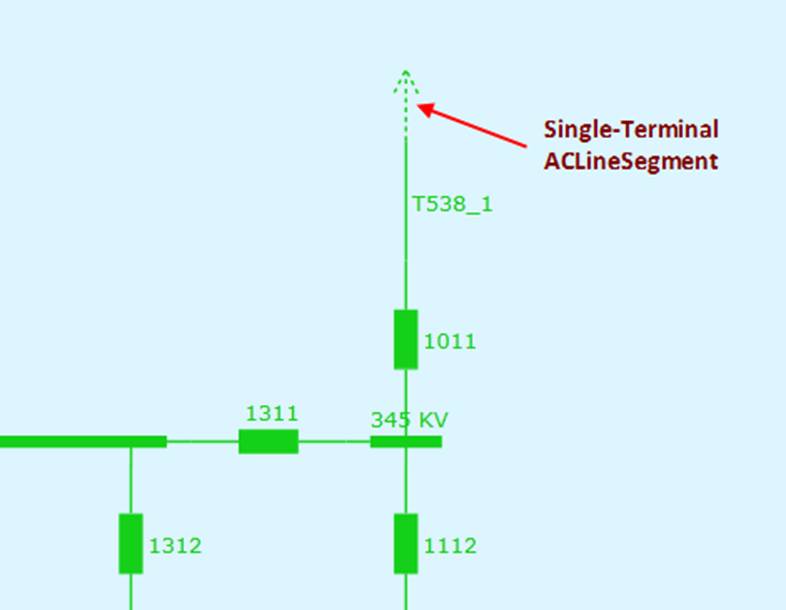
When users export an extended Substation, the connected lines (ACLineSegment/DCLineSegment/SeriesCompensator/DCSeriesDevice/EquivalentBranch), except the internal lines, are not exported. This is because lines don’t belong to a Substation. If users would like the connected lines to be included in the exported substation, the following attribute shall be set to “true” in file \CIMSpy\config\constraint\DefaultConstraint.xm.

It is important to note, this customization only includes the local Terminal of the connected lines and objects associated with the local Terminal in the exported partial model. The remote Terminal and its associated objects as well as the objects associated with the connected lines are not included in the exported partial model. This is to avoid dragging neighboring Substations to the exported partial model. Therefore, the exported lines contains only one Terminal and the exported partial model may contain the dangling references.
Including Child Objects of the Referenced Object in an Exported Partial Model
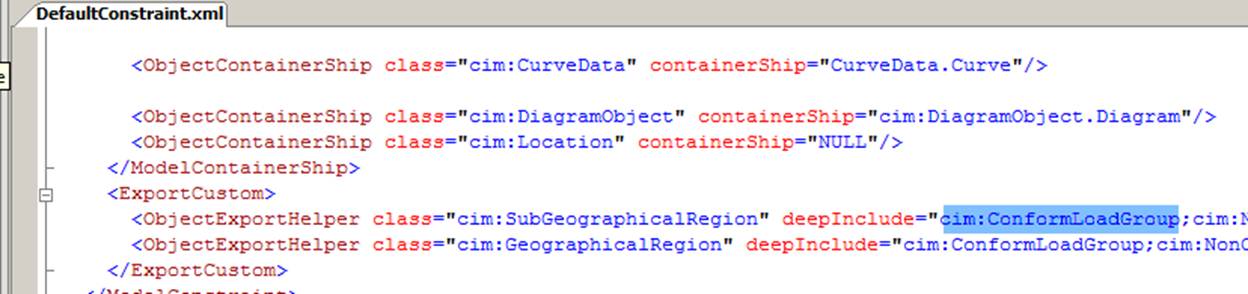
When exporting an extended partial model, the child objects of the referenced objects are not contained in the exported partial model. But this behavior is configurable. Users can specify whether the child objects shall be included in the exported partial model by changing the configuration file in \CIMSpy\config\constraint\DefaultConstraint.xml. The following example shows how to customize the behavior of the referenced objects exported. The customization specified that when a GeographicalRegion/SubGeographicalRegion is exported, all of the child objects of the referenced ConformLoadGroup shall also be exported. That basically allows all of the related load schedules to be exported, thus resulting in not only a self-contained, but also a complete regional model.
Excluding the Selected Referenced Object in an Exported Partial Model
When user export an extended partial model, by default all of the referenced objects will be exported. For example, if an extended SubGeographicalRegion is exported, some of the external Substations will also be exported if the tie-lines belong to the exported SubGeographicalRegion and the Terminals of the tie-lines connect to the external Substations. This may not be the desired behavior. In that case, users shall customize the partial model export behavior by cutting the references or excluding the referenced object in the exported model. This can be achieved by changing the configuration file in \CIMSpy\config\constraint\DefaultConstraint.xml, as illustrated below

In the above example, the ConnectivityNodes of the referenced Terminal will be excluded. By default, if a Terminal is exported, the associated ConnectivityNode will also be exported even this ConnectivityNode doesn’t belong to the selected modeling hierarchy. By adding this specification, the Tool will exclude any “external” objects that are associated with Terminal through association Terminal.ConnectivityNode. Thus when users export a SubGeographicalRegion, the tie line it owns will be exported. The Terminals of the tie-lines will also be exported. But the external ConnectivityNodes as well as external Substations will not be exported, as the reference from the Terminal to the external ConnectivityNodes is cut. The reference from the Terminal to the external ConnectiovityNode will be dangling.
For each class, users can specify multiple excluded associations separated by ‘;’, as illustrated below.

Customization of Partial Model Export
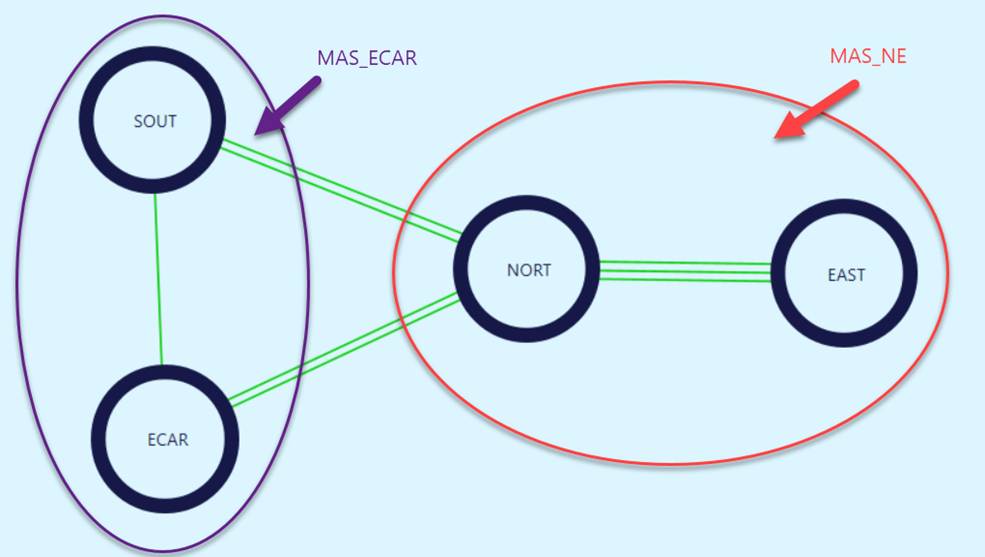
Users can customize partial model export by specifying how a full model shall be partitioned into different Model Authority Sets (MAS). This is achieved by injecting a configuration file to guide the partial model export process. A sample of such configuration file can be found at ..\TestCases\export\TestExportConfig.xml, as illustrated below. This sample partial model export file is targeted at splitting the sample model Test_CIM14 into two Model Authority Sets.
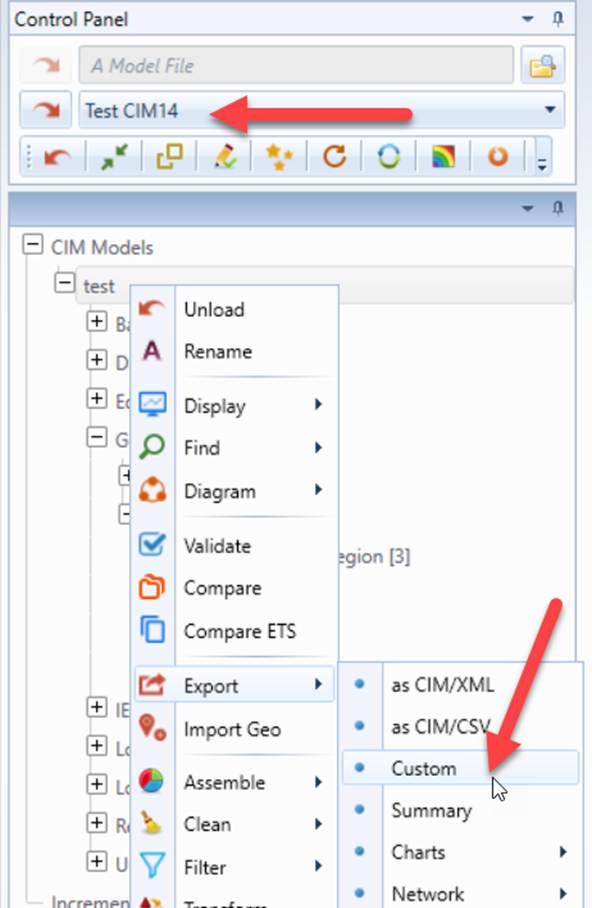
The custom partial model export function can be invoked from the context menu, as illustrated below
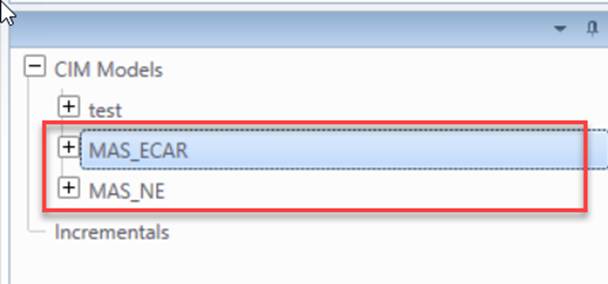
Users will be prompted to input a partial model export configuration file, like the one at \TestCases\export\TestExportConfig.xml. After the partial model export is completed, all of the exported partial model will be loaded into the Tool, as illustrated below.
The sample partial model export configuration file is shown below.
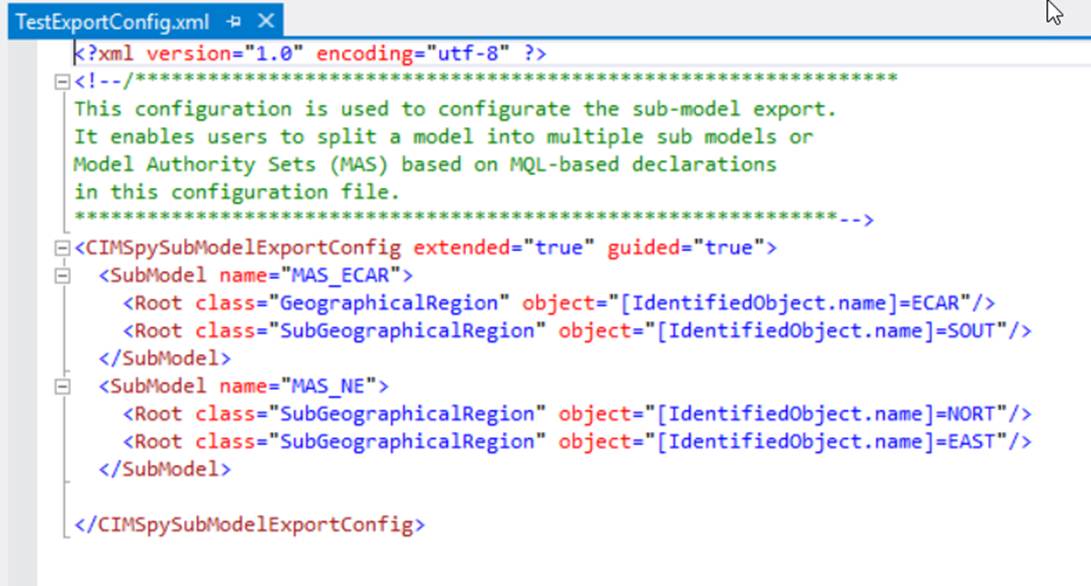
The configuration file contains two parts:
- SubModel: defines what objects to be exported. These are normally root objects. All of its descendants will be also be exported.
- Excluded: defines the objects that shall be excluded for export. Exclusions are declared at object level. Only qualified objects are excluded, with no impact on descendants. An example of exclusion is shown below.
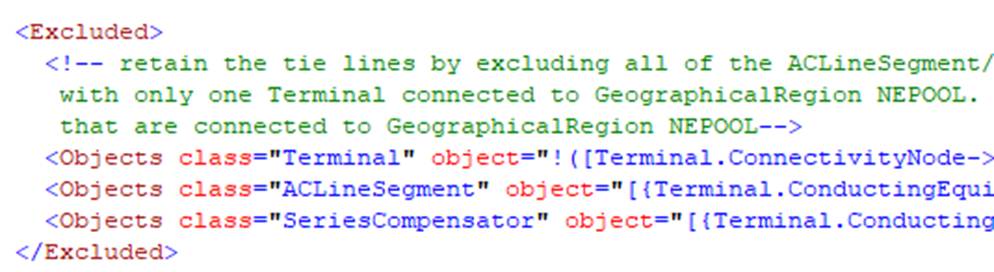
Each part contains a collection of object selection rules defined as:
- class: the class of the related objects
- object: object selection rule as MQL Logical Property Expressions.
At run-time, the Tool evaluates each object of the specified class with the specified MQL. If the evaluation returns ‘true’, the object is selected for export or exclusion.
Furthermore, users can specify:
- Extended: if true, the referenced objects (such as BaseVoltage) will be deleted if these objects are solely referenced by the exported objects. The suggested option is ‘true’.
- Guided: if true, use the defined model hierarchies to determine descendants of an object. The suggested option is ‘true’.