Presentation of CIM Incremental
The Tool organizes the loaded CIM incremental model into structured navigation trees. Change items are classified according to the type of the changes and the classes. Note the Updated section may not have class classification. This is because the CIM difference model doesn’t have the class information for the Updated items. However, if the CIM incremental is created by the Tool (i.e. results of comparison and editing tracking), you will still see the updated section classified by classes.
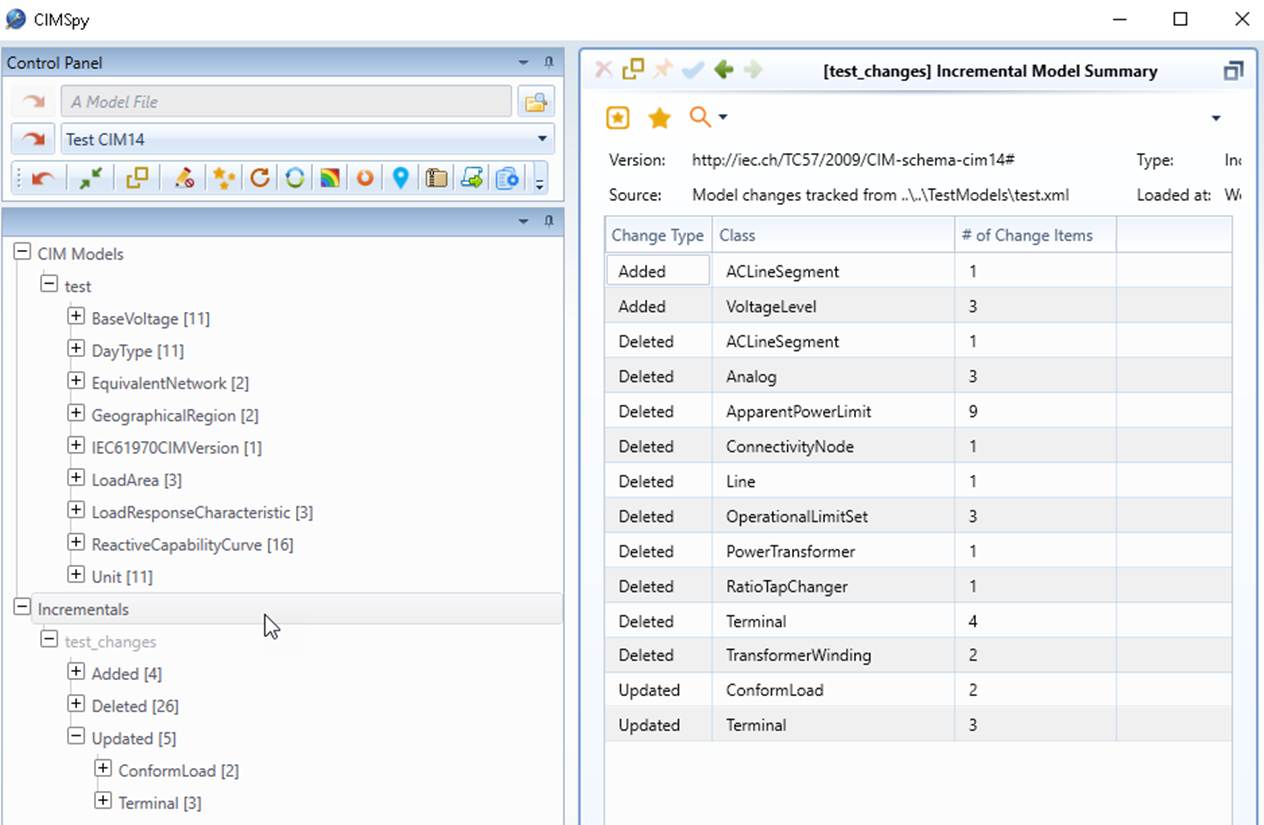
The Tool supports navigation between incremental model and full models. If the CIM difference model is created in the tool through model comparison or model editing, users can navigate to the base or updated model by clicking the hyperlinks in the form of change items.
The rules of the navigations are summarized as follows:
- For added instances, you always navigate to the Updated model.
- For deleted instances, you always navigate to the Base model.
- For updated instances, you can navigate to either Base or Updated model.

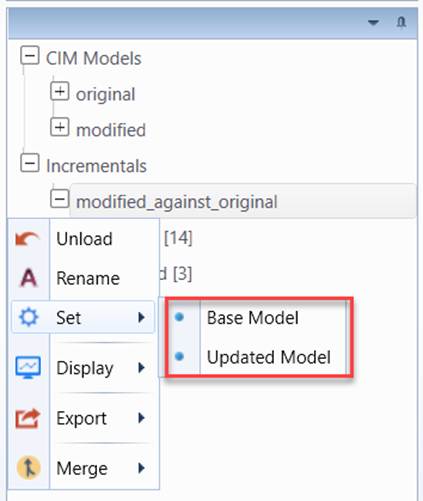
Note the navigation to the base or updated full model is only available for incremental model generated by the Tool through model comparison or model editing. To enable the navigations for an imported incremental mode, users must specify the base model or updated model through UI, as illustrated below:
Users can search for change items using multiple search criteria. Refer to Search for Change Items for details.
For more user-friendly model change presentation, users shall refer to Model Change Reporting for an enhanced functionality.