Scripting Example 4: Updating Model Contents
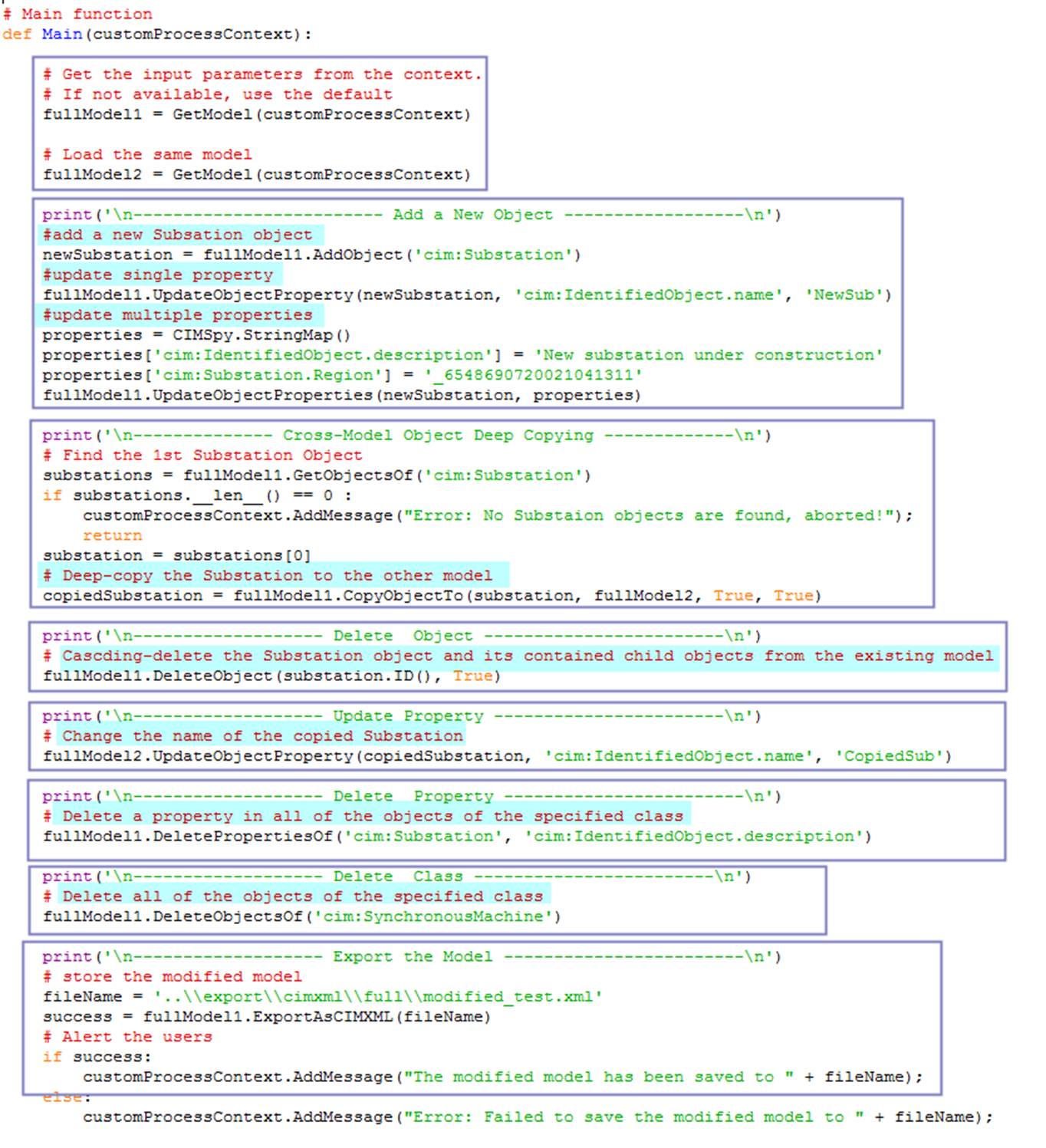
This script is designed to demonstrate how models can be arbitrarily modified. More specifically, the following model changes are made:
Load two identical models, fullModel1 and fullModel2.
- Add a new Substation object in fullModel1.
- Deep-copy an existing Substation object from fullModel1 to fullModel2.
- Cascading-delete the copied Substation instance from fullModel1.
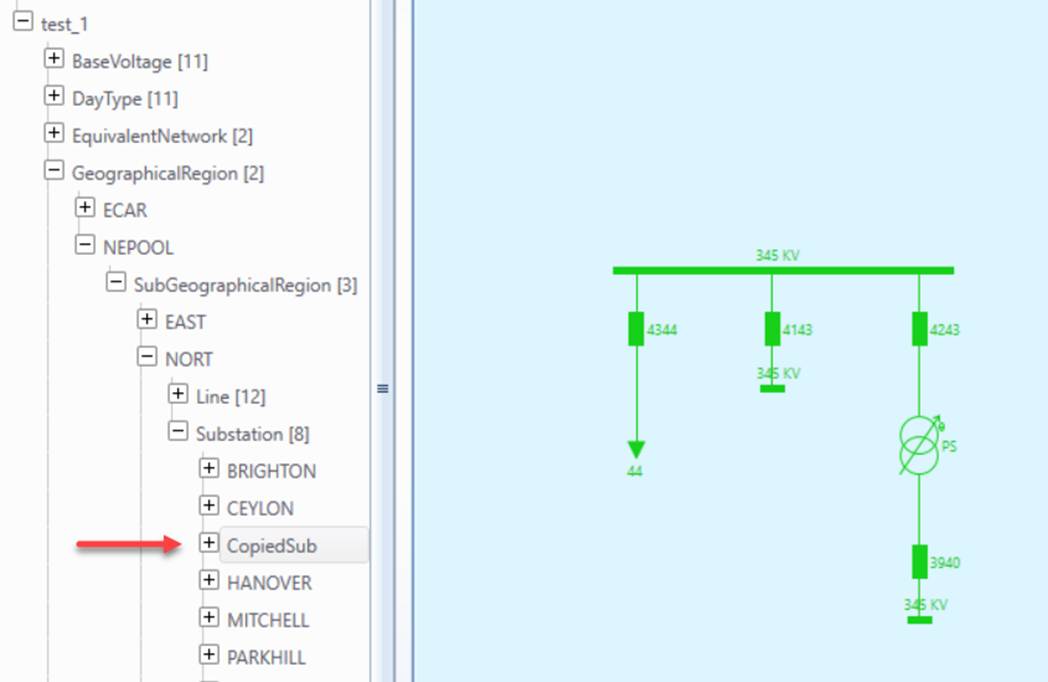
- Change the property (i.e. IdentifiedObject.name) of the copied Substation object in fullModel2.
- Delete a property (i.e. IdentifiedObject.description) in all of the Substation objects in fullModel1.
- Delete all of the SynchronousMachine instances in fullModel1.
- Save the modified fullModel1 to a file.
- Alert users where the file is stored.
The script can be run either as a model-independent custom process or initiated from a model as a model-specific custom process. In the former case, a default model will be loaded. In the latter case, fullModel2 is set to be fullModel1.
The main function of the script takes no user-defined parameters.
Hands-on
Invoked ‘Run Python via Config’ from the global context menu, which can be initiated by right-mouse-clicking a bank spot in the tree Panel. A popup wizard window will appear. Select the script function configuration titled “Update Existing Model” from the popup dropdown list.
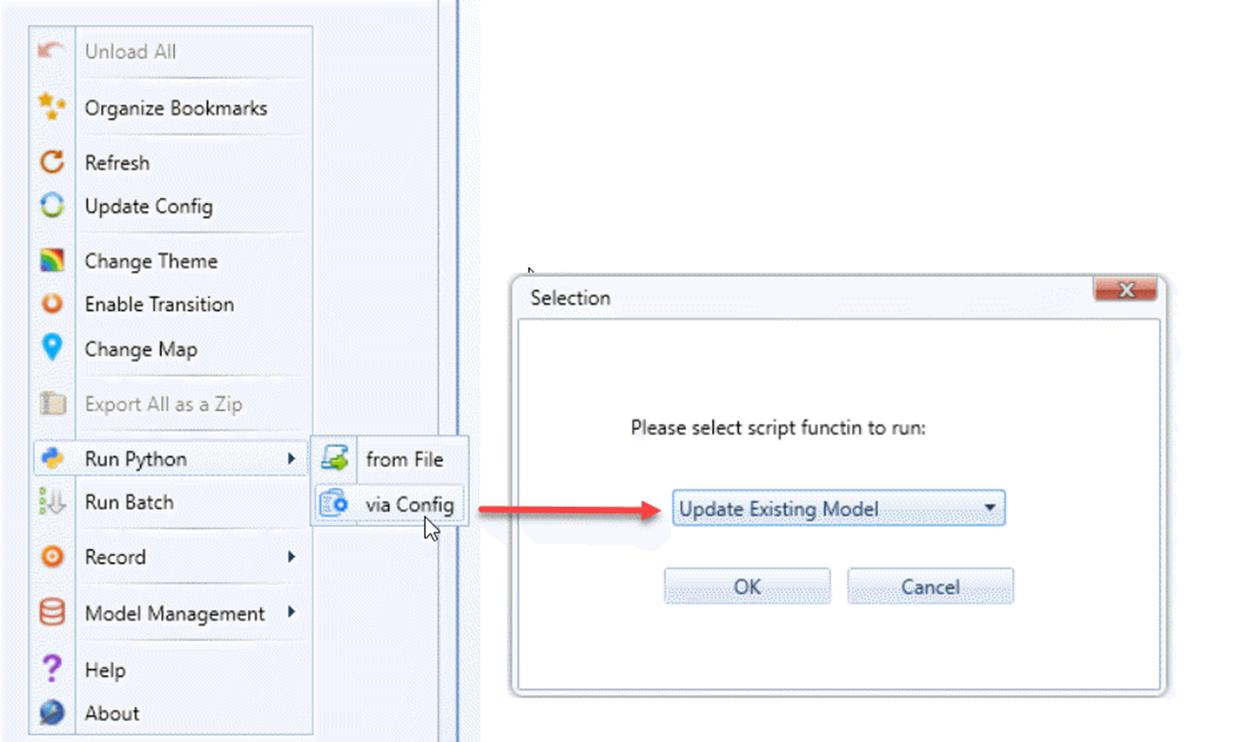
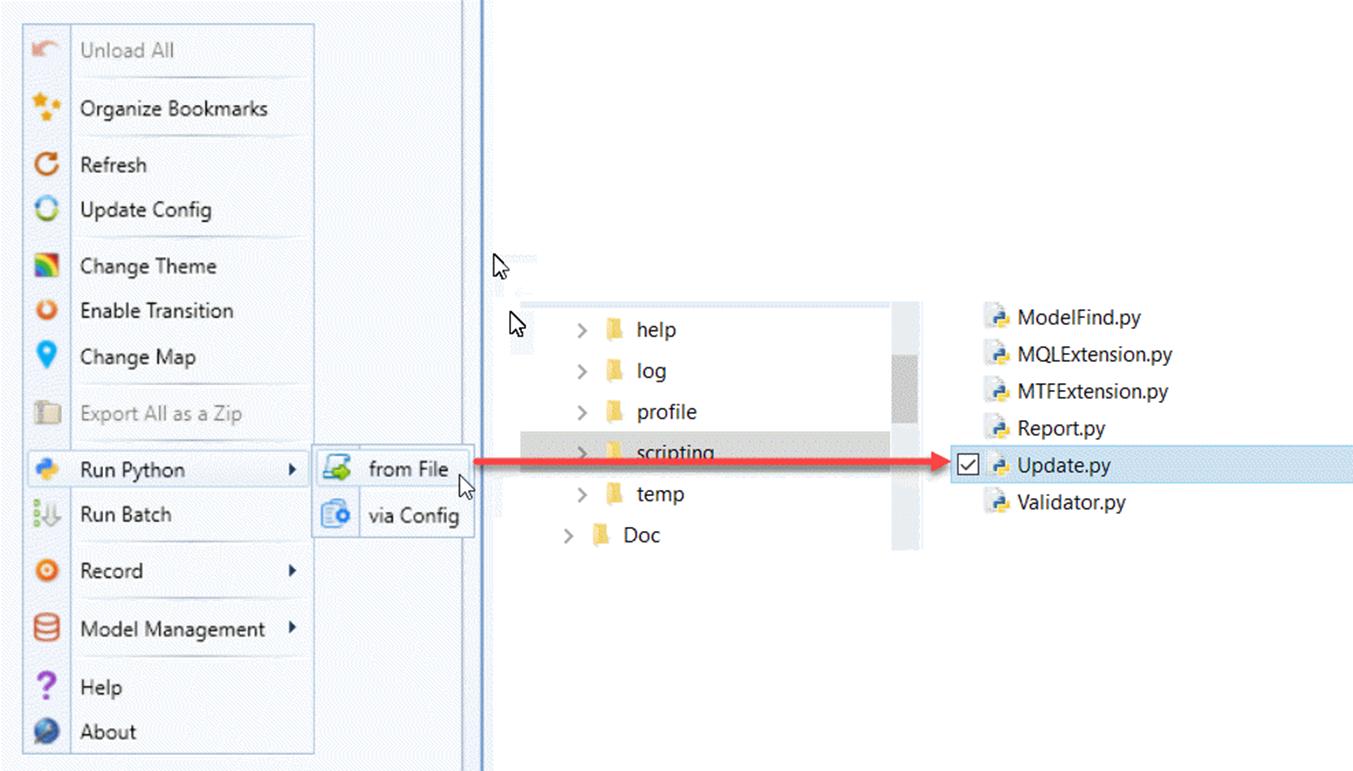
If the popup window is not displayed, that means you don’t have the pre-defined script functions in your configuration. Alternatively, you can run the same script from the file directly, as illustrated below.
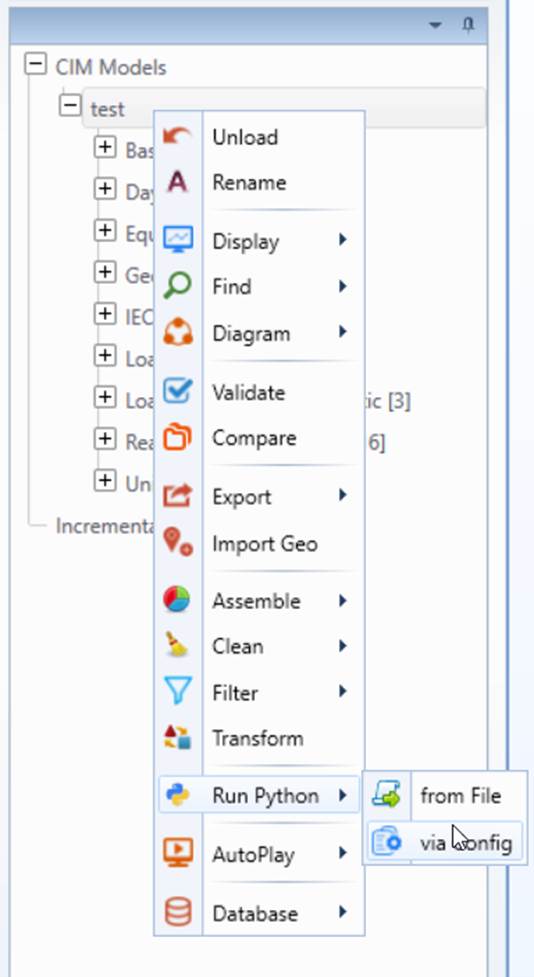
The script can also be executed as a model-specific custom process. It can be invoked from a context menu associated with a model, as illustrated below. When executed as a model-specific custom process, it will modify the selected model.
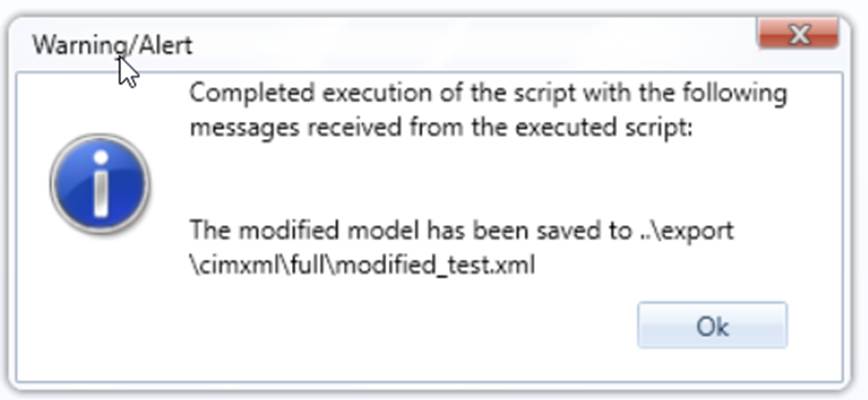
If the execution is successful, you will get the following prompt,
Check the modified models and verify that all of the intended model changes have been successfully achieved.
Code Analysis
The executed script, located under folder \CIMSpy\scripting, is explained below.
It is important to note that the model update APIs used in this script automatically maintains the referential integrity. For example, if an instance object is deleted, all of the references to this instance will be removed. There will be no dangling references as a result of instance deletion. Unlike raw model creation APIs, the model update APIs does require the modified model to be post-processed with ModelSpace.AdaptFullModel call. These APIs are defined to update an existing indexed model. The referential integrity is automatically maintained after calling of these APIs.
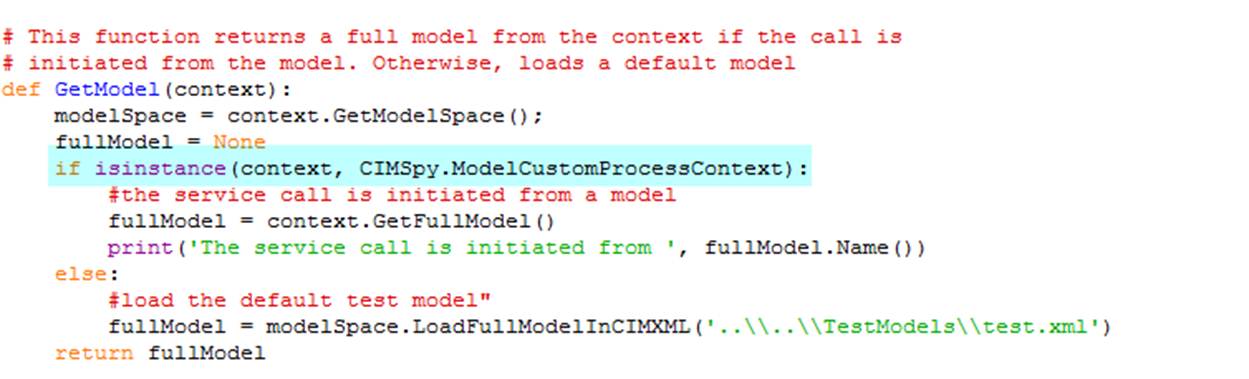
The other trick of this script is it was designed to support both model-independent custom process and model-specific process. In the latter case, a FullModel object is provided as part of the context information. The highlighted code below illustrates how to dynamically discover which custom process is invoked: