Scripting Example 1: Creating a New Model
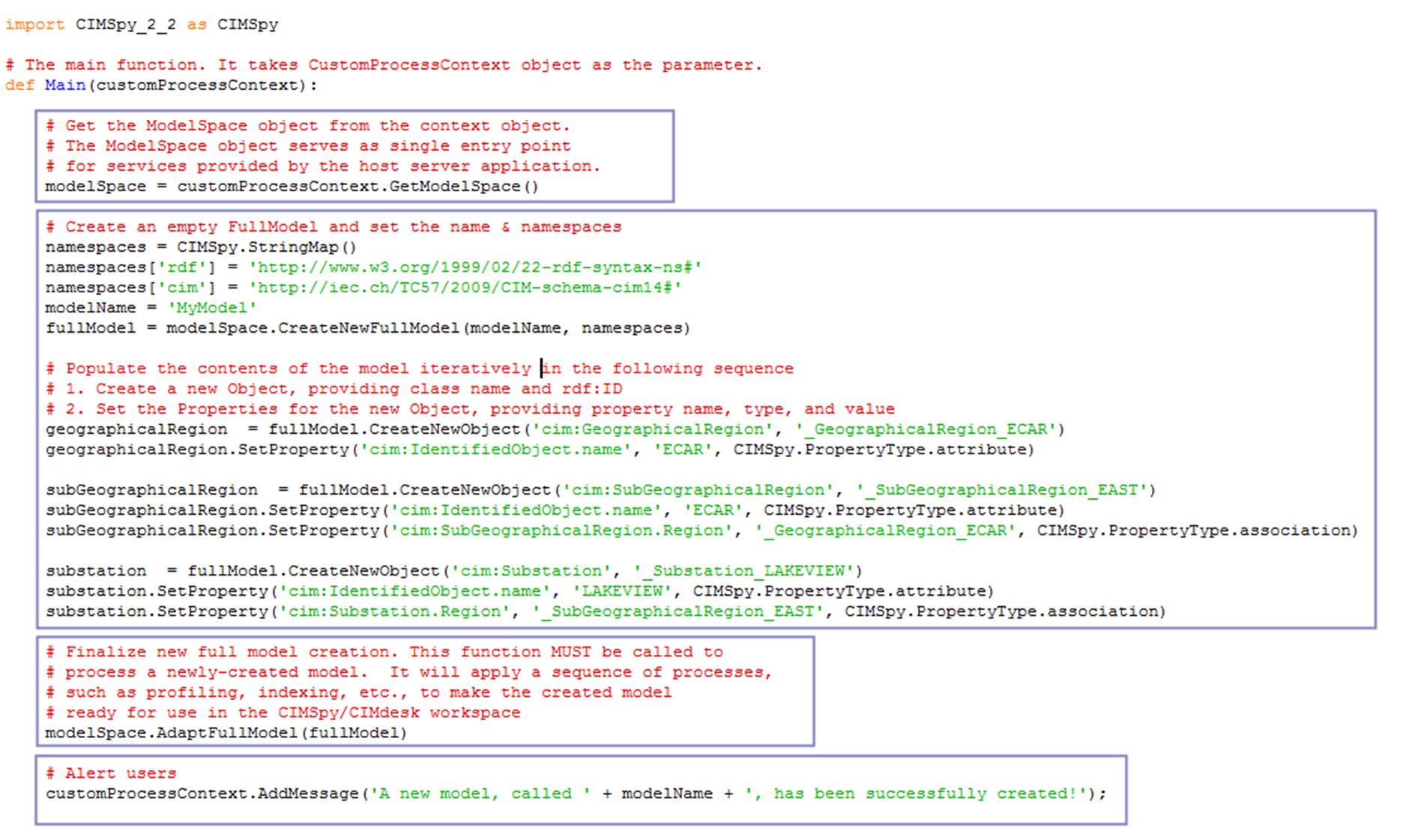
This sample script is designed to demonstrate how a new model can be created from the scratch using raw model creation APIs. These APIs are designed to enable users to populate a new model through scripting. The supported use cases include creating a CIM model from various data sources.
Hands-on
Invoked ‘Run Python→ via Config’ from the global context menu, which can be initiated by right-mouse-clicking a bank spot in the tree Panel. A popup wizard window will appear. Select the script function configuration titled “Create New Model” from the popup dropdown list
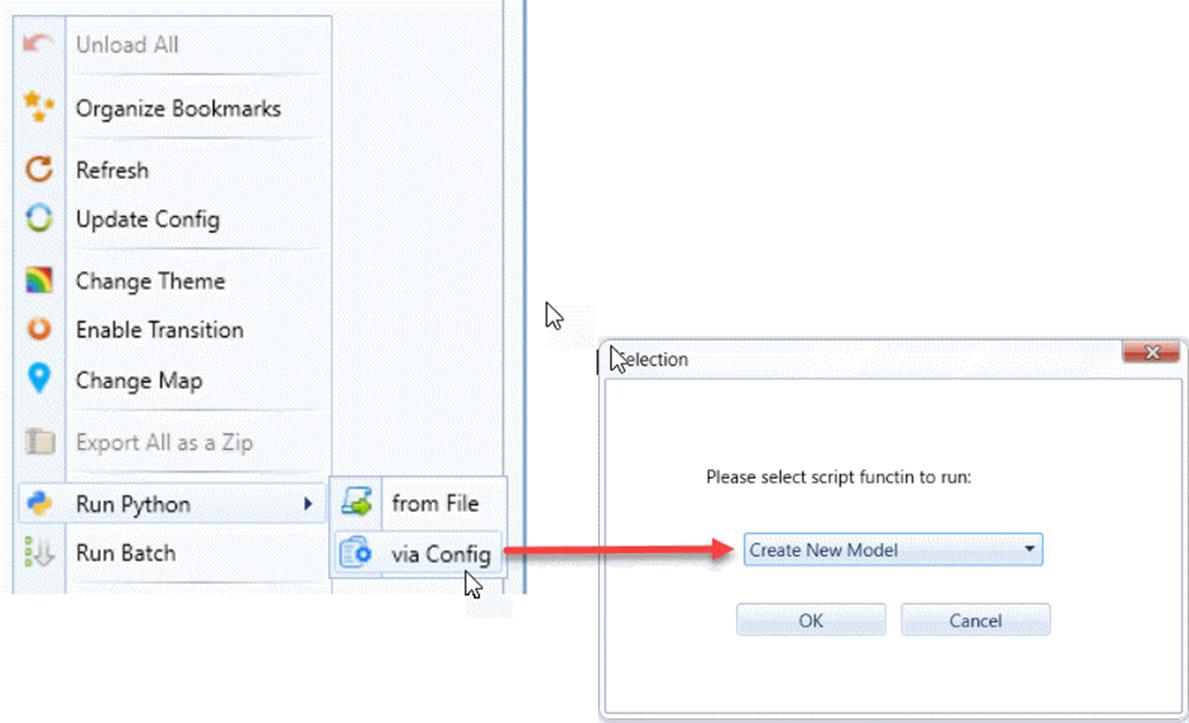
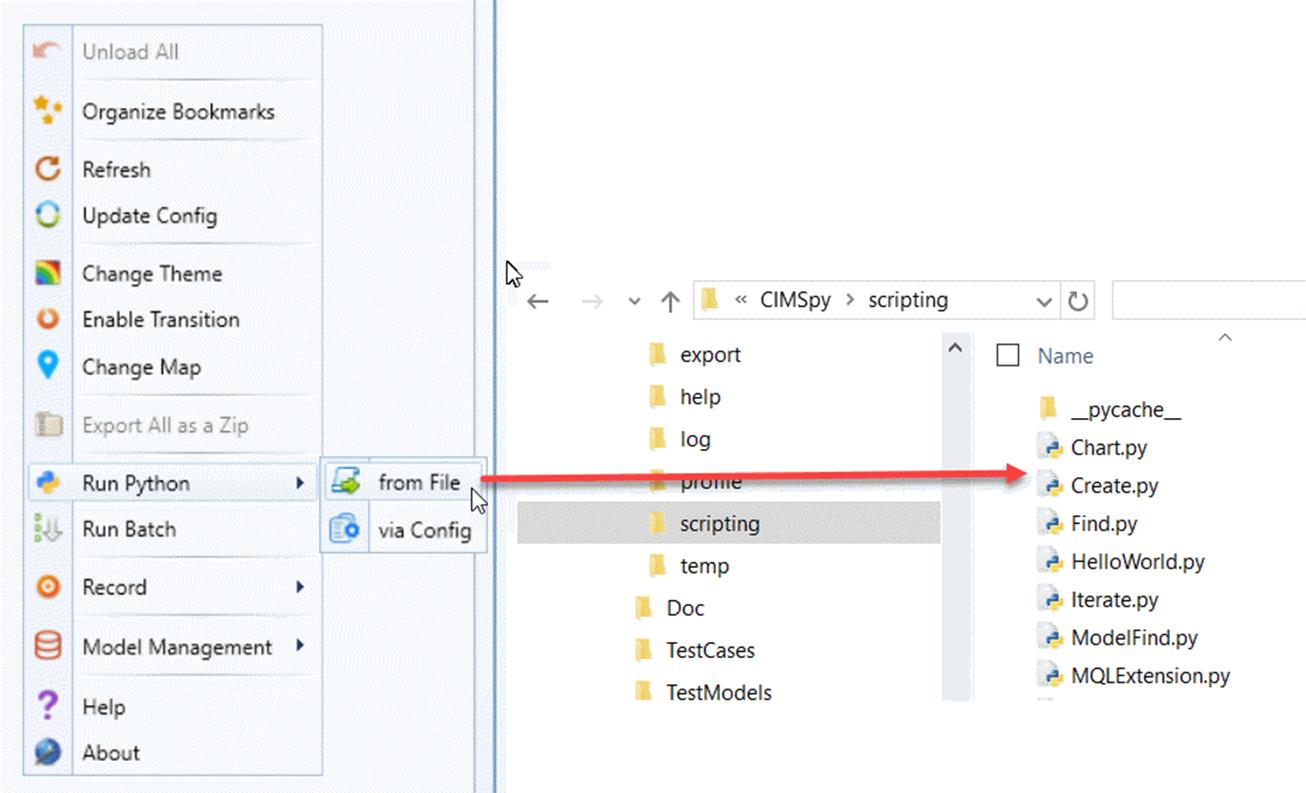
If the popup window is not displayed, that means you don’t have the pre-defined script functions in your configuration. Alternatively, you can run the same script from the file directly, as illustrated below
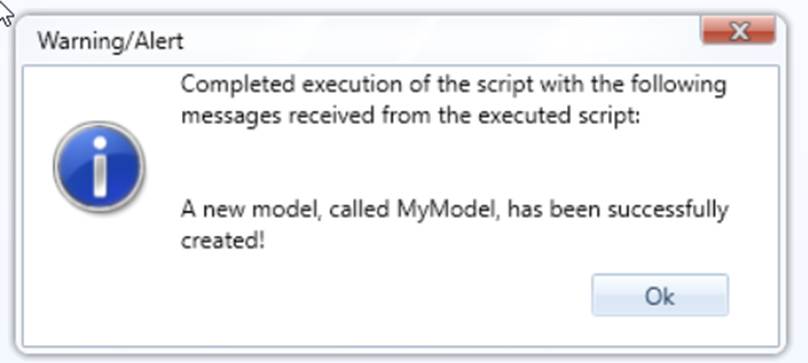
If the execution is successful, you will get the following prompt,
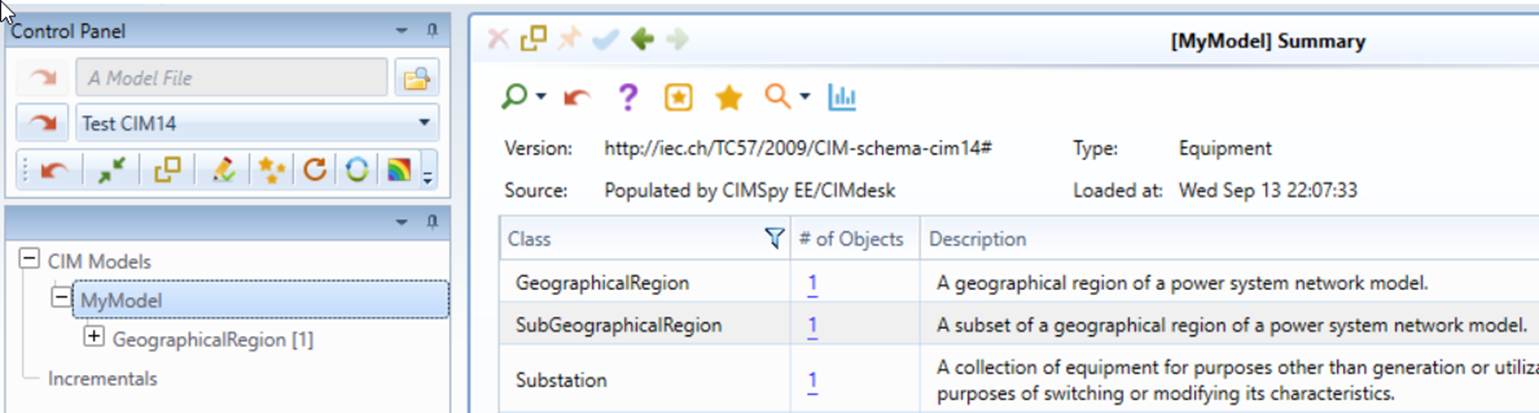
After clicking the ‘OK’ button, you will find the newly-created model has been loaded into the Tool.
Code Analysis
The executed script, located under folder \CIMSpy\scripting, is explained below.
Note
The raw model creation APIs are designed for high-performance. These APIs simply populate the object models and then rely on a post-process to index the populated objects and make the populated model ready for use. Check the Model APIs for more details.