Model Administration Meta-Model
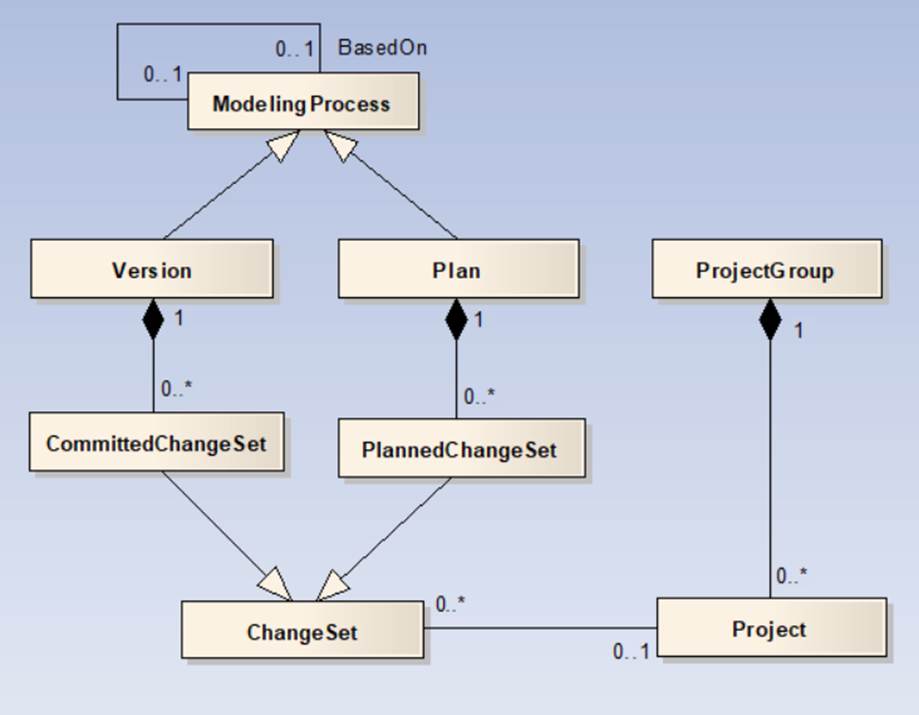
The key to model management is designing a model administration meta-model that conforms to utility model/planning case build processes, ranging from change collection, draft, QA, to release. A meta-model is a model about model. The model administration meta-model is designed to manage model changes over time (referred to as model evolution) and support both operation and planning modeling processes. The UML of the model administration meta-model is shown as below.
Project
A Project is a set of model changes corresponding to a reality-based and future transmission project, such as construction of a new substation, upgrade of a transmission line from 110 kV to 220 kV, etc. A Project can also represent model changes related to as-built model maintenance or what-if operation scenarios.
- Projects are building blocks for assembling as-built model or ad-hoc planning study cases.
- A Project can be serialized as an incremental CIM/XML file for model change exchange or collection.
Change Set
A Change Set represents a Project in the context of a Version or a Plan. A Change Set doesn’t contain any details of model changes. Instead, it references a Project. In other words, a Change Set serves as a proxy of a Project. It is the proxy (agent) of a Project. Change Set is introduced to allow Projects to be shared by different Modeling Processes.
There are two types of Change Sets:
- Committed Change Set: representing a Project that has already been implemented or gone-alive in the field.
- Planned Change Set: representing a future Project or what-if scenario.
Version
Versioning is a formal way to categorize the unique states of power system model as it is developed and released. A Version represents an approved model release. Version is introduced to model the reality-based past and present of a power system. Versioning is a linear process. There is only one Version thread dedicated to managing reality-based model evolution. The most recent Version represents the present model release (referred to as-built), while the earlier Versions identify the historic model releases.
- A Version is made up of a sequence of Committed Change Sets.
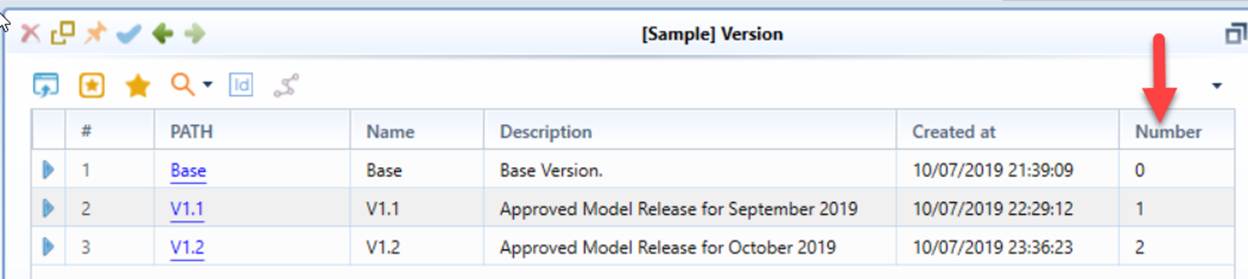
- Versions are consecutively numbered. A Version depends on its earlier Versions.
- Once model changes (Projects) are versioned, they can no longer be modified.
Plan
Plans are used to model the future of power systems. A Plan is introduced to support various model development and planning business processes, such as:
- Development of the next Version of model release
- Quarterly-ahead operational planning
- 10-year long-term planning
Compared with Version,
- A Plan is made up of a sequence of Planned Change Sets.
- A Plan must be based on a Version or another Plan. It extends the timeline from the Version/Plan it is based on to a certain point of the future.
- A Plan is subject to change. Future Projects constructed for Plans can be modified.
There are two types of Plans:
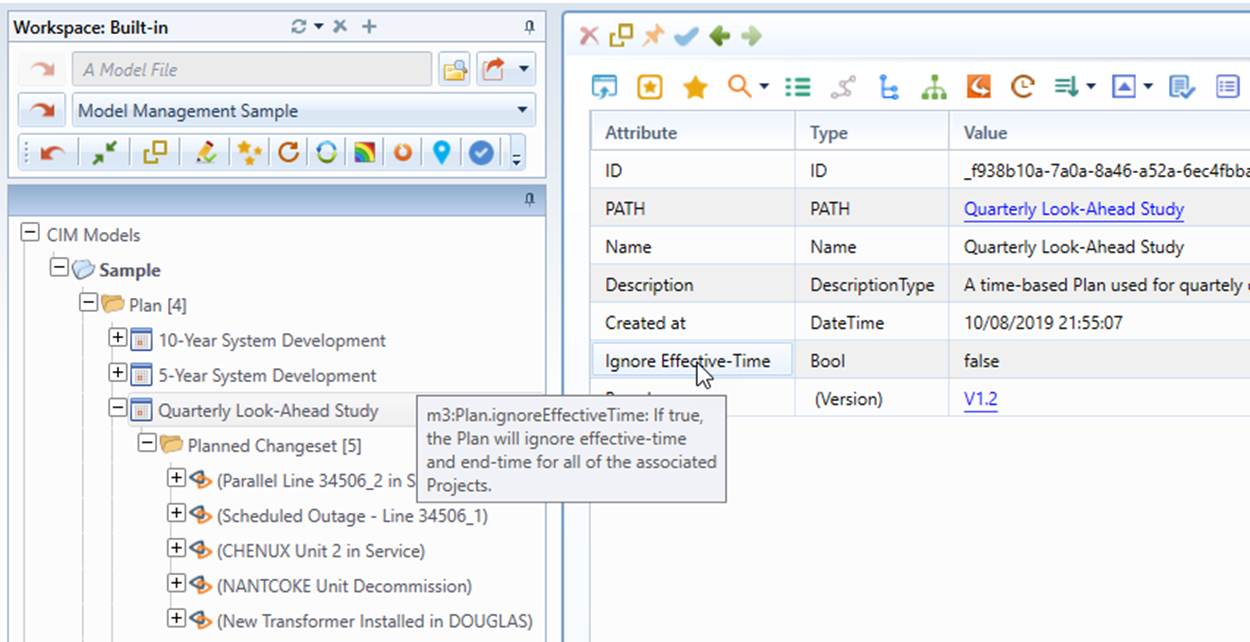
- Sequence-based: A sequence-based Plan ignores effective-time of a Project. The sequences of the Projects are assigned/modified by users. Sequence-based Plan is designed for as-built model maintenance.
- Time-based: Effective-time must be specified for each Project of a time-based Plan. The sequences of the Projects are determined by effective-time. Projects in a time-based Plan must be in chronological order based on effective-time. Time-based Plans are mainly used to support long-term planning.
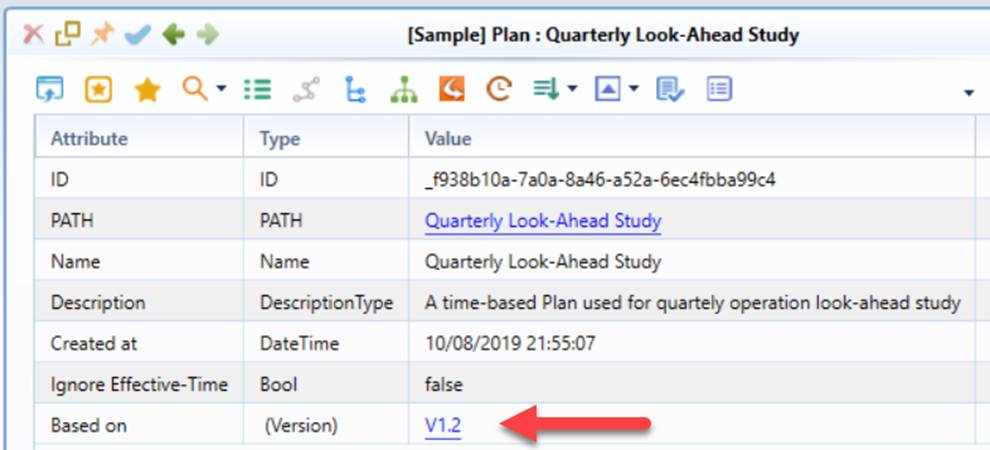
The type of Plan is determined by the Boolean attribute of a Plan: Ignore Effective-Time, as illustrated below:
Version vs. Plan
Version and Plan, both made of a sequence of Change Sets, are derived from Modeling Process.
- Version and Plan are interchangeable. A Plan designated for as-built model maintenance can also be converted to a Version. From this perspective, a Plan can be regarded as a ‘Future Version’, while a Version can be treated as an ‘Executed Plan’.
- A Version is sealed or immutable, while a Plan is subject to change.
- A Modeling Process, except the Base Version, depends on the other Modeling Process. The dependency of Version is implemented using version number, while a Plan must be explicitly based on a Version of another Plan, as illustrated below.
Project Group
Project Groups are introduced to manage the lifecycle of Projects. More specifically, Project Groups organize Projects into groups as they evolve. Project Groups are pre-defined:
- Committed: grouping Projects referenced by at least a Version. Projects in this group can’t be modified.
- Planned: grouping Projects referenced by only Plans. Projects in this group can’t be deleted.
- Unused: grouping Projects not referenced by either Version of Plan. Projects in this group can be deleted.
Assignment of a Project to a Project Group is automatically performed as the role of the Project is changed. For example, when a Plan is converted to a Version, all of its referenced Projects are assigned to the “Committed” Project Group.
RDF-Compliancy
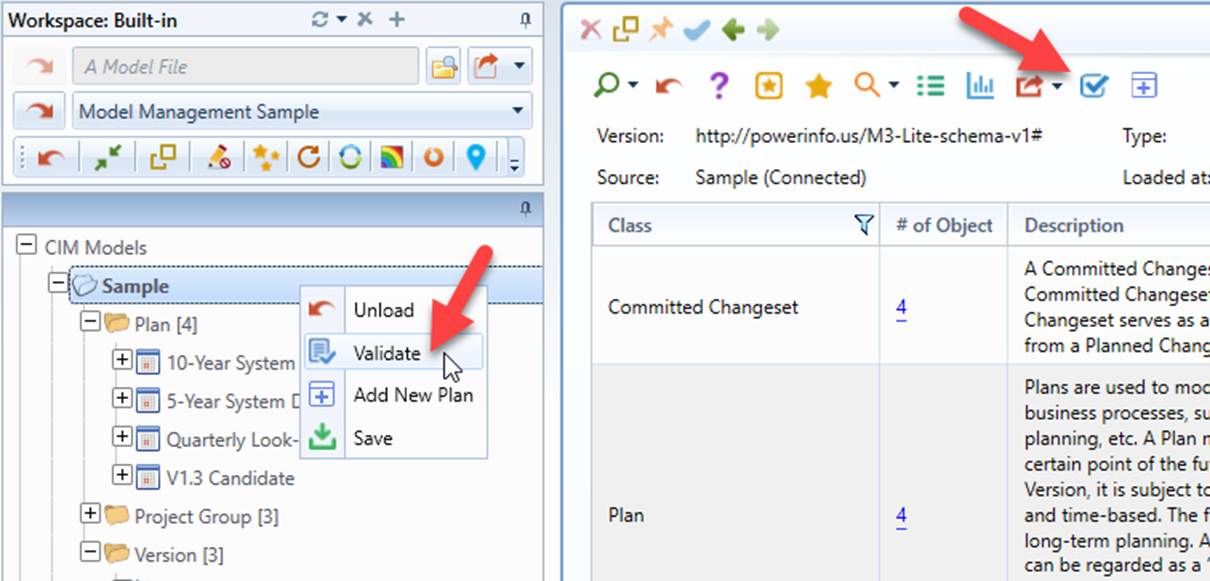
Model Administration Meta-Model is implemented as RDF-complaint model, just like other CIM models. Users can load the meta-model into the workspace for browsing, editing, and validation.