MAS-Based Authorization
Besides Role-Based Authorization, MAS-Based Authorization provides user another level of access control on the Model Authority Set (MAS). There are two typical uses cases where the MAS-Based authorization is useful.
- A RTO/ISO whose model is shared, maintained and exchanged among its members. It will be necessary to restrict the member access to only their model parts instead of other member’s model parts.
- A large utility organization that divides its model parts into different areas so that each modeling area is maintained by individual modeling personnel/group.
The Tool doesn’t restrict any users from viewing any of the MAS. In other words, only the MAS write access is controlled from MAS-Based Authorization, which is achieved through assigning the MAS write permission to individual user.
Model Authority Set (MAS)
The Tool supports regional model assembling based on the CIM concept of Model Authority Sets (MAS). The concept allows an interconnection model to be divided into disjoint sets of objects, and that in turn allows different parties to take responsibility for different parts of the complete model. Under this methodology, each object instance is assigned to one and only one Model Authority Set implicitly or explicitly.
There are four types of Model Authority Sets:
- Regional Set contains regional model objects. Objects in regional sets have internal associations and may have associations to boundary objects, but regional objects may never have associations to objects in other regional sets. This allows regional modeling to be carried out independently of other regions.
- Boundary Set contains boundary objects that mark the boundary between region models. Boundary sets are managed by one authority but defined by mutual agreement.
- Shared Set contains shared objects that shared among regional sets, such as BaseVoltage. Shared sets are managed by multiple authorities defined by mutual agreement.
- ALL Set contains all the objects in the model. This is introduced mainly to provide a convenient way of assigning the whole model access to certain type of users, such as model administrators.
MAS Definition
User only needs to define the Regional Set type. The rest three types will be generated automatically by the Tool when the Regional Sets are defined.
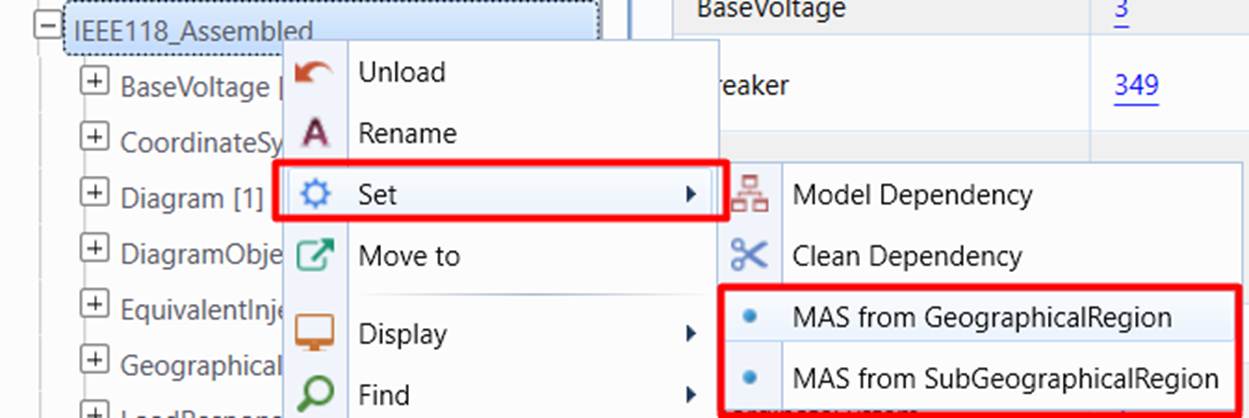
The Regional Set MAS can be defined in Modeling UI via context menu as illustrated below. From modeling UI, it is only supported to create Regional Set MAS from GeographicalRegion and SubGeographicalRegion.
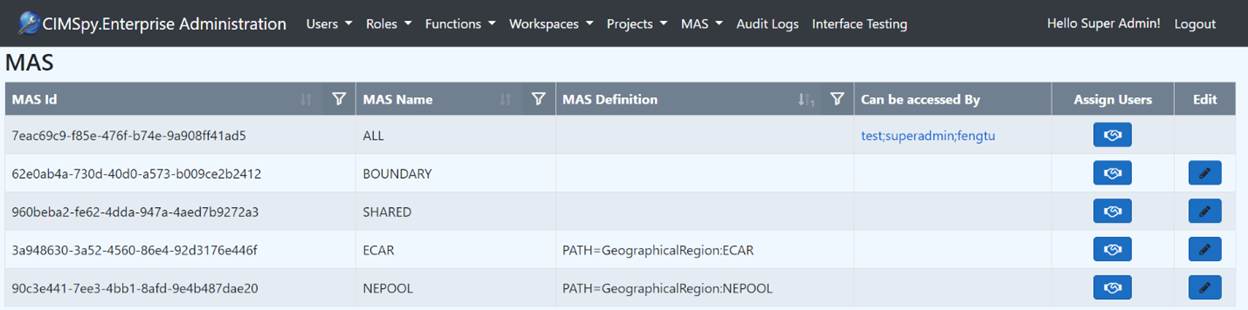
From the sample above, besides two Regional MAS (ECAR and NEPOOL) are created, there are three additional built-in MAS are created as well, which are ALL, BOUNDARY and SHARED. They are corresponding to the three MAS types defined in previous section.
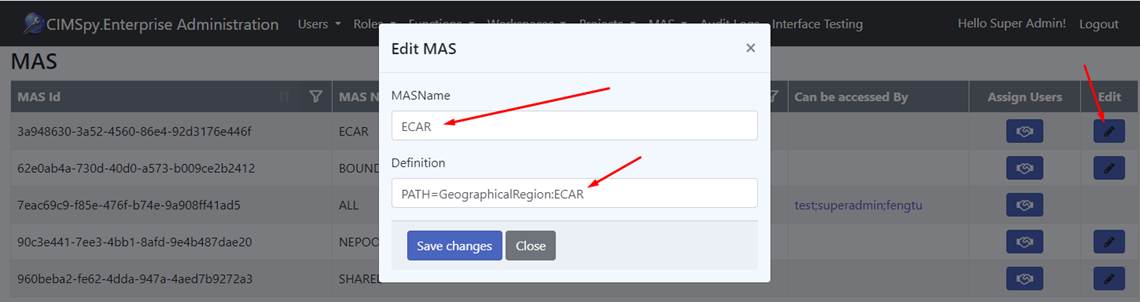
The MAS name and definition can also be modified in the Admin UI as shown below. The MQL type expression can be used to customize the Regional MAS definition.
. 
MAS Authorization Settings
Once MAS is defined, its write access from the users can be assigned by one of the following:
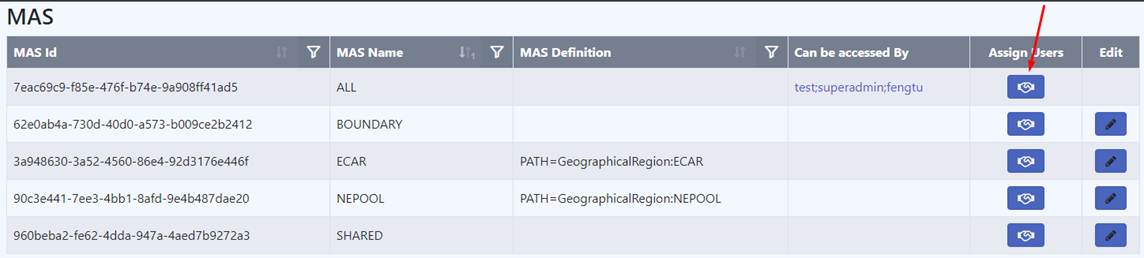
Or
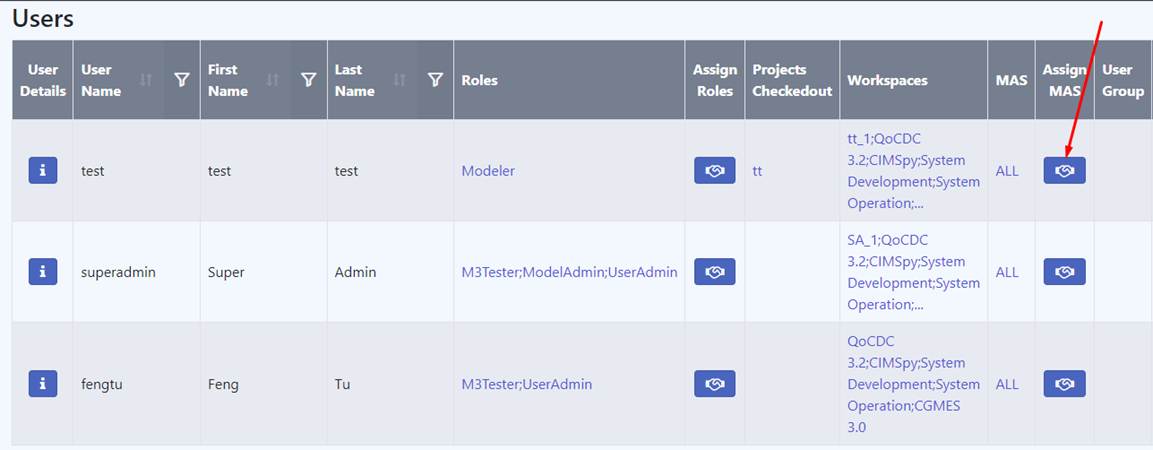
Or
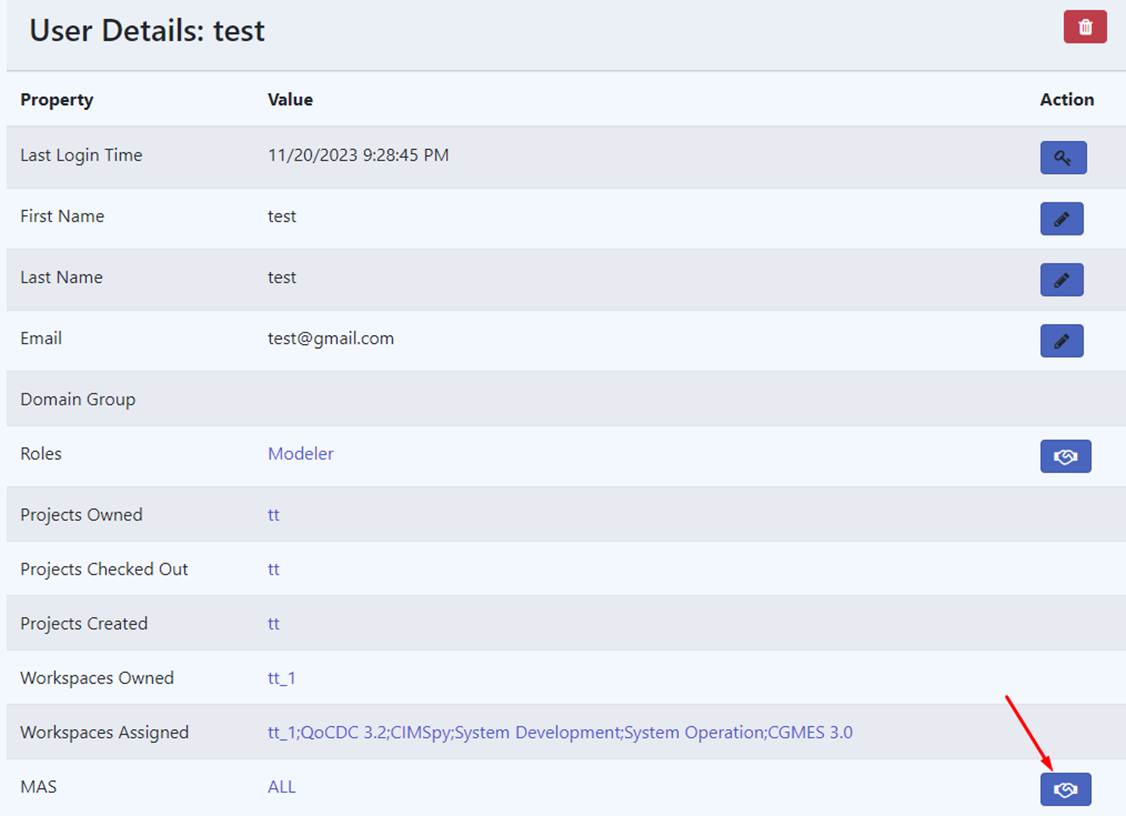
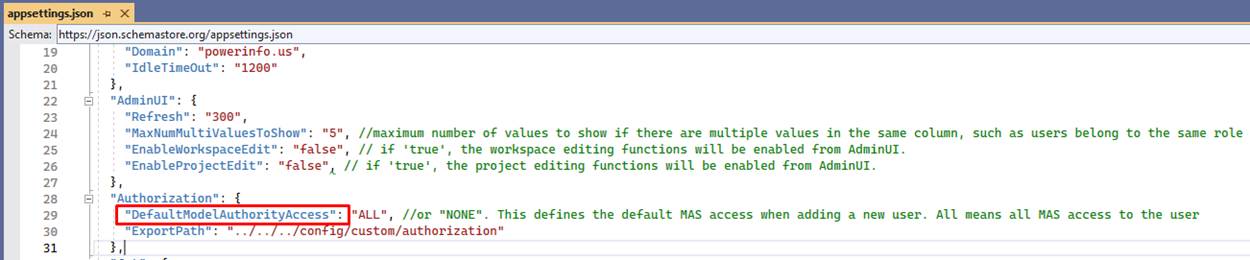
When adding a new user, a default MAS can be assigned to this user. This default MAS can be specified in the configuration item “DefaultModelAuthorityAccess” in appsettings.json file. In this example here, the “ALL” MAS is assigned to every user by default.