Model Importing & Exporting

At its core, the Tool contains an in-memory RDF-compliant database. The models must be loaded into this working space (referred to as model space) for browsing, visualization, and many other activities. The imported models are maintained and indexed in this in-memory RDF-compliant database Multiple models can be loaded into the model space, each maintaining its own model hierarchies. The loaded models can also be removed or unloaded from the model space. In this case, the memory used to store the models will be recycled.
If users modify the loaded models or perform such data engineering tasks as model merging and applying incremental, etc. in the Tool, the modified, updated, or merged models can be exported as various types of files for persistence. The exported model files can be further loaded into the Tool later.
The Tool supports importing/exporting of the following model file formats:
- XML Files: full model or incremental (difference) model in standard CIM/XML format. Multiple model files can be loaded into the tool, but each must be loaded individually.
- CSV Files: a collection of CSV (Comma Separated Values) files. All of the CSV files of a model must be placed in a single folder or directory.
- ZIP Files: A collection of CIM/XML files archived in a ZIP file. This is the quickest and easiest way to load multiple related model files into the tool.
- CIM-Compliant Database: A relational database schema that stores the CIM information as its native format.
- Other Files: such as SVG, PSS/E Raw, etc.
Dealing with Reality
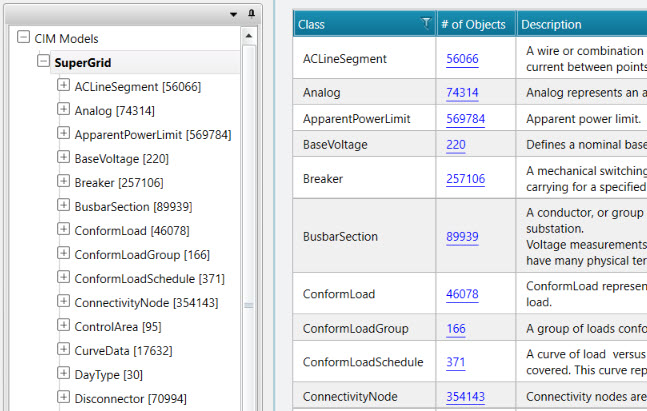
The Tool was designed to deal with realities. Large model files of multi-GB size can be imported into the Tool within a few minutes. Once imported, the model will be stored in a memory-efficient model depository and indexed for quick information retrieval and navigation. The conducted tests have shown the Tool is capable of loading large EMS models containing more than 8000 Substations and planning models containing more than 21,000 buses easily. The 64-bit installation can load 25 models of this size, on a typical laptop/PC with 8 GB RAM The amount of time used to call an instance display in the Tool is about 0.2 seconds regardless of the model size. The performance of other heavy-duty tasks, such as model validation and model merging, are also scalable with the sizes of the loaded models. In a word, the Tool was designed to handle BigData.
Overview of Subtopics
- Importing Models
- Importing CIM/XML Files
- Importing CIM/CSV Files"
- Importing Zipped CIM/XML Files
- Importing from a Pre-defined Data Source
- Importing from a CIM-Compliant Database
- Importing Geographical Data in a User-Defined Format
- Importing PSS/E Raw
- Importing SERC Format
- Importing Self-Defined Models in CSV
- Exporting Models
- Exporting as CIM/XML Files
- Exporting as CIM/CSV Files
- Exporting as Zipped CIM/XML Files
- Exporting a Partial Model
- Exporting External Network
- Exporting a Partitioned Model
- Exporting Schematic Diagrams
- Exporting Geographical Diagrams
- Exporting Geographical Data in a User-Defined Format
- Exporting Diagrams as SVG
- Exporting as Self-Contained Package
- Unloading Models
- Renaming Models