Understanding Difference Model
CIM Difference Model (also referred to as CIM Incremental in the Tool) describes the model changes. The Tool can be used to browse the CIM incremental model. The incremental model can be loaded into the model in the same way as CIM full model, except that the loaded incremental models are organized under the Incremental root tree item. Once the CIM incremental model is loaded, the Tool classifies the model changes into three categories as illustrated in the following screenshot:
- Added – Objects added to the base model, contained only in a forward difference statement of the difference model.
- Deleted – Objects deleted from the base model, contained only in a reverse difference statement of the difference model.
- Updated – Objects modified, contained in both a forward difference statement and a reverse difference statement of the difference model.
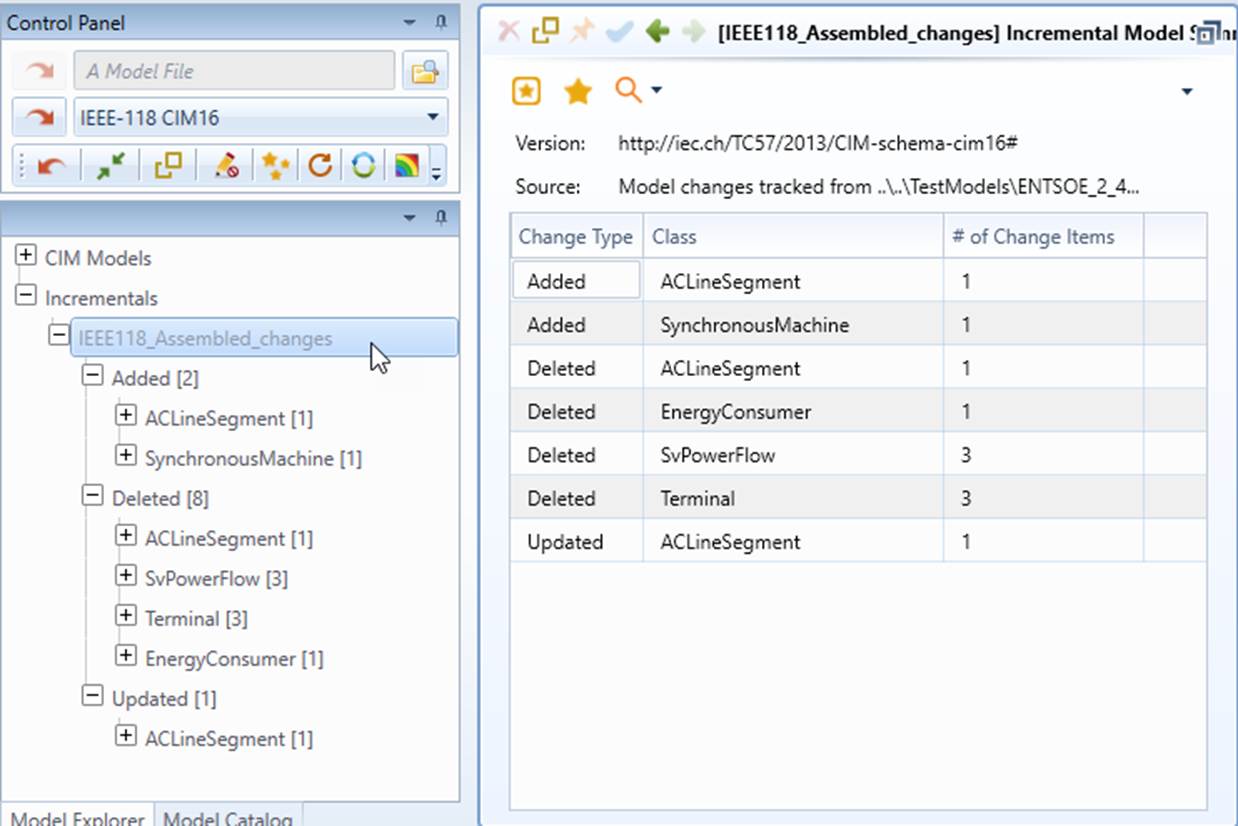
Once the CIM Difference Model is loaded into the Tool, users can inspect the model difference by clicking the tree item in each of the classified categories.
Users can search for change items using multiple search criteria. Refer to Search for Change Items for details.
To learn more how the Tool presents CIM incremental, check Presentation of CIM Incremental and Model Change Reporting.